ReadDeck
 fjordor-dev2 downloads
A local book library, reading journal, and built-in EPUB reader for Obsidian. Find books, customize metadata, and keep ordinary Markdown notes.
- Overview
- Scorecard
- Updates3
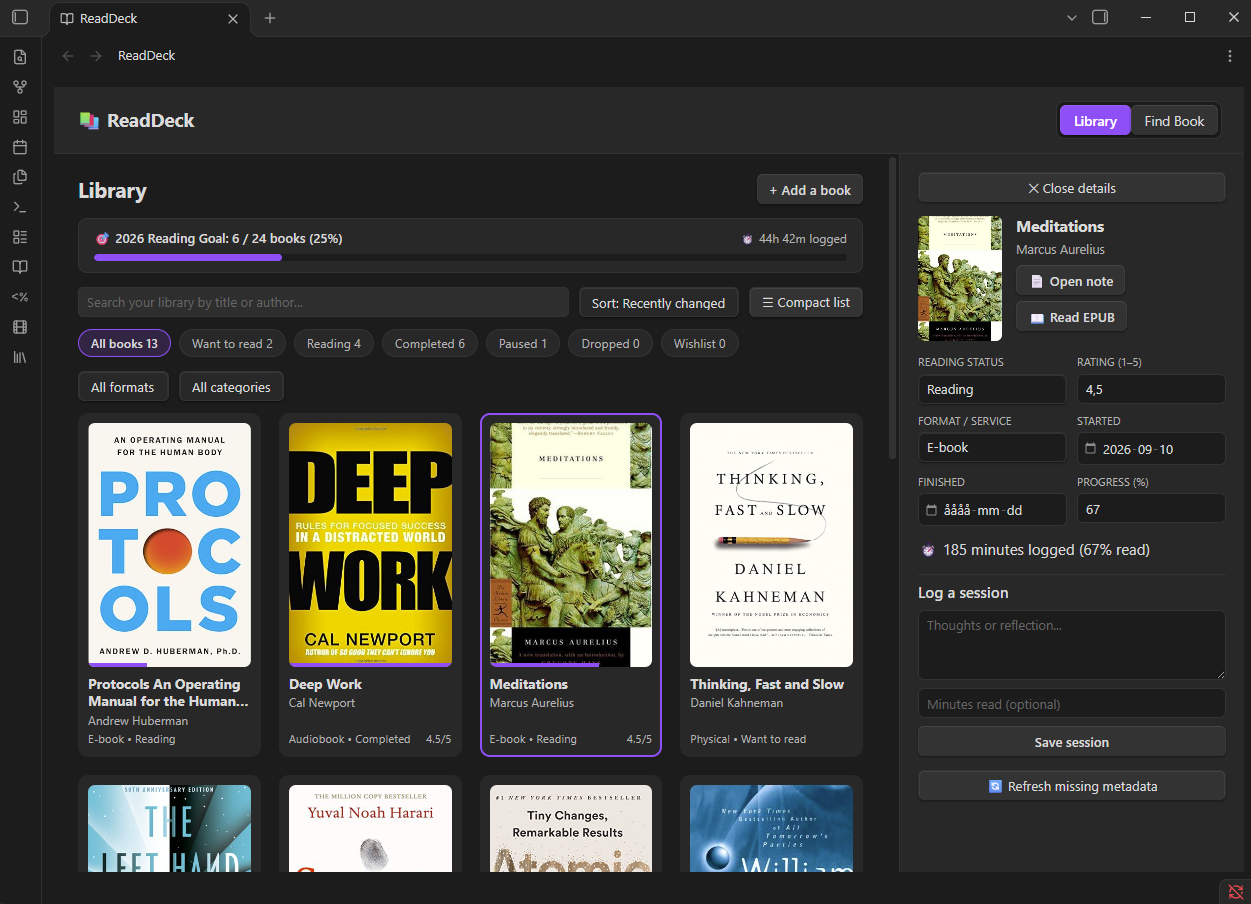
A local-first visual book library and built-in EPUB reader for Obsidian. Organize your reading list, download book covers offline, log reading sessions directly to your notes and Daily Notes, and read EPUBs in a paginated or scrolling reader with an integrated timer and quote capture.
Features
- Visual Library & Compact List: Browse your book notes as a responsive cover grid or compact list, filter by status, format/service, or category, and sort by recently changed, title, author, or rating.
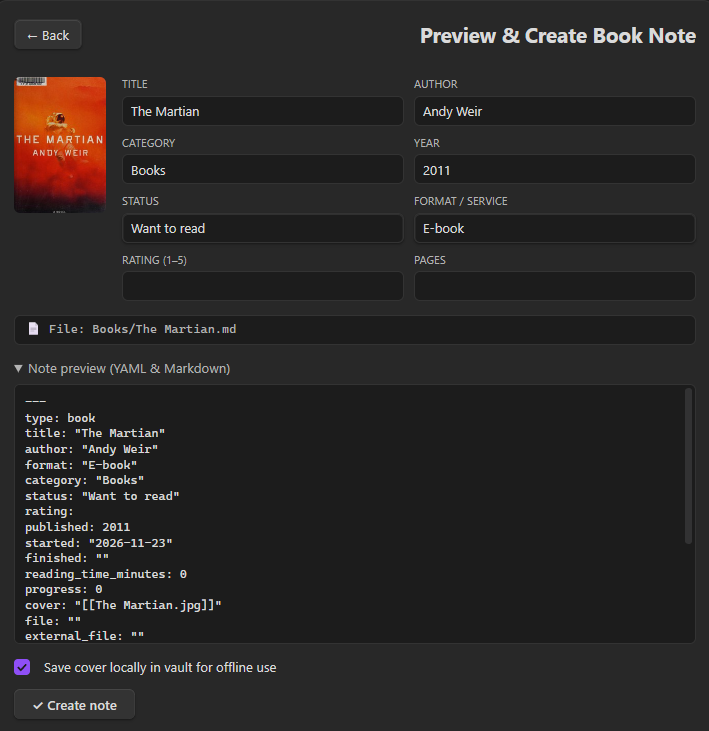
- Preview Before Creating: Inspect and edit title, author, status, format, rating, filename, and generated Markdown/YAML before creating a note.
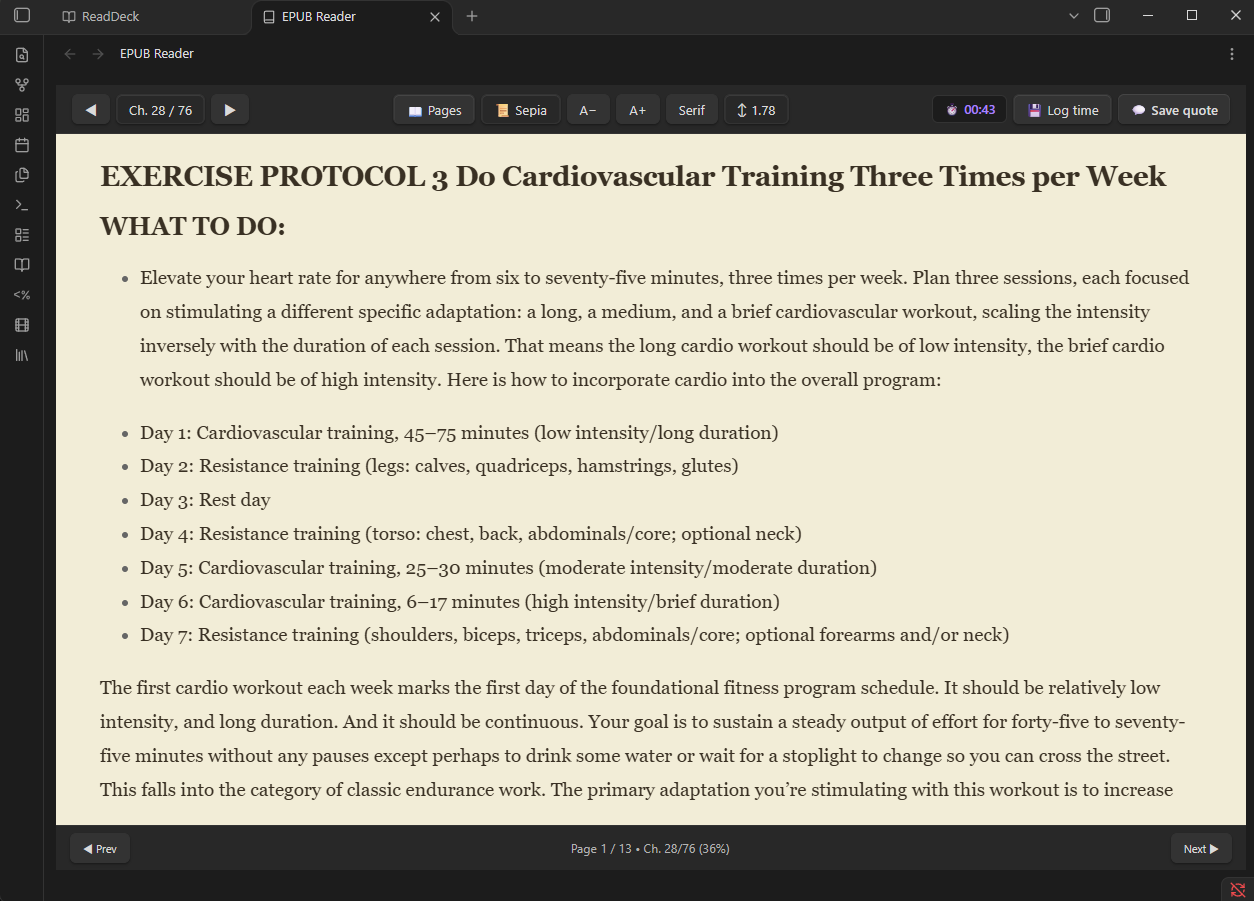
- Built-in Paginated & Scrolling EPUB Reader:
- Read vault-stored EPUBs directly inside Obsidian (no need to enable Detect all file extensions).
- Switch between Paginated (
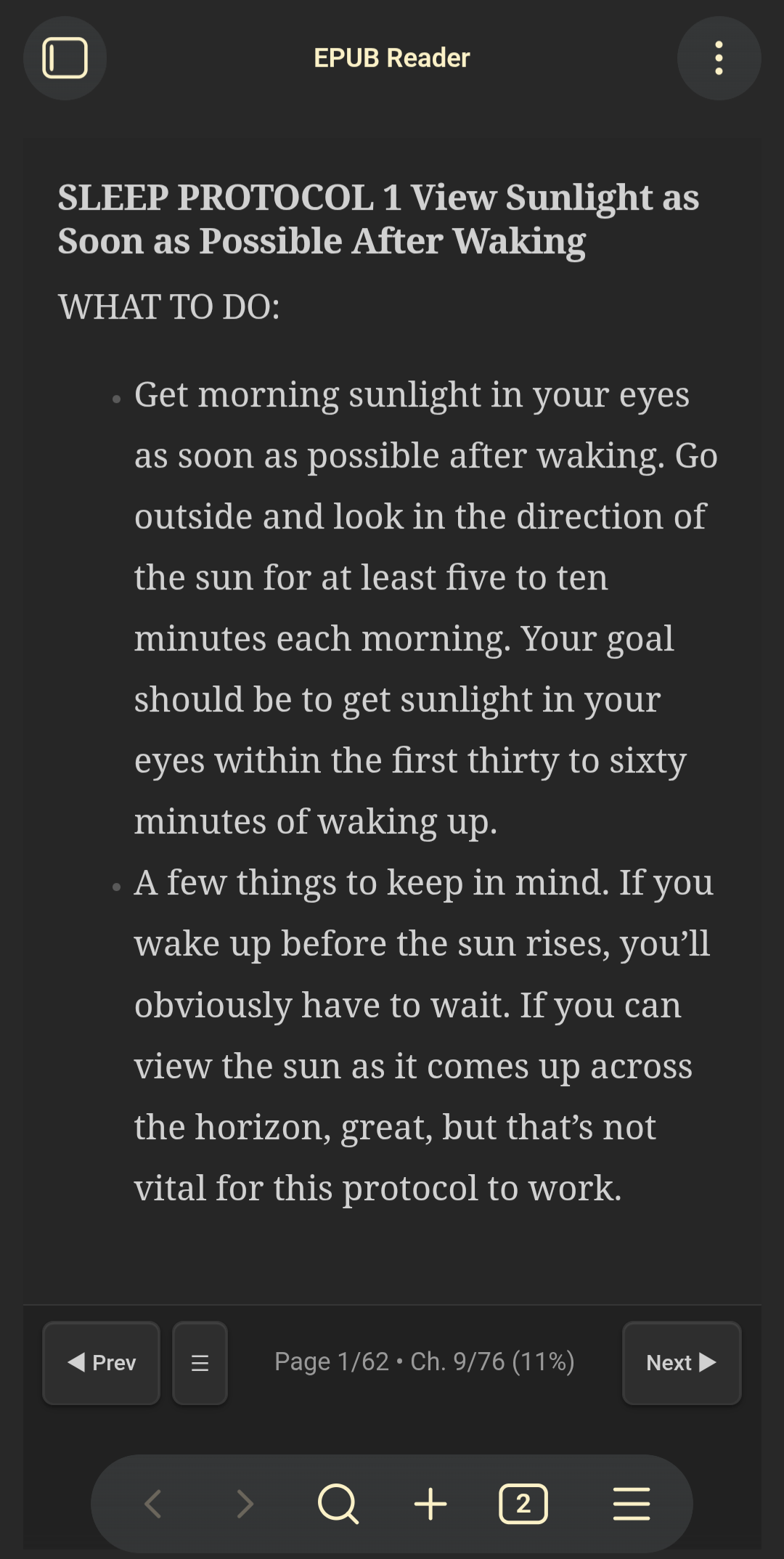
Pages) mode (swipe, tap edges, or use arrow keys) and Scrolling (Scroll) mode. - Distraction-Free Focus Mode: Tap the center of the page (or toolbar toggle) to hide the top controls while reading.
- Automatic Bookmarking & Timer: Remembers your exact chapter and page across sessions, tracks active reading time, and captures highlighted passages as
> [!quote]callouts. - Customizable Dark, Sepia, and Light themes, font size, font family (Serif/Sans), column width, and line spacing.
- Offline Covers & Full Offline Mode: Download validated cover images (max 3 MiB) locally into your vault, or disable online lookups completely to work 100% offline.
- Daily Note Mirroring: Optionally mirror reading sessions to today's Daily Note (YAML properties for reading minutes/books and optional log lines under a custom heading), with automatic support for nested date folders (e.g.,
YYYY/MM/). - Annual Reading Goal: Track completed books for the current year and total logged reading time.
- Custom Structure: Supports English or Swedish schemas out of the box, plus custom filename templates, custom statuses, custom formats/services, custom Markdown body templates, and JSON property remapping.
- Safe Metadata Refresh & CSV Import: Fill in missing covers, page counts, or publication years without overwriting personal ratings or notes, or import reading history from Goodreads / StoryGraph CSV exports.
- Optional Desktop Archive Scan: On desktop, optionally scan a local folder (such as a Calibre archive) for EPUB/PDF/MOBI files and sync individual files into your vault for mobile reading.
Screenshots
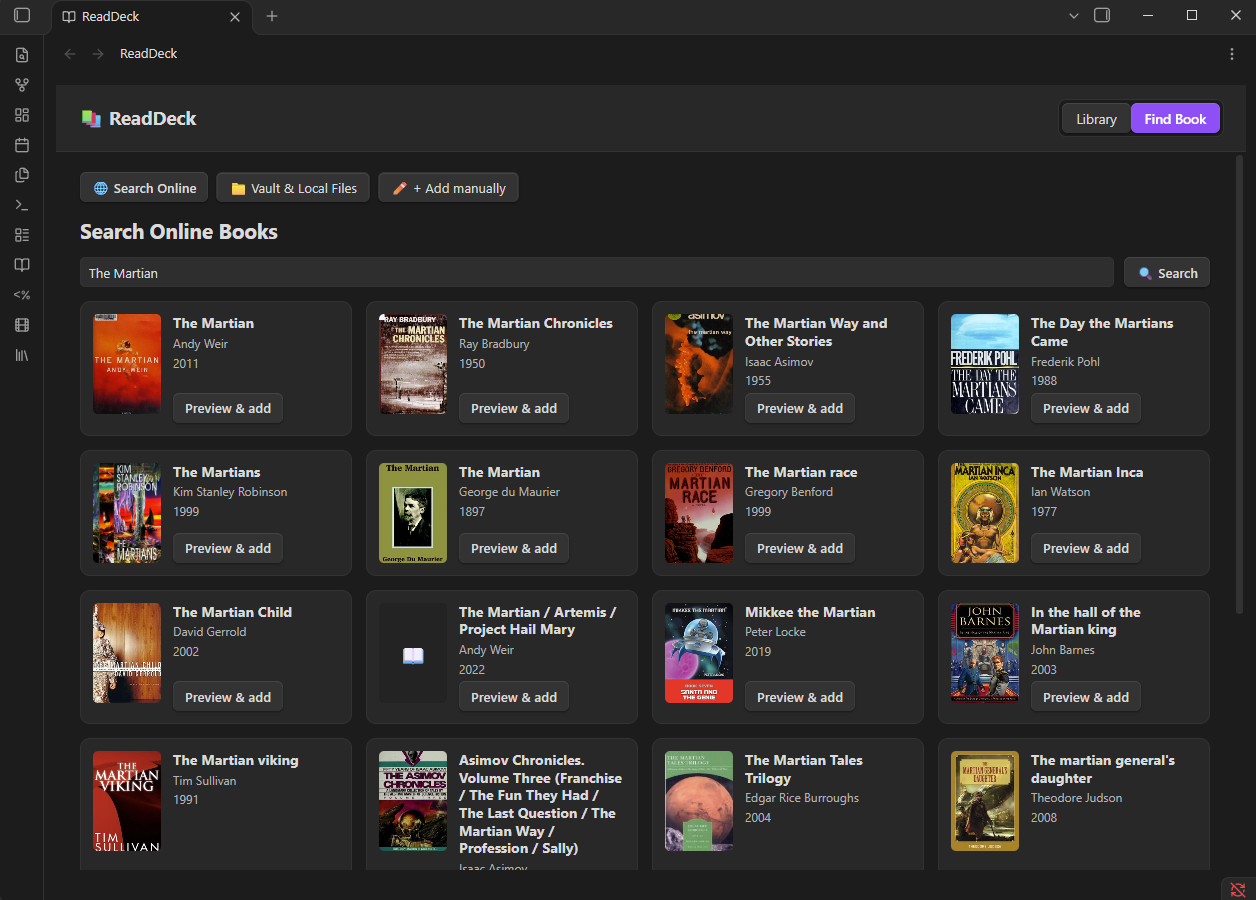
Search & Preview Before Creating
| Search Online, Vault & Manual Entry | Preview & Edit YAML Before Saving |
|---|---|
 |
 |
Built-in EPUB Reader & Settings
| Paginated EPUB Reader (Desktop) | Distraction-Free Focus Mode (Mobile) |
|---|---|
 |
 |
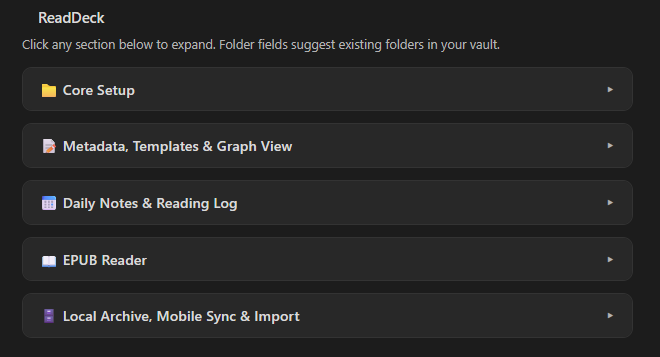
Collapsible Settings
Installation
Manual Installation
- Download
main.js,manifest.json, andstyles.cssfrom the latest GitHub Release. - Create a folder at
<your-vault>/.obsidian/plugins/readdeck/. - Copy the three files into that folder.
- Reload Obsidian and enable ReadDeck under Settings -> Community plugins.
Privacy, Networking & Upstream Limits
ReadDeck is local-first and sends no vault contents, personal notes, ratings, reading logs, or telemetry to any external service. There is no background crawling, analytics, or advertising.
Online features are user-initiated only and can be turned off completely via Settings -> ReadDeck -> Core Setup -> Online search & remote covers.
| Destination | Purpose |
|---|---|
openlibrary.org |
User-initiated book searches and missing-metadata lookups |
covers.openlibrary.org |
Cover previews and optional local cover downloads into the vault |
- Cover download protection: Downloaded covers are verified against supported image signatures (JPEG, PNG, WebP, GIF) and capped at 3 MiB before saving.
- Desktop vs. Mobile: Core library management, online search, offline covers, CSV import, Daily Note mirroring, and vault-stored EPUB reading work on both desktop and mobile. Optional external-disk scanning and external app launching are strictly guarded behind
Platform.isDesktopAppand are never invoked on mobile.
License & Attribution
Released under the MIT License.
ReadDeck is an independent community plugin and is not affiliated with Obsidian or Open Library. Book metadata and cover artwork belong to their respective rights holders.