Quran inserter
 ramysami129 downloads
Insert Quran verses into the editor by specifying the surah and ayah number.
- Overview
- Scorecard
- Updates6
An Obsidian plugin that allows you to quickly fetch and insert Quranic verses directly into your Markdown notes using the Al Quran Cloud API.
Features
- Quick Insert: Search for any verse using the standard
surah:verseformat (e.g.,2:255for Ayat al-Kursi). - Command Palette Support: Trigger the "Insert verse" command using
Ctrl/Cmd + P. - Hotkey Support: Trigger the "Insert verse" command using a hotkey.
- Smart Placement: Inserts text at your current cursor position, handling line breaks automatically.
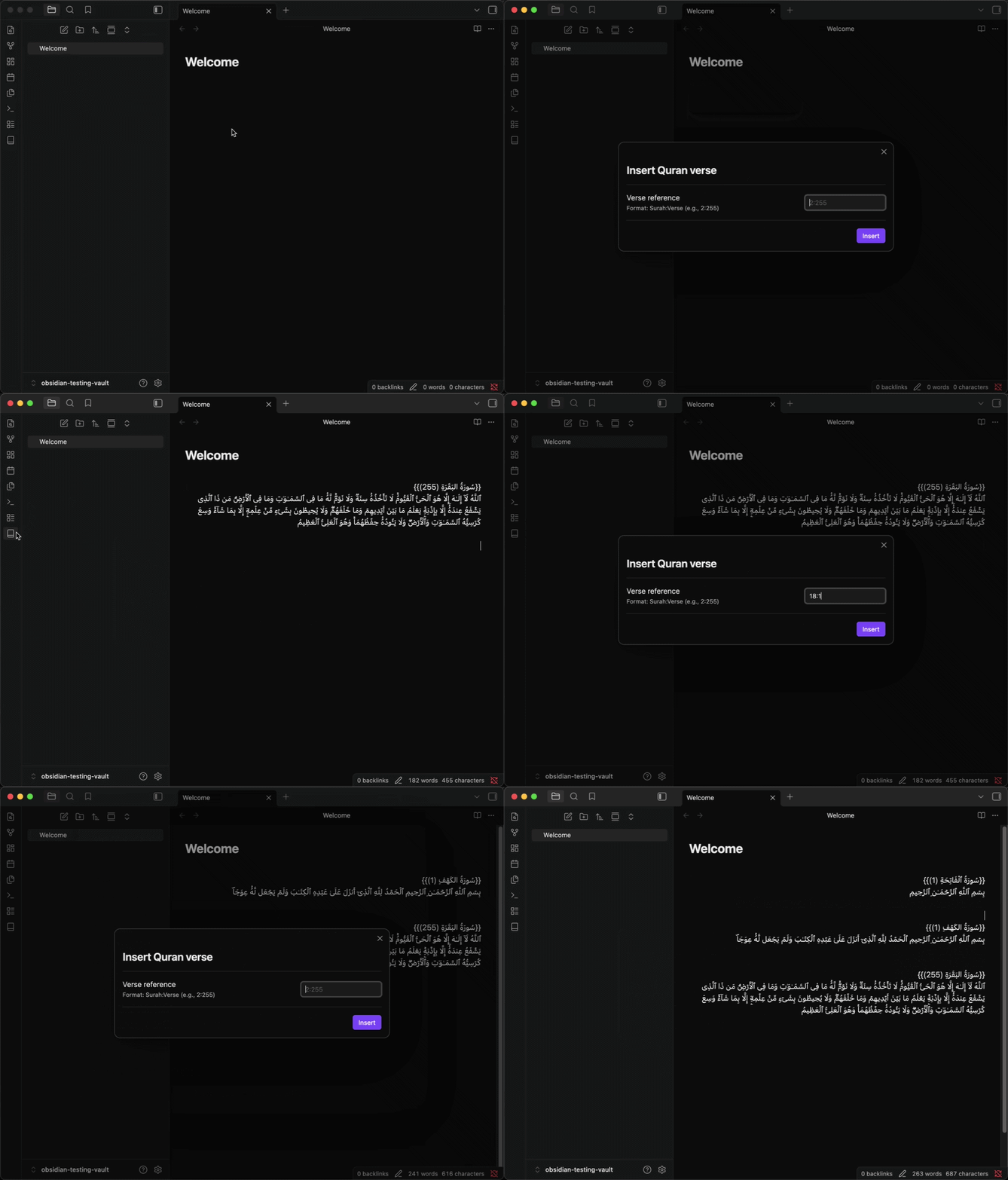
Showcase
How to Use
- Click the Book Icon in the ribbon or use the command palette (
Ctrl/Cmd + P) and search for Insert verse. - A modal will appear asking for the verse reference.
- Enter the reference in
surah:verseformat (e.g.,18:10). - Press Enter or click Insert.
- The verse will be fetched and inserted into your current note.
Installation
From Community Plugins (Recommended)
Pending addition to the Obsidian Community Plugins list.
From BRAT (Beta Reviewer's Auto-update Tool)
- Install the BRAT plugin from the Community Plugins gallery.
- Open BRAT settings: Settings > Community plugins > BRAT.
- Click Add Beta plugin.
- Paste the repository URL:
https://github.com/ramysami/obsidian-quran-plugin - Click Add Plugin.
- Enable the plugin in Settings > Community plugins.
Manual Installation
- Download
main.js,manifest.json&style.cssfrom the latest release. - Create a folder named
quran-inserterin your vault's.obsidian/plugins/directory. - Move the downloaded files into that folder.
- Reload Obsidian and enable the plugin in Settings > Community plugins.
Development
If you want to build the plugin yourself:
- Clone this repository.
- Run
npm installto install dependencies. - Run
npm run devto start the build process in watch mode ornpm run buildto build the plugin.
Planned features
- Insert tafsir/translation.
- Insert multiple verses.
- Link to the verse on Quran.com.
- Settings page.
Note: This plugin requires an active internet connection to fetch verses from the Al Quran Cloud API.
Inspired by Malik Safwan.
HealthExcellent
ReviewSatisfactory
About
Insert Quranic verses directly into your notes via the Al Quran Cloud API. Search by surah:verse (e.g., 2:255) and place the fetched text at the cursor with proper line breaks; trigger from the command palette, ribbon, or a hotkey.Details
Current version
1.2.2
Last updated
5 months ago
Created
5 months ago
Updates
6 releases
Downloads
129
Compatible with
Obsidian 0.15.0+
Platforms
Desktop, Mobile
License
0BSD