Quick Share Note to gist
 chaintng536 downloads
Quick publish and share notes to GitHub Gist and its image by upload images to Imgur.
- Overview
- Scorecard
- Updates19
Quick Share Note is an Obsidian plugin. It quickly publishes your notes through multiple providers, with HackMD recommended for most sharing workflows. It copies the published URL and writes the publish URL back to note frontmatter.
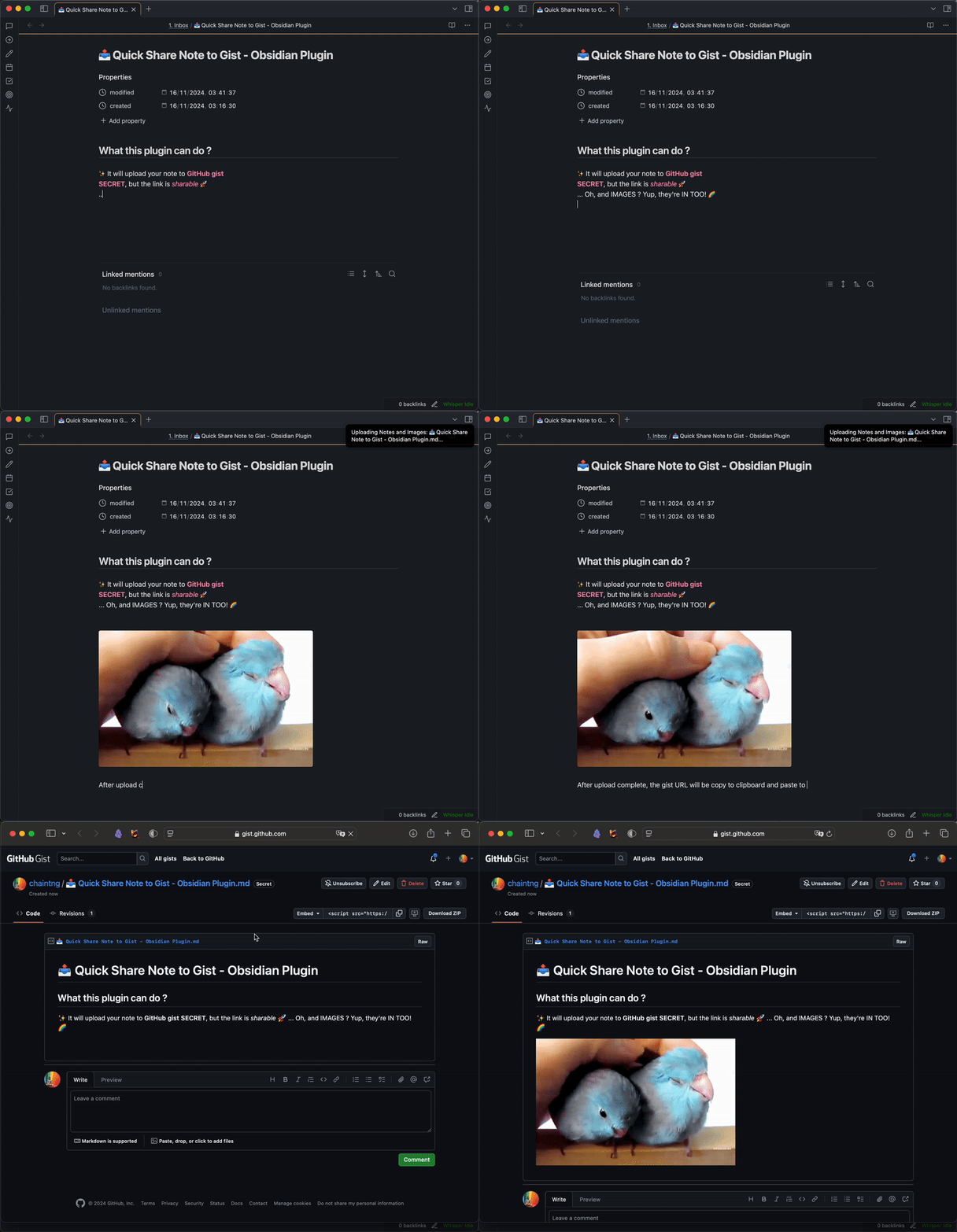
DEMO
Installation
- Search "Quick Share Note to gist" in Obsidian's Plug-in marketplace
- OR go to this link: https://obsidian.md/plugins?id=quick-share-note-to-gist
Configuration
After enabling the plugin, go to the plugin settings to configure the following options:
- Provider: Choose HackMD or GitHub gist. HackMD is recommended.
- HackMD Token: Required when publishing to HackMD. HackMD image upload uses HackMD directly and does not use Imgur. HackMD allows images up to 1 MB.
- GitHub Token: Required when publishing to GitHub gist.
- Imgur Client ID: Required for image uploads when publishing to GitHub gist.
- Show Frontmatter: Toggle whether to include frontmatter in the published note.
- Show Filename as First Header: Toggle whether to add the note filename as an H1 at the top of the published note.
Usage
- Open the note you want to publish in Obsidian.
- Use the command palette (
Ctrl+PorCmd+P) and selectPublish note to selected provider. - The plugin will upload the note to the configured provider.
- A notification will appear with the published URL, which will also be copied to your clipboard.
Features
- Publish notes through multiple providers: HackMD or GitHub gist.
- New HackMD notes are created readable by everyone with the link, while editing stays owner-only.
- Upload images to Imgur for GitHub gist publishing.
- Upload images directly to HackMD for HackMD publishing. Images over 1 MB are resized before upload when possible, and unsupported formats are converted to JPEG when possible.
- Option to include or exclude frontmatter in the published note.
- Option to include or exclude the filename H1 in the published note.
- Copy published URL into clipboard, and save it in frontmatter.
License
This project is licensed under the MIT License.
HealthExcellent
ReviewSatisfactory
About
Publish notes to secret, shareable GitHub Gists and upload embedded images to Imgur, automatically replacing image links in the published note. Copy the gist URL to your clipboard for fast sharing and optionally include frontmatter in the published file.Details
Current version
1.0.20
Last updated
3 months ago
Created
2 years ago
Updates
19 releases
Downloads
536
Compatible with
Obsidian 0.15.0+
Platforms
Desktop, Mobile
License
OTHER