Quick Peek Sidebar
 bwya773k downloads
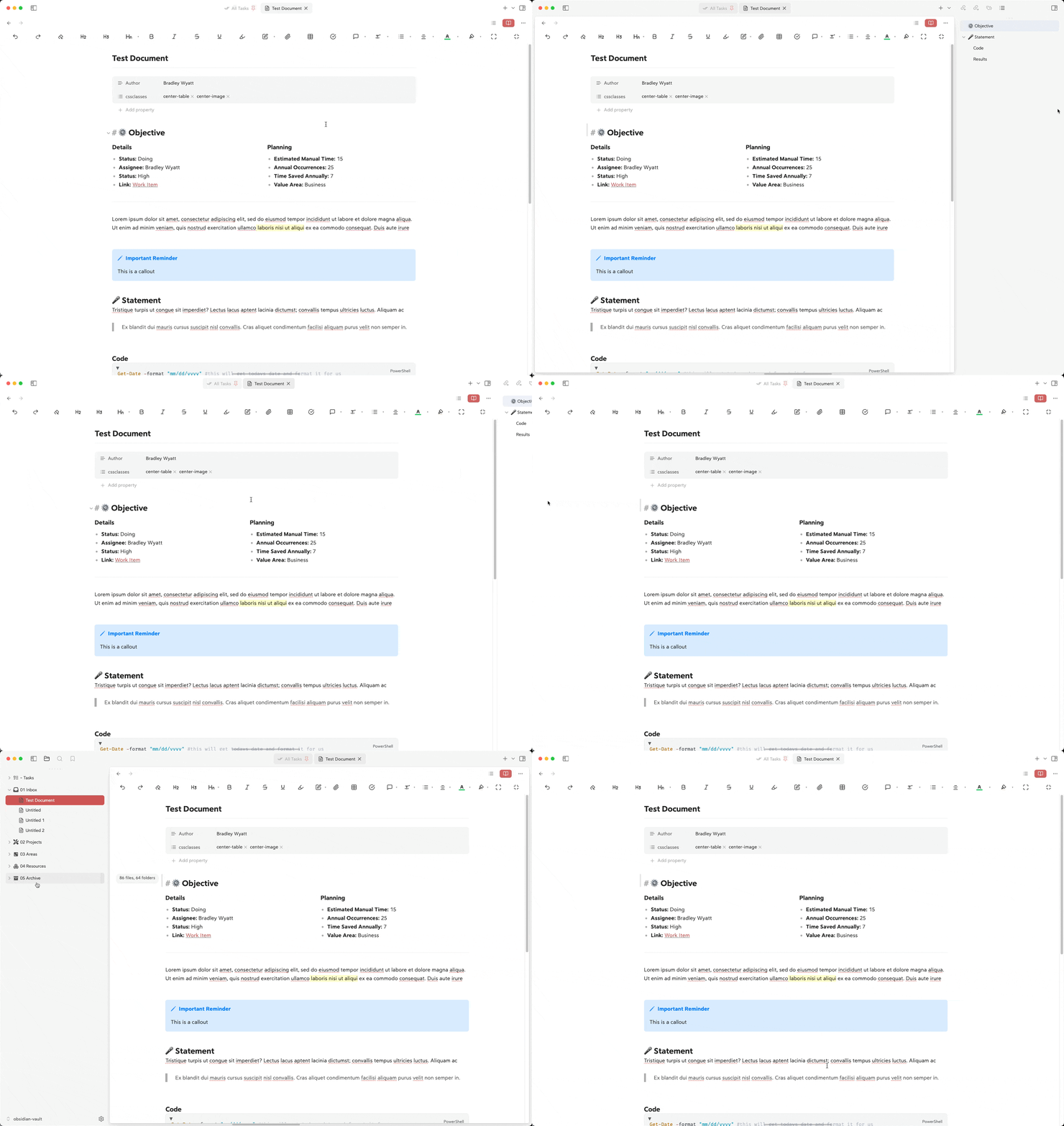
Opens the left and/or right side panel by hovering over it.
- Overview
- Scorecard
- Updates5
Automatically expand and collapse the left/right or both sidebars when hovering over the edge of the window.
Features
- Expands the left sidebar when hovering over the left edge of the window
- Expands the right sidebar when hovering over the right edge of the window
- Configurable hover trigger areas (pixel distance from edges)
- Set the expand/collapse animation speed
- Option to overlay the sidebars on top of the main content
- Set maximum width for the left and right sidebars
- Configurable delay before expanding
- Configurable delay before collapsing
- Option to sync left and right sidebars (expand/collapse both together)
Configuration
You can customize the following settings in the plugin options:
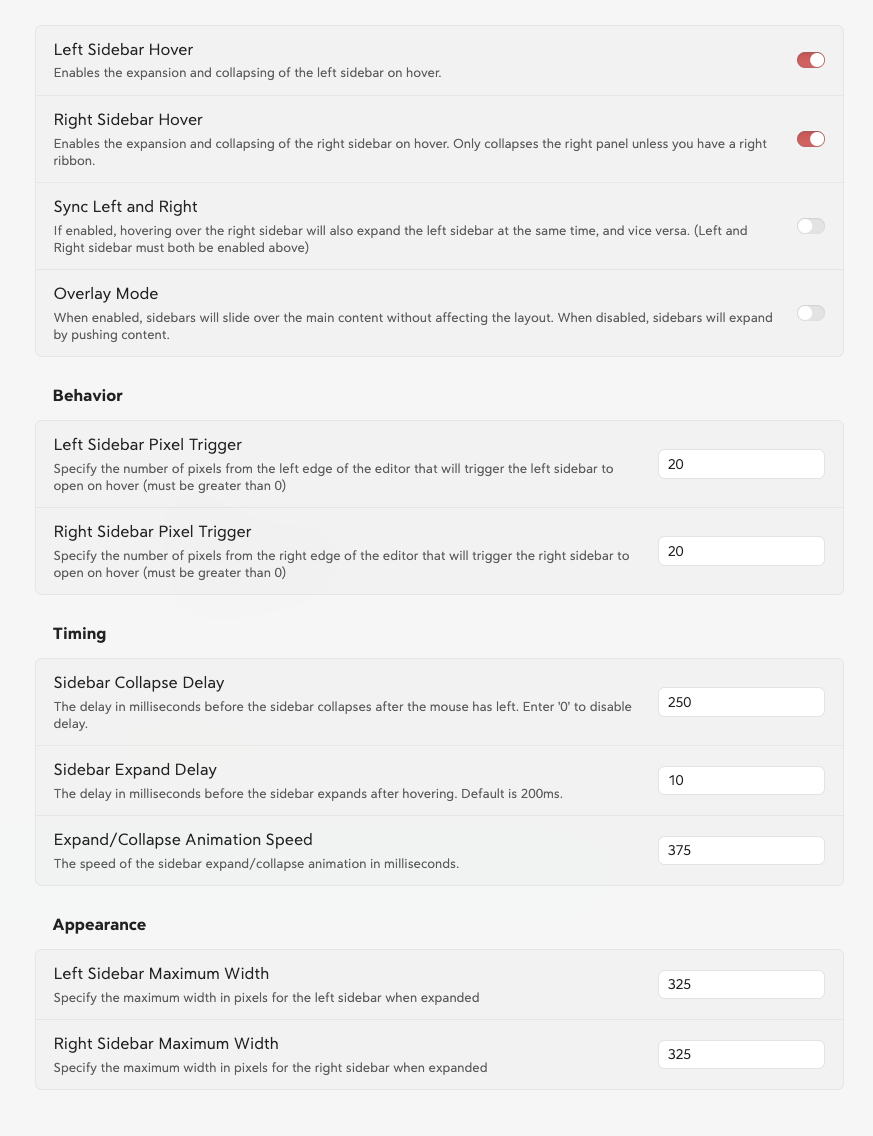
Here is the sidebar settings formatted in the requested table style:
Sidebar Settings
General
| Setting | Description | Default |
|---|---|---|
| Left Sidebar Hover | Enables the expansion and collapsing of the left sidebar on hover. | Enabled |
| Right Sidebar Hover | Enables the expansion and collapsing of the right sidebar on hover. | Enabled |
| Sync Left and Right | Expands both sidebars simultaneously when one is hovered (requires both to be enabled). | Disabled |
| Overlay Mode | Sidebars slide over the main content instead of pushing it. | Disabled |
| Double Click Pin Sidebar | Double click to keep sidebar open. Double click again to unpin it | Disabled |
Behavior
| Setting | Description | Default |
|---|---|---|
| Left Sidebar Pixel Trigger | Pixels from the left edge that trigger the sidebar to open on hover. | 20 |
| Right Sidebar Pixel Trigger | Pixels from the right edge that trigger the sidebar to open on hover. | 20 |
Timing
| Setting | Description | Default |
|---|---|---|
| Sidebar Collapse Delay | Delay in ms before the sidebar collapses after the mouse leaves. | 250 |
| Sidebar Expand Delay | Delay in ms before the sidebar expands after hovering. | 10 |
| Expand/Collapse Animation Speed | Speed of the sidebar expand/collapse animation in ms. | 375 |
Appearance
| Setting | Description | Default |
|---|---|---|
| Left Sidebar Maximum Width | Maximum width in pixels for the left sidebar. | 325 |
| Right Sidebar Maximum Width | Maximum width in pixels for the right sidebar. | 325 |
Installation
- Open Obsidian Settings
- Navigate to Community Plugins and disable Safe Mode
- Click Browse and search for "Quick Peek Sidebar"
- Install the plugin
- Enable the plugin in your Community Plugins list
Manual Installation
- Download the latest release from the releases page
- Extract the files into your vault's
.obsidian/plugins/quick-peek-sidebar/directory - Reload Obsidian
- Enable the plugin in your Community Plugins list
Development
Want to contribute or modify the plugin? Here's how to get started with the source code:
Create a directory for your GitHub projects:
cd path/to/somewhere
mkdir Github
cd Github
Clone the repository:
git clone https://github.com/bwya77/obsidian-quick-peek-sidebar.gitNavigate to the plugin directory:
cd open-sidebar-on-hoverInstall dependencies:
npm installStart development build mode:
npm run devThis command will keep running in the terminal and automatically rebuild the plugin whenever you make changes to the source code.
You'll see a
main.jsfile appear in the plugin directory - this is the compiled version of your plugin.
Testing Your Changes
To test your modifications:
- Create a symbolic link or copy your plugin folder to your vault's
.obsidian/plugins/directory - Enable the plugin in Obsidian's community plugins settings
- Use the developer console (Ctrl+Shift+I) to check for errors and debug
Making Contributions
- Fork the repository
- Create a new branch for your feature
- Make your changes
- Submit a pull request with a clear description of your changes
Contributions
- Added: ability to expand and collapse the right sidebar on hover instead of over the ribbon
License
MIT License. See LICENSE for full text.