
- Overview
- Scorecard
- Updates36
下载插件, 在设置页面添加"论坛地址"后配置.
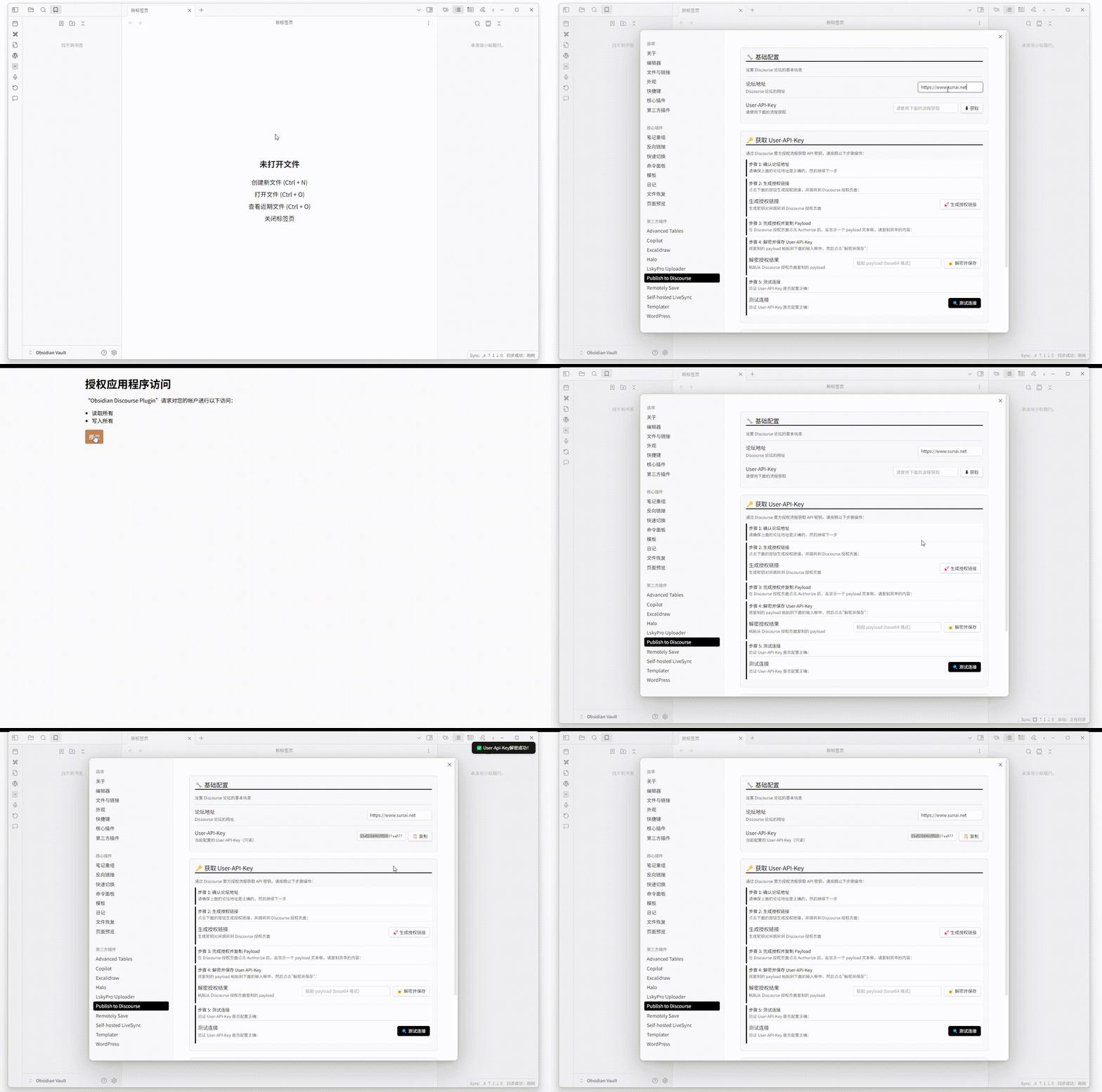
发布帖子
在文档页面的右上角, 展开菜单, 选择"发布到discourse", 选择类别即可。你也可以通过命令面板(Ctrl/Cmd + P)使用相关命令,插件已为命令添加了图标以便识别。
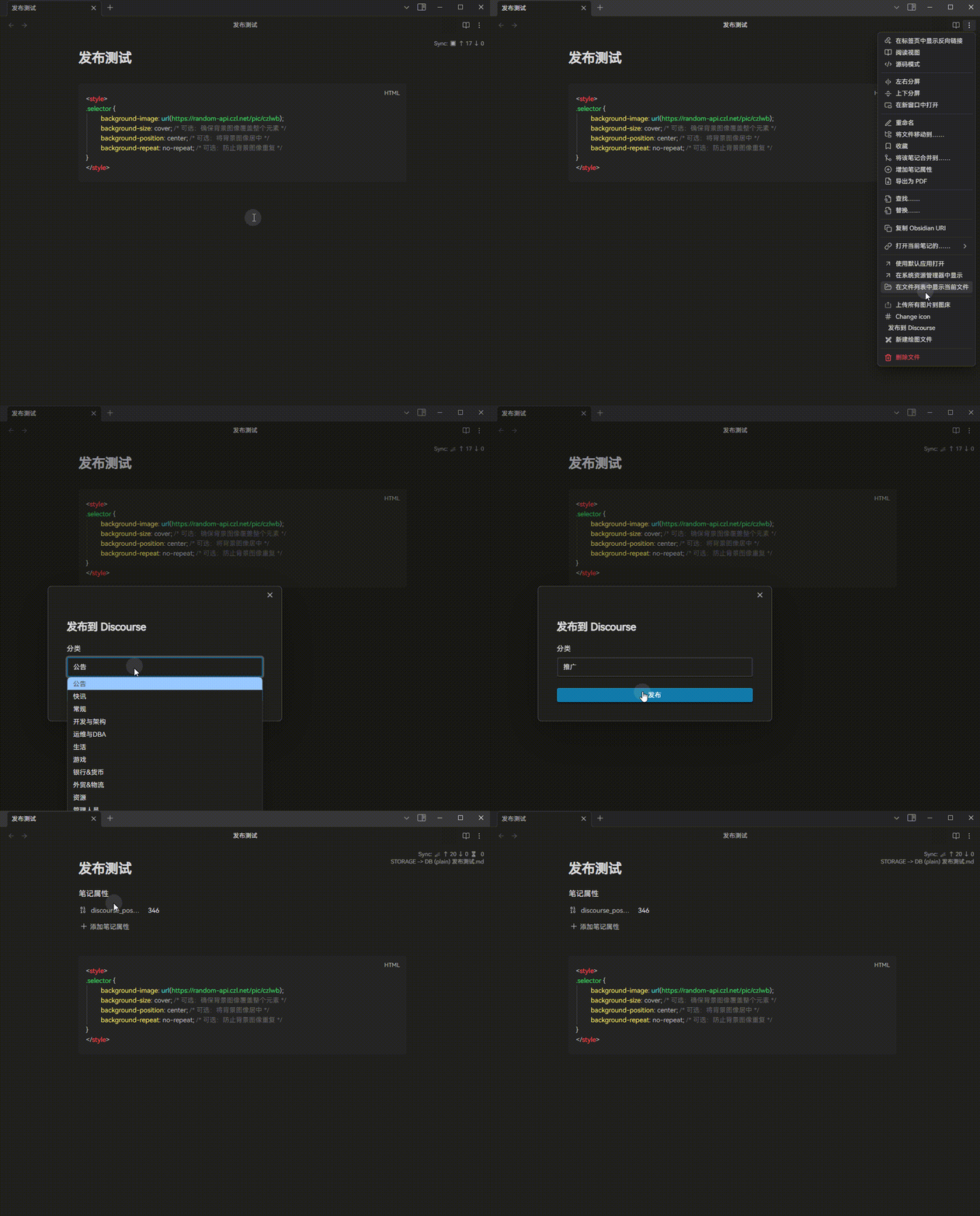
在发布帖子成功后, 会在笔记属性里添加一个"discourse_post_id"属性, 用于更新帖子.
更新帖子
在文档页面的右上角, 展开菜单, 选择"发布到discourse", 点击更新即可.
更新的前提是帖子本身是通过obsidian发布的.
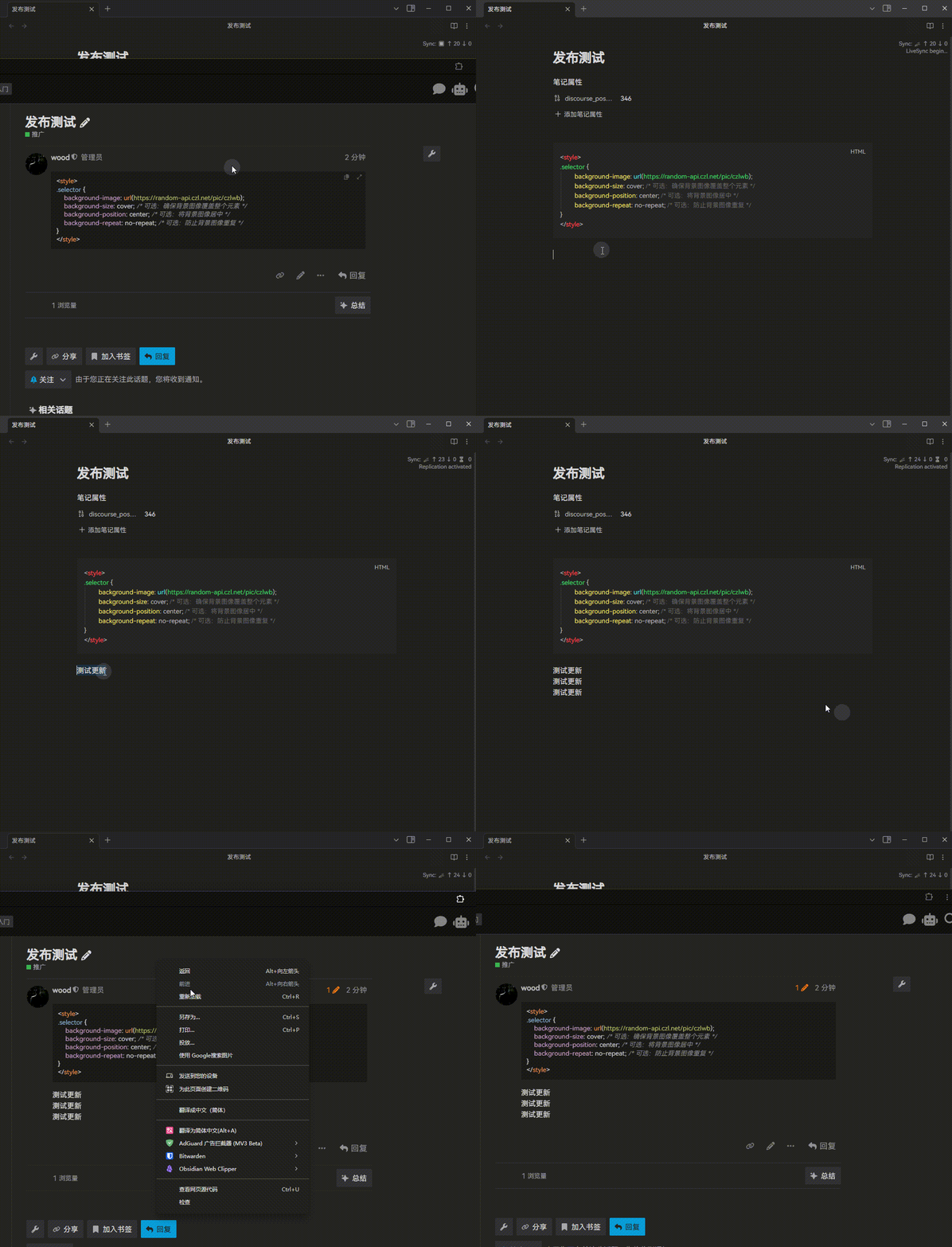
在discourse中打开
在笔记页面, 使用(Ctrl/Cmd + P)打开discourse的帖子.
自动打开帖子链接
发布成功后,插件会自动在浏览器中打开新创建的帖子链接,方便查看发布结果。
多论坛功能 (Multi-Forum Support)
插件支持配置多个论坛预设,可以在发布时选择目标论坛。这个功能特别适合需要同时向不同论坛发布内容的用户。
启用多论坛功能
- 在插件设置中切换到"多论坛管理"选项卡
- 开启"启用多论坛功能"开关
- 点击"添加论坛预设"来配置不同的论坛
配置论坛预设
每个论坛预设包含:
- 论坛名称: 用于识别的友好名称
- 论坛地址: Discourse论坛的完整URL
- API密钥: 该论坛的User-API-Key
使用多论坛功能
启用多论坛功能后,在发布文章时会首先弹出论坛选择界面,让你选择要发布到哪个论坛。选择后,插件会自动切换到对应的论坛配置进行发布。
兼容性说明
- 多论坛功能是可选的,不影响现有的单论坛使用流程
- 如果不启用多论坛功能,插件会继续使用原有的配置方式
- 已有的配置和发布的文章不会受到影响
发布设置
插件提供了多种发布选项来自定义内容处理方式:
标题设置
- 强制使用文件名作为标题: 启用后将使用文件名而不是文档内容中的第一个标题作为帖子标题
内容处理
- 跳过第一个H1标题: 发布时自动跳过文档中的第一个一级标题,避免标题重复
- 转换高亮语法: 将Obsidian的
==高亮==语法转换为Discourse兼容的格式 - 忽略指定标题: 可以设置要在发布时忽略的特定标题内容
标签功能
- 标签组支持: 支持从Discourse的标签组中选择标签,并提供多选功能
- 直接从列表选择: 可以直接从标签列表中进行多选操作
赞助 / Sponsorship
如果这个插件对你有帮助, 欢迎请我喝杯咖啡。当然, 只要使用就是对我最大的支持。
If this plugin has been helpful to you, feel free to buy me a coffee. Of course, using it is the greatest support you can give me.
赞赏记录/Sponsorship Record: https://woodchen.ink/sponsorship
| 微信赞赏 | 支付宝 |
|---|---|
 |
 |
国际支付 / International Payment:
- Wise (Card / Apple Pay / Google Pay / Bank Transfer):
https://wise.com/pay/business/czlltd - Stripe (Credit Card / Apple Pay / Google Pay):
https://donate.stripe.com/6oUeVefrQcNzg2J1cdco000
HealthGood
ReviewCaution
About
Publish notes to Discourse directly from Obsidian and automatically open the created thread in your browser.
Update posts previously published from Obsidian with changes tracked via a discourse_post_id frontmatter property.
Manage multiple forum presets, control title/content handling (skip first H1, convert highlight syntax), and pick Discourse tags when posting.Details
Current version
1.0.36
Last updated
7 months ago
Created
2 years ago
Updates
36 releases
Downloads
1k
Compatible with
Obsidian 0.15.0+
Platforms
Desktop only
License
MIT
Sponsor