Polyglot Helper
 rexxall87 downloads
Look up English and Japanese words in your notes and get a study card with meaning, reading, examples and audio, kept in a word list you review.
- Overview
- Scorecard
- Updates11


Start in three steps
- Install Polyglot Helper from Settings → Community plugins → Browse and enable it.
- Select a word in a note, right-click and choose Quick word card.
- Press Add to word list. It comes back for review, and is underlined wherever you read it.
Needs Obsidian 1.11.4+, desktop or mobile. Costs nothing for the plugin and the dictionaries, no account. Full entries and the sentence meaning use one OpenAI-compatible key of your own (DeepSeek is preset), billed by that provider; one lookup is a short request.
Everything else
First run, step by step
- Install and enable Polyglot Helper, then click the book icon in the left ribbon to open the side panel.
- Press Load example. It writes a short note marked as a demo (delete it whenever you like) and puts “postpone” in the lookup box.
- Choose or create one AI key: Settings → Polyglot Helper → Translation and models. DeepSeek is preset; press Test to check it.
- Press Look up. Next time, select any word in a note and look it up the same way; Add to word list keeps it for review.
Every feature
- Lookup card: select a word and run "查词小卡" (or right-click). A card opens next to the word with the reading, a short meaning, what it means in this sentence and one example.
- English: definitions, phonetics, examples, collocations, etymology, idioms, slang and, if you turn it on, medical usage. Free Dictionary, Cambridge, Merriam-Webster, Urban Dictionary, Etymonline, TheFreeDictionary idioms and Tatoeba are queried in parallel, and the model merges them into one entry, staying with what the dictionaries say.
- Japanese: kana reading, meaning, examples from Jisho and Tatoeba, related words, and speech from OpenAI, Gemini or Youdao.
- Quick translation of a selection into Chinese or Japanese.
- Where results go: the side panel, the selection, the end of the note, a new note or a fixed file, with separate paths per language.
- Word list: one click adds a word with the note and sentence it came from; adding it again merges. Review on a schedule you can change (default 1, 3, 7, 14, 30, 90, 180 days); the status bar shows how many are due.
- Several meanings: adding a word you already saved lets you put this sentence under an existing meaning or keep it as a new one, reviewed on its own.
- Saved words while reading: in reading view, words from your list are underlined, Japanese verbs and adjectives in any conjugated form too (食べた for 食べる); point at one for its reading and meaning.
- Send to Anki in one command through the AnkiConnect add-on: new words become cards in your deck, changed ones are updated, nothing is duplicated.
- Export to a Spaced Repetition flashcard note or an Anki import file. Each card has a stable id and a link back to its note, so re-exporting keeps the schedule and re-importing into Anki updates the same cards.
- Cache: the same lookup costs nothing the second time; the cleanup panel only touches the plugin's own cache.
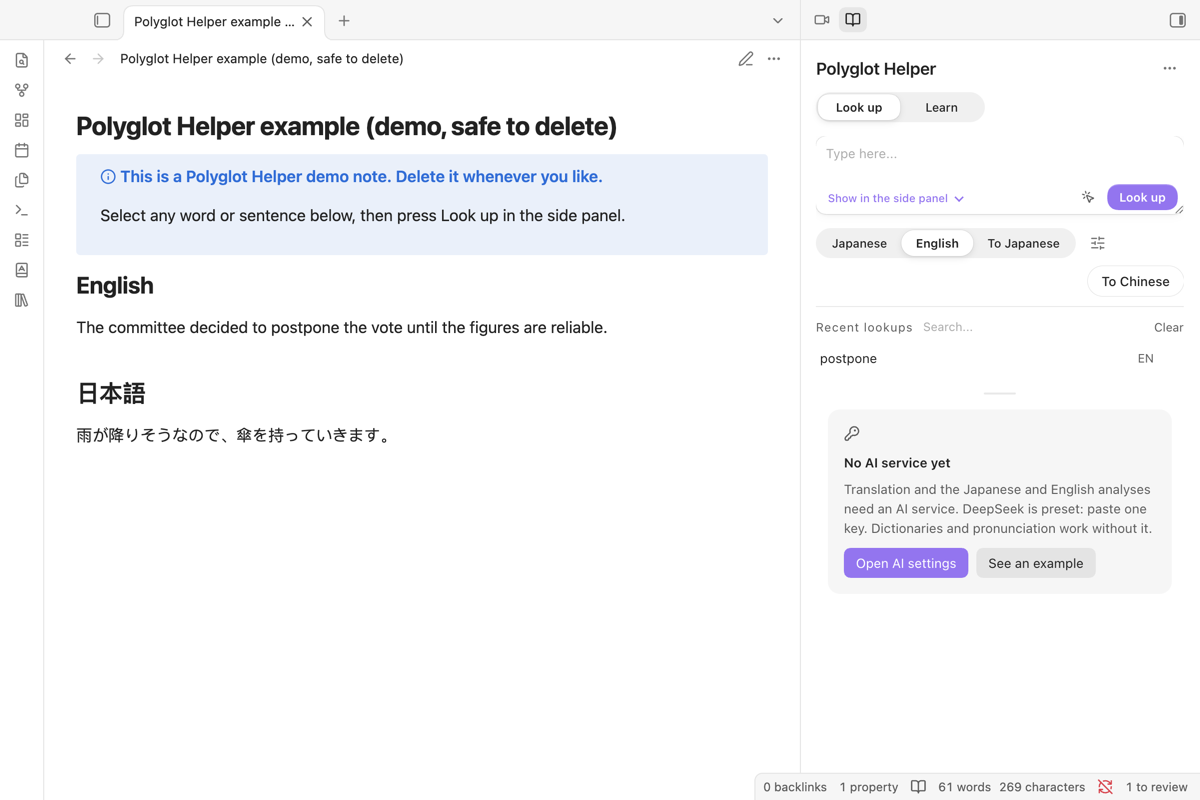 Before setup, the panel says what is missing and offers the AI settings or an example. |
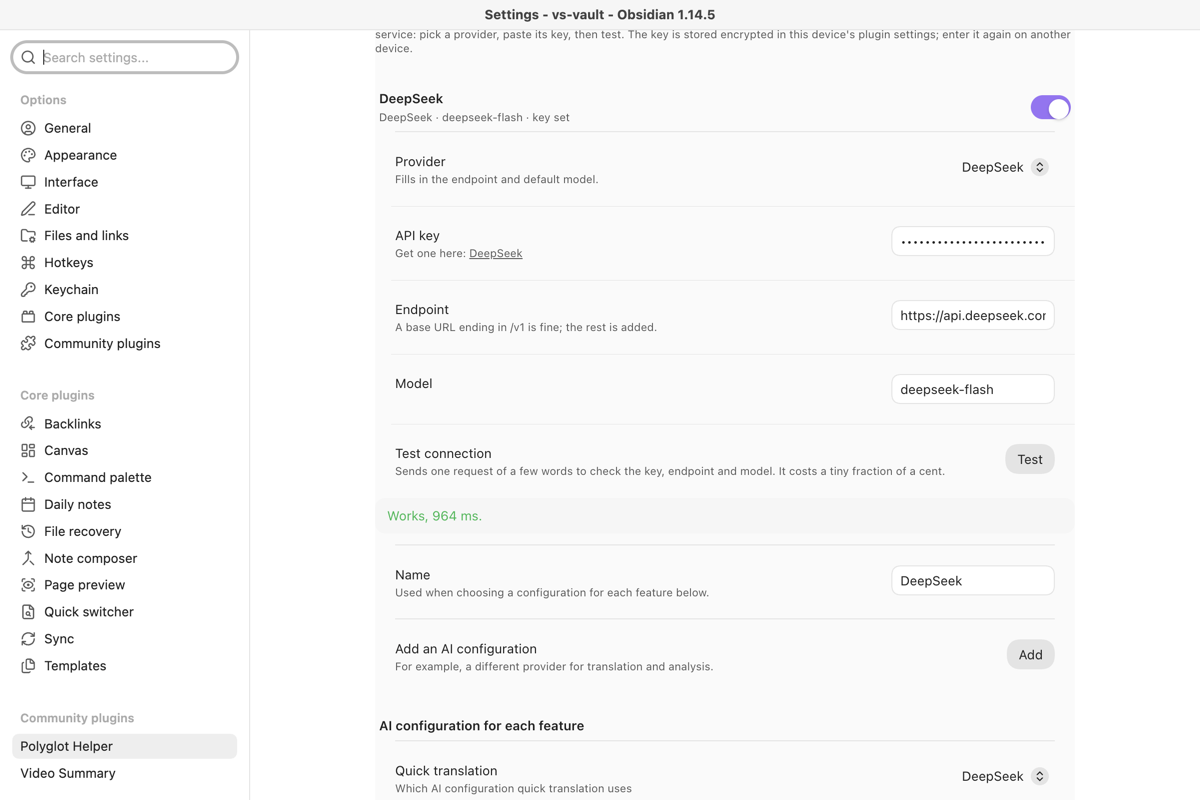 Provider, key, endpoint and model are separate fields; Test says exactly what is wrong. |
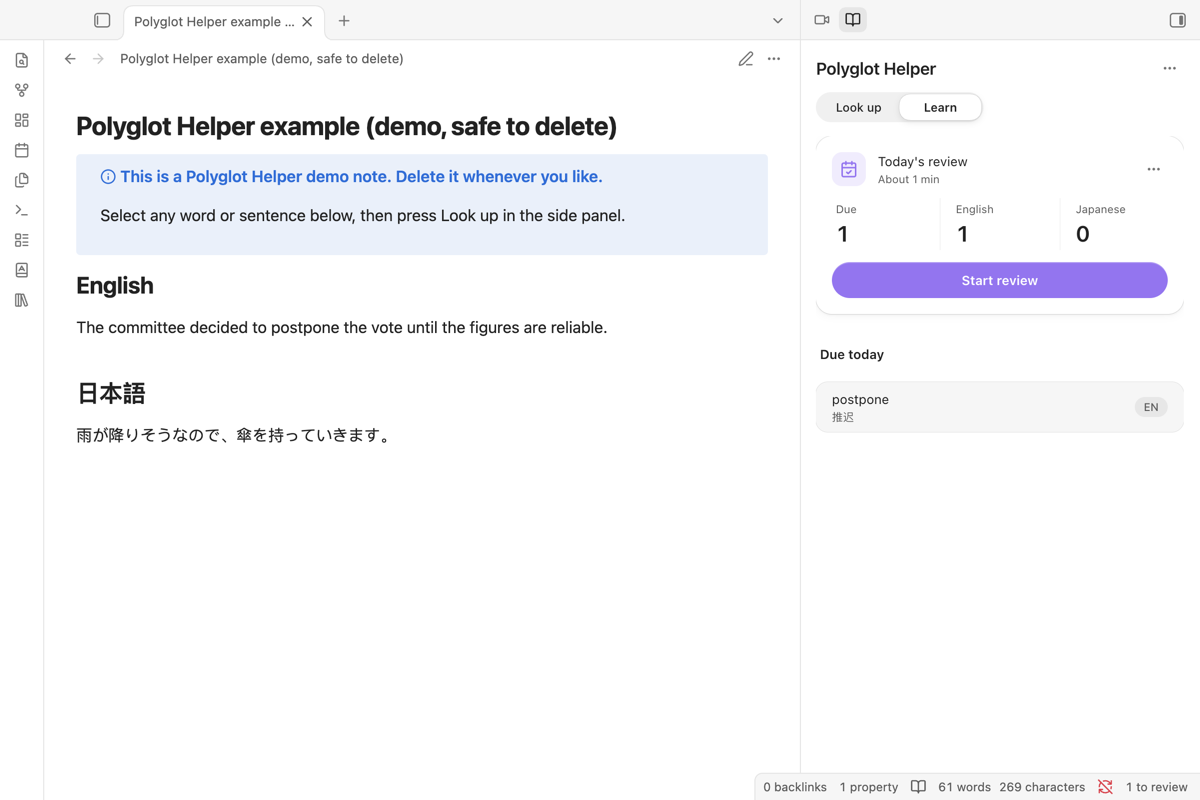 Words you add come back on the Learn page when they are due. |
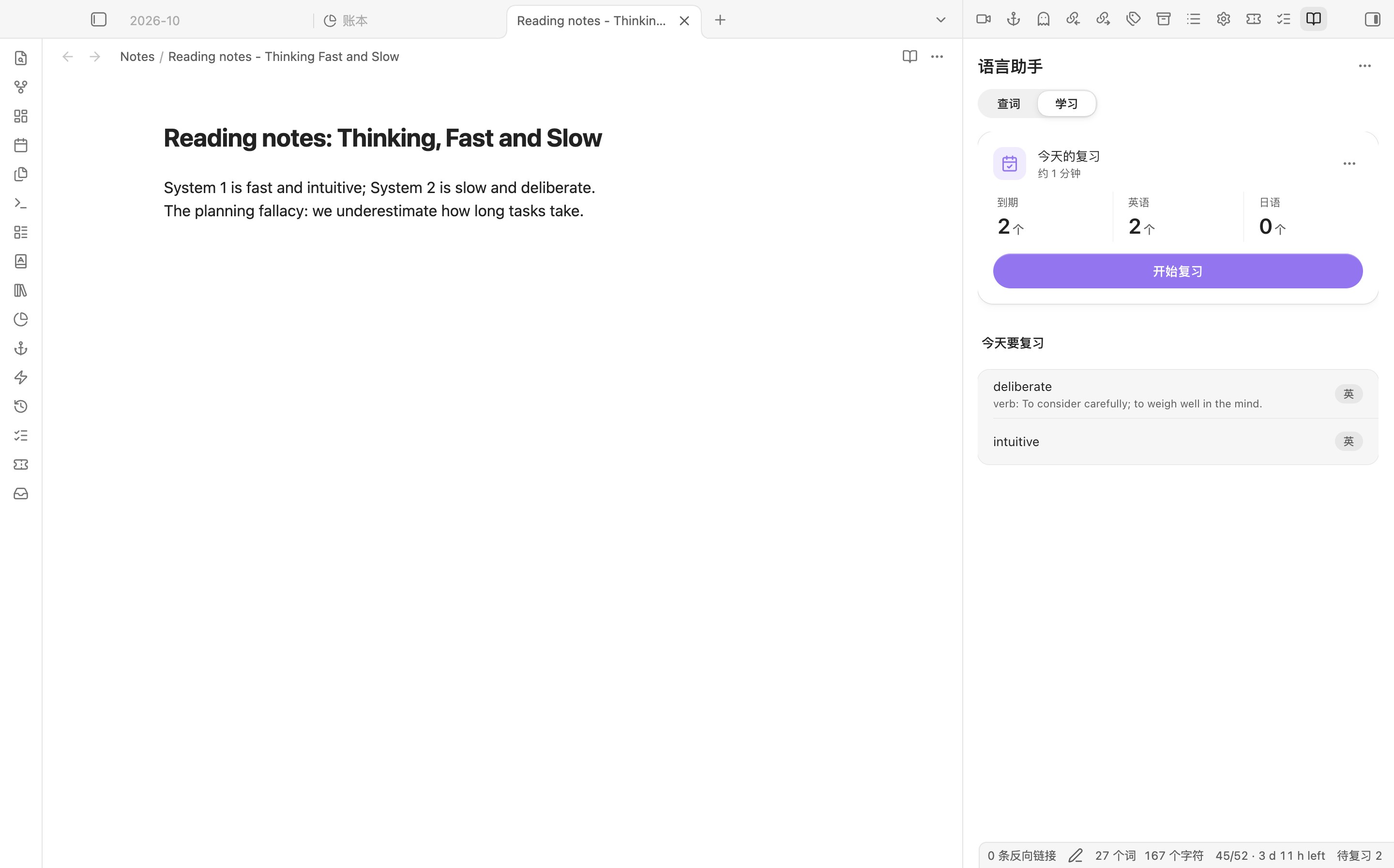 Review one card at a time and grade how well you knew it. |
What you need and what it costs
| The plugin | Free, no account. Works on desktop and mobile with Obsidian 1.11.4 or later. |
| An AI service | One OpenAI-compatible key. Presets: DeepSeek (default), Qwen (通义千问), SiliconFlow (硅基流动), Kimi, Zhipu GLM (智谱), OpenRouter, OpenAI, or any compatible endpoint. Billed by that provider per use; one word lookup is a short request. Test costs a tiny fraction of a cent. SiliconFlow refuses even its free models while the account balance is zero. |
| Dictionaries and pronunciation | Free public sources, no key. Optional keys: Merriam-Webster (thesaurus and medical sections) and OpenAI, Gemini or Youdao for Japanese speech. |
AI services
Pick a provider in Settings → Translation and models; the endpoint and model are filled in and you choose the key. A base URL ending in /v1 is fine.
| Provider | Default model | Key |
|---|---|---|
| DeepSeek (default) | deepseek-flash |
platform.deepseek.com |
| Qwen (通义千问) | qwen-plus |
Bailian console |
| SiliconFlow (硅基流动) | deepseek-ai/DeepSeek-V4.1-Flash |
cloud.siliconflow.cn |
| Kimi | kimi-k3 |
platform.kimi.com |
| Zhipu GLM (智谱) | glm-5.3 |
bigmodel.cn |
| OpenRouter | google/gemini-2.5-flash |
openrouter.ai |
| OpenAI | gpt-4o-mini |
platform.openai.com |
| Custom | Any OpenAI-compatible endpoint |
Test tells these apart, each with what to do: no key yet; key rejected (401/403); no balance or quota; unknown model name; no answer in time; endpoint unreachable.
Privacy and data
| What | Goes to | Stored |
|---|---|---|
| The word or sentence you look up | The dictionaries you enable and your AI service | Lookup cache in the plugin folder |
| Your API keys | Only to the service they belong to | In Obsidian's Keychain on this device (Settings → Keychain). data.json keeps only each key's name, such as deepseek-api-key, so other plugins using the same name can pick the same key. Keys do not sync with the vault; on another device you choose them once more. |
| Word list and review history | Nowhere | data.json in the plugin folder |
| Debug log | Nowhere | Written only when debug mode is on; keys and looked-up text are left out |
Network use. Depending on the sections you enable, lookups go to your AI service and to dictionaryapi.dev, Cambridge Dictionary, Etymonline, Merriam-Webster (with your key), Jisho, Tatoeba, YourDictionary, WordHippo, The Free Dictionary idioms and an unofficial Urban Dictionary API. Speech uses the OpenAI, Gemini or Youdao service you pick. Send word list to Anki talks only to AnkiConnect on your computer (127.0.0.1:8765). There is no account and no server of our own.
Install by hand, verify a release, upgrade from 1.5
Download main.js, manifest.json and styles.css from the latest release into <your vault>/.obsidian/plugins/polyglot-helper/, then enable Polyglot Helper in Settings → Community plugins. Once the plugin is listed, install it from Settings → Community plugins → Browse instead.
From 1.9.1 on, the three release files carry a signed build provenance attestation from the release workflow. To check a download: gh attestation verify main.js --repo Rexxall/obsidian-polyglot-helper.
Upgrading from 1.5 or earlier. The plugin ID changed from obsidian-polyglot-helper to polyglot-helper. Turn the old plugin off, then the new one on; do not run both, they register the same panes. On first start the new version copies the old settings, API keys and both word lists with their review history, and leaves the old folder untouched. The lookup cache is not carried over, and hotkeys need assigning again.
Known limits
- Some sources are web pages, not APIs (Cambridge, Etymonline, idioms). If a site changes its layout, that section comes back empty.
- An entry is only as good as the model you pick; check unusual words against a dictionary.
- Speech and large word lists are slower on phones.
Issues: github.com/Rexxall/obsidian-polyglot-helper/issues. Changes in each version: CHANGELOG.md. Building from source: CONTRIBUTING.md. MIT licence.