Search...Search plugins and themes...
⌘K
Sign in
  • Get started
  • Download
  • Pricing
  • Enterprise
  • Account
  • Obsidian
  • Overview
  • Sync
  • Publish
  • Canvas
  • Mobile
  • Web Clipper
  • CLI
  • Learn
  • Help
  • Developers
  • Changelog
  • About
  • Roadmap
  • Blog
  • Resources
  • System status
  • License overview
  • Terms of service
  • Privacy policy
  • Security
  • Community
  • Plugins
  • Themes
  • Discord
  • Forum / 中文论坛
  • Merch store
  • Brand guidelines
Follow us
DiscordTwitterBlueskyThreadsMastodonYouTubeGitHub
© 2026 Obsidian

Plagx Writer Tools

Plagiarism Checker XPlagiarism Checker X23 downloads

Calm writing helpers for any theme: Plagx Writer heading and quote colours, readable line width presets, focus mode, and reading time in the status bar.

Add to Obsidian
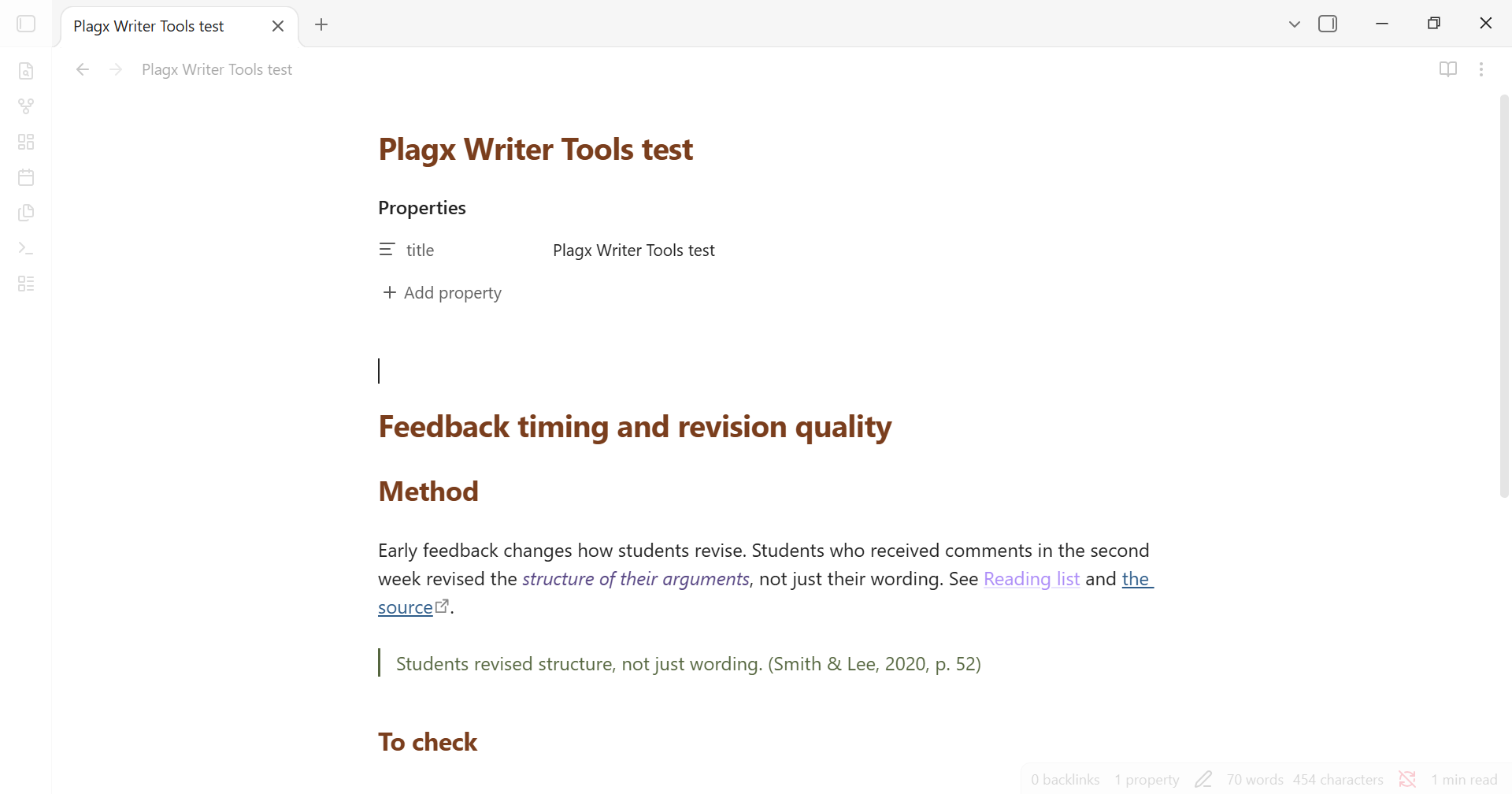
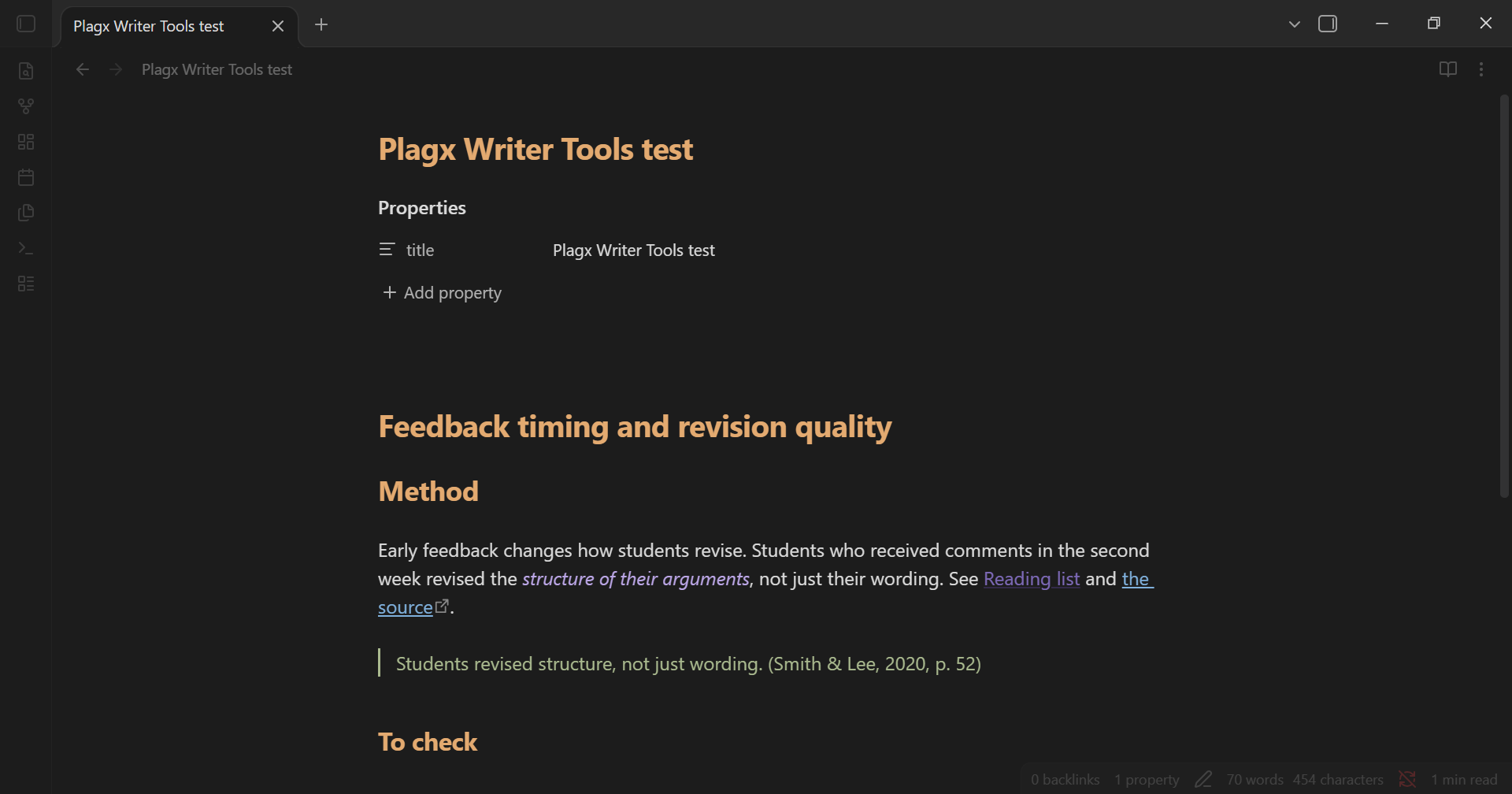
Plagx Writer Tools screenshot
  • Overview
  • Scorecard
  • Updates1

Calm writing helpers for Obsidian that work with any theme.

Light mode Dark mode
Light Dark
  • Plagx Writer colours: headings, quotes, links and emphasis in the Plagx Writer palette (Paper colours in light mode, Ink colours in dark mode). Every colour meets WCAG AA contrast on the Plagx Writer backgrounds.
  • Readable line width: narrow (36rem), medium (42rem) or wide (50rem) text column when Obsidian's "Readable line length" is on.
  • Focus mode: one command collapses both sidebars and fades the ribbon, status bar and note header until you hover them. Run it again to restore your sidebars.
  • Reading time in the status bar, for the whole note or just the selection (frontmatter is not counted). An optional word count can be turned on in settings; it is off by default because Obsidian's core word count already shows it.

Commands

Command What it does
Toggle focus mode Collapse sidebars and quiet the interface, or restore it
Toggle Plagx Writer colours Turn the palette colours on or off
Cycle readable line width Theme default → narrow → medium → wide

No hotkeys are assigned by default. Add your own under Settings → Hotkeys.

Settings

Plagx Writer colours, readable line width, reading time, reading speed (words per minute) and an optional word count.

Install

From Obsidian: Settings → Community plugins → Browse, search for "Plagx Writer Tools".

Manually: download main.js, manifest.json and styles.css from the latest release into <vault>/.obsidian/plugins/plagx-writer-tools/, then enable the plugin under Settings → Community plugins.

Privacy

The plugin works entirely offline. It makes no network requests, collects no data and only reads the note that is open to count words.

Pairs well with

The Plagx Writer theme for Obsidian, which uses the same palette for the whole interface.

Licence

MIT. See LICENSE.


Made by Plagiarism Checker X. For checking text overlap between your own documents, see the Text Similarity Detector.

HealthExcellent
ReviewPassed
About
Apply a calm, accessible Plagx color palette and adjustable readable line width (narrow/medium/wide) with light and dark modes that meet WCAG AA contrast. Toggle focus mode to collapse sidebars and quiet the interface, and show reading time for the whole note or selection in the status bar with an optional word count.
AppearanceStatus barSidebar
Details
Current version
0.1.0
Last updated
2 weeks ago
Created
2 weeks ago
Updates
1 release
Downloads
23
Compatible with
Obsidian 1.4.0+
Platforms
Desktop, Mobile
License
MIT
Report bugRequest featureReport plugin
Author
Plagiarism Checker XPlagiarism Checker Xplagiarismcheckerx
plagiarismcheckerx.com
GitHubplagiarismcheckerx
plagcheckerx
facebook.com
plagiarismcheckerx
XPlagiarismX
  1. Community
  2. Plugins
  3. Appearance
  4. Plagx Writer Tools

Related plugins

Custom Note Width

Effortlessly change the line width of each note individually. Provides multiple ways to customize the experience, making it both efficient and user-friendly to adjust line widths.

Colorful Folders

Automatically adds color-code folders, tags, and your Graph View with premium palettes, and auto-assign smart icons to visualize your structures instantly

Notebook Navigator

A better file browser and calendar inspired by Apple Notes, Bear, Evernote and Day One.

Minimal Theme Settings

Control the colors and fonts in Minimal Theme.

Hider

Hide interface elements such as tooltips, status bar, titlebar, and more.

Tag Wrangler

Rename, merge, toggle, and search tags from the tag pane.

Vertical Tabs

Offer an alternative view that displays open tabs vertically, allowing users to group and organize tabs for a better navigation experience.

Flexplorer

Enhance the file explorer with custom sorting, pinning, and hiding.

Supercharged Links

Add attributes to internal links with the values of target note's frontmatter attributes.

Style Settings

Adjust theme, plugin, and snippet CSS variables.