pi-ide-context
 Andy Luo65 downloads
Share the open note, cursor and selection in your vault with pi (npm pi-ide-context).
- Overview
- Scorecard
- Updates16
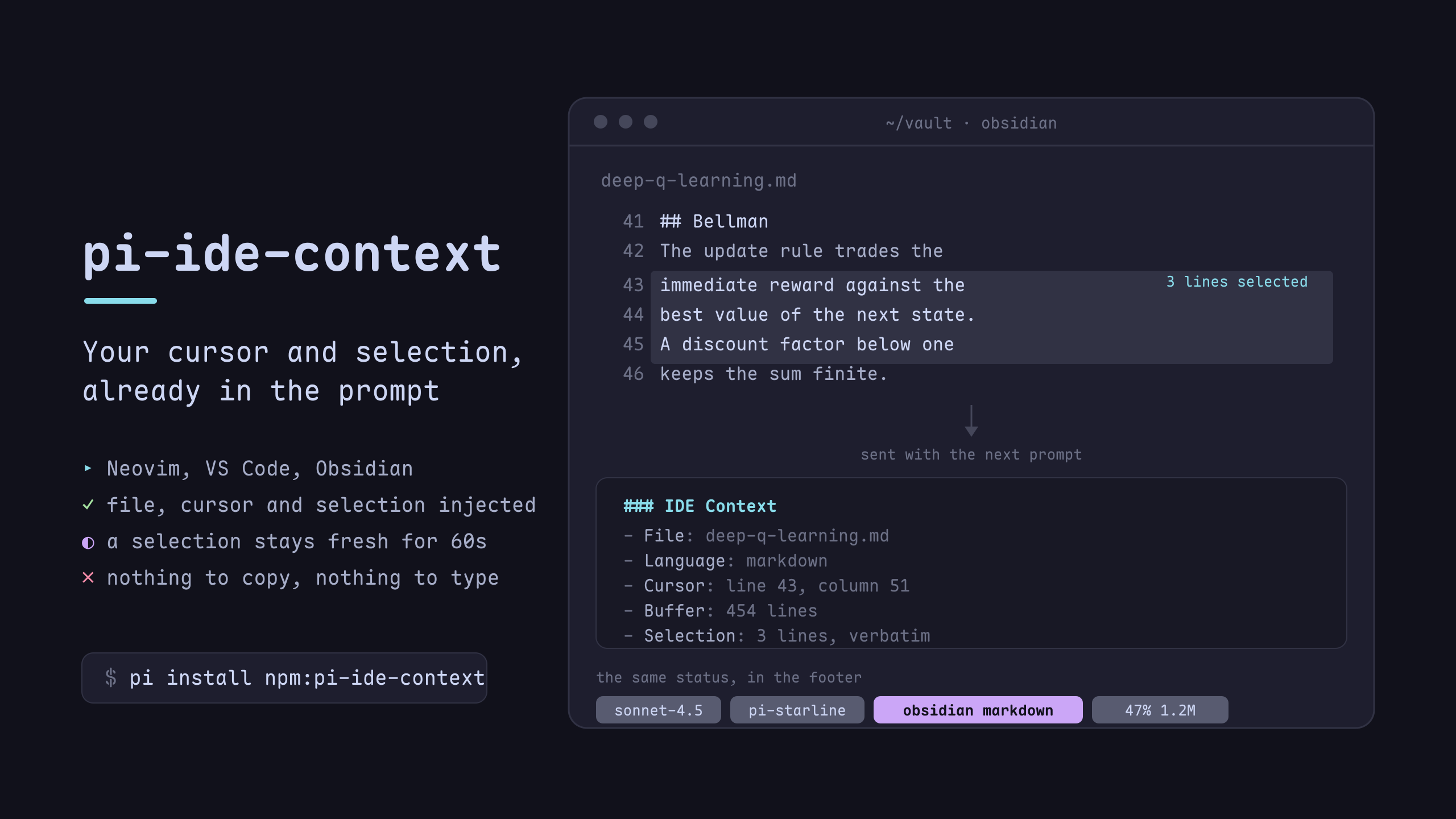
/idefor pi — like Claude Code's IDE integration, but for Neovim, VS Code, Obsidian and JetBrains IDEs.
Select text in Neovim (or VS Code / Obsidian / WebStorm), switch to pi — pi already knows which
file you're in, where your cursor is, and what you selected. No copy-paste. No
:PiAsk. It just works.
Install
Pi extension
pi install npm:pi-ide-context
Then /reload in pi.
Neovim plugin (lazy.nvim)
{
  "Andy8647/pi-ide-context",
  lazy = false,
}
VS Code extension
From the Marketplace — search pi-ide-context, or:
code --install-extension AndyLuo.pi-ide-context-vscode
Building it locally still works, and is what hacking on the client needs:
cd editors/vscode
npm install && npm run build
code --extensionDevelopmentPath="$PWD"
Obsidian plugin
In the community plugin directory — search pi-ide-context under Settings → Community plugins → Browse, or install from community.obsidian.md/plugins/pi-ide-context.
To build from source instead:
cd editors/obsidian
npm install && npm run build
mkdir -p "<vault>/.obsidian/plugins/pi-ide-context"
cp main.js manifest.json "<vault>/.obsidian/plugins/pi-ide-context/"
Then enable pi-ide-context under Settings → Community plugins.
JetBrains IDEs (WebStorm / PyCharm / IDEA / DataGrip / GoLand …)
Submitted to the JetBrains Marketplace; the listing is in review. Until it is
approved, install pi-ide-context-jetbrains-<version>.zip from the latest
release via Settings →
Plugins → ⚙ → Install Plugin from Disk…, then restart. After approval it is
one search away: Settings → Plugins → Marketplace → pi-ide-context.
One build loads in every JetBrains IDE, because it depends on
com.intellij.modules.platform and nothing else.

Seven editors at once, each with its own mark: the product field is what tells
WebStorm from DataGrip, since every JetBrains IDE reports the same app. A
table view in DataGrip also carries the schema it is showing — table, primary
key, columns, foreign keys, the active filter and the selected cell.
cd editors/jetbrains
./gradlew buildPlugin        # zip lands in build/distributions/
See editors/jetbrains/README.md for the
-PlocalIdePath shortcut and the known limitations (one state file per IDE
process, so the last window you touched wins).
Usage
Nothing connects on its own — you decide per session:
pi starts (no IDE attached, ever)
  ↓
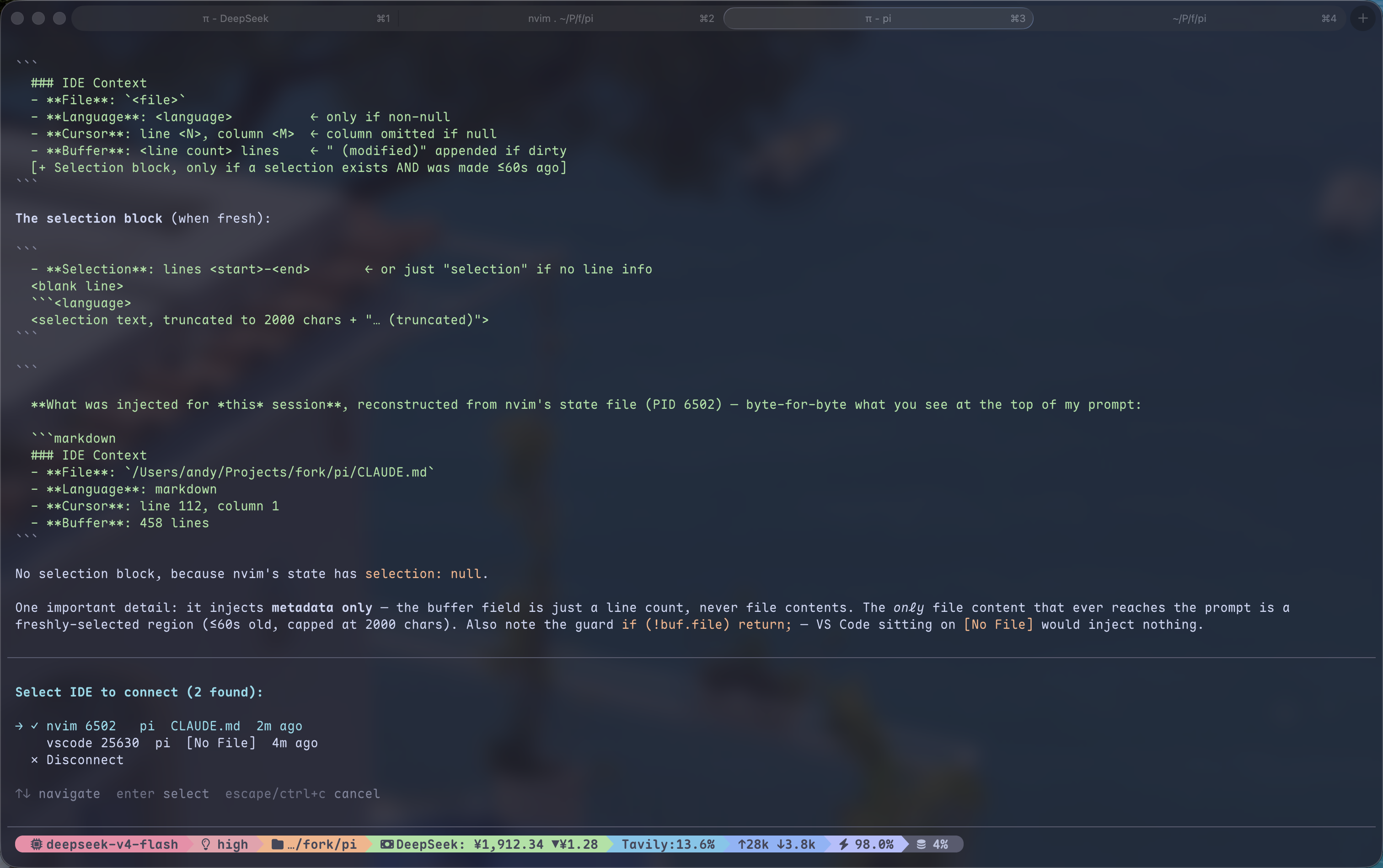
/ide → lists every live editor (nvim / VS Code / Obsidian), wherever it was
started from — no project/cwd filtering; you pick the relevant one
  ↓
status shows the editor's glyph plus the file's language glyph (` nvim · typescript`)
  ↓
ask pi → context injected automatically (selection fresh for 60s)
  ↓
/ide off (or pick "Disconnect" in the /ide list) → disconnect
When connected, every message you send to pi automatically includes:
### IDE Context
- File: /Users/andy/my-project/src/main.ts
- Language: typescript
- Cursor: line 42, column 10
- Buffer: 200 lines (modified)
- Selection: lines 40–45
  ```typescript
  const foo = bar();
  // ...
Selection text is injected only while fresh (within 60s of making it); after
that the file/cursor context is still sent but the selection text is not — same
as Claude Code's chip disappearing. When you send a message while a selection
is fresh, the sent message also shows the selection as a gray quote line
(`│ ↳ main.ts:40-45 · …`) inside its own box, so you can see exactly what was
attached. Status text is pure ASCII (no Nerd Font
needed). The `/ide` list shows each editor's directory and launch args
(`nvim pi/` vs `nvim pi-ide-context/`) so several instances are easy to tell
apart; a bare `nvim .` shows the directory name. If the connected editor exits,
the session disconnects with a notice — run `/ide` again to reconnect.

## Exclude files from automatic context

Keep the editor connected while skipping automatic context for specific files.
Create either or both files:

- **Global:** `~/.pi/agent/ide-context.ignore` (or inside `PI_CODING_AGENT_DIR`).
- **Project:** `<pi-cwd>/.pi/ide-context.local.ignore`.

Both use gitignore syntax. Global rules apply first; project rules extend them,
including `!` exceptions. For example, in the global file:

```gitignore
.env*
*.pem
And in the project file:
# Allow an example config, and exclude a large fixture directory.
!.env.example
fixtures/large/
Paths in both files are relative to Pi's current working directory, not the
.pi directory. Files outside Pi's cwd use only global rules, relative to
the connected editor's cwd; if they are outside that directory too, paths are
relative to the filesystem root. Relative editor paths (such as Obsidian notes)
are resolved against the editor's cwd first. For virtual vaults without an
absolute cwd, global rules match the reported relative path.
Standard gitignore directory rules apply: if you exclude private/, you must
also unignore that directory before a !private/example.txt exception can work.
There is no ancestor-directory search or nested ignore-file discovery.
Missing files mean no rules; the extension does not create them or read your
.gitignore. Rule edits apply on the next prompt without a reload or reconnect.
If a rules file cannot be read, automatic context is skipped with a warning.
For excluded files, no file/cursor/selection context is injected, and no selection quote or selection metadata is added to the session. The editor stays connected; the Starline bubble shows Automatic context excluded. Switching to an allowed file resumes injection.
These rules control automatic injection only. They do not block agent tools from reading files, remove earlier context or session entries, or stop editor clients from writing their local state files. Project exceptions can override global exclusions, so global rules are defaults, not a security boundary.
How it works
┌──────────┐  writes JSON   ┌──────────────┐  reads JSON   ┌────────┐
│  Neovim  │ ─────────────► │ /tmp/pi-ide/ │ ◄──────────── │   pi   │
│ autocmd  │  debounced     │  <pid>.json  │  before_      │  auto  │
│  hooks   │  every 200ms   │              │  agent_start  │ inject │
└──────────┘                └──────────────┘               └────────┘
Neovim side: autocmd on CursorMoved / TextChanged / BufEnter / ModeChanged / DirChanged writes
editor state to a JSON file. Zero dependencies — a single Lua file. Sends its launch
args (argv) so same-cwd instances can be told apart.
Pi side: before_agent_start reads the JSON for the connected editor and injects
formatted editor context (lightweight file/cursor/buffer every time; selection text
only while fresh). Connecting is fully manual: /ide lists every live editor
without project filtering, and /ide off disconnects.
The status it publishes through ctx.ui.setStatus("pi-ide", …) is two Nerd Font
glyphs: the connected editor's mark (Neovim, VS Code, Obsidian; a generic editor mark
while nothing is connected, so the pill is always there) and the current file's
language. No filename: the width is permanent, the name is not.
With pi-starline 0.4 or newer, list it in
pill.segments as extensionStatus:pi-ide and a click opens a bubble: the connected
editor with its file, cursor and selection, every other live editor with its own mark
(click one to switch), and a disconnect row. The extension publishes its own glyphs,
so do not also set extensionStatuses.icons["pi-ide"] — that would add a second
icon in front. Without Starline nothing changes: the status still shows in Pi's own
footer, it is just not clickable. The same action is reachable as /starline pi-ide.
To keep the status on the editor's bottom-right metadata row instead of a footer pill,
set "extensionStatuses": { "placements": { "pi-ide": "editor" } }.
Full protocol in docs/protocol.md.
Protocol
Editor state is written to /tmp/pi-ide/<pid>.json:
{
  "pid": 12345,
  "cwd": "/Users/andy/my-project",
  "timestamp": 1700000000,
  "app": "nvim",
  "argv": ["pi-ide-context/"],
  "active_buffer": {
    "file": "/Users/andy/my-project/src/main.ts",
    "name": "main.ts",
    "language": "typescript",
    "cursor": { "line": 42, "column": 10 },
    "selection": {
      "start": { "line": 40, "column": 1 },
      "end": { "line": 45, "column": 20 },
      "text": "selected code here...",
      "selected_at": 1700000000
    },
    "modified": false,
    "lines_total": 200
  }
}
Columns are 1-based. selected_at drives the freshness window (60s on the pi
side). The same protocol works for VS Code / Obsidian — just write this JSON. The pi
extension is editor-agnostic; all three clients (Neovim, VS Code, Obsidian)
write it. See editors/ for the VS Code and Obsidian clients.
License
MIT