
- Overview
- Scorecard
- Updates12
A minimal Obsidian companion that lives in your menu bar for quick note-taking.
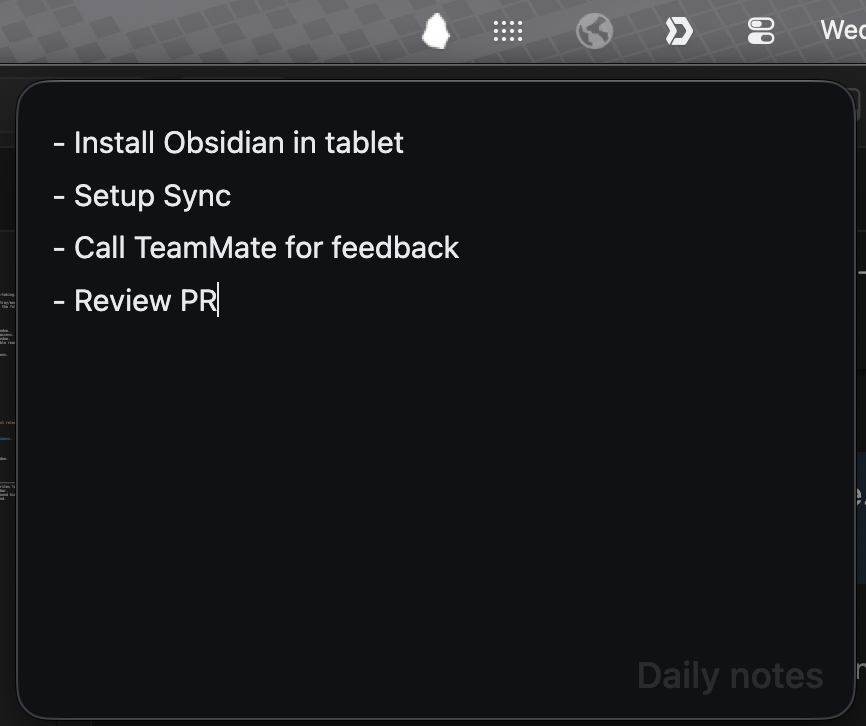
Pebble adds a small, always-accessible writing window from your system tray/menu bar. Point it at any markdown file in your vault and start writing without keeping the full Obsidian window front and center.
Features
- Minimal — small and distraction-free writing window.
- Menu-bar toggle — click the Pebble icon to open/close the note window.
- Anchored window — opens near the tray/menu bar icon for quick access.
- Auto-close on blur — closes when you click outside the pop-out window.
- Single-file focus — choose one markdown note from your vault; Pebble reads and writes only that file.
- Fast autosave — edits are written back to disk automatically.
- Tray icon style — choose between color and monochrome menu bar icons.
- Color mode — choose a light or dark editor background.
Demo
Installation
From the Obsidian website
Install Pebble directly from its community plugin page.
From community plugins
- Open Settings → Community plugins → Browse.
- Search for Pebble.
- Select Install, then Enable.
Manual installation
- Download
main.js,manifest.json, andstyles.cssfrom the latest release. - Create a folder at
<your-vault>/.obsidian/plugins/pebble/. - Copy the downloaded files into that folder.
- Reload Obsidian and enable Pebble in Settings → Community plugins.
Usage
- Open Settings → Pebble and choose a note from your vault.
- Click the Pebble menu bar / system tray icon to show or hide the window.
- Write away.
Settings
| Setting | Description | Default |
|---|---|---|
| Note | The vault note that Pebble reads and writes to. | None |
| Monochrome tray icon | Use a monochrome tray icon that blends in. | Off |
| Show note title | Show the note title as a subtle background hint. | On |
| Color mode | Choose a white or dark editor background. | Dark |
HealthExcellent
ReviewSatisfactory
About
Open a minimal, distraction-free writing window in your menu bar or system tray for instant note-taking. Point it at any Markdown file in your vault to read and write that single note with fast autosave, auto-close on blur, anchored macOS pop-out, and color or monochrome tray icons.Details
Current version
1.0.11
Last updated
3 weeks ago
Created
7 months ago
Updates
12 releases
Downloads
473
Compatible with
Obsidian 1.13.0+
Platforms
Desktop only
License
MIT