
- Overview
- Scorecard
- Updates15
Convert PDF pages into images and insert them directly into your Obsidian notes. Optionally, extract headers from each page and add or empty lines below each image for quick and easy-to-annotate notes.
Demo
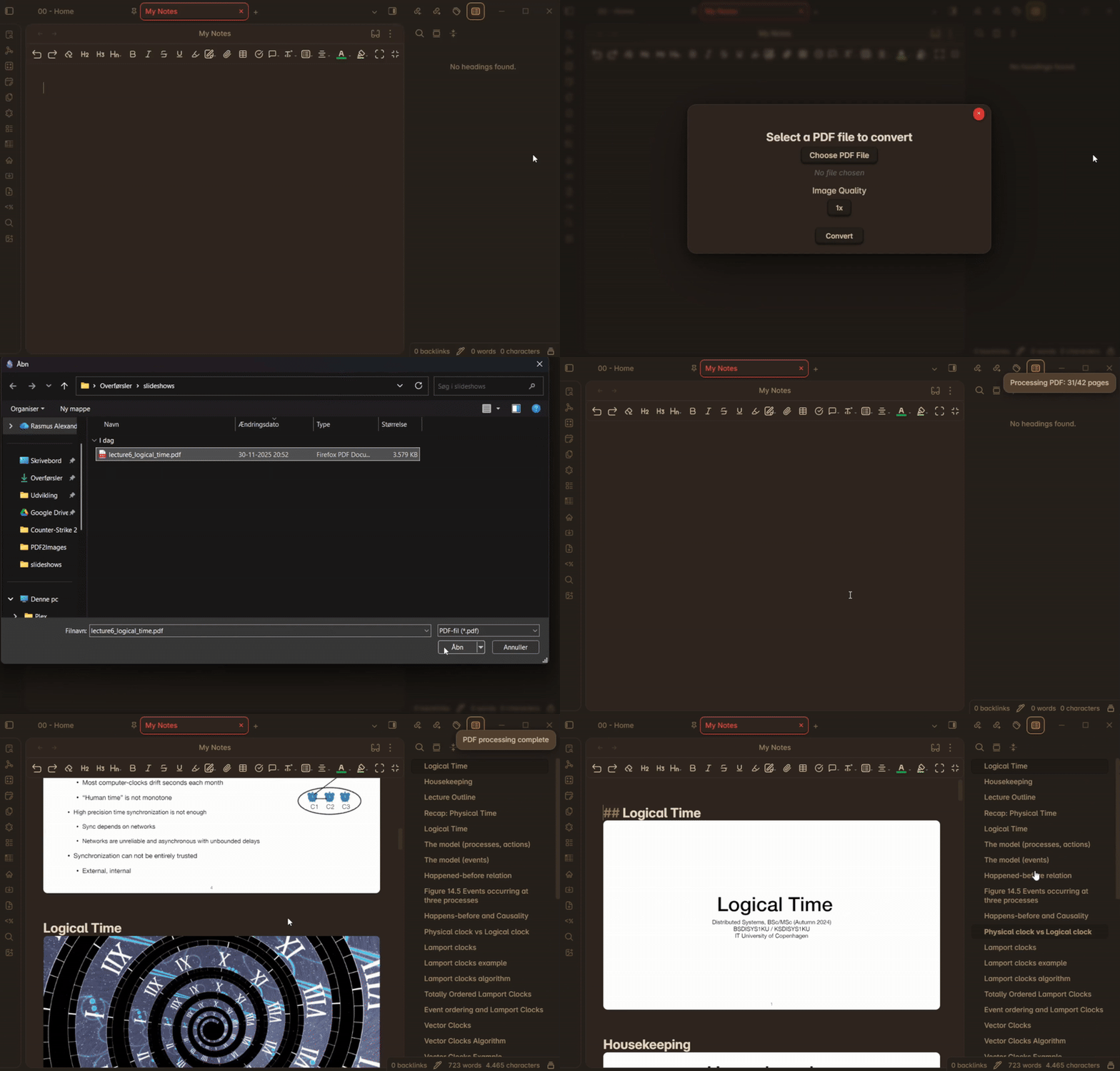
How to use
- Activate the plugin from the Community Plugins page.
- Open the PDF-selector by either
- Opening the command palette and type
Convert pdf to images. - Use the ribbon in the left menu.
- Opening the command palette and type
- Select your PDF file and click convert.
- The images will be inserted into your note.
Settings
Image Quality: Adjust the image quality to suit your needs. The default setting is 1x, but you can reduce it to as low as 0.5x for smaller file sizes and improved performance, or increase it up to 2x for the highest image clarity.
Image Type: Choose the format for the inserted images. Options include:
- WEBP: Modern format that balances quality and file size effectively.
- JPEG: Lossy format, suitable for smaller file sizes.
- PNG: Lossless format, best for high-quality images.
Image Insertion Method: Choose between two different methods for inserting images:
- Procedural: Images are generated and inserted one at a time.
- Batch: All images are generated first, then inserted simultaneously for a more streamlined process.
Image separator: You can customize how images are separated: choose an empty line, a separator line, or no separation at all.
Insert headers: Toggle the option on to generate headers for each image based on pdf page analysis. This feature is in early development, so its effectiveness may vary depending on the PDF layout. I’m actively working to improve the algorithm to better detect different header types.
Remove header duplicates: Prevent identical headers from being inserted multiple times if consecutive PDF pages have the same detected header.
Header size: Choose the size of the header to be inserted above each image. You can select the following options:
h1,h2,h3,h4,h5.Header extraction sensitivity: Adjust the sensitivity of the header extraction algorithm. The default is set to
1.2.- Increase this value if headers are not being detected correctly.
- Lower the value if non-headers are mistakenly being detected as headers.
Max Concurrent Pages: Set the maximum number of pages to process concurrently. This can help improve performance but may also increase memory usage.
Support
This plugin is free for everyone. If you'd like to show your appreciation or support further development, feel free to send a contribution my way: