Search...Search plugins and themes...
⌘K
Sign in
  • Get started
  • Download
  • Pricing
  • Enterprise
  • Account
  • Obsidian
  • Overview
  • Sync
  • Publish
  • Canvas
  • Mobile
  • Web Clipper
  • CLI
  • Learn
  • Help
  • Developers
  • Changelog
  • About
  • Roadmap
  • Blog
  • Resources
  • System status
  • License overview
  • Terms of service
  • Privacy policy
  • Security
  • Community
  • Plugins
  • Themes
  • Discord
  • Forum / 中文论坛
  • Merch store
  • Brand guidelines
Follow us
DiscordTwitterBlueskyThreadsMastodonYouTubeGitHub
© 2026 Obsidian

Paste From History

karakazkarakaz2k downloads

Paste from the editor's recent clipboard history.

Add to Obsidian
  • Overview
  • Scorecard
  • Updates7

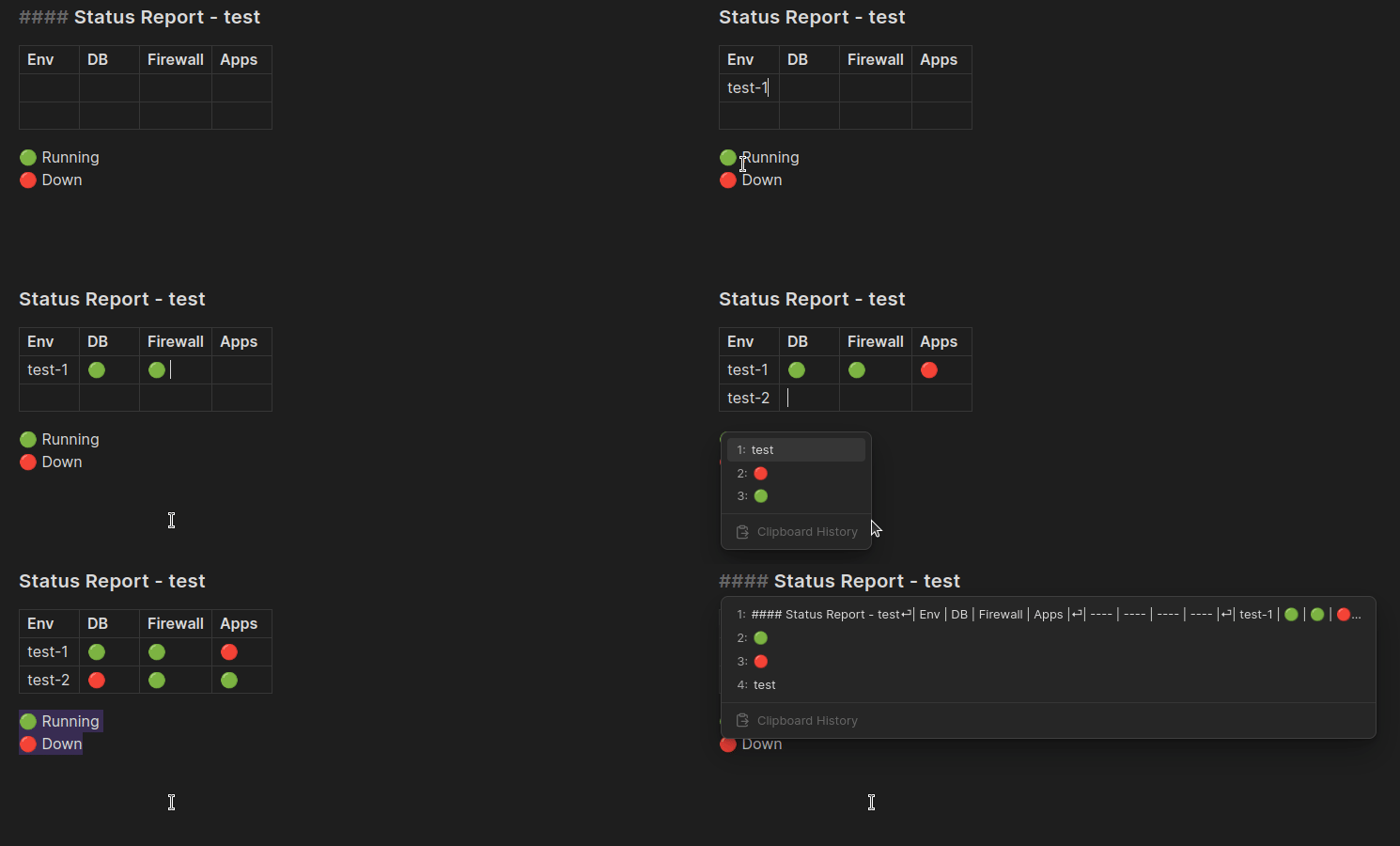
Text you copy or cut will be tracked. You then have the ability to paste text from those previous clipboard events.

Docked view
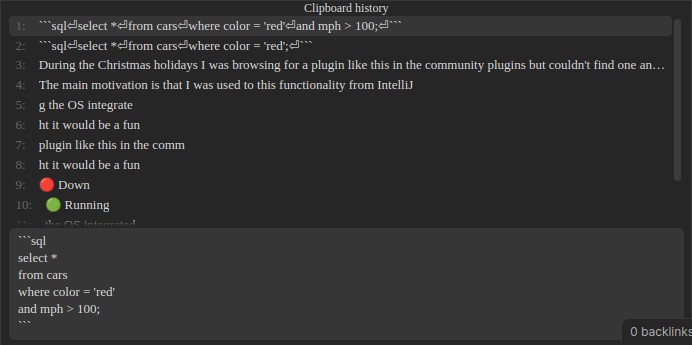
Docked view

Hovered view

Demo

Commands

Paste from clipboard history

Opens a menu displaying a list of recent clipboard texts which can be chosen to paste into the editor.

Hotkey

Choose a hotkey that fits well with your hotkeys. These works well for me:

  • Linux & Windows: Ctrl + Shift + V
  • Mac: Command + Shift + V

Clear clipboard history

Removes all entries from the plugin's history of the clipboard.

Settings

History limit

You can adjust the limit of how many clipboard text events are tracked in the settings. Defaults to 20.

History view

Two modes for clipboard history view.

  • hovered - Menu floating above the editor.
  • docked - Menu docked to the bottom of the editor. (Default)

Scroll threshold

Supported by docked view

Number of visible clipboard items before scrolling. Defaults to 10.

Lines in preview

Supported by docked view

Number of lines to reserve for multiline preview. Defaults to 6.

Limitations

  • Obsidian does not have access to the OS's clipboard which means clipboard events happening outside of Obsidian are not tracked in this plugin's clipboard history.
  • Paste from clipboard history only works inside editing view.
  • Only text content is supported currently.
  • Clipboard history is kept in memory. Consequences:
    • Clipboard history prior to plugin activation is not available.
    • Clipboard history is lost between sessions.
    • Clipboard history is not available between devices.

Implementation details

Keeps a limited in-memory history of the text from clipboard copy and cut events seen by the document HTML DOM object in the Obsidian application.

License

GNU LGPLv3

Contribution

Donation

Donations of any size are welcome and will allow me to dedicate more time towards community endeavors such as this project.

  • Github Sponsors: Karakaz

Bugs, feedback & ideas

Please feel free to open an issue and I'll take a look.

76%
HealthGood
ReviewSatisfactory
About
Paste from recent clipboard entries captured in Obsidian's editor, choosing from a docked or hovered history menu. Keep a session-only, text-only history of copy/cut events that occur inside Obsidian and clear the history on demand.
EditingCommandsInterface
Details
Current version
1.3.0
Last updated
5 months ago
Created
2 years ago
Updates
7 releases
Downloads
2k
Compatible with
Obsidian 0.15.0+
Platforms
Desktop, Mobile
License
LGPL-3.0
Report bugRequest featureReport plugin
Sponsor
GitHub Sponsors
Author
karakazkarakaz
github.com/Karakaz
GitHubkarakaz
  1. Community
  2. Plugins
  3. Editing
  4. Paste From History

Related plugins

Slash Commander

Customize the slash command list, assign each command an icon.

Meta Bind

Make your notes interactive with inline input fields, metadata displays, and buttons.

Commander

Customize your workspace by adding commands everywhere, create macros and supercharge your mobile toolbar.

Hover Editor

Transform the Page Preview hover popover into a fully working editor instance.

Note Toolbar

Add customizable toolbars to your notes.

Paste URL into selection

Paste URL "into" selected text.

Tray

Run Obsidian from the system tray for customisable window management and global quick notes.

Vimrc Support

Auto-load a startup file with Vim commands.

Dragger

Drag and drop any block (paragraphs, headings, lists, etc.) to rearrange content like Notion.

Lean Terminal

Embedded terminal panel powered by xterm.js and node-pty - no external windows.