Org Live
 zeit105 downloads
Edit and read Org-mode files with Obsidian-quality live preview and reading view.
- Overview
- Scorecard
- Updates7
English | 中文 · GitHub · Latest release
Org Live opens, edits and reads .org files natively in Obsidian, with the same live-preview feel as Obsidian's Markdown editor. It does not ship a separate design system: it reuses Obsidian's own Markdown/CM6 classes, so the active theme styles headings, code, tags, tables and links the same way.
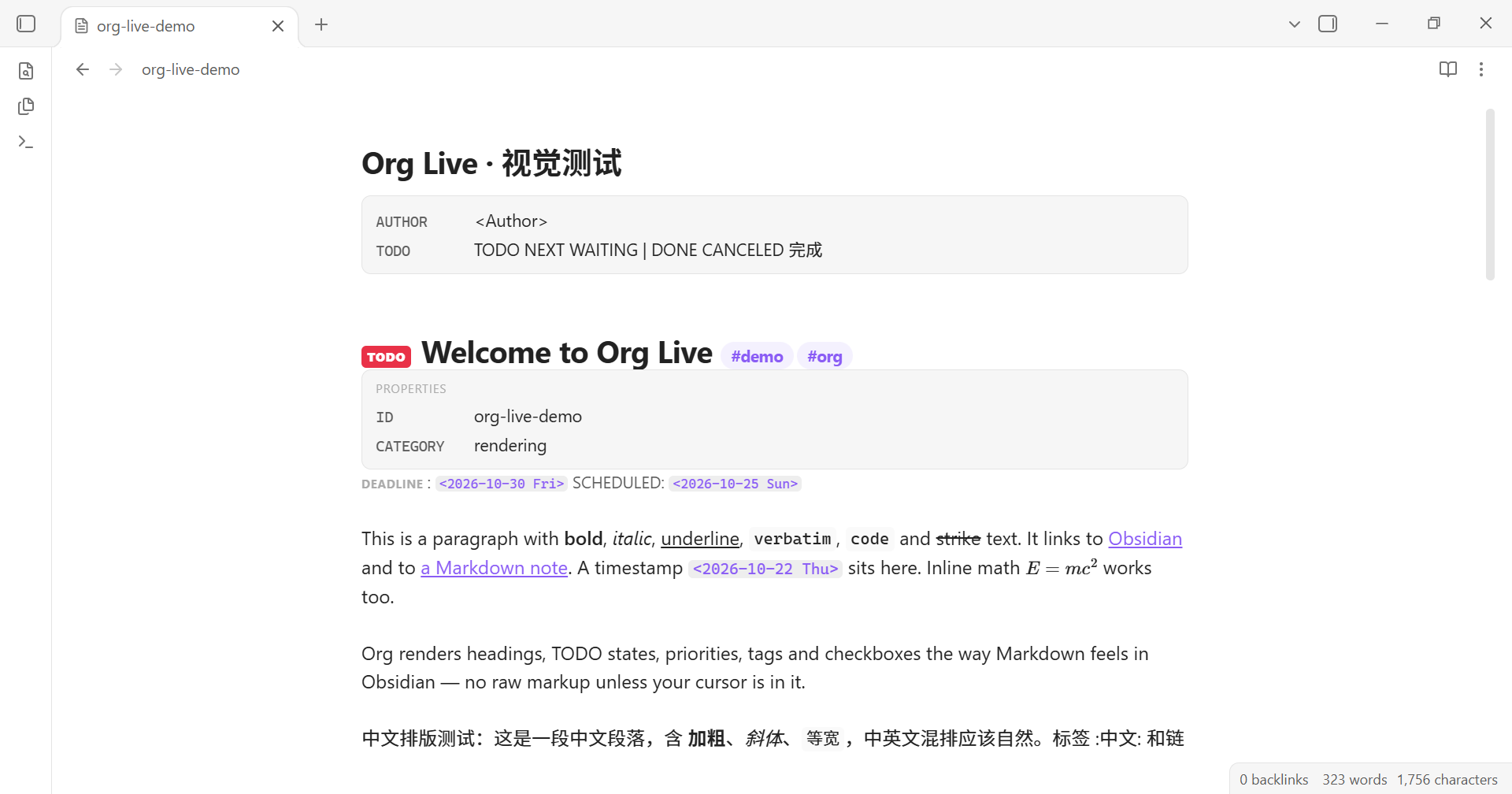
Features
- Native
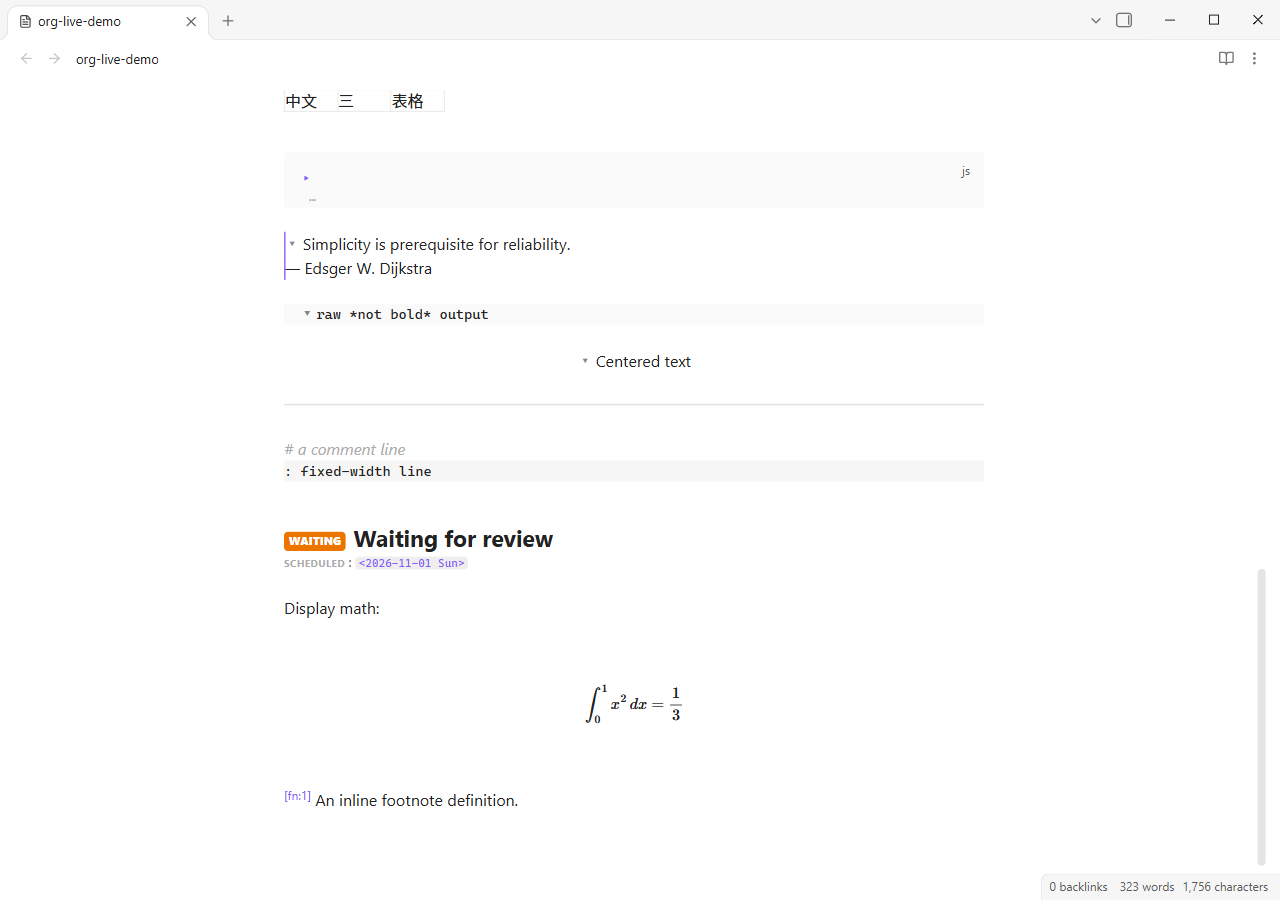
.orgfile type — the plugin registers the extension itself. No UNITADE or other extension-owner plugin is required. - Live preview — raw Org markup is revealed only around the cursor; everything else renders like Markdown.
- Reading view — toggle with the book/pencil action in the view header.
- Org structure — headlines, TODO/custom TODO keywords, priorities, tags, planning lines, property drawers,
#+KEYWORDmetadata, tables, source/quote/example/center/verse blocks, comments, fixed-width text and rules. - Custom TODO keywords — configure extra active/done keywords in Settings → Org Live, or per file with
#+TODO:/#+SEQ_TODO:/#+TYP_TODO:. Fast-access declarations such asTODO(t),WAIT(w@/!)andDONE(d!)are supported. Built-in keywords remain available. - Inline syntax — bold, italic, underline, verbatim, code, strike, links, bare URLs, timestamps, footnote references and cookies.
- Math — Org
$...$/$$...$$, LaTeX\(...\)/\[...\], and bare display environments (\begin{align},equation,gather,multline,alignat,eqnarray), including multi-line blocks. Edit the raw lines by placing the cursor inside; move away to render again. - Interactions — clickable checkboxes that save, internal links, tag search, table-cell click-to-edit, TODO cycling, list continuation and indentation.
- Code block folding — fold
#+BEGIN_SRC/#+END_SRCand quote/example/center/verse/comment/export blocks from an inline chevron.Ctrl/Cmd-Shift-[and]also fold/unfold. Editing and undo never alter the document. - Core Outline — Org headlines appear in Obsidian's Outline pane with their hierarchy, TODO keyword and Chinese titles. Click an item to jump to the headline. Markdown outlines continue to use Obsidian's native implementation.
- Bilingual settings — Automatic / English / 中文. Command names and view-action labels update immediately.
- Mobile ready —
isDesktopOnly: false, native selection on iOS, safe-area/toolbar padding, larger TODO badges, touch-sized checkboxes, horizontally scrollable tables and Markdown-style code wrapping. - Chinese friendly — Unicode tags (
:中文:测试:), custom Chinese TODO keywords (#+TODO: 待办 | 完成), CJK emphasis boundaries.
Native Markdown visual parity
| Org | Reused Obsidian / Markdown structure |
|---|---|
| Headline level N | HyperMD-header-N, cm-header-N |
| Bold / italic / strike / inline code | cm-strong, cm-em, cm-strikethrough, cm-inline-code |
| Links | cm-hmd-internal-link, cm-link + cm-underline |
| Lists / checkboxes | HyperMD-list-line-N, cm-list-N, list-bullet, task-list-item-checkbox |
| Quote | HyperMD-quote, cm-quote |
| Source block | HyperMD-codeblock, code-block-flair, Prism token classes |
| Table | cm-embed-block cm-table-widget markdown-rendered |
| Tags | cm-hashtag / <a class="tag">#tag</a> in reading view |
| Math | Obsidian renderMath + MathJax |
| Reading view | .markdown-preview-view.markdown-rendered, inline-title |
Org-only concepts (TODO, priority, planning, drawers/metadata cards, timestamps, fixed-width, comments) use small styles built on theme variables.
Install
Community plugins
- Settings → Community plugins → Browse.
- Search for Org Live and install it.
- Enable Org Live and disable any other plugin that owns
.orgfiles.
The directory reads the latest GitHub release automatically. If the built-in browser has not synced yet, restart Obsidian or use BRAT/manual install below. Requires Obsidian 1.13.0+.
BRAT (useful for beta builds and mobile)
- Install BRAT from Obsidian's community plugins.
- In BRAT choose Add Beta Plugin and enter:
On mobile you can also open this URI:zzeitt/obsidian-org-liveobsidian://brat?plugin=zzeitt/obsidian-org-live - Enable Org Live in Settings → Community plugins.
- Disable any other plugin that owns
.orgfiles (for example Orgmode cm6). Only one plugin can own an extension; Org Live registers.orgitself, so UNITADE is not needed.
Requires Obsidian 1.13.0+ (declarative settings APIs). iOS/Android are supported.
Marketplace listing
Org Live is listed in the community directory:
https://community.obsidian.md/plugins/org-live. The directory page and
Obsidian's built-in browser can lag behind a new release; the listing updates
from GitHub releases. See
docs/community-submission.md for details.
Manual install
Copy main.js, manifest.json and styles.css into:
<vault>/.obsidian/plugins/org-live/
Then enable Org Live and disable conflicting .org plugins.
Mobile / iOS
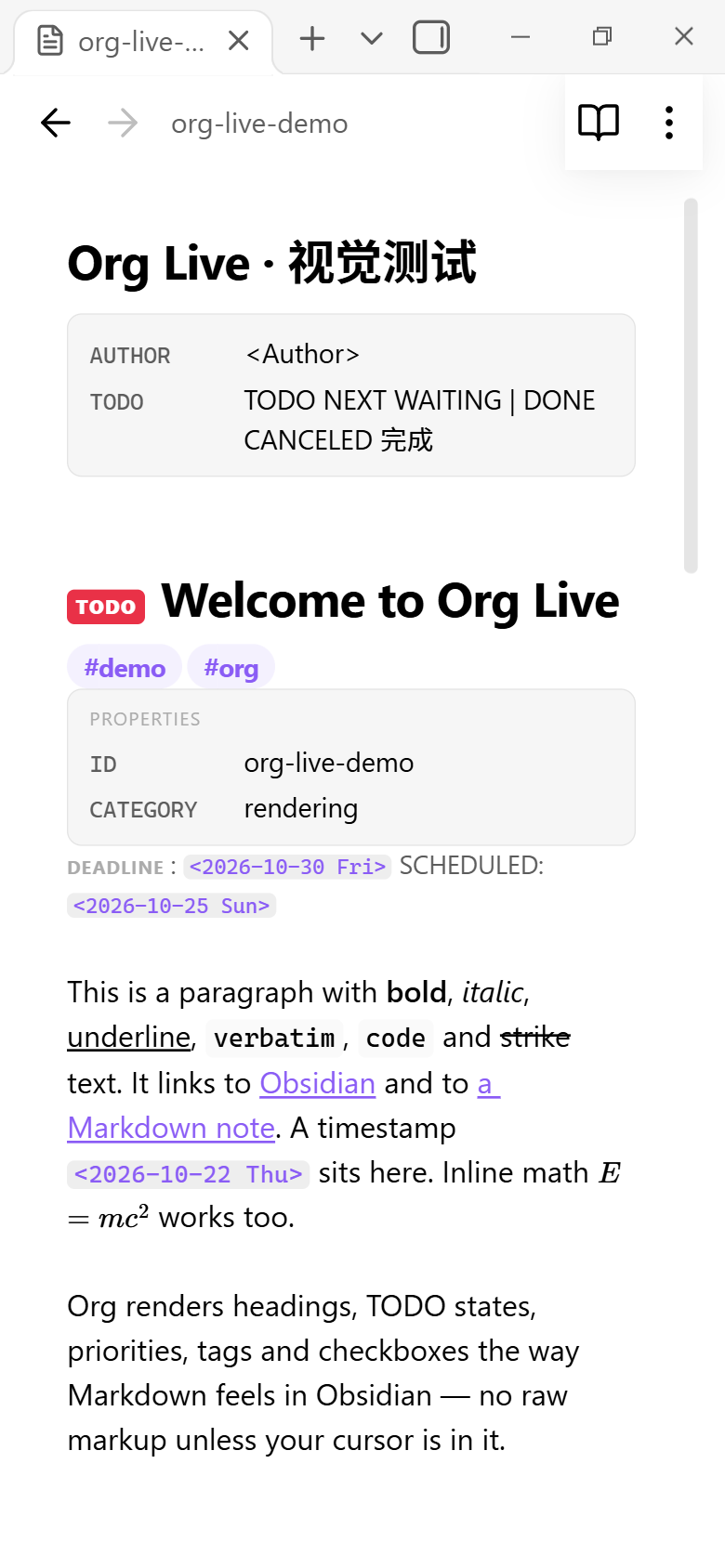
The view is a TextFileView with an embedded CodeMirror 6 editor, which works on Obsidian mobile:
- iOS/Android use the native text selection and selection handles; desktop keeps CM6's drawn cursor.
- Content respects
safe-area-inset-bottomand the mobile toolbar height. - Checkboxes and tag targets are enlarged; tables scroll horizontally; long code wraps the way Obsidian's Markdown live preview does.
- The header book/pencil action and all commands are available on mobile.
Verified with a 390×844 viewport emulation and mobile CSS. An actual iOS device check is still recommended; the screenshots are in shots/mobile-*.png.
Bilingual settings
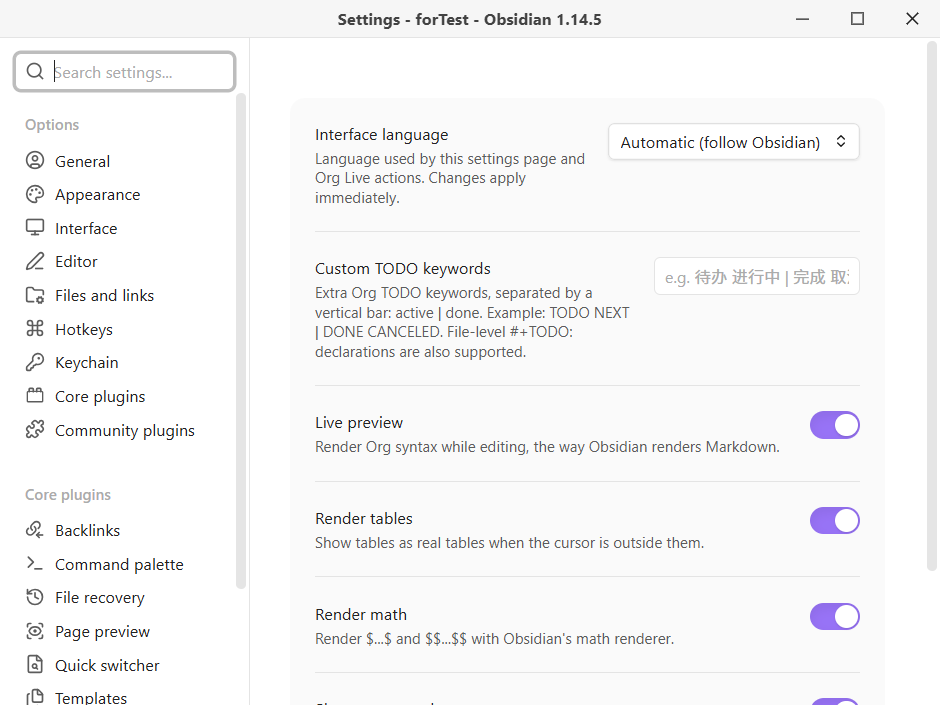
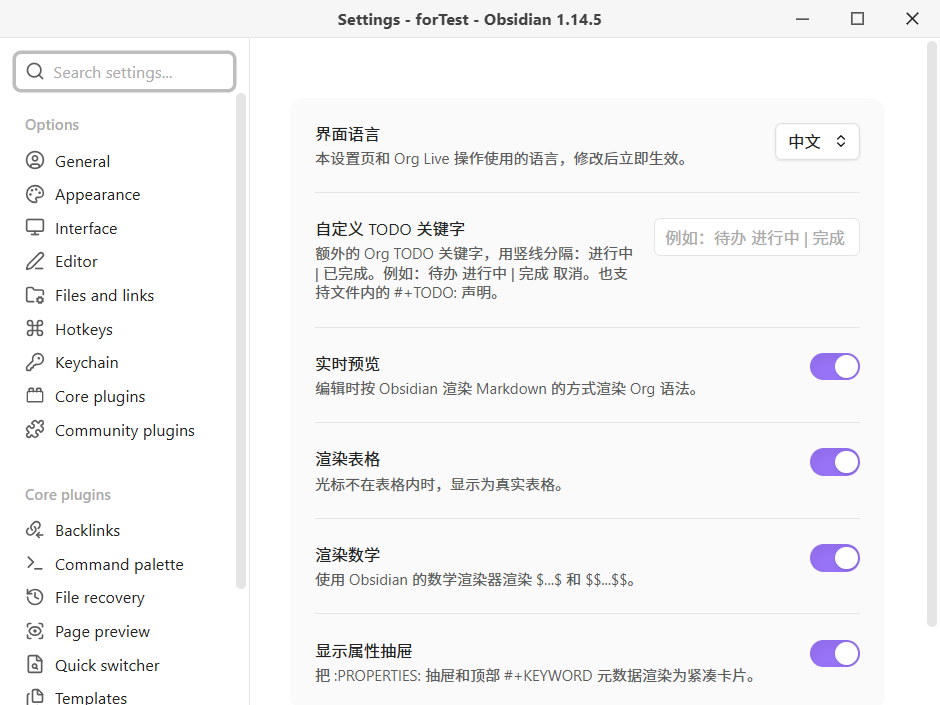
Settings → Org Live → Interface language:
- Automatic (follow Obsidian)
- English
- 中文
The whole settings page, the reading-view action label and the three commands are localized. Changing the language updates the current session immediately.
| English | 中文 |
|---|---|
 |
 |
Usage
- Click any
.orgfile in the file explorer. - Use the book icon to enter reading view and the pencil icon to return to live preview.
- Commands:
Org Live: Toggle reading viewOrg Live: Cycle TODO stateOrg Live: Enter live preview
- Settings:
- Interface language
- Custom TODO keywords (
active1 active2 | done1 done2; file-level#+TODO:also works) - Live preview
- Render tables
- Render math
- Show property drawers / leading
#+KEYWORDmetadata
You can bind Toggle reading view to the same shortcut you use for Markdown reading view (often Ctrl/Cmd+E).
Folding and Outline
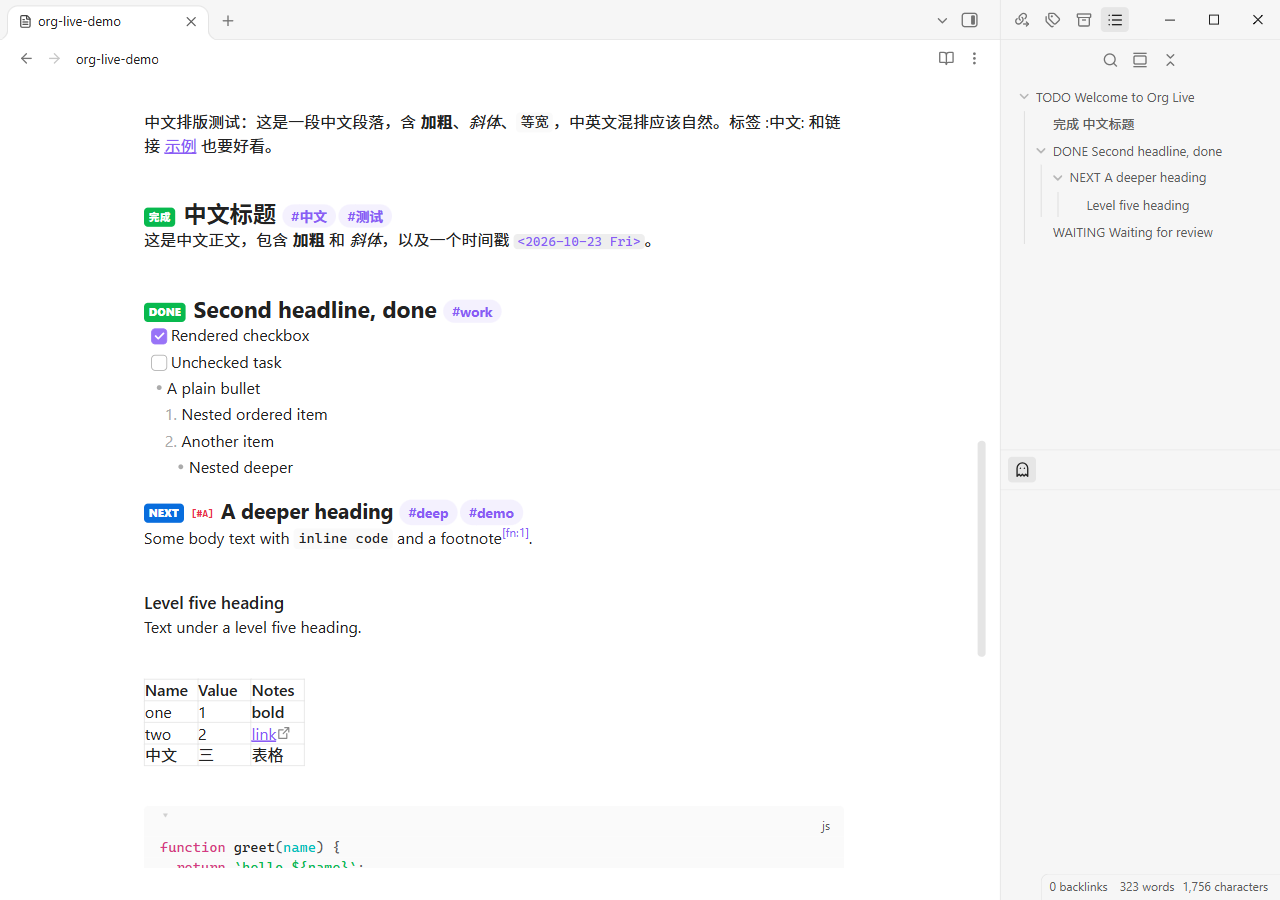
The Outline bridge is a compatibility layer: the core outline view currently
filters out non-Markdown files, and there is no public API for injecting
headings. Org Live wraps getHeadings/update on the outline view instance,
only answers for .org files, delegates everything else to the original
methods, and restores them on unload. If a future Obsidian release changes
those internals, the bridge becomes a no-op rather than breaking Markdown
outlines.
Sanitized writeup
test/writeup-redacted.org is a realistic engineering-review writeup with all hosts, tokens, people and customer names replaced by placeholders (example.com, <REDACTED_TOKEN>, <Team>, <Redacted>). It covers headings, TODO states, priorities, tags, property drawers, metadata, tables with column alignment, long URLs, long code lines, quotes, math, Chinese text, nested task lists and footnotes.
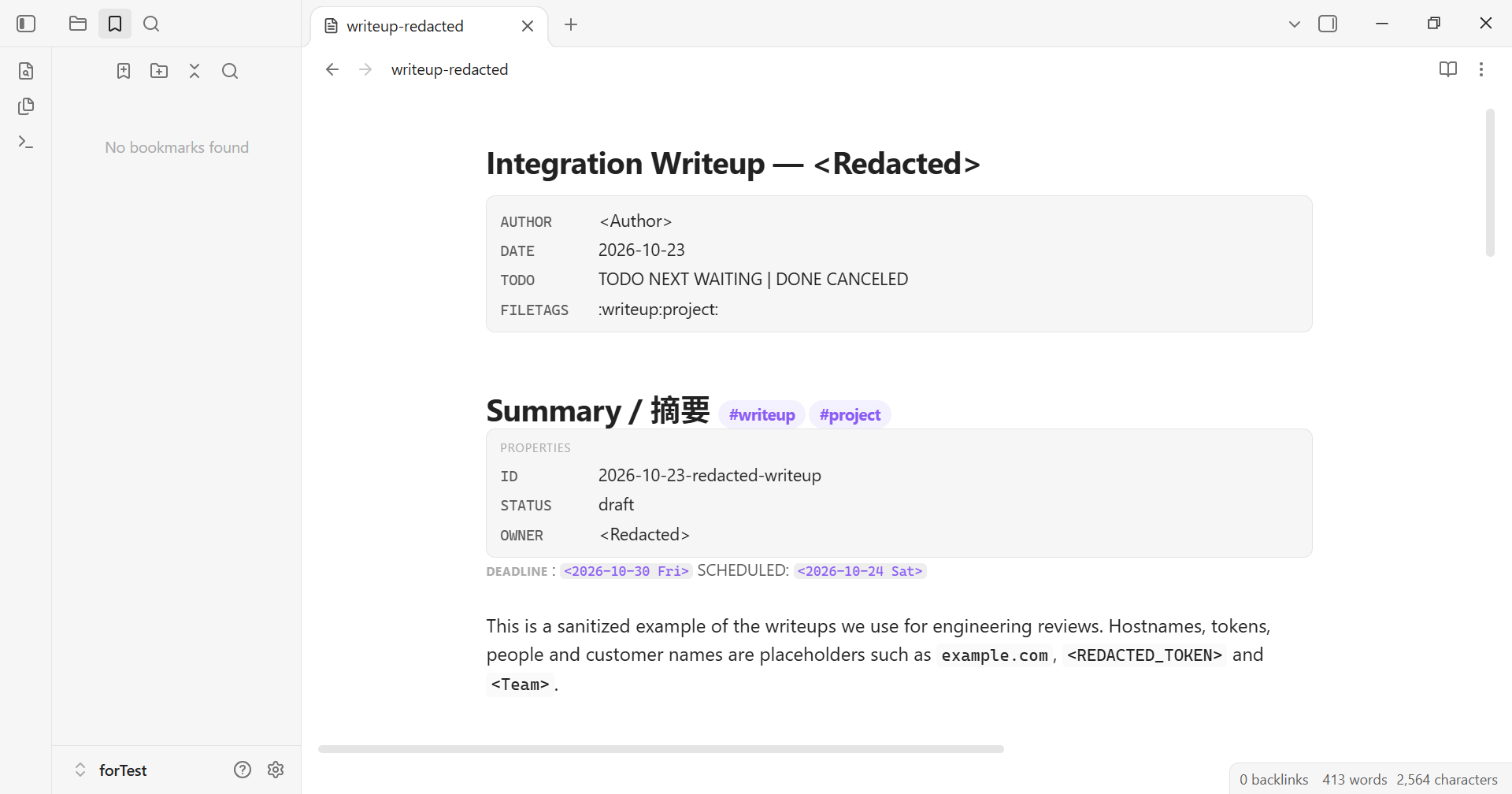
Rendering this writeup surfaced and fixed:
- Org
<l>|<c>|<r>column-alignment rows being treated as data rows. - Missing table cell padding in the live table widget.
- Code-block language flair overlapping wrapped code on narrow screens.
- Forced no-wrap code creating a global horizontal scrollbar (Obsidian Markdown wraps code in live preview).
Known limitations
- Obsidian's metadata cache is not writable for non-Markdown files, so the outline, backlinks, graph and tag pane do not index Org headings/links/tags. Clicking a tag performs a text search for
:tag:. - Code-block folding is implemented; headline folding is not implemented yet.
- The core Outline bridge relies on guarded internal outline methods; if a future Obsidian version changes them, Org headings may not appear in the Outline pane until the bridge is updated.
- Tables are rendered read-only in live preview; click a cell to edit the raw table.
- Footnote definitions are shown inline rather than collected into a footnote section.
- Not a complete Org implementation: no Babel,
#+INCLUDE, macros, agenda, or export backends. - Mobile layout was verified through viewport emulation; please report iOS-specific keyboard/selection issues.
Development
npm install
npm run check     # TypeScript
npm run build     # main.js
ORG_TEST_VAULT="/path/to/TestVault" npm run deploy
npm run deploy builds, copies the plugin into the test vault, enables only org-live, and copies the test corpora. It intentionally does not hard-code a vault path.
Visual verification uses Obsidian's Electron remote debugging:
# Start Obsidian with --remote-debugging-port=9222
node scripts/cdp.mjs --open org-live-demo.org --mode live --shot shots/out.png
node scripts/cdp.mjs --mode preview --shot shots/reading.png
node scripts/cdp.mjs --target Settings --shot shots/settings.png
node scripts/cdp.mjs --mobile --shot shots/mobile.png
node scripts/cdp.mjs --info
Test material:
test/org-live-demo.org— broad syntax corpus.test/markdown-reference.md— Markdown comparison note.test/writeup-redacted.org— sanitized writeup / regression corpus.docs/visual-verification.md— verification log and screenshots.docs/superpowers/specs/2026-10-23-org-live-design.md— architecture and design decisions.
References
Implementation ideas were informed by existing Obsidian markup-language plugins:
- dzruyk/obsidian-asciidoc —
TextFileView+ embedded CM6 and patched-CodeMirror notes. - azyarashi/obsidian-typst-mate — custom text view, CM6 editor, reading/source switching.
- Obsidian Decorations documentation — ViewPlugin vs StateField.
- CodeMirror block-decoration discussion.
License
MIT