Trash Explorer
 proog66k downloads
Restore and delete files from the Obsidian .trash folder.
- Overview
- Scorecard
- Updates8
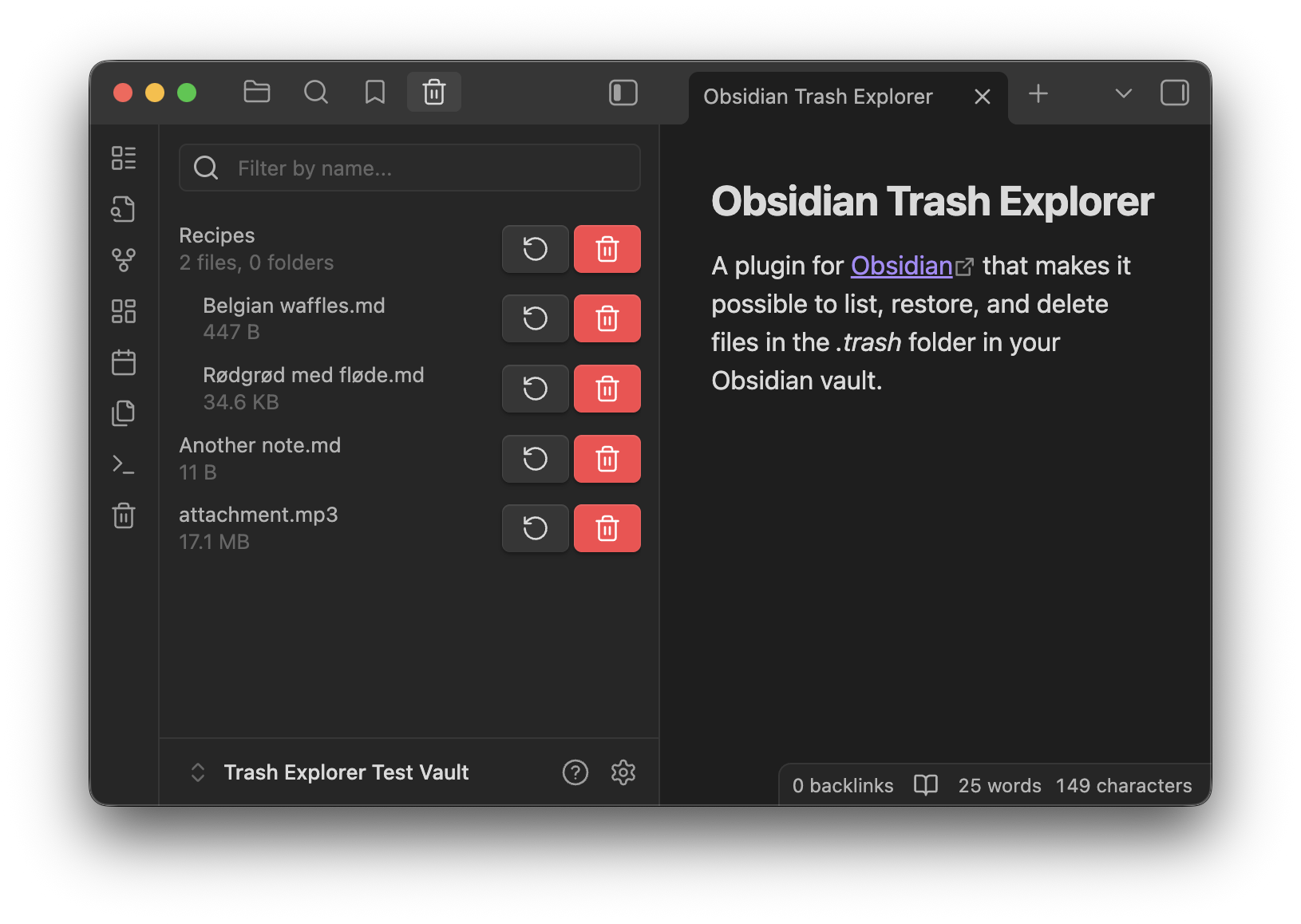
A plugin for Obsidian that makes it possible to list, restore, and delete files in the .trash folder in your Obsidian vault. This is useful if you're having trouble accessing hidden folders, such as on iOS.
Install Trash Explorer from Obsidian community plugins.
Usage
Important: this plugin works only with Obsidian's own .trash folder. It does not work with the system trash.
To enable this, open the settings and go to File & Links, then set Deleted files to Move to Obsidian trash.
Click the trash explorer icon in the ribbon or use Show trash explorer from the command palette. Then you can restore or delete files and folders with the buttons in the trash explorer view. It's also possible to delete all trashed files with the Empty trash command.
Items are restored to a vault location matching their location in the trash. For instance, .trash/Recipes/Belgian waffles.md will be restored to Recipes/Belgian waffles.md, creating any intermediate folders if they don't exist. If the restore path already exists in the vault, the item will not be restored; you'll have to rename the existing file to something else first.
Limitations
This plugin is at the mercy of where Obsidian places trashed items, as it has no access to their original location. In particular, Obsidian always moves items to the root of the .trash folder, regardless of their parent folder structure, so any parent folders will not be preserved when restoring. For instance, trashing the file Recipes/Belgian waffles.md will move it to .trash/Belgian waffles.md, and restoring it will move it to Belgian waffles.md in the root of the vault.
Development
UI testing
# tl;dr
npm install
./e2e-setup.sh /path/to/obsidian.app
npm run e2e
Running npm run e2e tests the plugin in an actual Obsidian app using Playwright. Each Playwright test restores a test vault, launches Obsidian, and performs automated actions to smoke-test the plugin in a real environment.
Before running npm run e2e, it's necessary to run e2e-setup.sh in a terminal and follow its instructions. The purpose of this script is to create a copy of Obsidian's files that are usable by Playwright as well as to configure Obsidian itself. The script has currently only been tested on macOS - it may or may not work on other operating systems (please make a PR!).
As for why the setup script is necessary:
It used to be possible to automate the regular Obsidian executable from Playwright, but starting with an Obsidian update in 2024 the app could no longer be launched without timing out. This is likely due to the EnableNodeCliInspectArguments fuse being disabled, a known issue that's also mentioned in the Playwright documentation. Flipping Electron fuses in a packaged app changes the app's signature which makes the OS refuse to launch it. This project tries to work around it by extracting the JavaScript source files from the Obsidian app using Electron's ASAR tool, then launch those with Electron itself.
Additionally, the E2E tests rely on a known test vault as the tests do manipulate real files in a real folder. As it's not currently possible to open a vault from the CLI unless Obsidian has previously opened it, it's necessary to manually open the
e2e-vaultin the unpacked Obsidian app before tests can be run against it.