ToggleList
 thingnotok21k downloads
Toggle the checklist states (paragraph/list/checklist/custom styles).
- Overview
- Scorecard
- Updates18
ToggleList is a plugin for Obsidian that provides an alternative way to toggle checkbox status and allows for easy toggling between frequently used attributes such as task states, task tags, highlighted lists, and more. This simple plugin overwrites the default toggle behavior in Obsidian, making it more customizable and user-friendly.
Plugin Features
ToggleList provides the following features:
Hotkey toggling of list states within a state group:
- For example, a state group might include the following states: [
"",-,- [ ],- [x]]
- For example, a state group might include the following states: [
Multiple state groups for different purpose
- Task group: [
- [ ],- [/],- [x]] - Highlight group: [
- [i],- [!],- [?]]
- Task group: [
Prefix and Suffix Support. State
Prefix||Suffixcan matchPrefix line contents Suffix.- Timestamp can be used in both Prefix and Suffix using {time:: time-format}, e.q. {time:: YYYY-MM-DD}. Supported time format can be found in Supported Time Format.
- Use cases
- Task created / completed:
- [ ] || ➕[[{time:: YYYY-MM-DD}]]/- [ ] || ✅ {time:: YYYY-MM-DD}(Tasks' style) - Interstitial journaling:
- **{time:: hh:mm}**
- Task created / completed:
Suggestion window: turn on suggestion for commands so the whole state group with show in suggestion window for quick access.
States visualization

Togglelist works as a handy tool to setup contents in other plugins, check Working with other Plugins for more examples
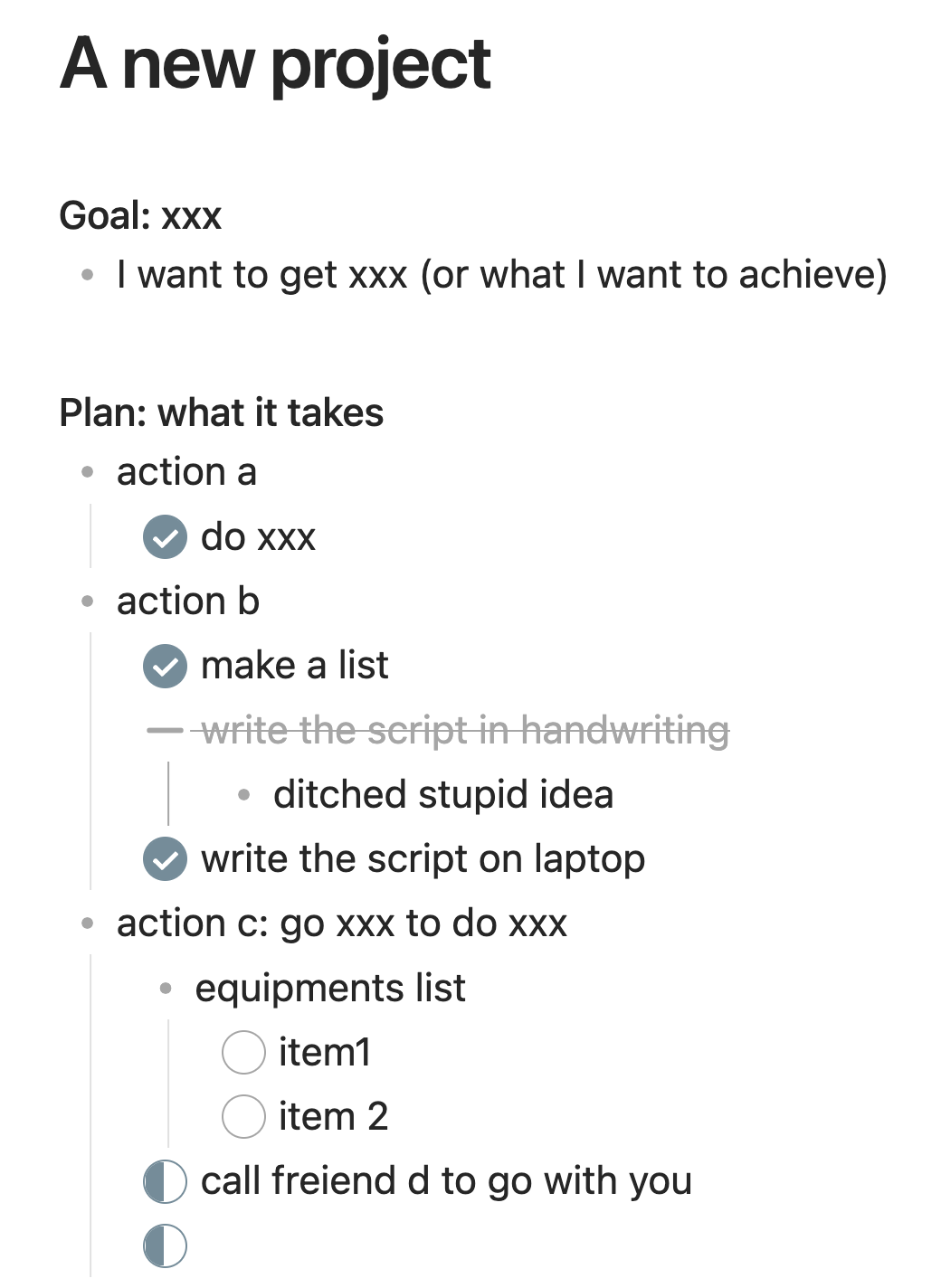
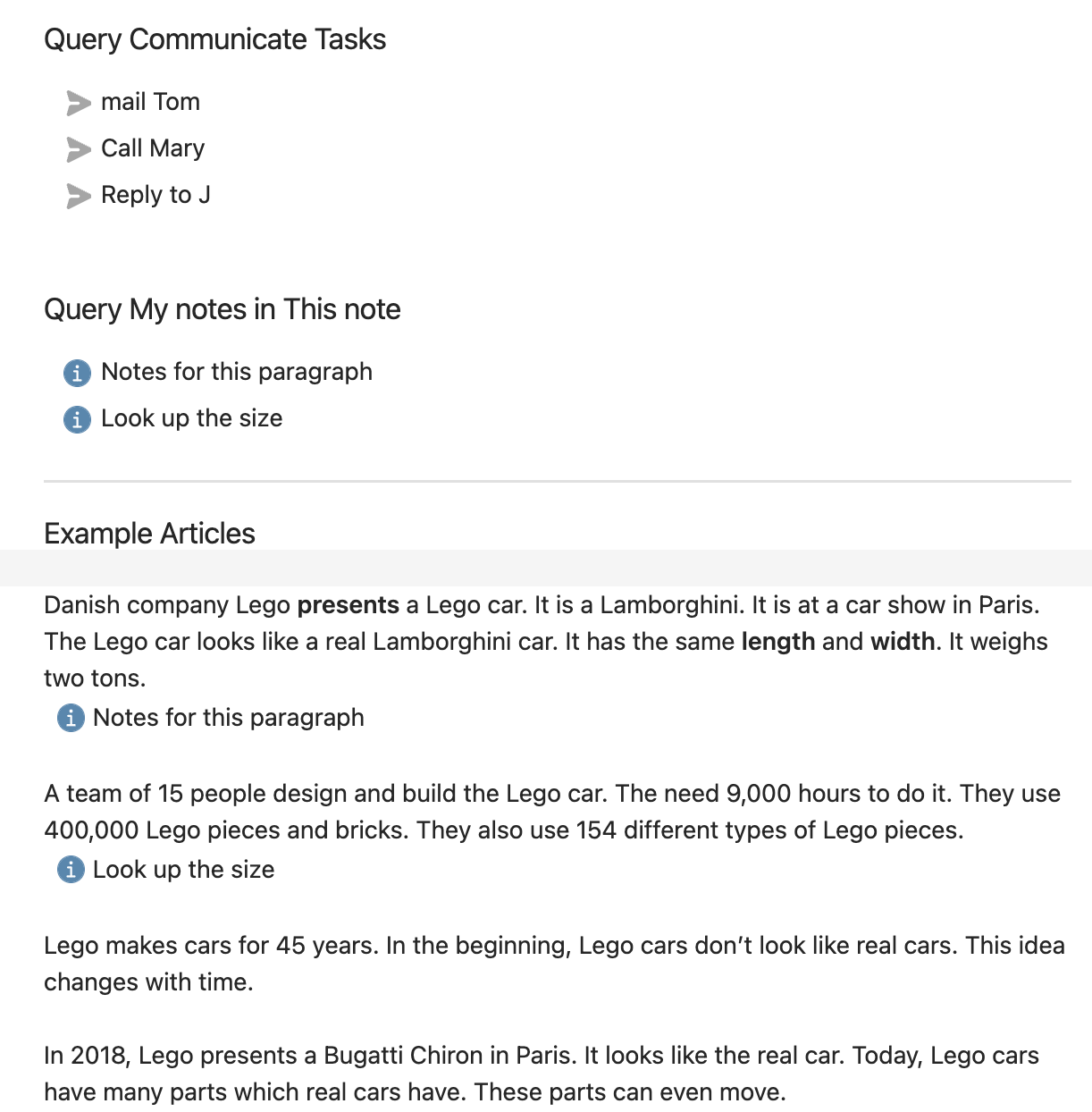
Here's why checkboxes need more states and how to query these customized states:
| Project Use Case | Query Customized Items |
|---|---|
 |
 |
Installation
From repositary
- Download the folder and put in
Vault/.obsidian/plugin. - Enable it from Installed Plugins
From Community Plugins
- Search for ToggleList in Commnity Plugins/Browse
- Install and enable it from Installed Plugins
From BRAT
- Install [Obsidian 42 - BRAT] from Community Plugins
- Add this repository in Obsidian 42 - BRAT/ Add Beta Plugin
- Paste this url:
https://github.com/thingnotok/obsidian-toggle-list
- Paste this url:
- Enable this plugin from Installed Plugins
Changelog
[1.2.3]
- Add blockID support
- toggling states will not mess with blockID now
- Cursor location rule
- if cursor is in prefix, it will be moved to the head of the content
- if cursor is in content, it will stay at the same location w.r.t the content
- if cursor is in surfix, it will be moved to the end of the content
- if cursor is in blockID, it will be moved to the end of the line
[1.2.1]
- Time related update
- Timestamps in states can now be customized with {time:: YYYY-MM-DD hh:mm:ss}
- old settings
{tasks-today}will be automatically converted to✅ {time:: YYYY-MM-DD}
- old settings
- Fix date error for #23 (possibly)
- Timestamps in states can now be customized with {time:: YYYY-MM-DD hh:mm:ss}
[1.2.0]
- merge suggesiton window action with regular action.
- custom hotkey for pop command will be automatically assigned to Next action.
- commands without iPopOver will not be affected.
- If the upgrade break your setting, I'm really sorry, and please leave a issue so I can help you.
[1.1.3]
- resolve the performance issue #14
- update the suggestion window when hotkey is consectively triggered
- update UI
- refactor main, setting, tlActions
[1.0.6/7] - [[2023-02-26]]
- Clarity
- State Diagram in setting tab to provide a better understanding of state groups.
- Empty line is now rendered as
{PARAGRAPH}.
- Suggestion Mode
- Commands have suggestion mode now. A suggestion editor will pop when command/hotkey is triggered.
- Codebase reorganization
- the project is reorganized to clarity.
- Many thanks to engage-results and replete for their valuable suggestions.
[1.0.5] - [[2022-11-08]]
- Toggles
- Add support for indentation using spaces.
- Commands
- Add contextual toggles support with same command
- Allow user to modify command name
- Settings
- Add a config backup before Reset command
[1.0.3/4] - [[2022-10-31]]
- Add suffix to support Tasks Plugin usage
- Add an additional default group to show List Callouts Plugin usage
- Add random state group selection to new group button
- Add Reset button to recover to default state groups
- Add Hotkey button to link to hotkey setup page
- Update Description in setting tab page
[1.0.1] - [[2022-10-25]]
Added
- Allow multiple state groups