Search...Search plugins and themes...
⌘K
Sign in
  • Get started
  • Download
  • Pricing
  • Enterprise
  • Account
  • Obsidian
  • Overview
  • Sync
  • Publish
  • Canvas
  • Mobile
  • Web Clipper
  • CLI
  • Learn
  • Help
  • Developers
  • Changelog
  • About
  • Roadmap
  • Blog
  • Resources
  • System status
  • License overview
  • Terms of service
  • Privacy policy
  • Security
  • Community
  • Plugins
  • Themes
  • Discord
  • Forum / 中文论坛
  • Merch store
  • Brand guidelines
Follow us
DiscordTwitterBlueskyThreadsMastodonYouTubeGitHub
© 2026 Obsidian

Theme Toggler

larsmagnuslarsmagnus6k downloads

Toggle light or dark mode separately for each tab.

Add to Obsidian
  • Overview
  • Scorecard
  • Updates3

Obsidian Theme Toggler by larsmagnus

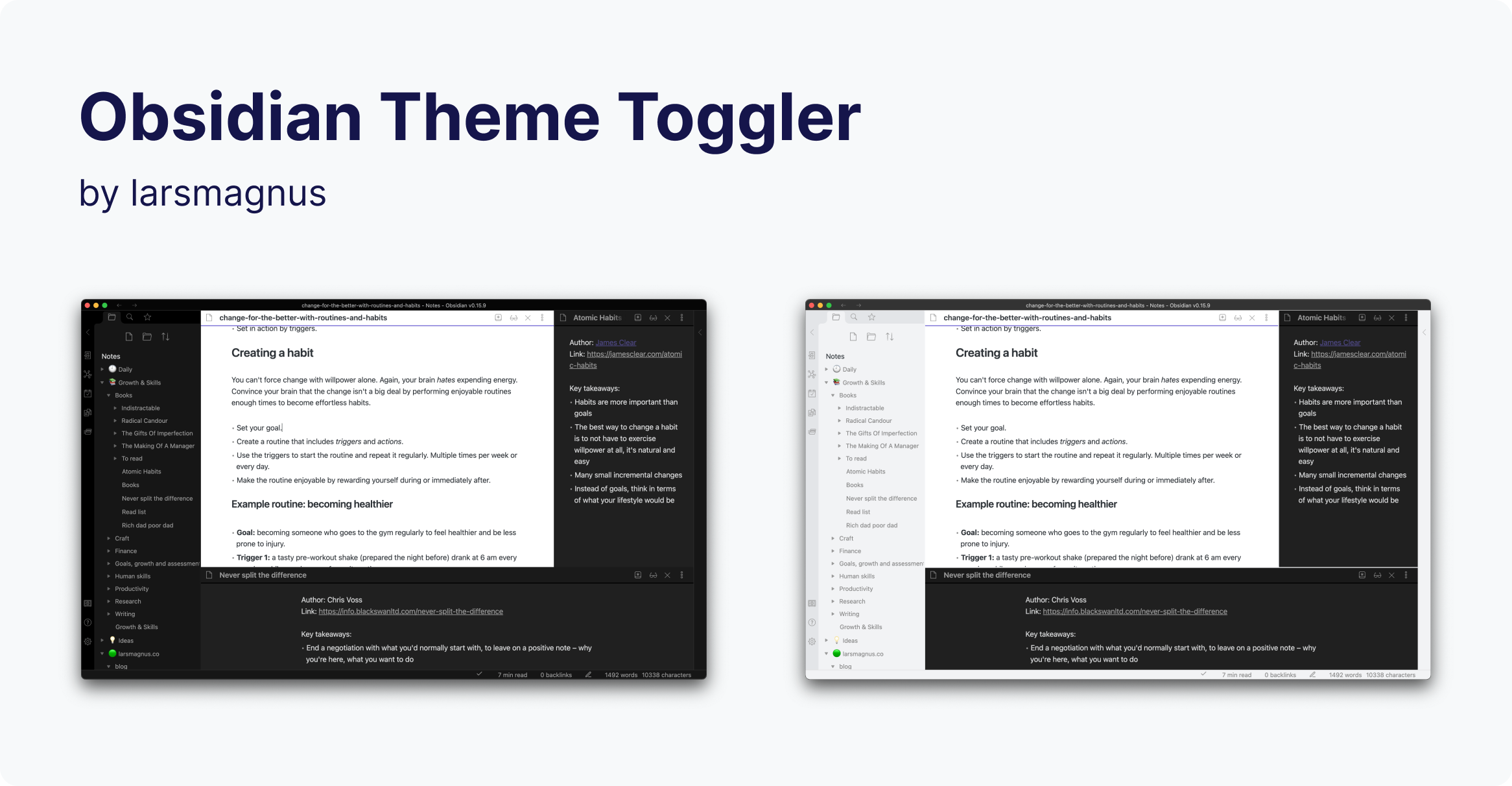
Toggle the theme individually for each of Obsidian's panels.

What the plugin does

It adds a theme toggle button to each pane in your workspace, allowing you to set the theme on a per-panel basis. In addition, it adds three commands for toggling the theme. You can explicitly determine whether to toggle the theme, change it to dark, or change it to light.

Commands

  • Theme Toggler: Toggle theme in the active pane
  • Theme Toggler: Activate dark mode in the active pane
  • Theme Toggler: Activate light mode in the active pane

Support

If you find this plugin useful and would like to support its development, you can sponsor me on GitHub sponsors, buy me a coffee, or ko-fi.

Disclaimer

This plugin is provided as is, and is designed for my personal use of Obsidian on macOS. As such it is not thoroughly tested across all operating systems and use cases. It is designed to work the best with the "Default Obsidian" theme.

This plugin modifies some parts of the Obsidian interface, so it may break with future updates. It may also be incompatible with other plugins, bits of custom CSS you have, or the theme you are using.

64%
HealthFair
ReviewSatisfactory
About
Add a theme toggle button to every pane and set themes on a per-panel basis. Use three commands to toggle the active pane's theme or force dark or light mode.
ThemingInterfaceCommands
Details
Current version
1.0.1
Last updated
4 years ago
Created
4 years ago
Updates
3 releases
Downloads
6k
Compatible with
Obsidian 1.0.0+
Platforms
Desktop only
License
MIT
Report bugRequest featureReport plugin
Author
larsmagnuslarsmagnus
larsmagnus.co
GitHublarsmagnus
  1. Community
  2. Plugins
  3. Theming
  4. Theme Toggler

Related plugins

Hider

Hide interface elements such as tooltips, status bar, titlebar, and more.

Commander

Customize your workspace by adding commands everywhere, create macros and supercharge your mobile toolbar.

Note Toolbar

Add customizable toolbars to your notes.

Tray

Run Obsidian from the system tray for customisable window management and global quick notes.

Lean Terminal

Embedded terminal panel powered by xterm.js and node-pty - no external windows.

Slash Commander

Customize the slash command list, assign each command an icon.

Oxygen Theme Settings

Configure advanced customization options in Oxygen Theme.

UI Tweaker

Add, hide, or modify various interface elements.

Minimal Theme Settings

Control the colors and fonts in Minimal Theme.

Quick Switcher++

Enhanced Quick Switcher, search open panels, and symbols.