Search...Search plugins and themes...
⌘K
Sign in
  • Get started
  • Download
  • Pricing
  • Enterprise
  • Account
  • Obsidian
  • Overview
  • Sync
  • Publish
  • Canvas
  • Mobile
  • Web Clipper
  • CLI
  • Learn
  • Help
  • Developers
  • Changelog
  • About
  • Roadmap
  • Blog
  • Resources
  • System status
  • License overview
  • Terms of service
  • Privacy policy
  • Security
  • Community
  • Plugins
  • Themes
  • Discord
  • Forum / 中文论坛
  • Merch store
  • Brand guidelines
Follow us
DiscordTwitterBlueskyThreadsMastodonYouTubeGitHub
© 2026 Obsidian

Pomodoro Plugin

tokuhiromtokuhirom16k downloads

Simple pomodoro time tracking.

Add to Obsidian
  • Overview
  • Scorecard
  • Updates2

"Obsidian Pomodoro Plugin" is a simple Pomodoro timer plugin for Obsidian (https://obsidian.md).
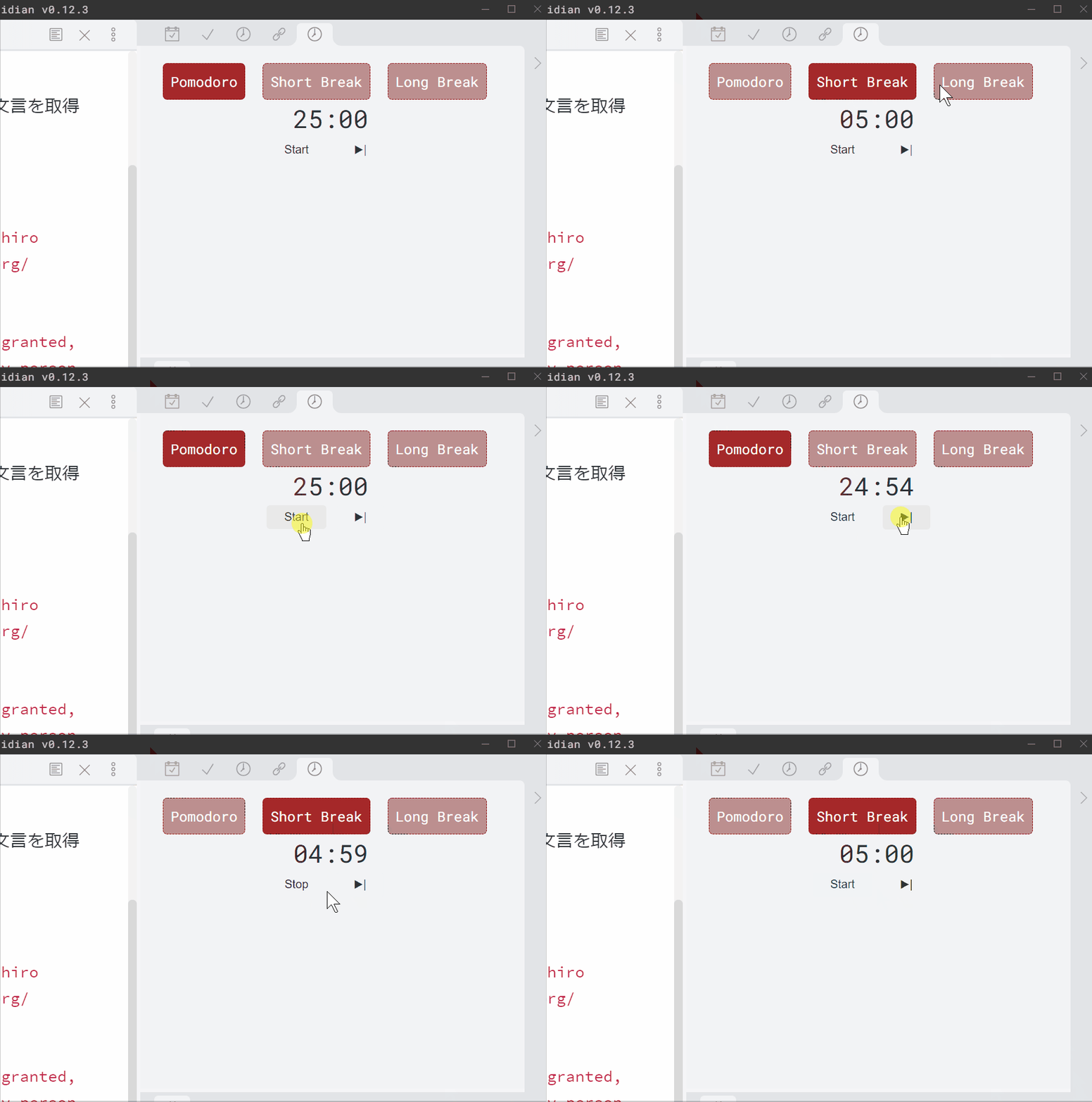
Animation.gif

You can put a pomodoro timer in your obsidian window.
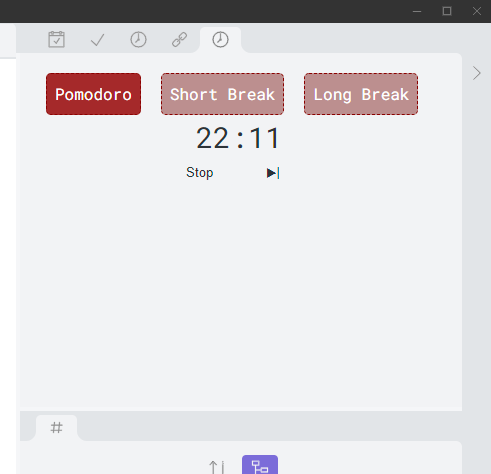
img.png

The Pomodoro Technique is a time management method developed by Francesco Cirillo in the late 1980s. The technique uses a timer to break down work into intervals, traditionally 25 minutes in length, separated by short breaks. Each interval is known as a pomodoro, from the Italian word for 'tomato', after the tomato-shaped kitchen timer that Cirillo used as a university student. https://en.wikipedia.org/wiki/Pomodoro_Technique

If you are not familiar with Pomodoro technique, see also:
  • https://www.youtube.com/watch?v=H0k0TQfZGSc
  • https://en.wikipedia.org/wiki/Pomodoro_Technique

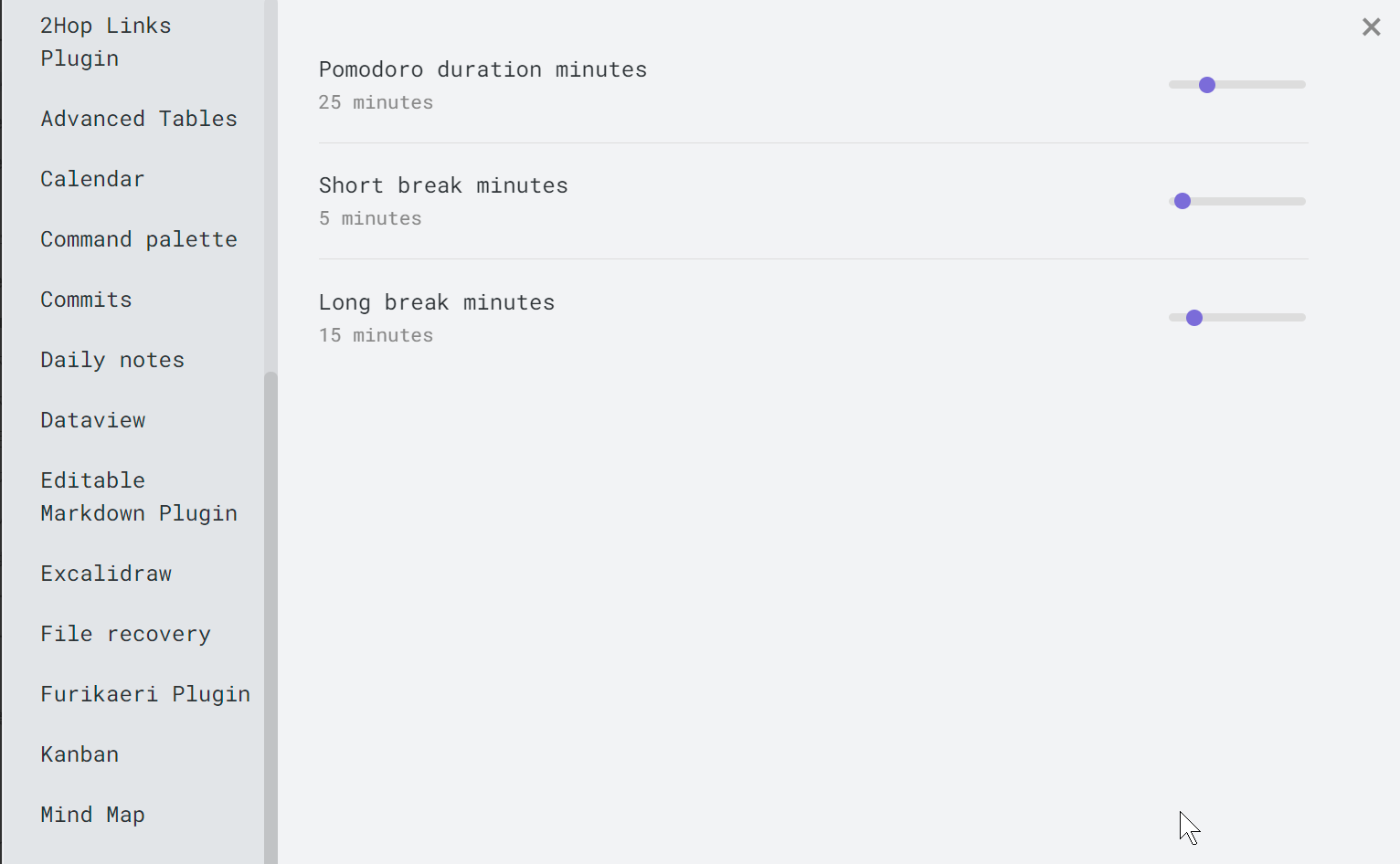
img_1.png

You can change the time duration by the setting form.

Thanks to

  • @santiyounger suggested me to add pomodoro technique support for obsidian-stopwatch-plugin

Manually installing the plugin

  • Run npm build
  • Copy over main.js, styles.css, manifest.json to your vault VaultFolder/.obsidian/plugins/your-plugin-id/.

LICENSE

The MIT License (MIT)

Copyright © 2021 Tokuhiro Matsuno, http://64p.org/ [email protected]

Permission is hereby granted, free of charge, to any person obtaining a copy of this software and associated documentation files (the “Software”), to deal in the Software without restriction, including without limitation the rights to use, copy, modify, merge, publish, distribute, sublicense, and/or sell copies of the Software, and to permit persons to whom the Software is furnished to do so, subject to the following conditions:

The above copyright notice and this permission notice shall be included in all copies or substantial portions of the Software.

THE SOFTWARE IS PROVIDED “AS IS”, WITHOUT WARRANTY OF ANY KIND, EXPRESS OR IMPLIED, INCLUDING BUT NOT LIMITED TO THE WARRANTIES OF MERCHANTABILITY, FITNESS FOR A PARTICULAR PURPOSE AND NONINFRINGEMENT. IN NO EVENT SHALL THE AUTHORS OR COPYRIGHT HOLDERS BE LIABLE FOR ANY CLAIM, DAMAGES OR OTHER LIABILITY, WHETHER IN AN ACTION OF CONTRACT, TORT OR OTHERWISE, ARISING FROM, OUT OF OR IN CONNECTION WITH THE SOFTWARE OR THE USE OR OTHER DEALINGS IN THE SOFTWARE.

60%
HealthNeeds work
ReviewCaution
About
Add a Pomodoro timer to your Obsidian window to run focused work intervals and short breaks. Adjust session and break durations in settings to follow the Pomodoro Technique and track completed pomodoros.
TasksStatus bar
Details
Current version
0.0.2
Last updated
5 years ago
Created
5 years ago
Updates
2 releases
Downloads
16k
Compatible with
Obsidian 0.9.12+
Platforms
Desktop, Mobile
Report bugRequest featureReport plugin
Author
tokuhiromtokuhirom
github.com/tokuhirom/
GitHubtokuhirom
  1. Community
  2. Plugins
  3. Tasks
  4. Pomodoro Plugin

Related plugins

Day Planner (OG)

Day planning from a simple task list in a Markdown note (bare bones, preserves the features and behavior of the original plugin).

Completed Task Display

Controls for displaying or hiding completed tasks.

Pomodoro Timer

Manage your daily focus using the Pomodoro Technique.

TaskNotes

Note-based task management with calendar, pomodoro and time-tracking integration.

Day Planner

Day planning from a task list in a Markdown note with enhanced time block functionality.

Tasks

Track tasks across your vault. Supports due dates, recurring tasks, done dates, sub-set of checklist items, and filtering.

Reminder

Manage Markdown TODOs with reminder.

Checklist

Consolidate checklists across all files into a single view.

Task Collector (TC)

Change task status and collect tasks within a document using hotkeys and context menus.

Rollover Daily Todos

Rollover any unchecked checkboxes from your last daily note into today's note.