Search...Search plugins and themes...
⌘K
Sign in
  • Get started
  • Download
  • Pricing
  • Enterprise
  • Account
  • Obsidian
  • Overview
  • Sync
  • Publish
  • Canvas
  • Mobile
  • Web Clipper
  • CLI
  • Learn
  • Help
  • Developers
  • Changelog
  • About
  • Roadmap
  • Blog
  • Resources
  • System status
  • License overview
  • Terms of service
  • Privacy policy
  • Security
  • Community
  • Plugins
  • Themes
  • Discord
  • Forum / 中文论坛
  • Merch store
  • Brand guidelines
Follow us
DiscordTwitterBlueskyThreadsMastodonYouTubeGitHub
© 2026 Obsidian

Min Width

doitiandoitian5k downloads

Set the Minimum Width of the Active Pane.

Add to Obsidian
  • Overview
  • Scorecard
  • Updates4

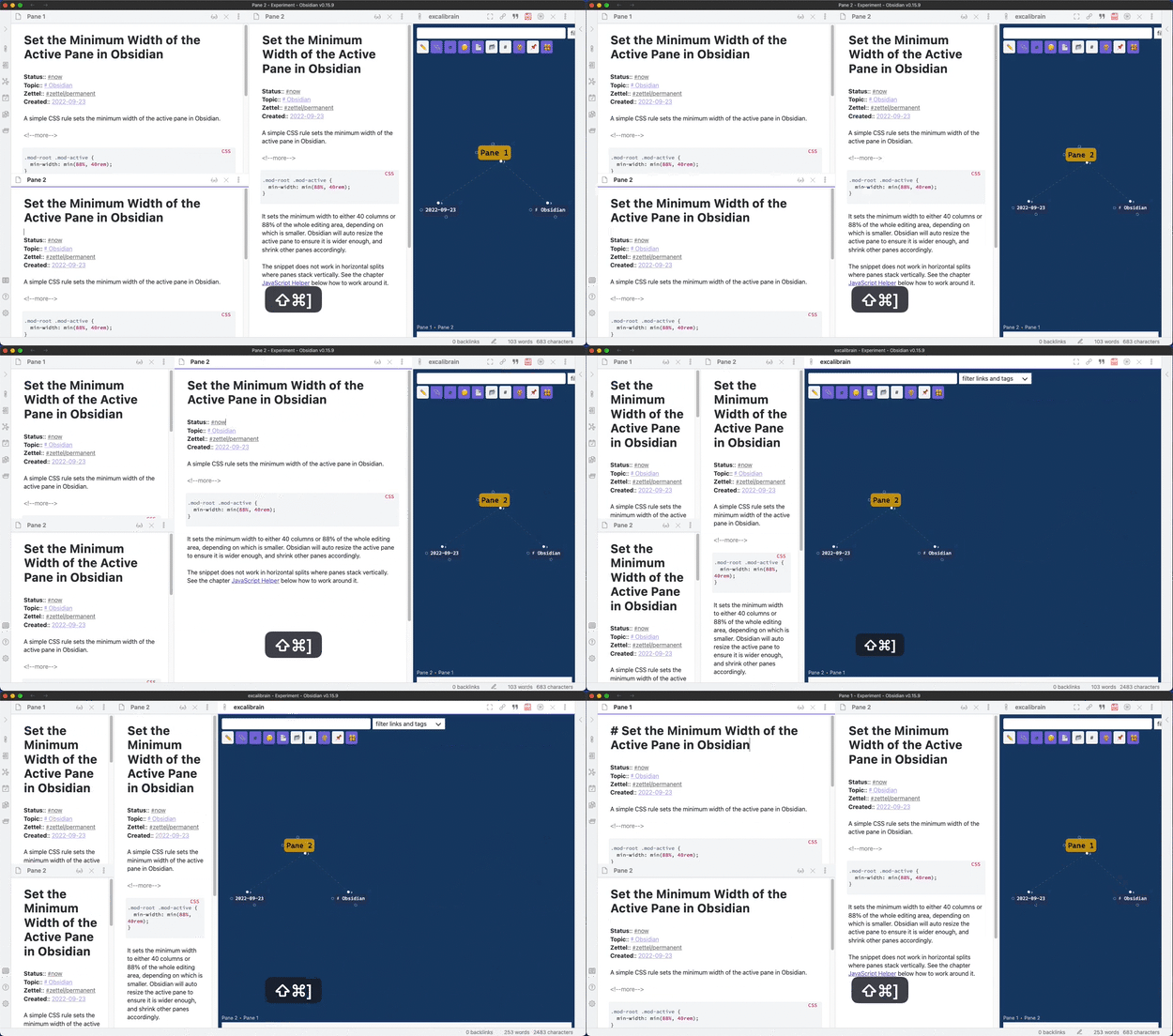
The Min Width plugin sets the minimum width for the active pane. Obsidian will auto resize the active pane to ensure it is wider enough and shrink other panes accordingly.

This plugin is based on the blog post Set the Minimum Width of the Active Pane in Obsidian.
How to Use

Install the plugin by searching "Min Width" in the community plugins. Or manually copy over main.js, manifest.json in the release to the folder .obsidian/plugins/obsidian-min-width/ in your vault.

The default settings set the minimum width to either 40 columns or 88% of the whole editing area, depending on which is smaller. The settings tab also supports overriding the minimum width for different view types. Following is a list of some known view types:

  • markdown: The markdown editor
  • excalidraw: The view type used by plugin Excalidraw and Excalibrain.

CSS Snippet

This plugin will add the class min-width-plugin-active to the active column. If you find out that the plugin does not work as expected, the possible cause is some more specific CSS rules have overridden the rules set in this plugin. You can add more specific CSS rules in the Appearance / CSS snippets settings section. The following example is from the issue #4:

.workspace
  .mod-root
  .workspace-tabs.mod-stacked.min-width-plugin-active
  .workspace-tab-container
  .workspace-leaf.mod-active {
    width: min(88%, 40rem);
}
59%
HealthFair
ReviewCaution
About
Set the minimum width for the active pane. Auto-resize the active pane and shrink other panes to preserve that width. Apply configurable defaults and per-view-type overrides, and add the CSS class min-width-plugin-active for custom styling.
InterfaceWorkspacesCSS
Details
Current version
1.0.4
Last updated
4 years ago
Created
4 years ago
Updates
4 releases
Downloads
5k
Compatible with
Obsidian 0.15.0+
Platforms
Desktop, Mobile
License
MIT
Report bugRequest featureReport plugin
Author
doitiandoitian
github.com/doitian
GitHubdoitian
  1. Community
  2. Plugins
  3. Interface
  4. Min Width

Related plugins

Homepage

Open a note, base, or workspace on startup, or set it for quick access later.

Hider

Hide interface elements such as tooltips, status bar, titlebar, and more.

Vertical Tabs

Offer an alternative view that displays open tabs vertically, allowing users to group and organize tabs for a better navigation experience.

Meta Bind

Make your notes interactive with inline input fields, metadata displays, and buttons.

Commander

Customize your workspace by adding commands everywhere, create macros and supercharge your mobile toolbar.

Style Settings

Adjust theme, plugin, and snippet CSS variables.

Agent Client

Chat with Claude Code, Codex, Gemini CLI, and more via the Agent Client Protocol — right from your vault.

Iconic

Customize your icons and their colors directly from the UI, including tabs, files & folders, bookmarks, tags, properties, and ribbon commands.

Lapel

Show the heading levels in the gutter of the editor.

Open Tab Settings

Adds options to customize how tabs are opened, including open in new tab by default, preventing duplicate tabs, and more.