Search...Search plugins and themes...
⌘K
Sign in
  • Get started
  • Download
  • Pricing
  • Enterprise
  • Account
  • Obsidian
  • Overview
  • Sync
  • Publish
  • Canvas
  • Mobile
  • Web Clipper
  • CLI
  • Learn
  • Help
  • Developers
  • Changelog
  • About
  • Roadmap
  • Blog
  • Resources
  • System status
  • License overview
  • Terms of service
  • Privacy policy
  • Security
  • Community
  • Plugins
  • Themes
  • Discord
  • Forum / 中文论坛
  • Merch store
  • Brand guidelines
Follow us
DiscordTwitterBlueskyThreadsMastodonYouTubeGitHub
© 2026 Obsidian

Dashing cursor

9r0x9r0x5k downloads

Enable a dashing cursor that follows the page scroll.

Add to Obsidian
  • Overview
  • Scorecard
  • Updates2

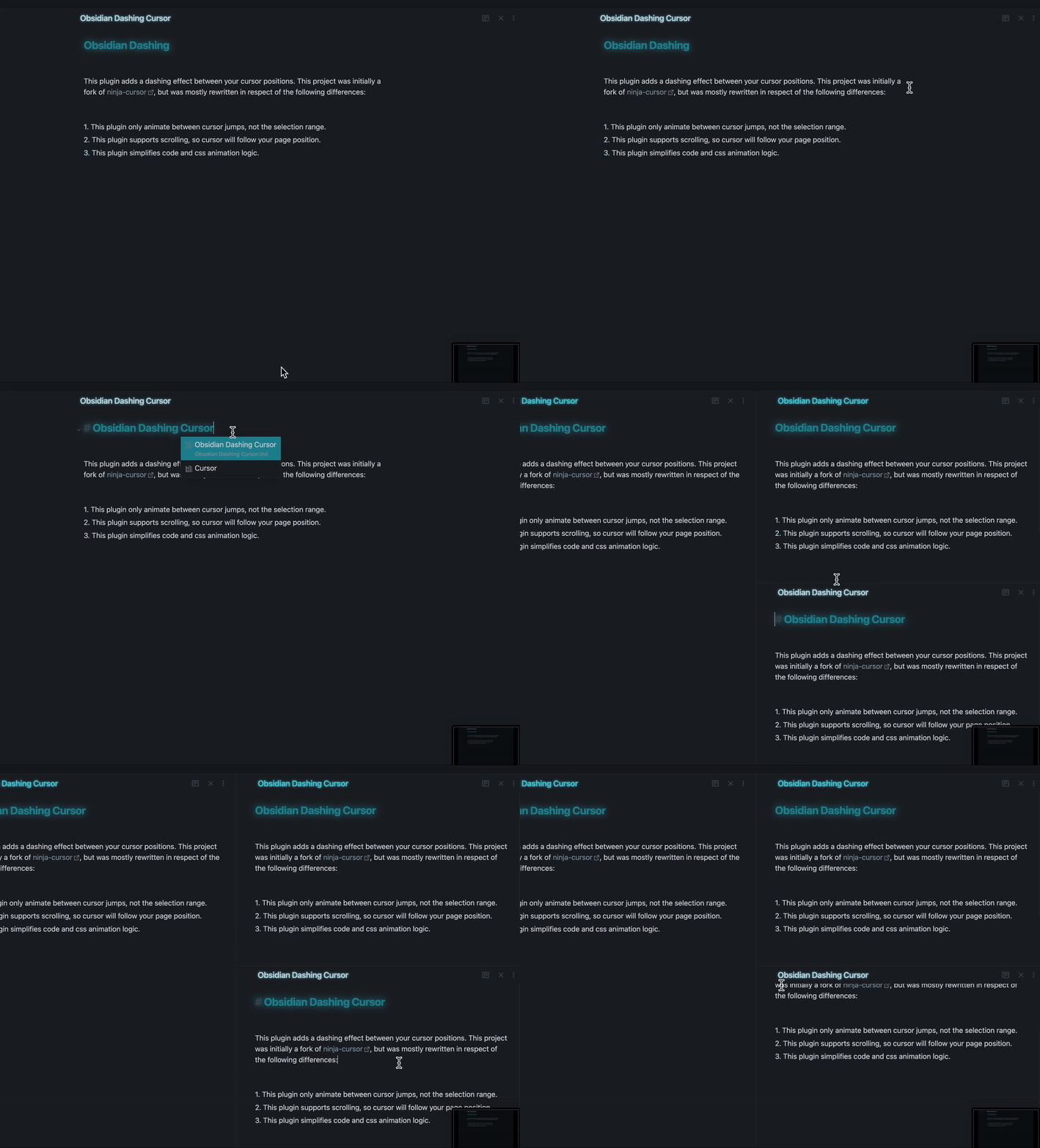
Demo

This plugin adds a dashing effect between your cursor positions. This project was initially a fork of ninja-cursor, but was mostly rewritten in respect of the following differences:

  1. This plugin only animate between cursor jumps, not the selection range.
  2. This plugin supports scrolling, so cursor will follow your page position.
  3. This plugin simplifies code and css animation logic.
69%
HealthGood
ReviewSatisfactory
About
Animate a dashing trail between cursor jumps while ignoring selection ranges for a cleaner effect. Keep the trail synced with page scrolling and rely on streamlined CSS animation for smooth, lightweight visuals.
AppearanceCSSInterface
Details
Current version
0.0.2
Last updated
4 years ago
Created
4 years ago
Updates
2 releases
Downloads
5k
Compatible with
Obsidian 1.0.0+
Platforms
Desktop, Mobile
License
MIT
Report bugRequest featureReport plugin
Author
9r0x9r0x
github.com/9r0x/obsidian-dashing-cursor
GitHub9r0x
  1. Community
  2. Plugins
  3. Appearance
  4. Dashing cursor

Related plugins

Hider

Hide interface elements such as tooltips, status bar, titlebar, and more.

Style Settings

Adjust theme, plugin, and snippet CSS variables.

Lapel

Show the heading levels in the gutter of the editor.

Note Toolbar

Add customizable toolbars to your notes.

Snippetor

Create and tweak common snippets.

Show Whitespace

CSS styles and CM6 extensions to highlight whitespace in Source and Live Preview modes.

Disable Tabs

Disables having more than one tab open at a time.

Contextual Typography

Add a data-tag-name attribute to all top-level divs in preview mode containing the child's tag name, allowing contextual typography styling.

Beautitab

Creates a customizable new tab view with beautiful backgrounds, quotes, search, and more.

Focus Mode

Add a toggle to hide interface elements so you can focus on your note.