Search...Search plugins and themes...
⌘K
Sign in
  • Get started
  • Download
  • Pricing
  • Enterprise
  • Account
  • Obsidian
  • Overview
  • Sync
  • Publish
  • Canvas
  • Mobile
  • Web Clipper
  • CLI
  • Learn
  • Help
  • Developers
  • Changelog
  • About
  • Roadmap
  • Blog
  • Resources
  • System status
  • License overview
  • Terms of service
  • Privacy policy
  • Security
  • Community
  • Plugins
  • Join the community
  • Discord
  • Forum / 中文论坛
  • Merch store
  • Brand guidelines
Follow us
DiscordTwitterBlueskyThreadsMastodonYouTubeGitHub
© 2026 Obsidian

Advanced Slides

mszturcmszturc820k downloads

Create Markdown-based presentations.

Add to Obsidian
  • Overview
  • Scorecard
  • Updates106


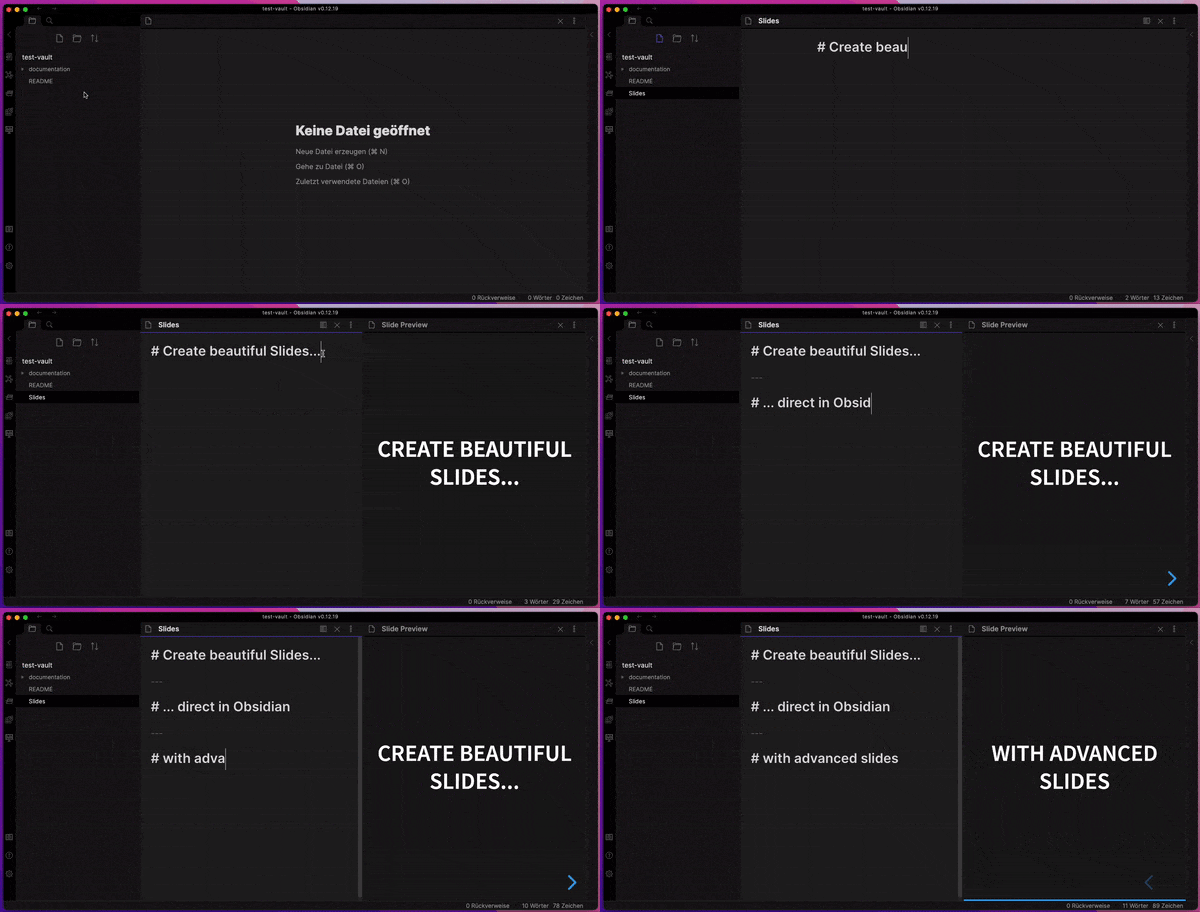
Advanced Slides is the perfect slide deck extension for Obsidian


Features

  • Embed your notes into your slides
  • Live Preview while editing your slides
  • Themes allow you to change the appearance of your slides
  • Annotations allow you to change the style of your slides
  • Export slides as PDF Documents or as HTML Presentations
  • Full support of the Obsidian Markdown Syntax

Getting started

  • 🚀 Install Advanced Slides
  • 👀 View the demo presentation
  • 📖 Read the documentation
  • 💬 Join the discussion
  • 🐦 Follow Advanced Slides development on Twitter

If you like Advanced Slides and want to support my work, I would appreciate a donation

MIT licensed | Copyright © 2021 Matthäus Szturc
59%
HealthFair
ReviewCaution
About
Create slide decks from your Obsidian notes and embed content directly into slides. Preview edits live, apply themes and annotations, and export presentations as PDF or standalone HTML with full Obsidian Markdown support.
Markdown
Details
Current version
1.20.0
Last updated
3 years ago
Created
4 years ago
Updates
106 releases
Downloads
820k
Compatible with
Obsidian 0.12.0+
License
MIT
Report bugRequest featureReport plugin
Author
mszturcmszturc
github.com/MSzturc
GitHubmszturc
  1. Community
  2. Plugins
  3. Markdown
  4. Advanced Slides

Related plugins

Importer

Import data from Notion, Evernote, Apple Notes, Microsoft OneNote, Google Keep, Bear, Roam, and HTML files.

Outliner

Work with your lists like in Workflowy or Roam Research.

Various Complements

Complete words similar to auto-completion in an IDE.

Linter

Format and style your notes. Linter can be used to format YAML tags, aliases, arrays, and metadata; footnotes; headings; spacing; math blocks; regular Markdown contents like list, italics, and bold styles; and more with the use of custom rule options.

Fantasy Statblocks

Create, manage and view a Fantasy Bestiary with Dungeons and Dragons style statblocks.

Custom Frames

Turn web apps into panes using iframes with custom styling. Also comes with presets for Google Keep, Todoist and more.

Auto Link Title

Automatically fetches the titles of links from the web.

Automatic Table Of Contents

Create a table of contents in a note that updates itself when the note changes.

Consistent attachments and links

Move note attachments and update links automatically.

Link Embed

Convert URLs in your notes into embeded previews.