Novel Profile
 hornat188 downloads
Transforms the native properties area into an elegant character profile card.)
- Overview
- Scorecard
- Updates16
我在小红书发布了许多obsidian的教程和插件开发进度,你的关注就是对我最大的支持
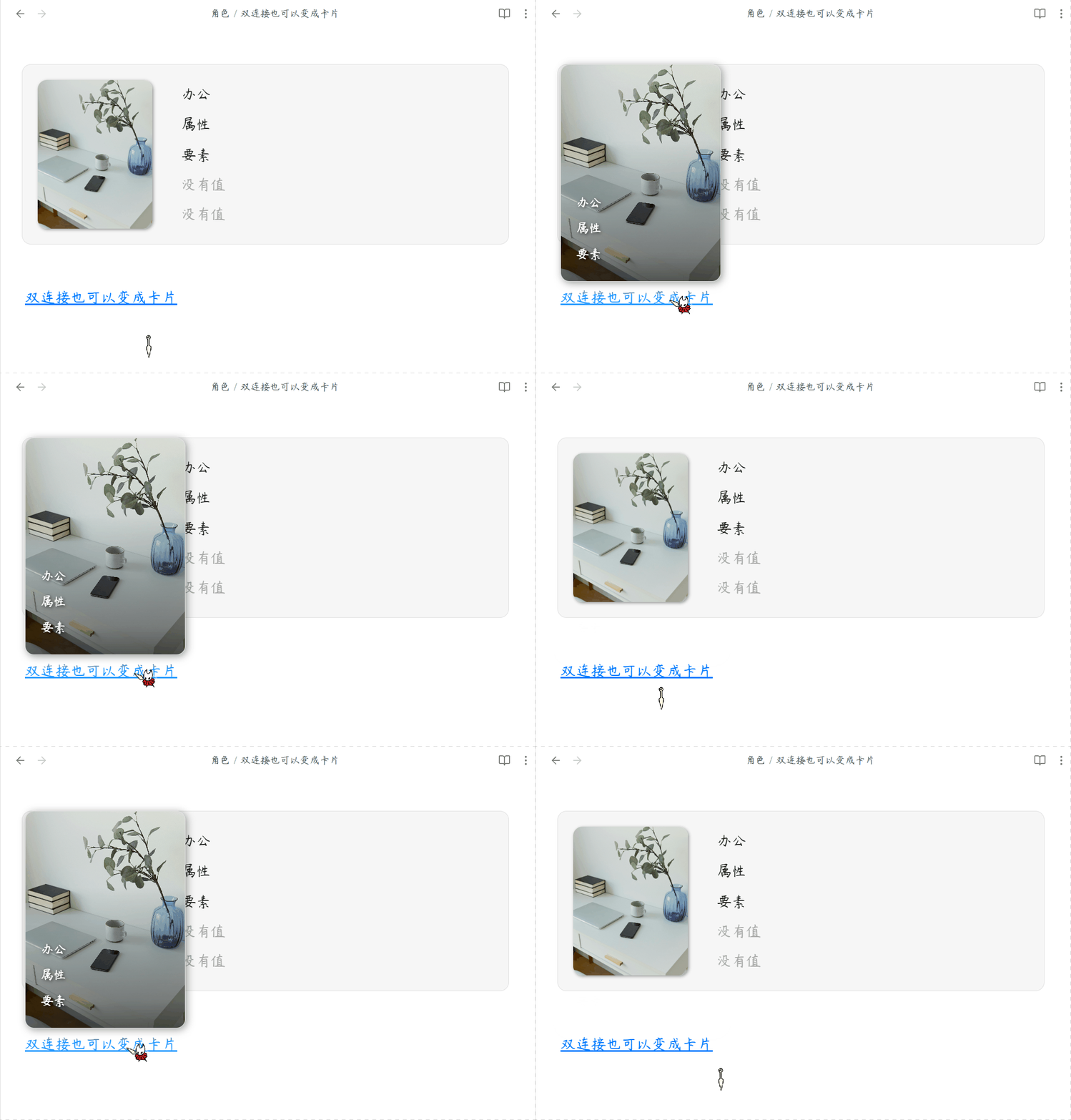
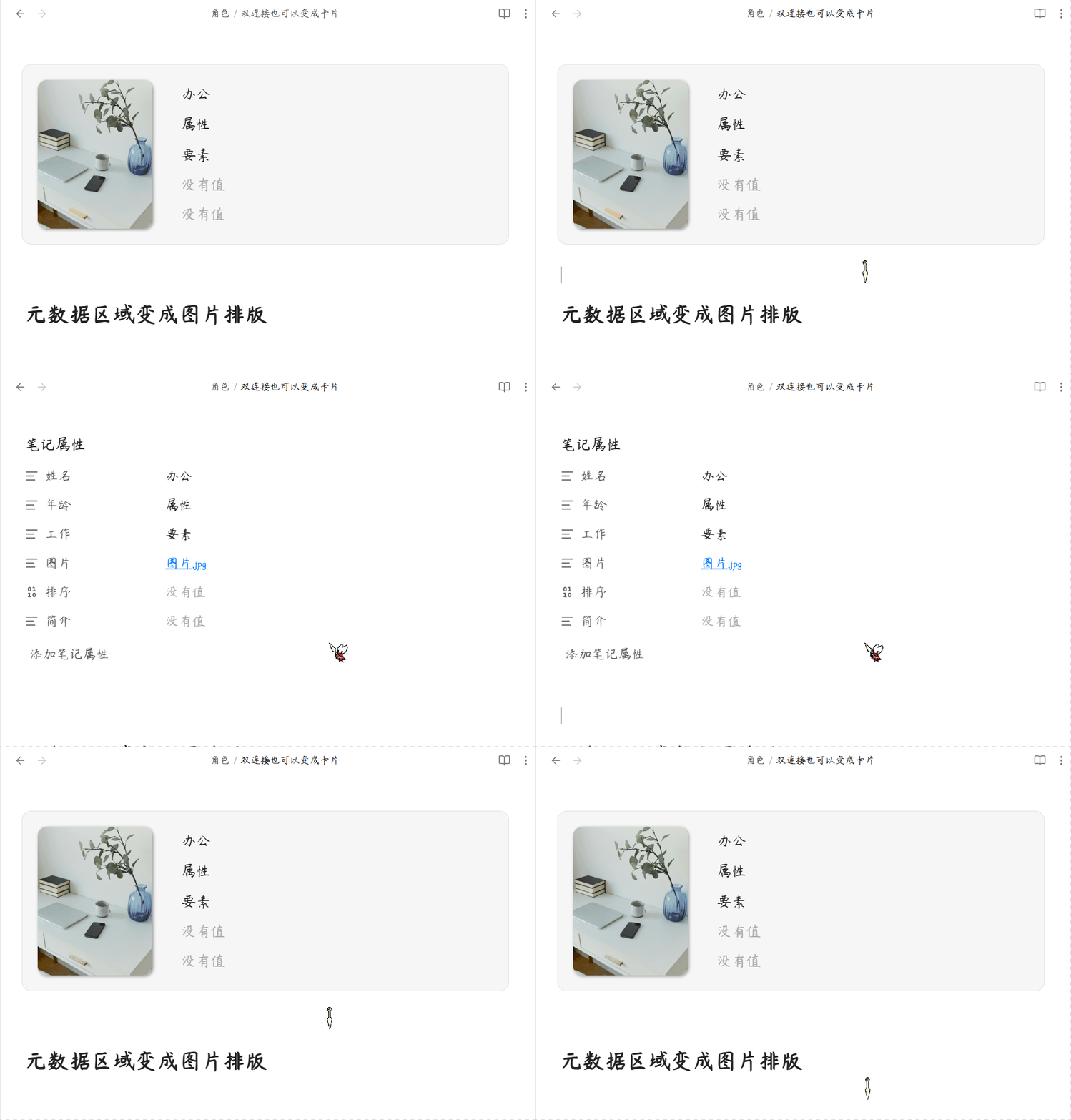
将原生属性区域转化为精美的角色卡片,专为小说创作者和世界观构建者打造。
简体中文
核心功能
1. 自适应卡片排版
左图右文等高拉伸,图片智能居中不变形,支持双链接和网络图片。
2. 防误触沉浸锁定
默认锁定防篡改,保留双链接跳转,快捷键秒切编辑状态。
3. 高度自定义视觉
隐藏属性名称、添加按钮,屏蔽指定属性,打造纯净卡片。
4. 精准生效范围
仅在指定文件夹内生效,不干扰其他笔记的原生样式。
5. 事件时间线系统
二级标题作为事件,三级标题作为版本分支,支持版本切换和事件排序。
6. 悬浮角色预览
鼠标悬停在角色链接上时,弹出精美角色名片预览。
用法
- 安装插件后,前往设置填写目标文件夹和图片属性名称。
- 在目标笔记中添加属性,图片属性填入
[[头像.jpg]],页面自动变身卡片。 - 按
Ctrl/Cmd + P呼出命令面板,输入"切换属性修改"解锁编辑。 - 使用二级标题
##创建事件,三级标题###创建版本分支。
事件格式示例
## 事件名称

- **时间**:10 年前
- **人物**:[[角色名]]
- **起因**:事件起因描述
- **结果**:事件结果描述
赞赏支持
🎁 如果觉得有用,请作者喝杯咖啡

安装方法
方法一:社区插件安装(推荐)
待插件通过审核并上架社区市场后:
- 打开 Obsidian 设置 > 社区插件 > 浏览。
- 搜索并选择
Novel Profile。 - 点击 安装 并选择 启用。
方法二:手动安装
- 前往 Releases 页面下载最新的
main.js、manifest.json和styles.css文件。 - 打开您的 Obsidian 库所在的本地文件夹。
- 进入
.obsidian/plugins/目录,并创建一个名为novel-profile的文件夹。 - 将下载的三个文件放入该文件夹中。
- 在 Obsidian 设置 > 社区插件 中重新加载并开启该插件。
QQ 交流群:1094620986
English
Novel Profile — A beautifully designed Obsidian plugin for novelists, TRPG players, and world-builders. It transforms the native Properties area into an elegant "Left-Image, Right-Text" character profile card with immersive read-only lock, adaptive layout, and event timeline system.
Features
1. Adaptive Card Layout
Equal-height flex stretching, smart image cropping with object-fit: cover, supports wikilinks and external images.
2. Anti-Mistouch Immersive Lock
Default read-only mode blocks accidental edits, preserves wikilink navigation, quick toggle via command palette.
3. High Customizability
Hide property keys, remove add button, blacklist specific properties for a clean UI.
4. Targeted Folders
Scoped rendering only applies to configured folders, leaving other notes untouched.
5. Event Timeline System
H2 headings as events, H3 headings as version branches, supports version switching and event reordering.
6. Hover Card Preview
Mouse hover on character links shows a beautiful character card popover.
Usage
- After installation, go to settings to configure target folders and image property name.
- Add properties to target notes, set image property to
[[avatar.jpg]], the page transforms into a card. - Press
Ctrl/Cmd + Pto open command palette, search "Toggle Novel Profile Edit" to unlock editing. - Use
##headings to create events,###headings to create version branches.
Event Format Example
## Event Name

- **Time**: 10 years ago
- **Character**: [[Character Name]]
- **Cause**: Event cause description
- **Result**: Event result description
Installation
Method 1: Community Plugins (Recommended)
Once the plugin is reviewed and listed on the community marketplace:
- Open Obsidian Settings > Community plugins > Browse.
- Search for and select
Novel Profile. - Click Install and then Enable.
Method 2: Manual Installation
- Go to the Releases page to download the latest
main.js,manifest.jsonandstyles.cssfiles. - Open your Obsidian vault folder on your computer.
- Navigate to the
.obsidian/plugins/directory and create a folder namednovel-profile. - Place the downloaded files into this folder.
- Reload and enable the plugin in Obsidian Settings > Community plugins.
QQ Group: 1094620986