Navigate Headings
 rumcajsev579 downloads
Navigate markdown file headings and their structure directly in the file explorer.
- Overview
- Scorecard
- Updates5
|
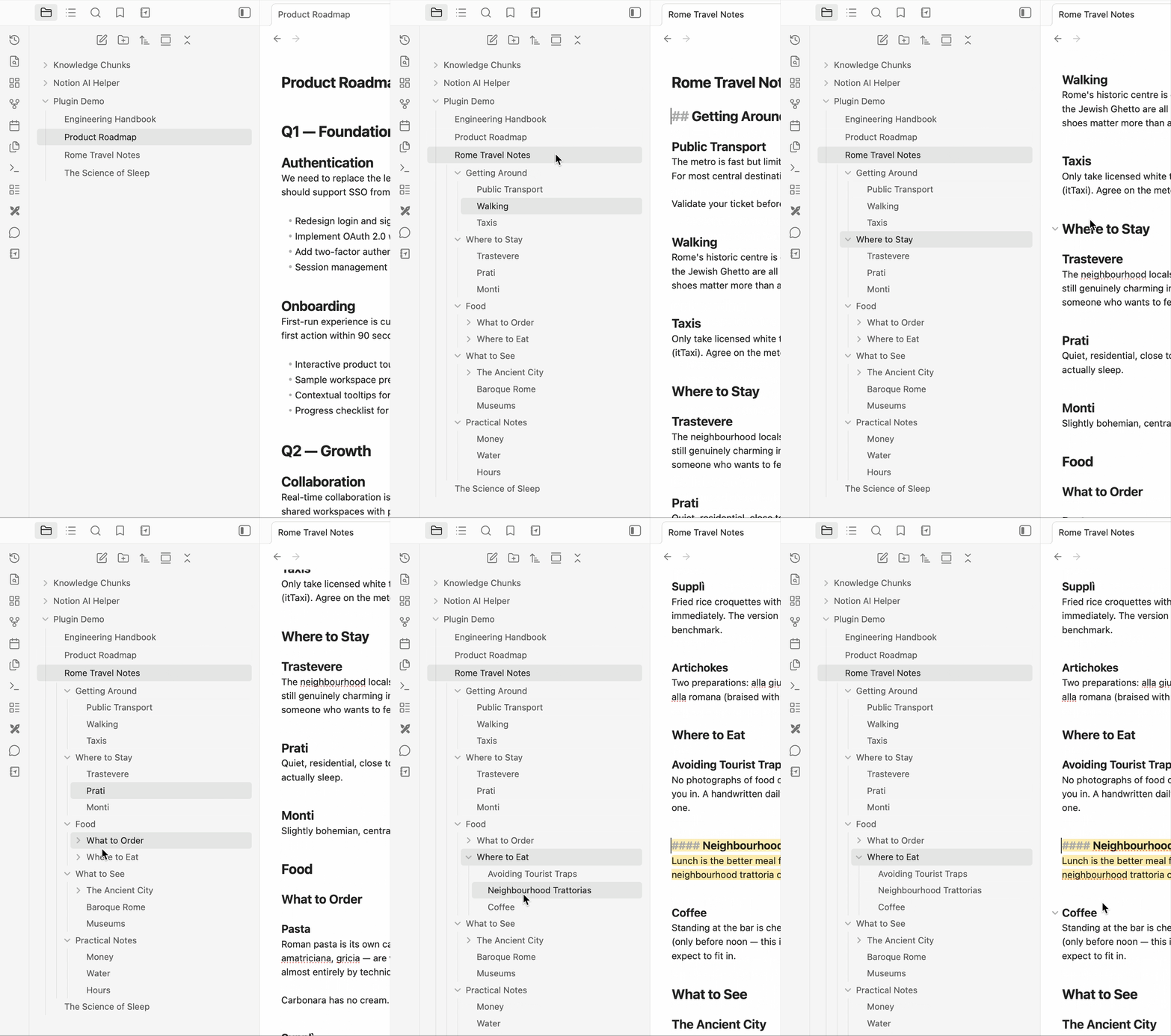
Navigate HeadingsSee and jump between all your file headings directly in the explorer. No more switching tabs to check your document structure. Why Use It
|
How to Use
- Click a file title — expands its headings automatically, down to the level set in Auto-expand down to. If that setting is Nothing, clicking the title just opens the file with no expansion.
- Click the arrow next to a file — always toggles the headings panel regardless of the auto-expand setting. Expands either all levels or just the top level depending on the Arrow expands setting.
- Click a heading — jumps to that section in the editor. If the heading has children, it also toggles them open/closed.
Settings
| Setting | Default | Description |
|---|---|---|
| Show headings up to | H3 | The maximum heading depth shown in the explorer. Headings deeper than this are never displayed. |
| Auto-expand down to | H2 | How deep the panel opens when you click a file title or switch to a file. Nothing disables automatic expansion entirely — only the arrow will open the panel. |
| Arrow expands | All levels | Controls what happens when you click the arrow next to a file. All levels opens every heading at once. Next level only shows just the top-level headings and lets you expand deeper sections manually. |
| Highlight active heading | On | Highlights the heading in the explorer that matches your current scroll position in the editor. |
Installation
Just get it from official Obsidian plugin page!
If you want to install manually:, then:
- Download the latest release from GitHub
- Extract the folder into
.obsidian/plugins/in your vault - Reload Obsidian (Cmd+R or restart)
- Enable the plugin in Settings → Community Plugins
That's it! Enjoy navigating your documents.
HealthGood
ReviewSatisfactory
About
See and jump between all file headings directly in the explorer without switching tabs. Expand files to reveal their headings, click any heading to jump to that section, and watch the active heading highlight as you scroll.Details
Current version
1.0.4
Last updated
4 months ago
Created
5 months ago
Updates
5 releases
Downloads
579
Compatible with
Obsidian 1.0.0+
Platforms
Desktop only
License
MIT