Natural link
 rekby11k downloads
Create links to notes using natural word forms. Finds matching notes regardless of word declension or order.
- Overview
- Scorecard
- Updates18
Читайте на русском.
Natural link
An Obsidian plugin that lets you create links to notes using natural word forms. Type a word in any form and the plugin will find matching notes regardless of word order.
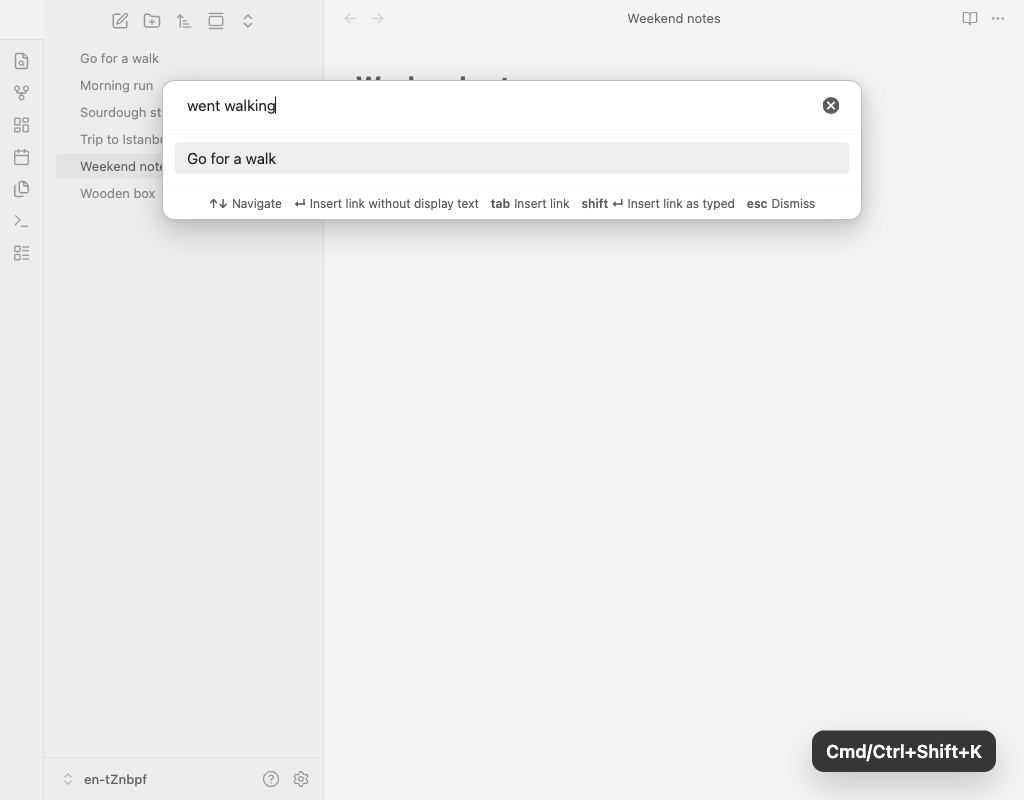
Optional feature: replaces the standard inline link suggestions with the plugin's morphological search (can be enabled in the plugin settings):
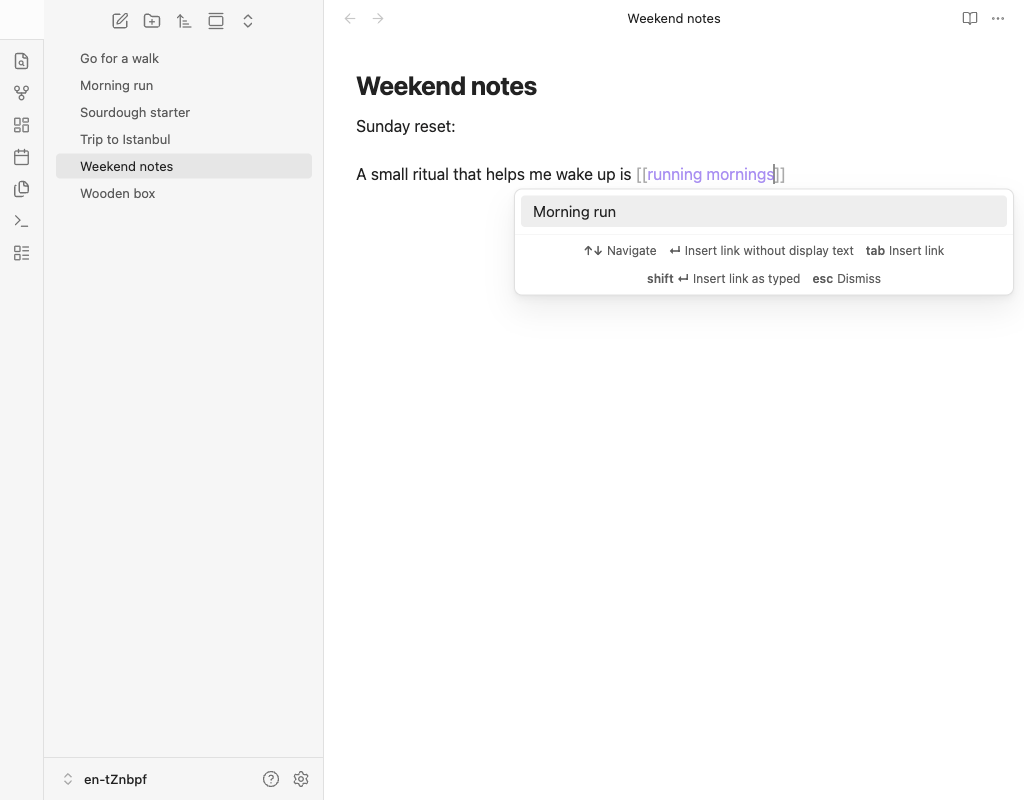
Features
- Morphological search: Find notes by any word form. Searching for "wooden boxes" will match a note titled "Wooden box". Russian morphology is fully supported, including consonant alternations (
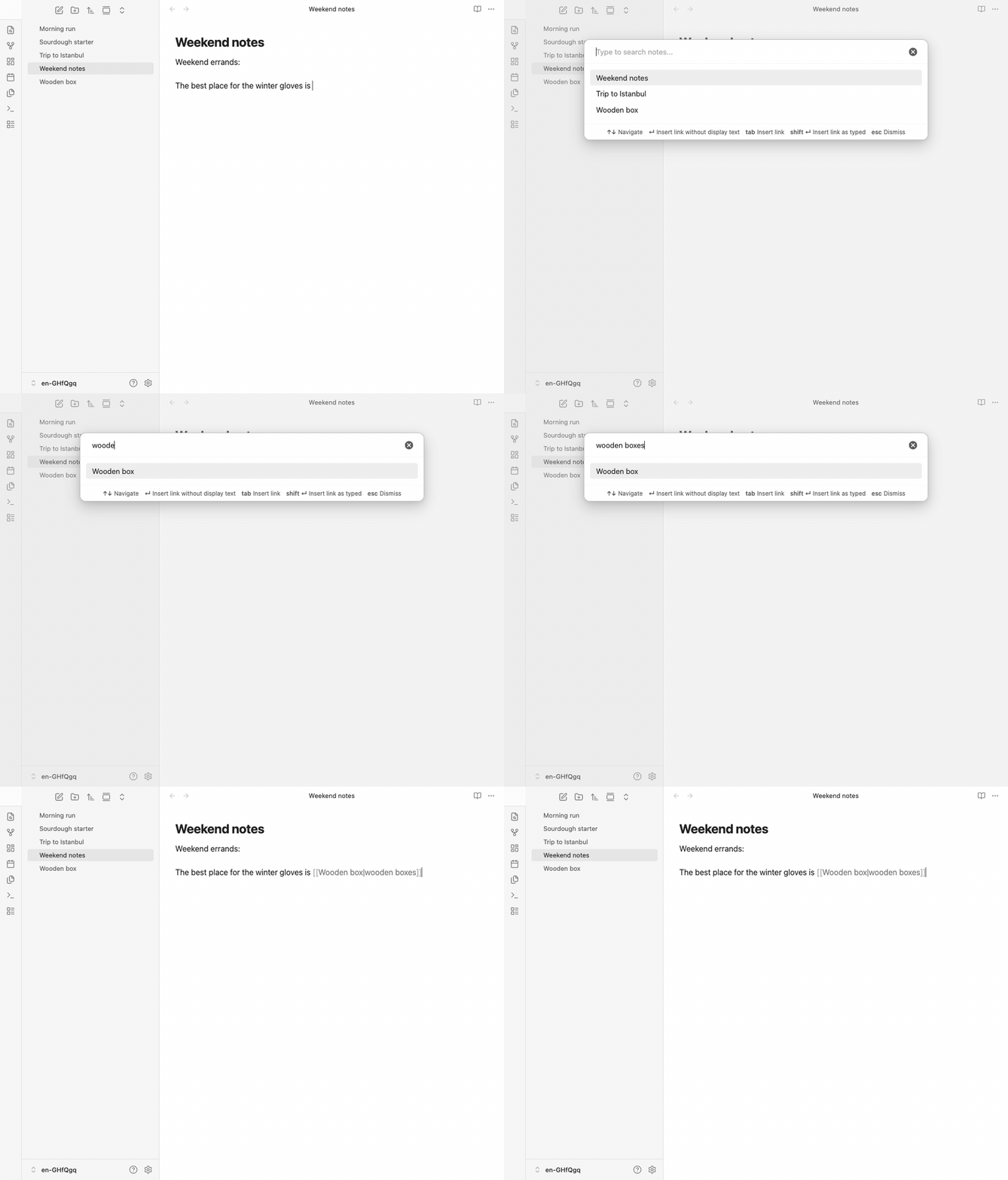
друг/дружить,ходить/хожу) and suppletive forms (люди/человек). English morphology includes Snowball stemming and irregular dictionary mappings such aschildren/child,went/go, andbetter/good. - Prefix matching: Results update as you type. Even incomplete words match — typing "wood" will find "Wooden box".
- Alias support: Searches across note titles, frontmatter aliases, and display texts from wikilinks. If any note in the vault links to another with explicit display text (
[[Note|custom text]]), that display text is automatically treated as an alias for the target note. - Word order independence: "box wooden" finds "Wooden box".
- Multi-language: Russian and English search work simultaneously. Russian morphological analysis is based on OpenCorpora dictionary data, English — on WordNet exception lists.
- Heading and block links: Use
#to link to a specific heading (note#heading) or^to link to a block (note^text). The plugin searches for the note first, then shows matching headings or text blocks with previews. Use|to set explicit display text (note|custom text). - Tab for display-preserving completion: Press Tab to accept the selected suggestion and insert a link with your typed text preserved (
[[Note|your text]],[[Note#Heading|your text]],[[Note#^blockId|your text]]). - Insert link as typed: Press Shift+Enter to insert a link with your exact input as both target and display text, bypassing search results.
- Preserved display text: Links are always created as
[[Note Title|your input]], so your original text is preserved even if the note is renamed. - Inline
[[suggest (opt-in): Replace Obsidian's native link autocomplete with the plugin's morphological search. Suggestions appear inline as you type[[, with hotkey hints shown at the bottom. Enable in Settings → Natural link → "Replace native [[ link suggest". - Localized UI: Interface available in English and Russian. Language follows your Obsidian settings.
Usage
- Run the Insert Natural link command (or start typing
[[if the inline suggest feature is enabled). - Type the word or phrase you want to link.
- Select a matching note:
- Enter inserts
[[Matched Note]]. - Tab inserts
[[Matched Note|your typed text]](also works for#headings and^blocks).
- Enter inserts
Tip: Press Shift+Enter at any time to insert a link using your exact input as-is.
Command palette commands:
- Insert natural link (recommended hotkey: Cmd/Ctrl+Shift+K) — opens the natural link dialog.
- Toggle "replace native [[ suggest with natural"
- Enable "replace native [[ suggest with natural"
- Disable "replace native [[ suggest with natural"
The inline suggest commands let you control [[ replacement without opening settings.
Demo
English demos
Modal search
Type a natural phrase, open the modal, and accept the best match with Tab to preserve the typed wording.
Suppletive form search
Type a completely different word form — "went walking" finds "Go for a walk" via the suppletive dictionary (went → go, walking → walk).

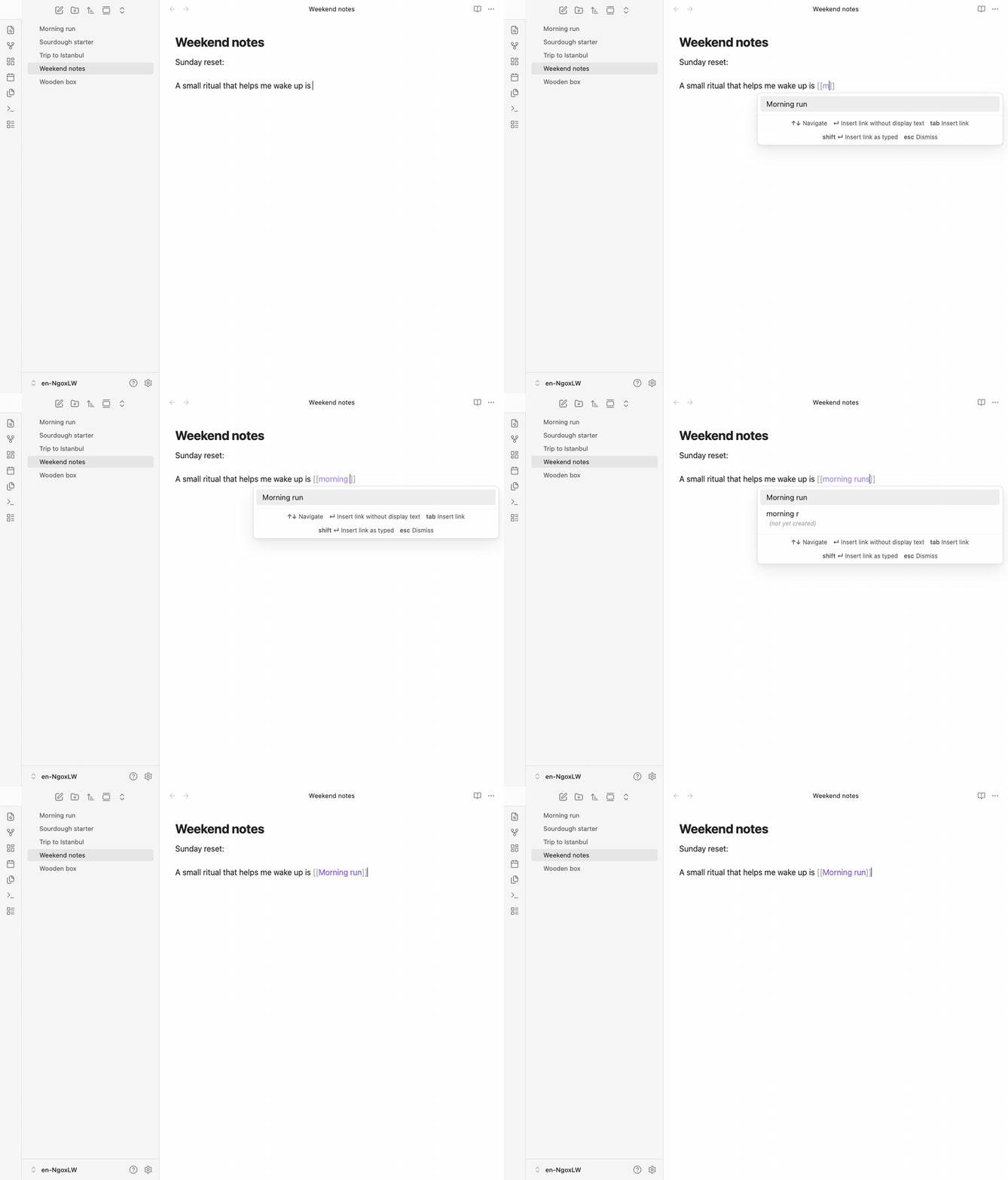
Inline [[ suggest
Start typing a wikilink directly in the editor and accept the suggestion with Enter.
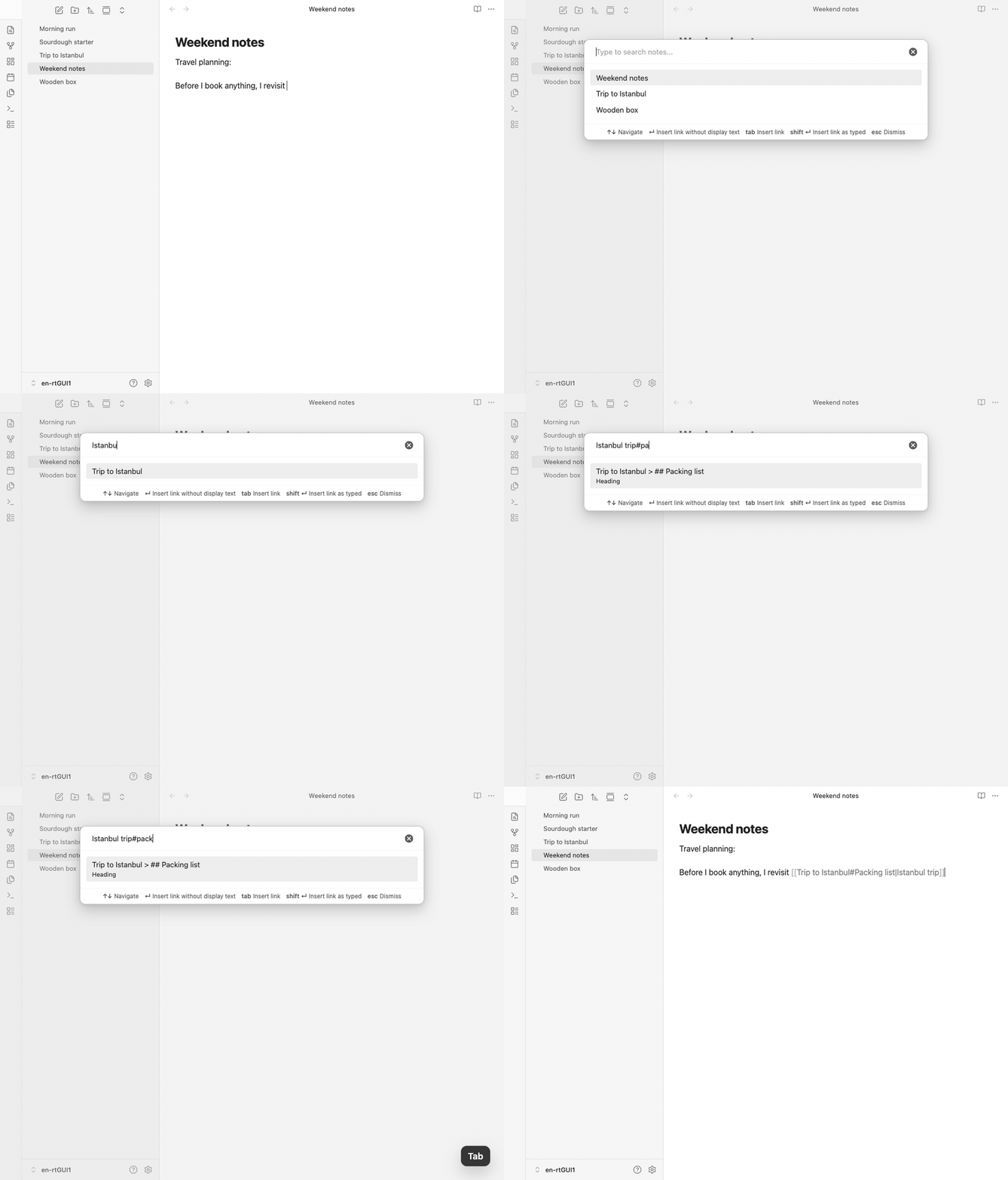
Heading link
Find a note first, then narrow it to a specific heading with #heading.
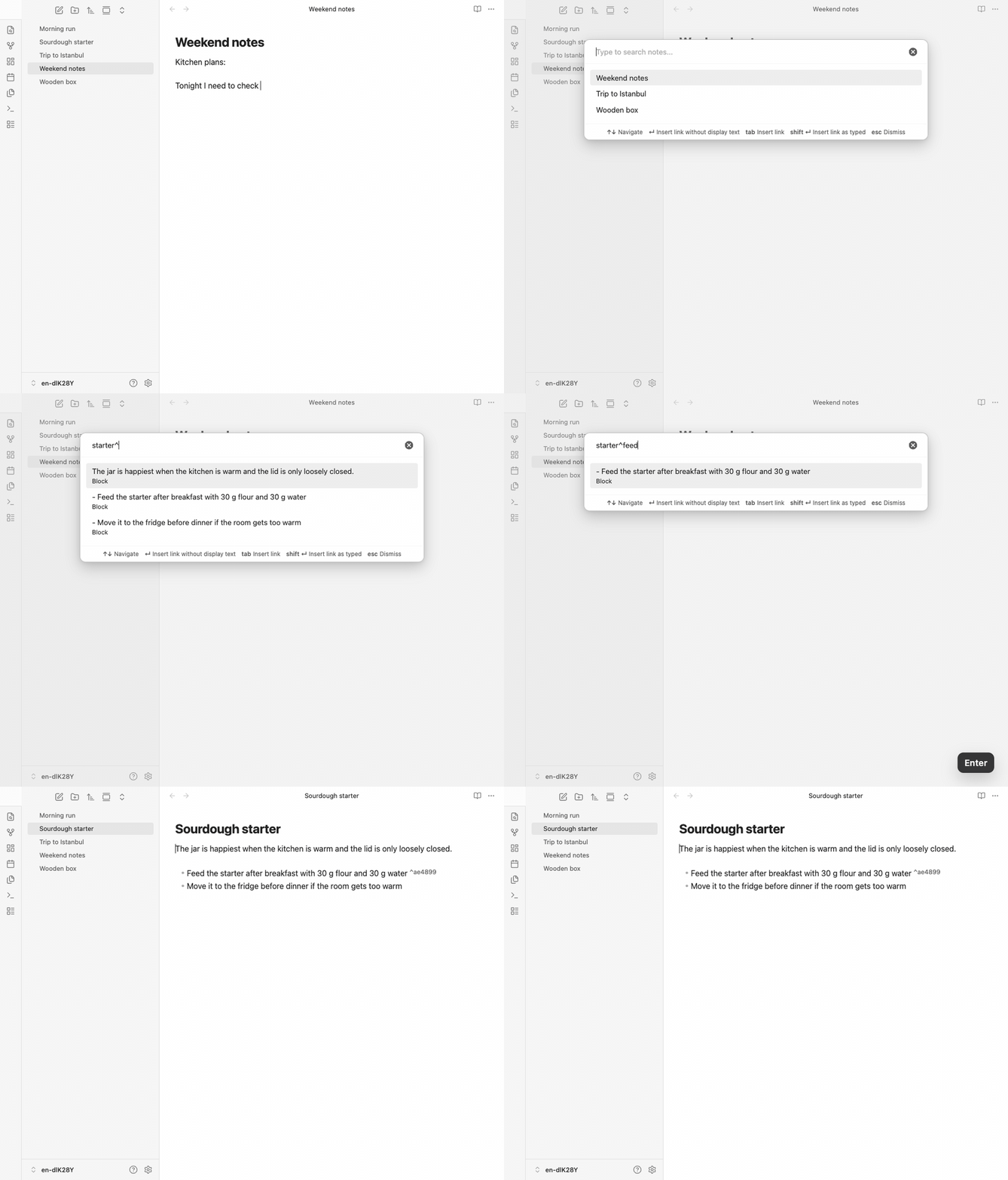
Block link
Search inside a note with ^block, insert the block link, and show the generated block ID in the target note.
Recommended hotkey
The plugin does not assign a hotkey by default. We recommend Cmd/Ctrl+Shift+K (next to Cmd+K which is "Insert link" in Obsidian). To set it up:
- Go to Settings → Hotkeys
- Search for "Natural link"
- Assign your preferred shortcut
You can also open the hotkey settings directly from the plugin's settings tab.
Examples
| You type | Note found | Link created |
|---|---|---|
| wooden boxes | Wooden box | [[Wooden box|wooden boxes]] |
| box wooden | Wooden box | [[Wooden box|box wooden]] |
| wood | Wooden box | [[Wooden box|wood]] |
Installation
From Obsidian Community Plugins
Status: The plugin has been submitted to the official community plugin list and is awaiting review. Once approved, it will be available directly from Obsidian.
- Open Settings → Community plugins → Browse.
- Search for Natural link.
- Click Install, then Enable.
Via BRAT (recommended while awaiting official listing)
BRAT (Beta Reviewers Auto-update Tester) lets you install plugins directly from GitHub and keeps them up to date automatically.
- Install the BRAT plugin from Obsidian Community Plugins if you haven't already.
- Open Settings → BRAT → Add Beta plugin.
- Enter the repository URL:
https://github.com/rekby/obsidian-natural-link - Click Add Plugin.
- Enable Natural link in Settings → Community plugins.
BRAT will automatically check for updates and keep the plugin current.
Manual installation
- Download
main.js,manifest.json, andstyles.cssfrom the latest release. - Create a folder
<Vault>/.obsidian/plugins/obsidian-natural-link/. - Copy the downloaded files into that folder.
- Reload Obsidian and enable Natural link in Settings → Community plugins.
Development
npm install          # Install dependencies
npm run dev          # Watch mode
npm run build        # Type check + production build
npm test             # Run tests
npm run test:watch   # Watch mode tests
npm run obsidian-tests # Build plugin and run real Obsidian UI tests
npm run demo:screenshots # Capture the static README PNG screenshots
npm run demo:capture # Capture localized demo frames in real Obsidian
npm run demo:render  # Render demo GIFs from captured frames via ffmpeg
npm run demo         # Refresh README PNG screenshots and localized demo GIFs
npm run lint         # Lint
npm run dict:ru:suffix # Extract Russian suffix rules from OpenCorpora
npm run dict:ru:build  # Rebuild Russian suppletive dictionary from OpenCorpora
npm run dict:en:build  # Rebuild English irregular forms dictionary from WordNet 3.1
npm run dict:build     # Run all dictionary build pipelines (suffix rules + dictionaries)
Dictionary sources
Morphological dictionaries are generated from open data at build time:
- Russian: OpenCorpora (license: CC BY-SA 3.0)
- English: WordNet
Run npm run dict:build to regenerate all dictionary files. Raw downloaded archives are kept in .cache/dictionaries/ and are not committed.
Known limitations
- No typo tolerance: Currently matches are exact on word roots. Fuzzy matching is planned.