Search...Search plugins and themes...
⌘K
Sign in
  • Get started
  • Download
  • Pricing
  • Enterprise
  • Account
  • Obsidian
  • Overview
  • Sync
  • Publish
  • Canvas
  • Mobile
  • Web Clipper
  • CLI
  • Learn
  • Help
  • Developers
  • Changelog
  • About
  • Roadmap
  • Blog
  • Resources
  • System status
  • License overview
  • Terms of service
  • Privacy policy
  • Security
  • Community
  • Plugins
  • Themes
  • Discord
  • Forum / 中文论坛
  • Merch store
  • Brand guidelines
Follow us
DiscordTwitterBlueskyThreadsMastodonYouTubeGitHub
© 2026 Obsidian

N2O Settings

SimhaSimha44 downloads

Colour, typography, layout and component controls for the N2O Paper theme.

Add to Obsidian
  • Overview
  • Scorecard
  • Updates12

N2O Paper Settings

N2O Paper Settings

Every control the N2O Paper theme has, as a settings tab.
Palette, fonts, paper, callouts, code and the interface. 110 controls, searchable, with live colour swatches.

Website / The theme / Report a bug / Request a feature
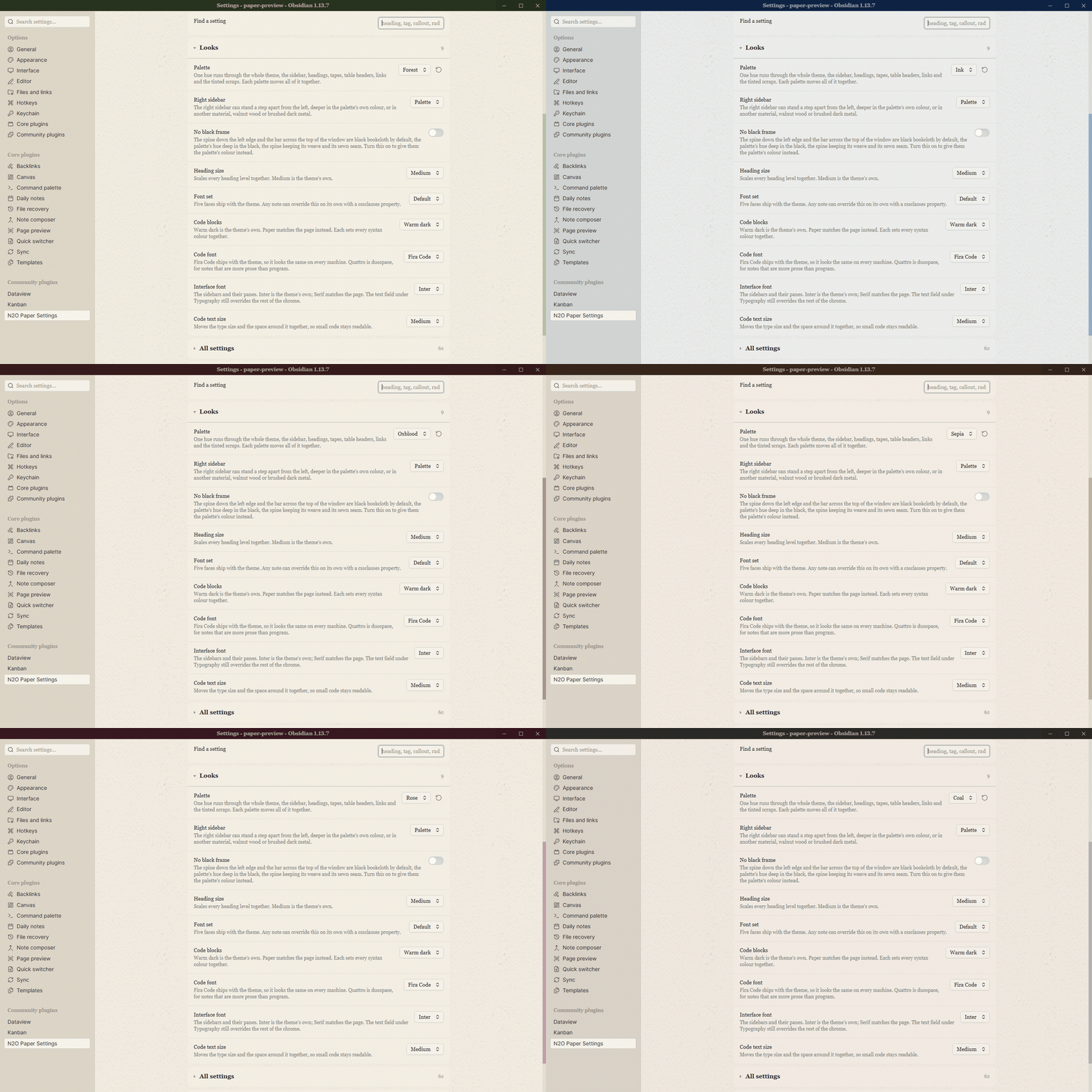
Changing the palette of the N2O Paper theme from the settings tab in Obsidian


Not an Obsidian product. N2O Paper Settings is an independent plugin. It is not made by, endorsed by, or affiliated with Obsidian.
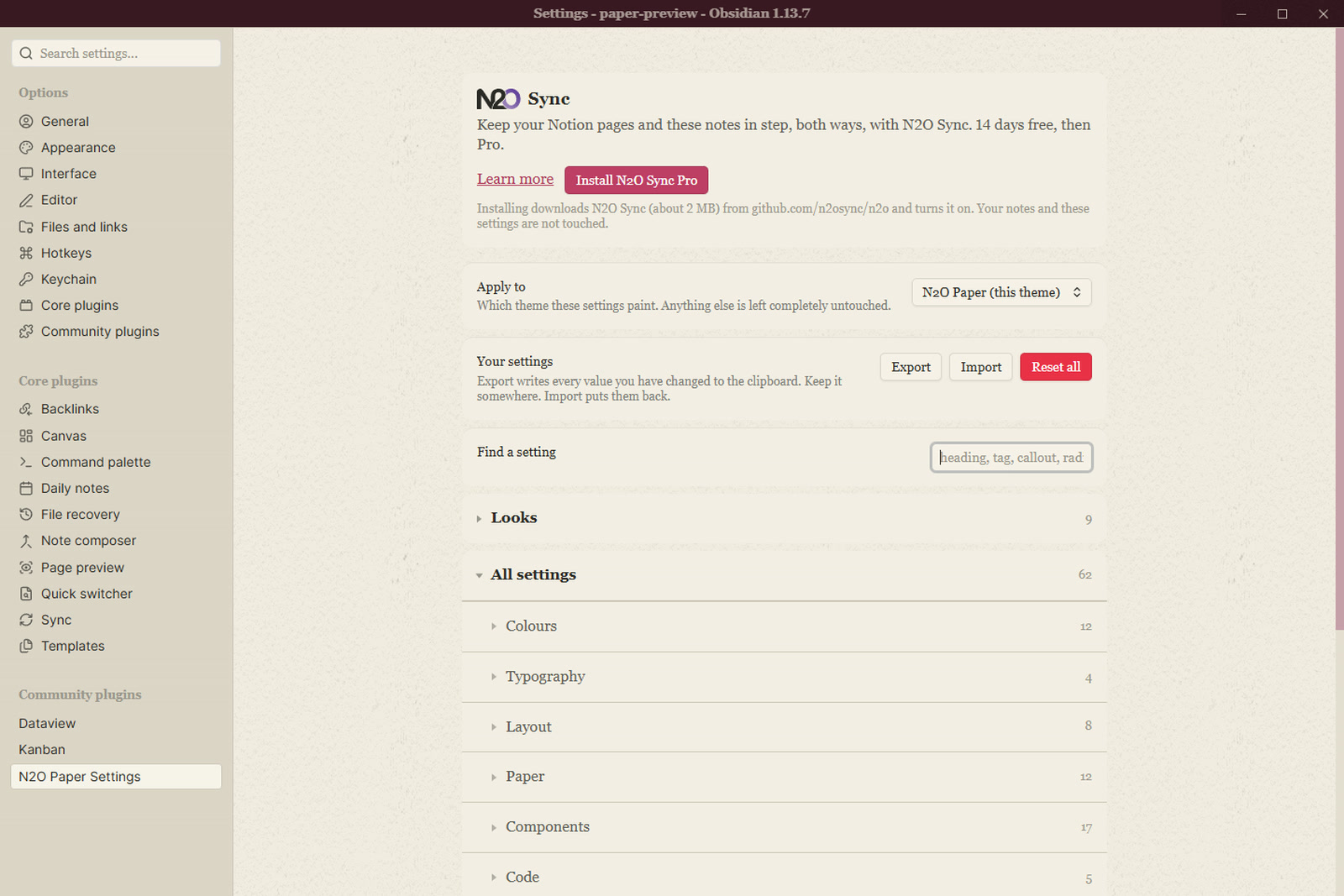
The settings tab

What it does

A theme is CSS and cannot draw a settings tab, so this plugin reads the controls N2O Paper declares and renders them: 110 of them, grouped the way the theme groups them, with a search box, live colour swatches, and export and import.

Switching palettes from the settings tab

Looks holds the palette, the heading colours and the paper feel.
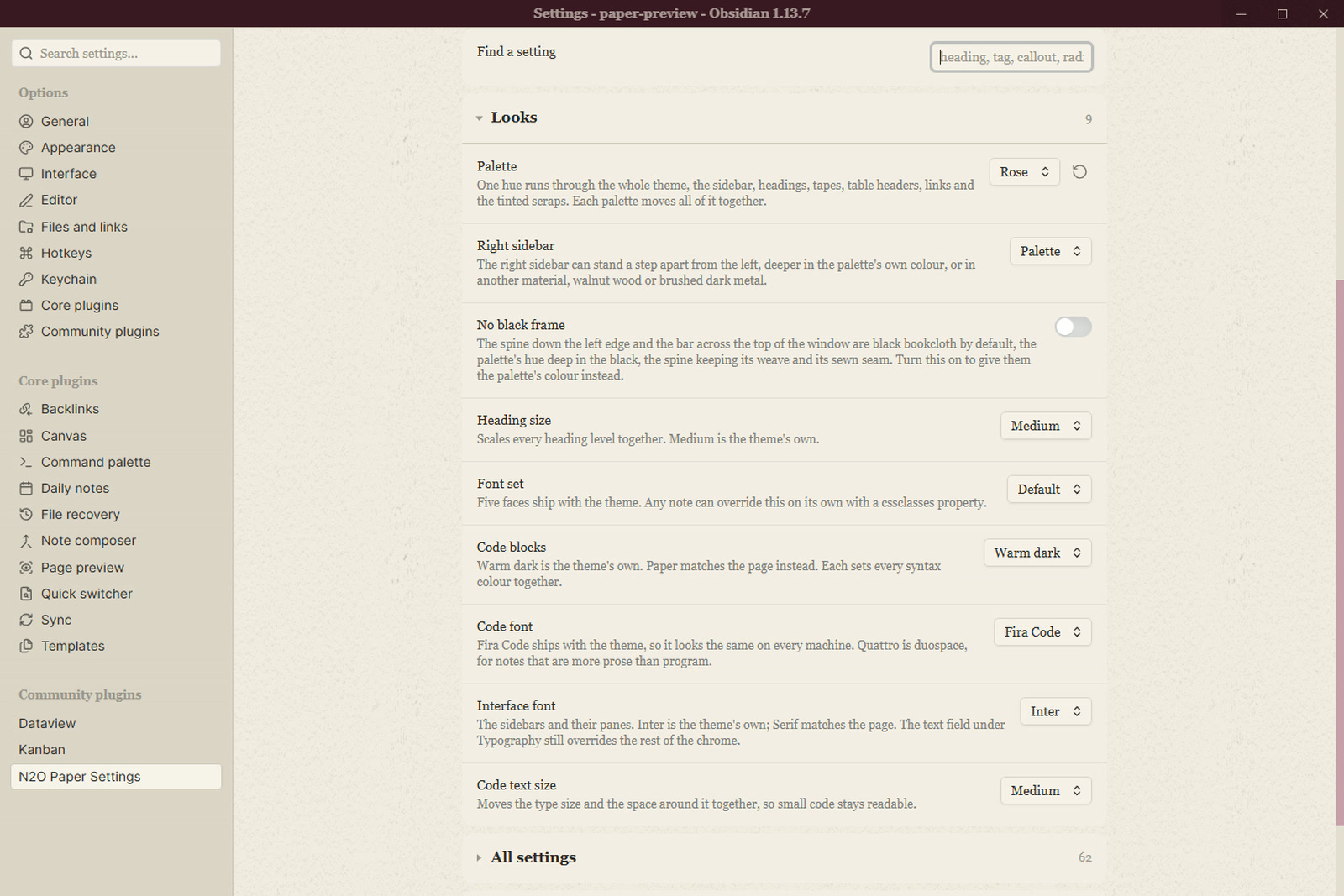
Looks

Colours covers every ink on the page, each with a swatch you can see change.
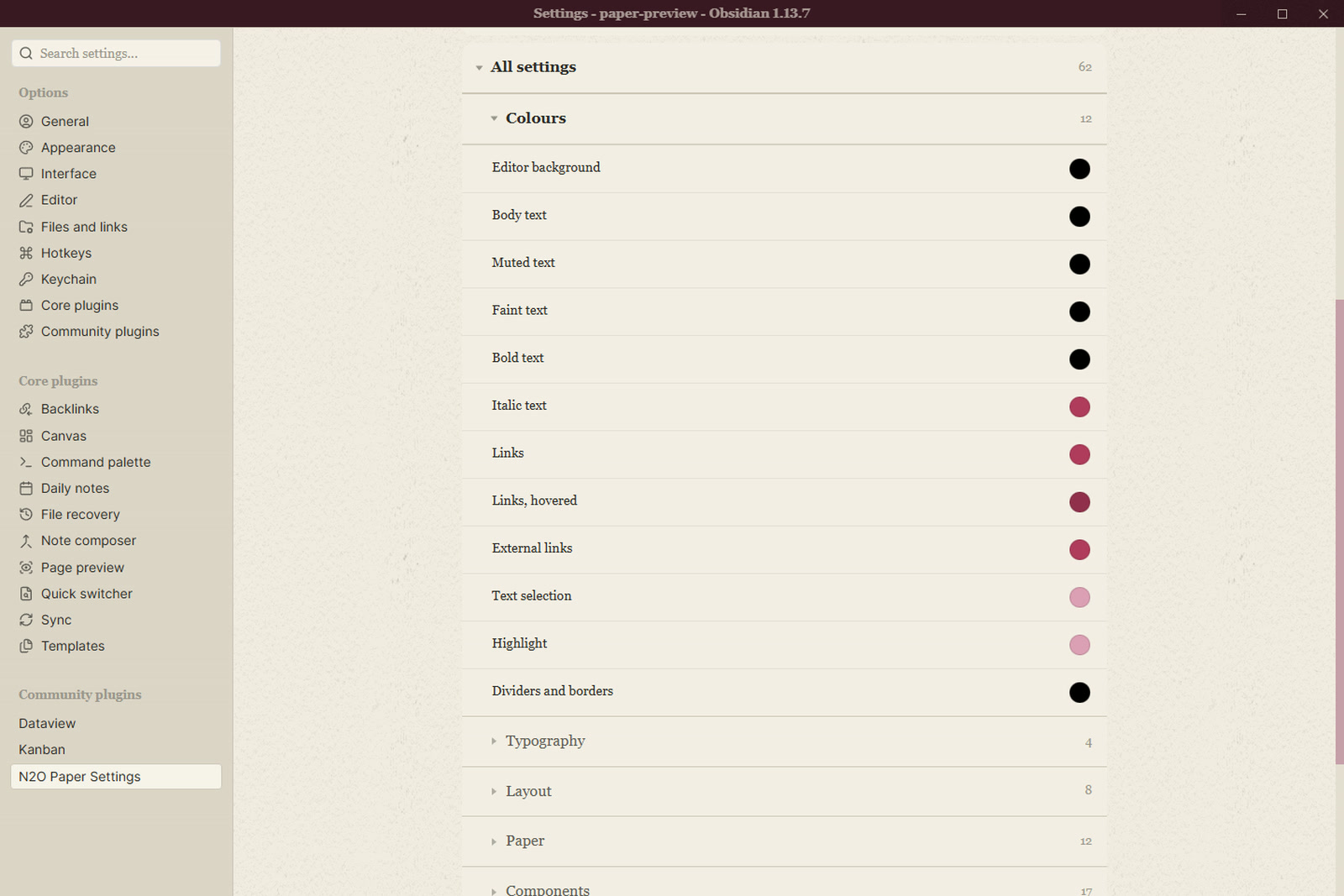
Colours

Typography sets the page serif, the interface sans, the mono for code, and the sizes.
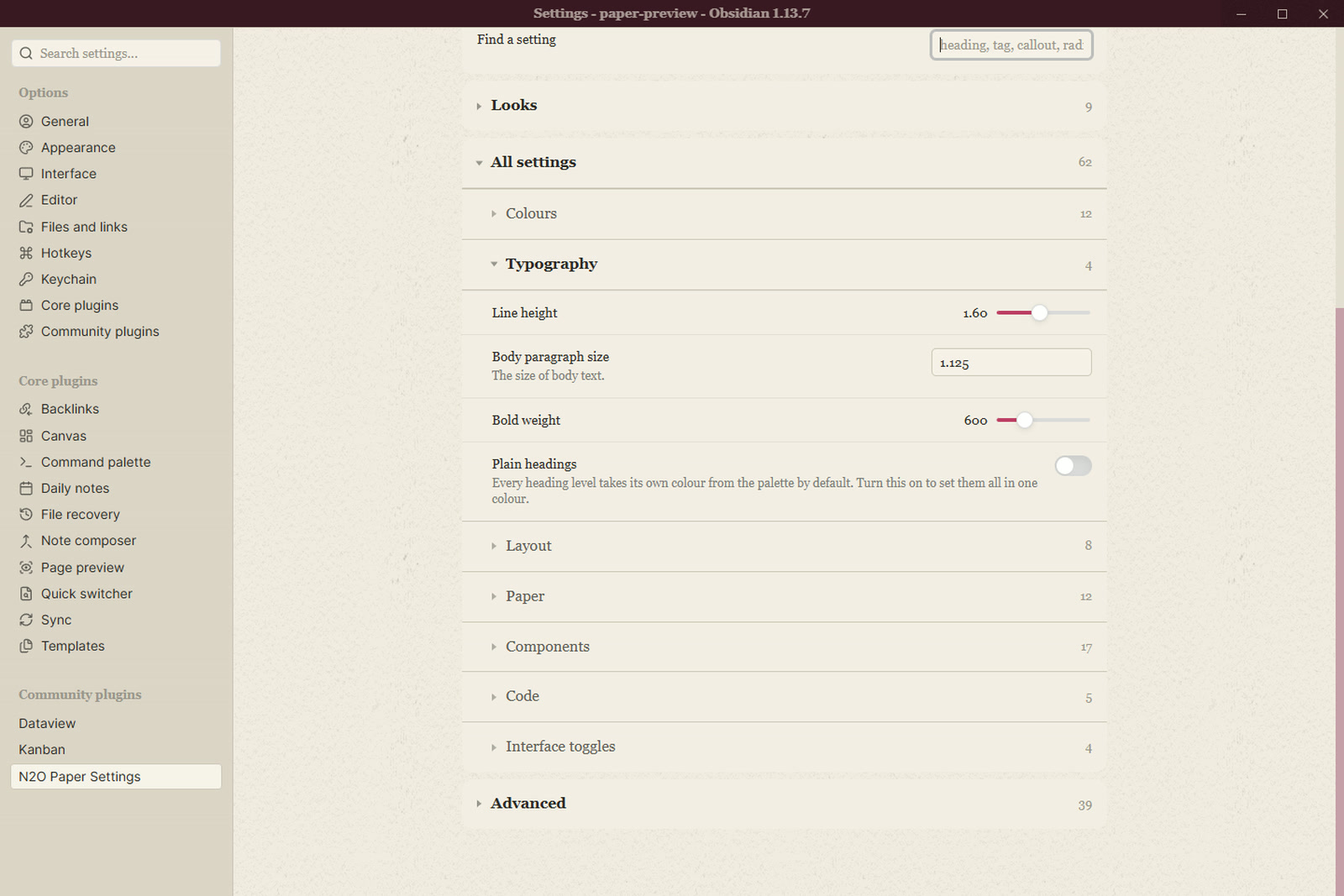
Typography

Layout is the measure, the margins and the spacing.
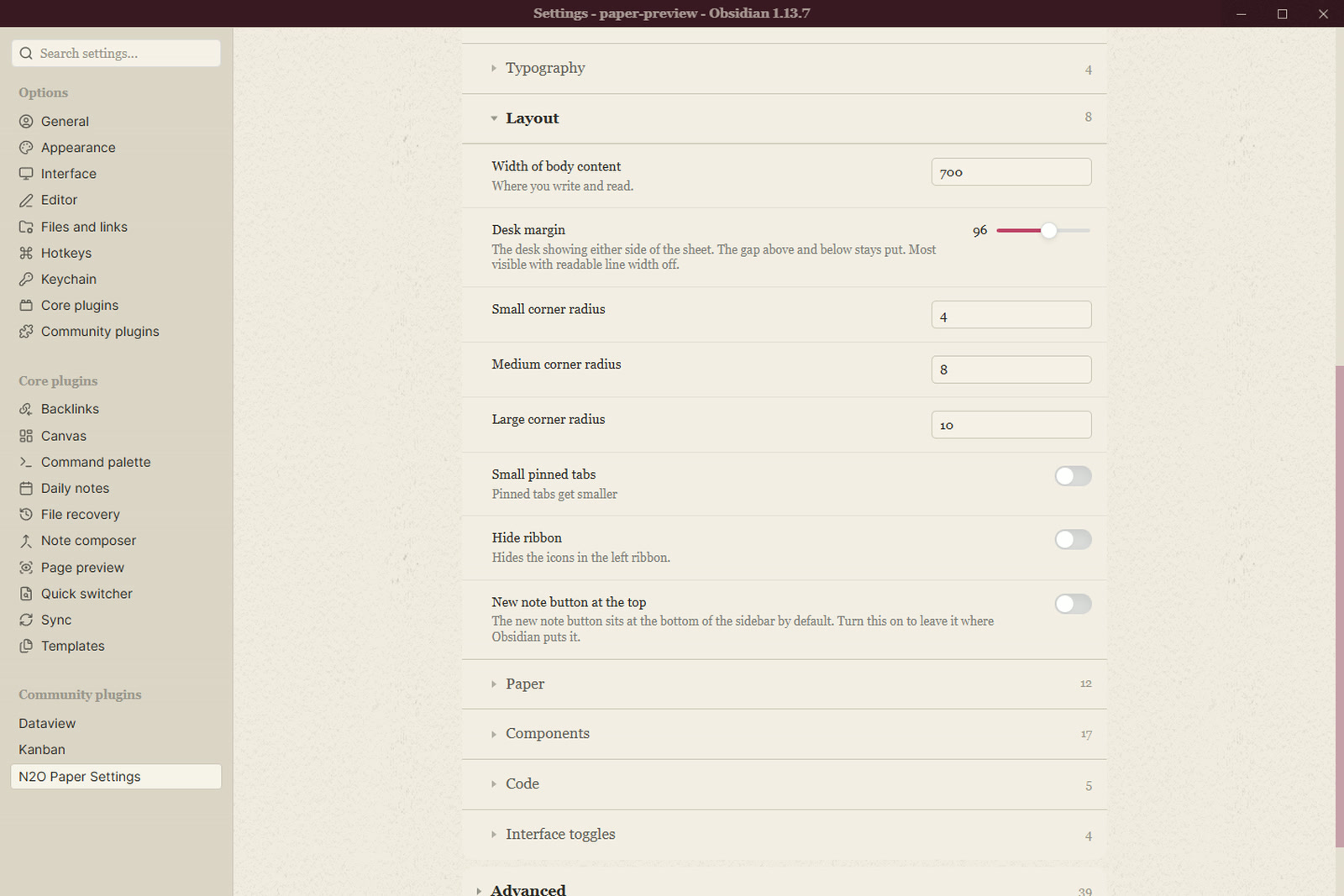
Layout

Paper is the grain, the light, the drift and the softbox over the desk.
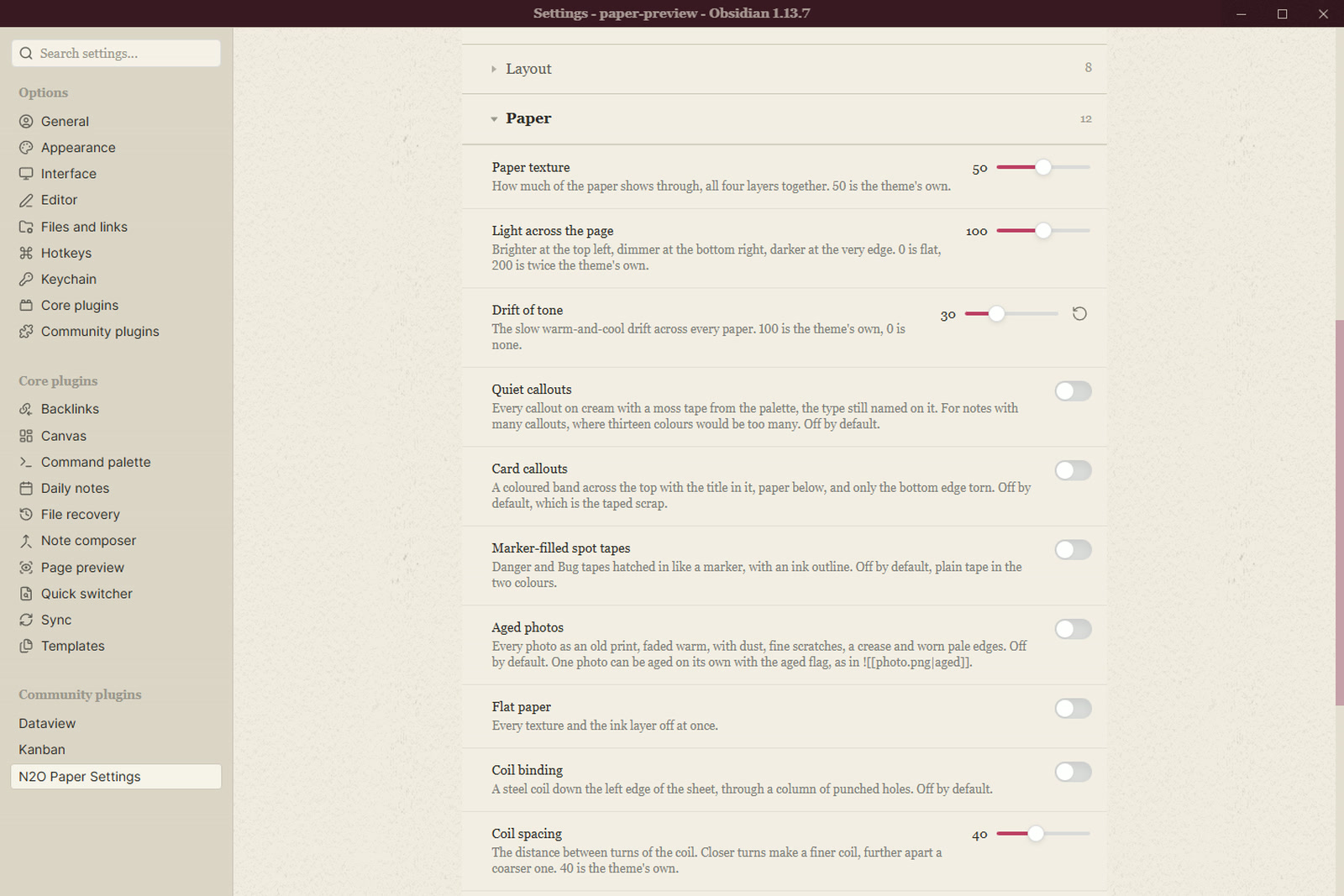
Paper

Components covers callouts, tables, tasks, tags, embeds and the rest.
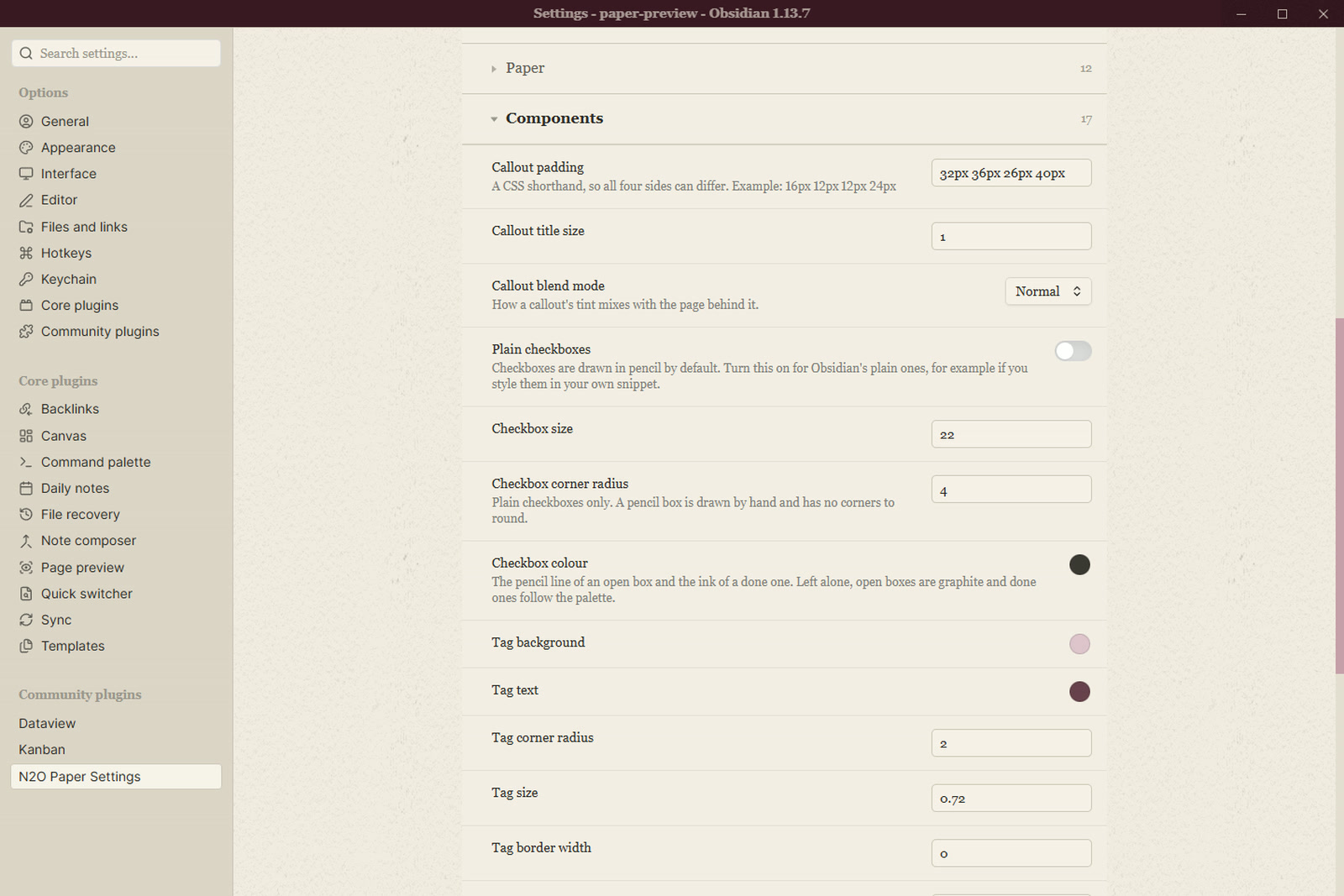
Components

Code colours the syntax, one token at a time.
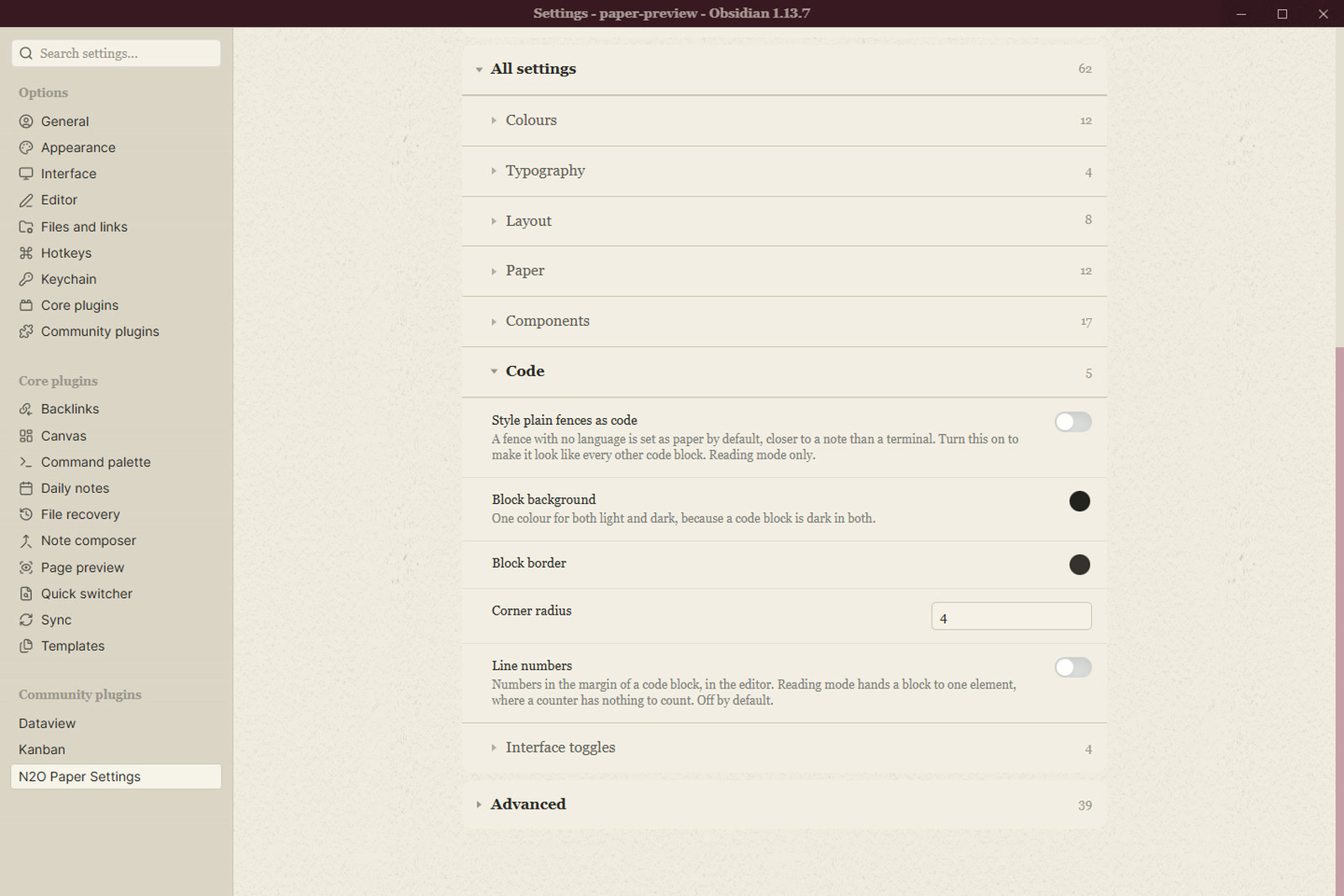
Code

Advanced holds the twin controls, the fine numbers behind the presets.
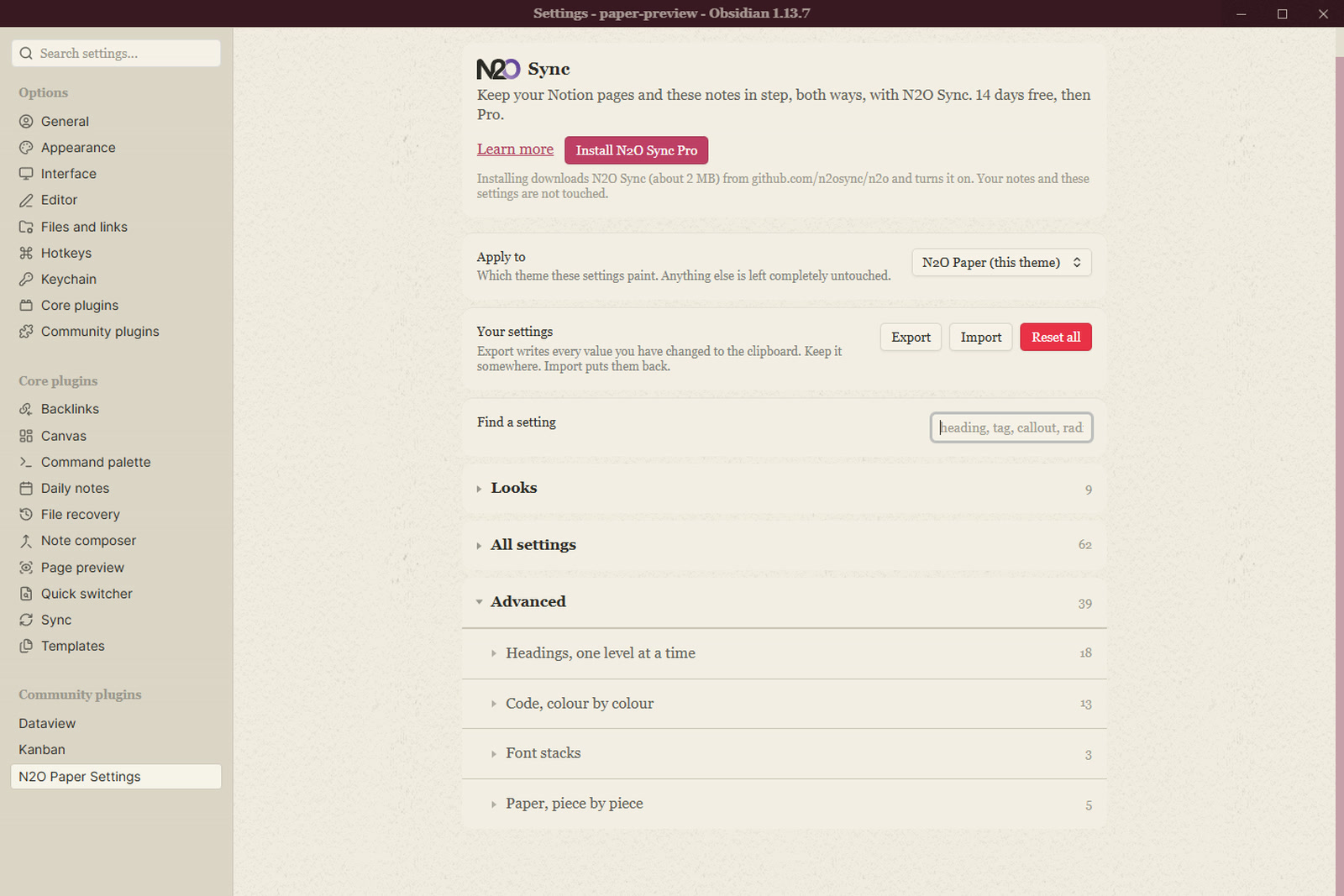
Advanced

Apply to

By default the plugin paints only while N2O Paper is the selected theme. Switch to another theme and it applies nothing, and your values are kept for the switch back. You can point it at a different installed theme, or at every theme.

Export and import

Export writes every value you have changed to the clipboard. Import puts them back. Reset asks first.

Install

Settings > Community plugins > Browse, then search for N2O Paper Settings.

To install it by hand, download main.js, manifest.json and styles.css from the latest release into <vault>/.obsidian/plugins/n2o-paper-settings/, then turn it on in Community plugins.

Licence

MIT. See LICENSE.md.

HealthExcellent
ReviewSatisfactory
About
Control N2O Paper's colour, typography, layout and component settings from a single settings tab, with 110 grouped controls, searchable entries and live colour swatches. Export changed values to the clipboard and import them back; apply settings only while N2O Paper is active, preserve values when switching themes, or point controls at other installed themes.
ThemingAppearance
Details
Current version
1.1.0
Last updated
20 hours ago
Created
3 days ago
Updates
12 releases
Downloads
44
Compatible with
Obsidian 1.5.0+
Platforms
Desktop, Mobile
License
MIT
Report bugRequest featureReport plugin
Author
SimhaSimhasimhaxdev
GitHubsimhaxdev
Xsimhaxdev
  1. Community
  2. Plugins
  3. Theming
  4. N2O Settings

Related plugins

Minimal Theme Settings

Control the colors and fonts in Minimal Theme.

Hider

Hide interface elements such as tooltips, status bar, titlebar, and more.

Style Settings

Adjust theme, plugin, and snippet CSS variables.

Background Image

Specify a remote URL as the background image, and a few settings to tweak the experience.

Contextual Typography

Add a data-tag-name attribute to all top-level divs in preview mode containing the child's tag name, allowing contextual typography styling.

Dynamic Theme Background

Build Your Own Wallpaper Library! Make every note-taking experience visually inspiring.

Share Note

Instantly share/publish a note, with the full theme and content exactly like you see in Obsidian. Data is shared encrypted by default, and only you and the person you send it to have the key.

Supercharged Links

Add attributes to internal links with the values of target note's frontmatter attributes.

Note Toolbar

Add customizable toolbars to your notes.

Slides Extended

Create markdown-based reveal.js presentations. Fork of Advanced Slides.