Minimalism UI
 lucas847 downloads
Transform UI into a Typora-like style, with the left side fixing the note status information and the right side focusing on the content of the note.
- Overview
- Scorecard
- Updates27
中文 · English
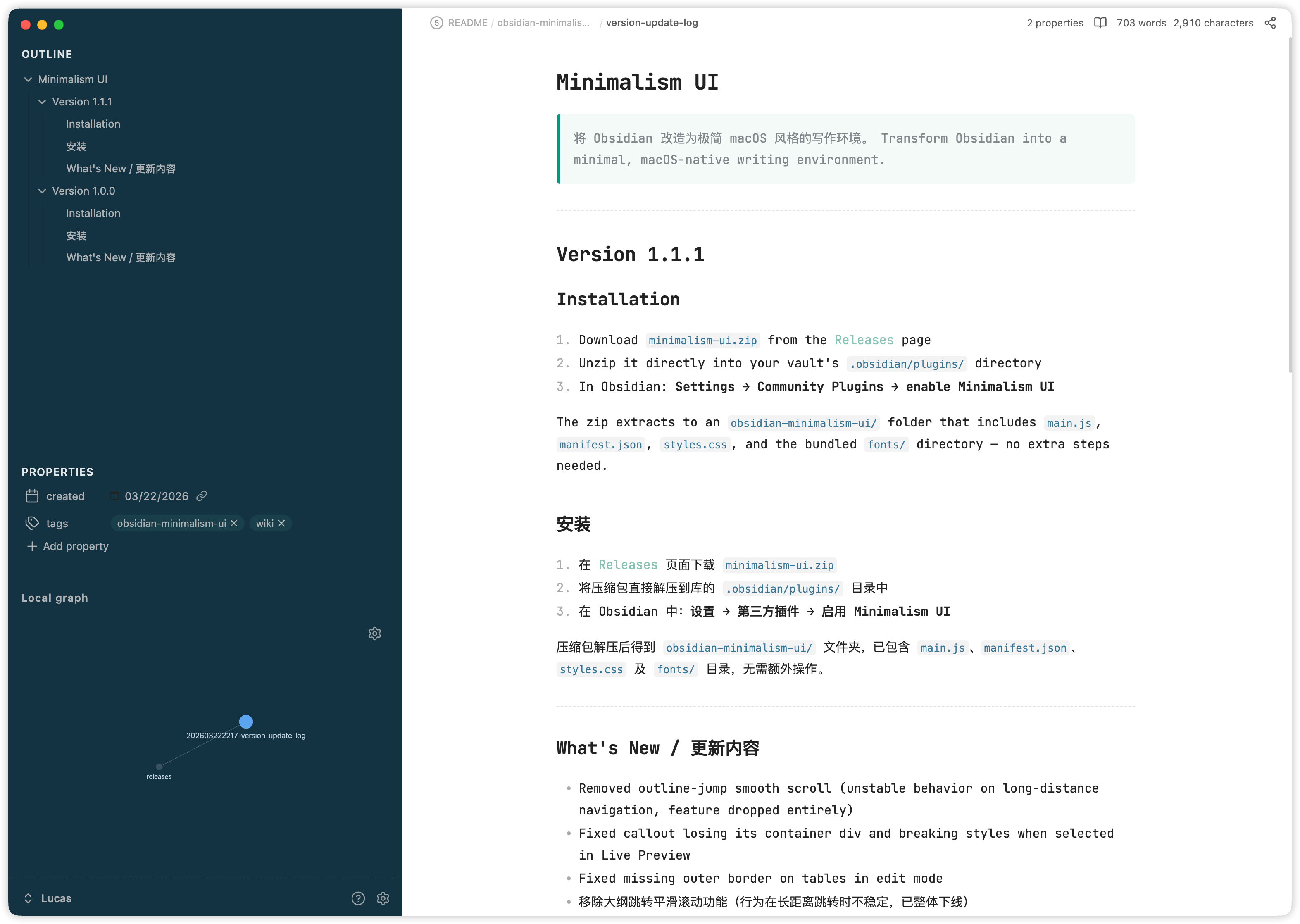
Transform Obsidian into a minimal, Typora-style writing environment. All options are in Settings → Community Plugins → Minimalism UI.
Read This Before You Start
[!warning] Make sure this minimalist philosophy suits you before installing
- This plugin is all about subtraction, and its philosophy runs against mainstream usage: it keeps only the left sidebar (showing at most Outline, Properties, and Local Graph) and strips away many core features, including Folders.
- Pick one note as your home page. Think of it as the trunk of a tree: keep creating notes from it through backlinks, letting your knowledge branch out until it grows into a towering tree.
- Since folders are gone, almost every note lives in the vault root. Enable timestamp-prefixed filenames to give each note a unique identifier and avoid name clashes.
Features
Minimal Sidebar
Applies a Typora-style frosted-glass look to the left sidebar (rounded corners, custom background). Also restructures the sidebar: the Outline panel and Properties metadata are merged into a single view — Outline on top, frontmatter properties below — so all note context is visible at a glance without switching panels.
Toggling this option off restores the original sidebar layout.
Simplified Panel
Hides panel action buttons (the icon row in Outline, Backlinks, etc.) and removes the search bar from those panels, reducing visual noise.
Note Style
Applies custom typography to the editor and reading view:
- JetBrains Mono NL for code blocks, inline code, and the editor font
- Forest-style blockquotes, tables, and code blocks
- Adjusted line height and smooth scroll in the reading view
- Heading flash animation when jumping from the Outline panel
Home Note
Designates a note that opens automatically on startup and whenever all tabs are closed. Set the path in the plugin settings (supports autocomplete).
Single-Page Mode
Hides the tab bar and keeps one note visible at a time. Additional navigation features:
- LRU tab cache — keeps the 10 most recently visited notes open in the background; the oldest is closed when the limit is reached
- Cross-tab back / forward —
app:go-back/app:go-forwardnavigate across tabs, not just within a single tab's history - Disables tab pinning
Page Load Animation (Beta)
Slide-in animation when navigating back or forward through note history.
Settings
| Option | Description |
|---|---|
| Minimal Sidebar | Finder-style sidebar + merged Outline + Properties layout |
| Simplified Panel | Hides panel buttons and search bars |
| Note Style | JetBrains Mono, Forest-style blocks, smooth scroll, heading flash |
| Home Note | Note path to open on startup and when all tabs are closed |
| Single-Page Mode | One-note-at-a-time with LRU cache and cross-tab history |
| Page Load Animation | Slide animation on back/forward navigation |
Installation
- Download
obsidian-minimalism-ui.zipfrom the Releases page - Unzip it directly into your vault's
.obsidian/plugins/directory - In Obsidian: Settings → Community Plugins → enable Minimalism UI
The zip extracts to an obsidian-minimalism-ui/ folder containing main.js, manifest.json, and styles.css. Theme styles and fonts are embedded into main.js at build time — no extra files or steps needed.
Development
git clone https://github.com/tcyeee/obsidian-minimalism-ui.git
cd obsidian-minimalism-ui
pnpm install

pnpm build   # production build → main.js
pnpm dev     # watch mode — rebuilds on changes to main.ts / src/**
Both commands first run scripts/generate-theme-assets.mjs, which embeds the theme CSS and fonts under theme/ into the bundle. The watcher does not watch theme/ — re-run pnpm dev / pnpm build after editing theme files.
To test locally, symlink the project directory into your vault:
ln -s $(pwd) ~/your-vault/.obsidian/plugins/obsidian-minimalism-ui
After editing the source, run pnpm build and reload the plugin in Obsidian (Ctrl/Cmd+R in the community plugins list).
Permissions
| API | Where used | Why |
|---|---|---|
vault.getMarkdownFiles() |
Settings tab — file path input | Provides autocomplete suggestions when the user types a path for the Home Note setting. Called only on user keystroke; never runs on startup or in the background. |
License
MIT