Search...Search plugins and themes...
⌘K
Sign in
  • Get started
  • Download
  • Pricing
  • Enterprise
  • Account
  • Obsidian
  • Overview
  • Sync
  • Publish
  • Canvas
  • Mobile
  • Web Clipper
  • CLI
  • Learn
  • Help
  • Developers
  • Changelog
  • About
  • Roadmap
  • Blog
  • Resources
  • System status
  • License overview
  • Terms of service
  • Privacy policy
  • Security
  • Community
  • Plugins
  • Themes
  • Discord
  • Forum / 中文论坛
  • Merch store
  • Brand guidelines
Follow us
DiscordTwitterBlueskyThreadsMastodonYouTubeGitHub
© 2026 Obsidian

Mind Map Visual

William DangWilliam Dang123 downloads

Brainstorming-focused mind map plugin with auto-organized layouts and keyboard shortcuts

Add to Obsidian
Mind Map Visual screenshot
  • Overview
  • Scorecard
  • Updates2

Tiếng Việt

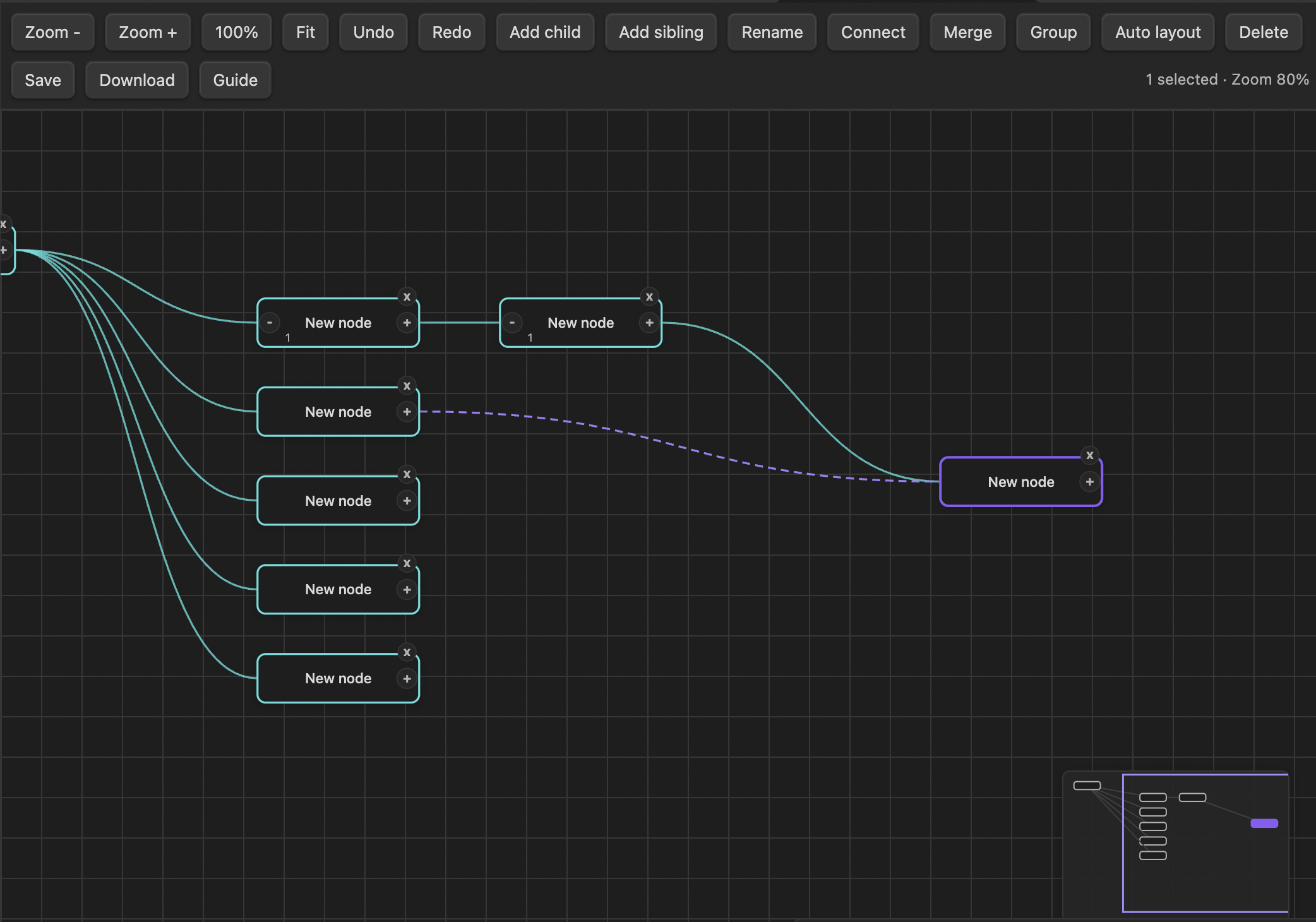
Mind Map is an Obsidian plugin for creating visual mind maps that remain readable Markdown notes. It supports automatic layout, keyboard-first editing, linked notes, connections, grouping, undo and redo, and image or PDF export.

Demo
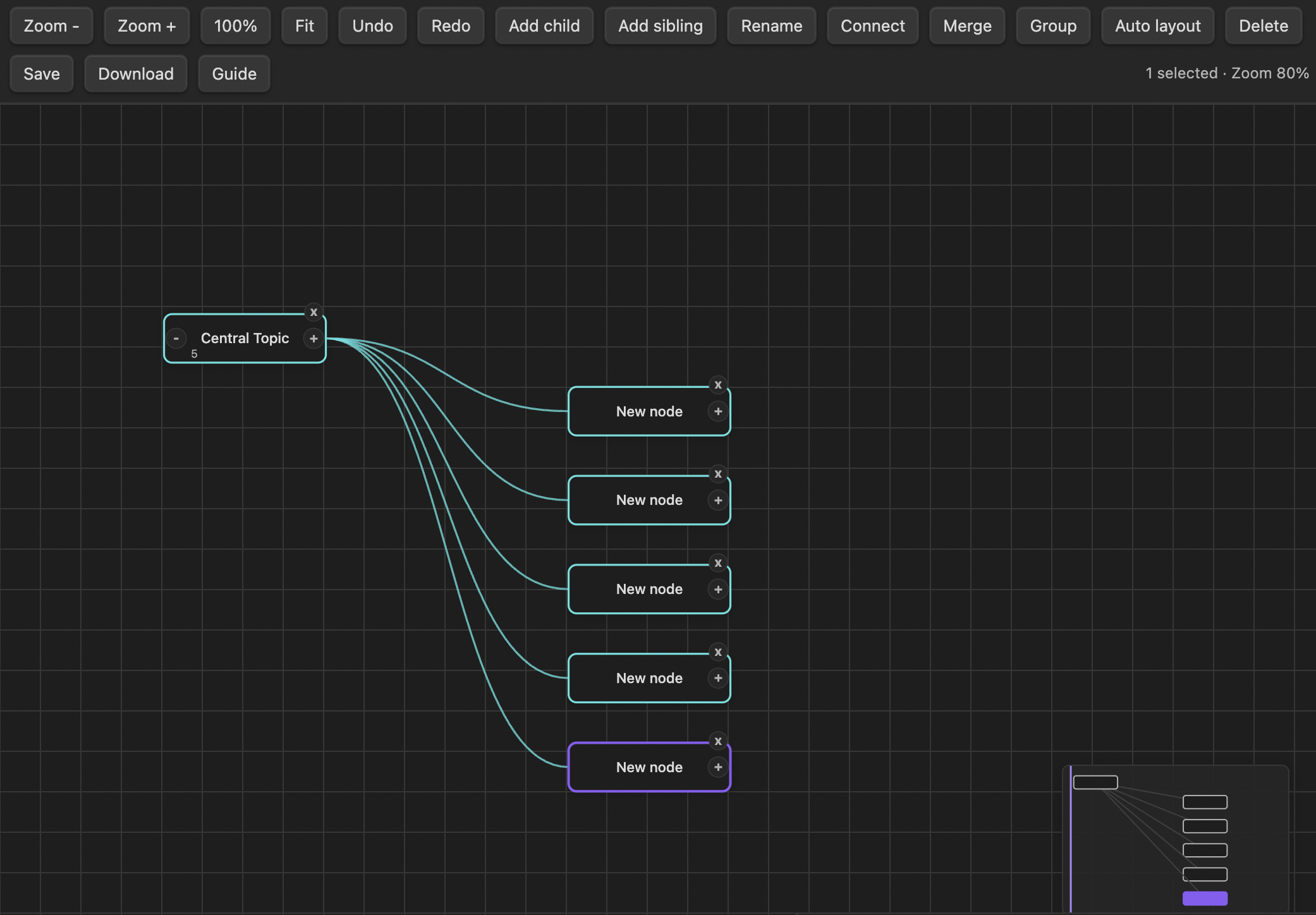
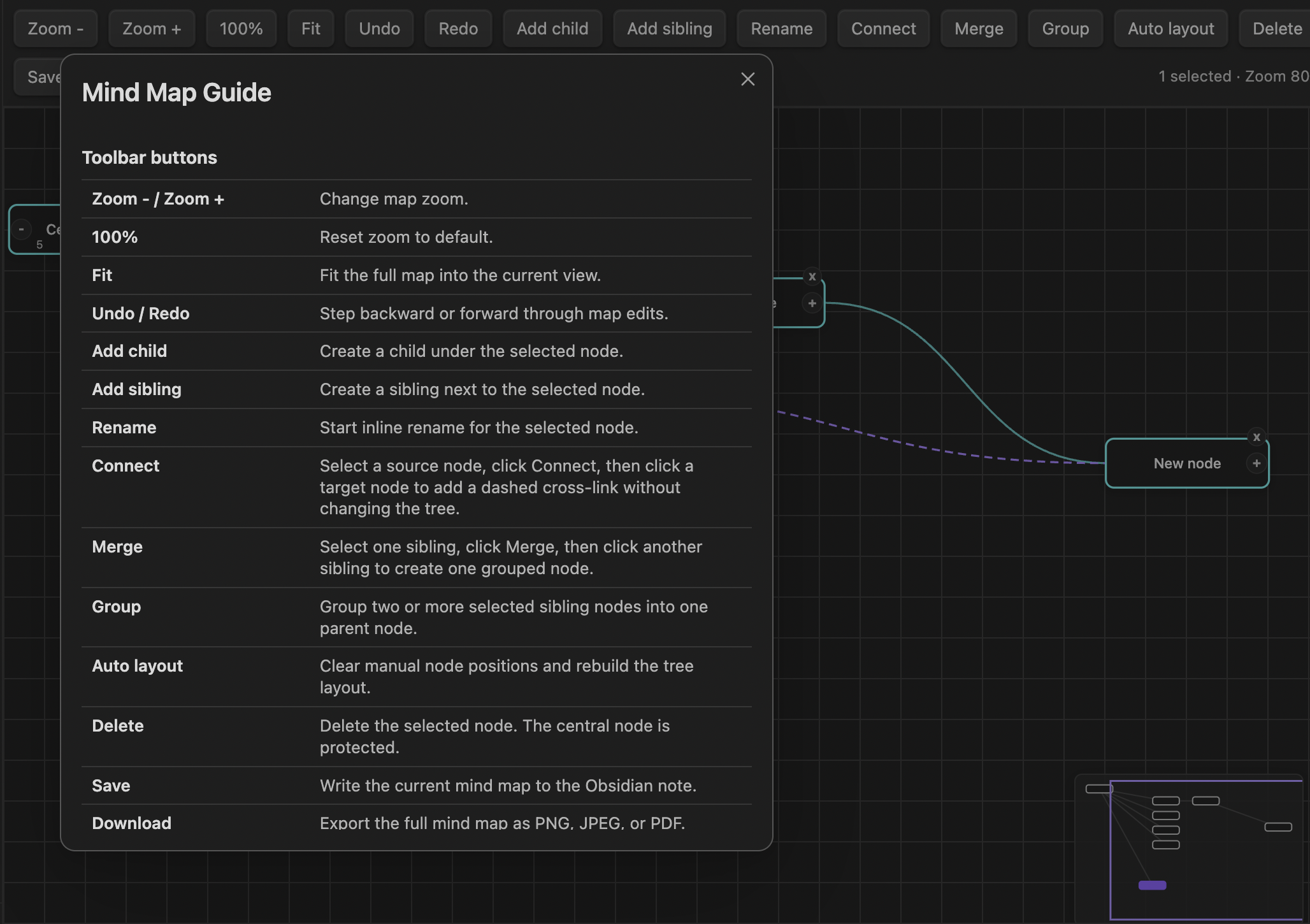
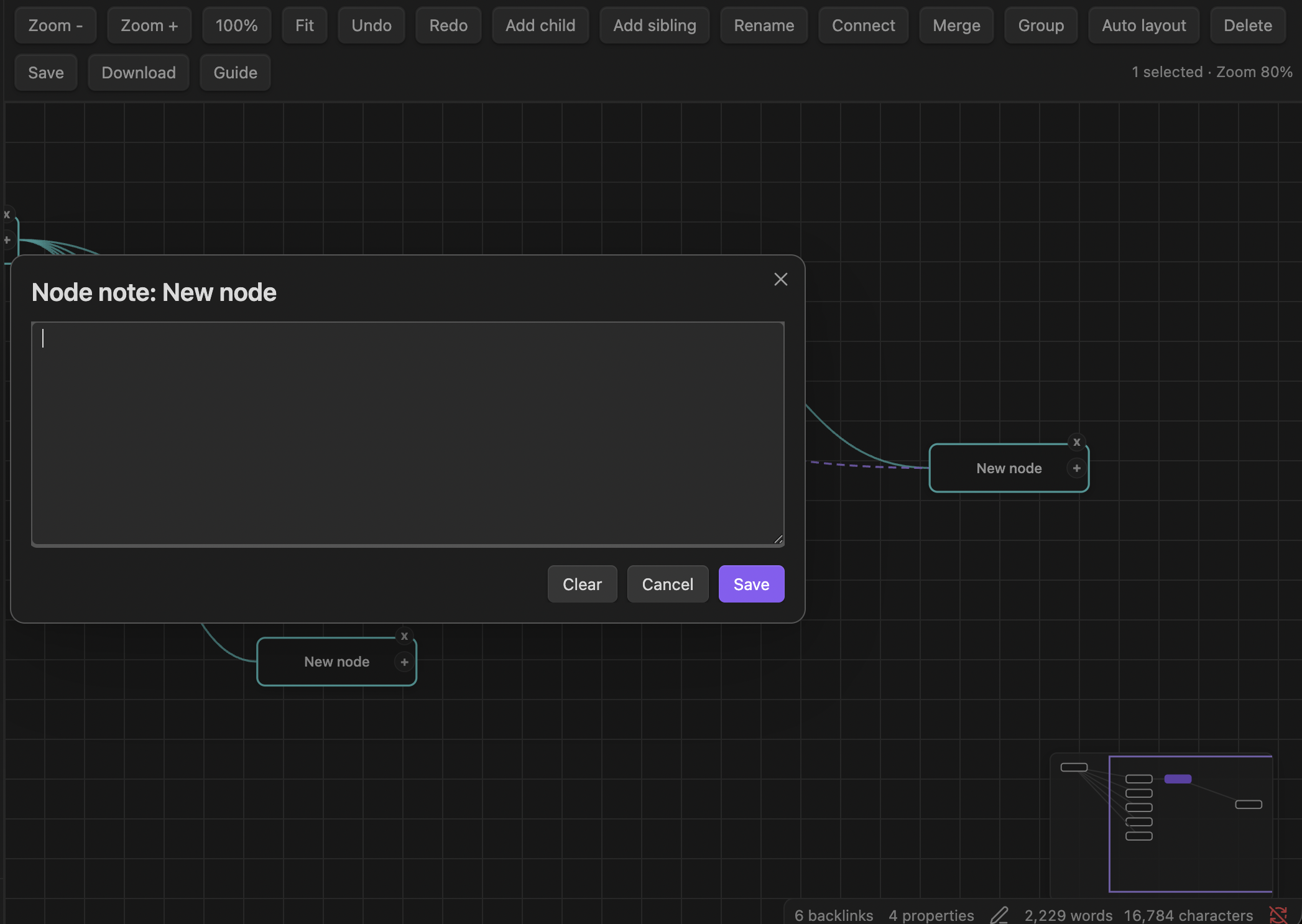
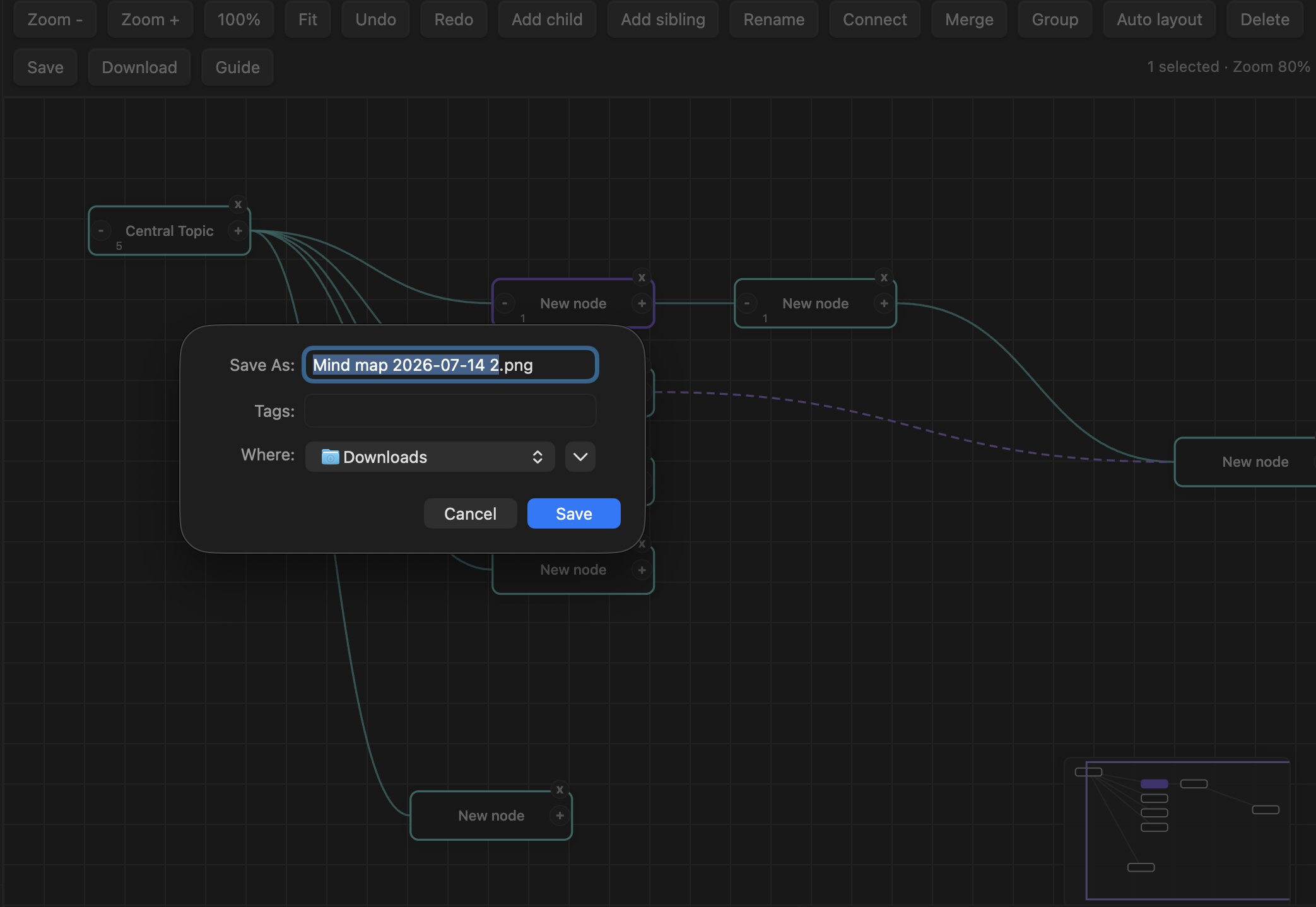
Mind Map overview Mind Map guide Add a note to a node Connect nodes Export a mind map

Features

  • Create and edit mind maps inside Obsidian
  • Add, rename, move, merge, group, connect, collapse, and delete nodes
  • Add notes to nodes or create linked Markdown notes
  • Pan, zoom, fit the map to the view, and use a minimap
  • Automatically save the map as Markdown with YAML frontmatter
  • Export maps as PNG, JPEG, or PDF
  • Work locally without network requests or external services

Usage

Open the Command palette and run one of these commands:

  • Mind map: Create new mind map
  • Mind map: Open current file as mind map
  • Mind map: Save current mind map

You can also select the map icon in the ribbon to create a new mind map.

To reopen a saved mind map, open its Markdown note, open the Command palette with Ctrl/Cmd+P, and run Mind map: Open current file as mind map.

Keyboard shortcuts

Shortcut Action
Tab Add a child node
Enter Add a sibling node
F2 Rename the selected node
Backspace or Delete Delete the selected node
Ctrl/Cmd+Z Undo
Ctrl/Cmd+Shift+Z Redo
Ctrl/Cmd+S Save
Ctrl/Cmd+/ Open the guide
Ctrl/Cmd++ or + Zoom in
Ctrl/Cmd+- or - Zoom out
Ctrl/Cmd+0 Reset zoom
Hold Space and drag Pan the canvas

Right-click a node to edit its label or note, create or open a linked note, remove a linked note, or delete the node.

Data and privacy

Mind Map stores map data in Markdown files in your vault. It does not send data over the network or use external services.

Installation

Once published, install Mind Map from Settings → Community plugins in Obsidian.

For manual installation, copy main.js, manifest.json, and styles.css into:

<vault>/.obsidian/plugins/obsidian-mindmap/

Then reload Obsidian and enable Mind Map under Community plugins.

Development

npm install
npm test
npm run build

License

MIT

HealthExcellent
ReviewPassed
About
Create and edit visual mind maps that stay readable as Markdown notes with automatic layout and keyboard-first editing. Add, move, merge, group, connect, collapse, and link nodes; pan, zoom, fit maps, undo/redo, export PNG/JPEG/PDF, and save maps locally as Markdown with YAML frontmatter.
CanvasVisualization
Details
Current version
1.0.2
Last updated
3 weeks ago
Created
3 weeks ago
Updates
2 releases
Downloads
123
Compatible with
Obsidian 1.0.0+
Platforms
Desktop, Mobile
License
MIT
Report bugRequest featureReport plugin
Author
William DangWilliam Dangduybaodg
GitHubduybaodg
  1. Community
  2. Plugins
  3. Canvas
  4. Mind Map Visual

Related plugins

Advanced Canvas

Supercharge your canvas experience. Create presentations, flowcharts and more.

Canvas Mindmap

Make your canvas work like a mindmap.

Excalidraw

Visual PKM powerhouse. Create and edit Excalidraw drawings.

Breadcrumbs

Visualise the hierarchy of your vault using a breadcrumb trail or matrix view.

Maps

Adds a map layout to bases so you can display notes as an interactive map view.

Mermaid Tools

Improved Mermaid.js experience: visual toolbar with common elements and more.

ExcaliBrain

An interactive, structured mind-map of your Obsidian vault.

Persistent Graph

Save and restore the positions of nodes on your graph.

Strange New Worlds

Reveal networked thought and the strange new worlds created by your vault.

Charts

Easily create interactive charts in your notes.