Search...Search plugins and themes...
⌘K
Sign in
  • Get started
  • Download
  • Pricing
  • Enterprise
  • Account
  • Obsidian
  • Overview
  • Sync
  • Publish
  • Canvas
  • Mobile
  • Web Clipper
  • CLI
  • Learn
  • Help
  • Developers
  • Changelog
  • About
  • Roadmap
  • Blog
  • Resources
  • System status
  • License overview
  • Terms of service
  • Privacy policy
  • Security
  • Community
  • Plugins
  • Join the community
  • Discord
  • Forum / 中文论坛
  • Merch store
  • Brand guidelines
Follow us
DiscordTwitterBlueskyThreadsMastodonYouTubeGitHub
© 2026 Obsidian

Persistent Graph

sanquisanqui38k downloads

Save and restore the positions of nodes on your graph.

Add to Obsidian
  • Overview
  • Scorecard
  • Updates5

[!WARNING] This project is looking for a new maintainer. It might work for your purposes, but there are issues people would like to see fixed that I'm unable to devote time to solve currently. If you are interested in taking over the development of the plugin, please send me an email at [email protected].

This is a plugin for Obsidian (https://obsidian.md).

Graph lovers, rejoice!

Do you love using the global graph as a powerful spatial tool, but cry every time Obsidian restarts and all nodes lose their place? Would you like to retain the shape of your graph over a long time? Well then this plugin is for you.
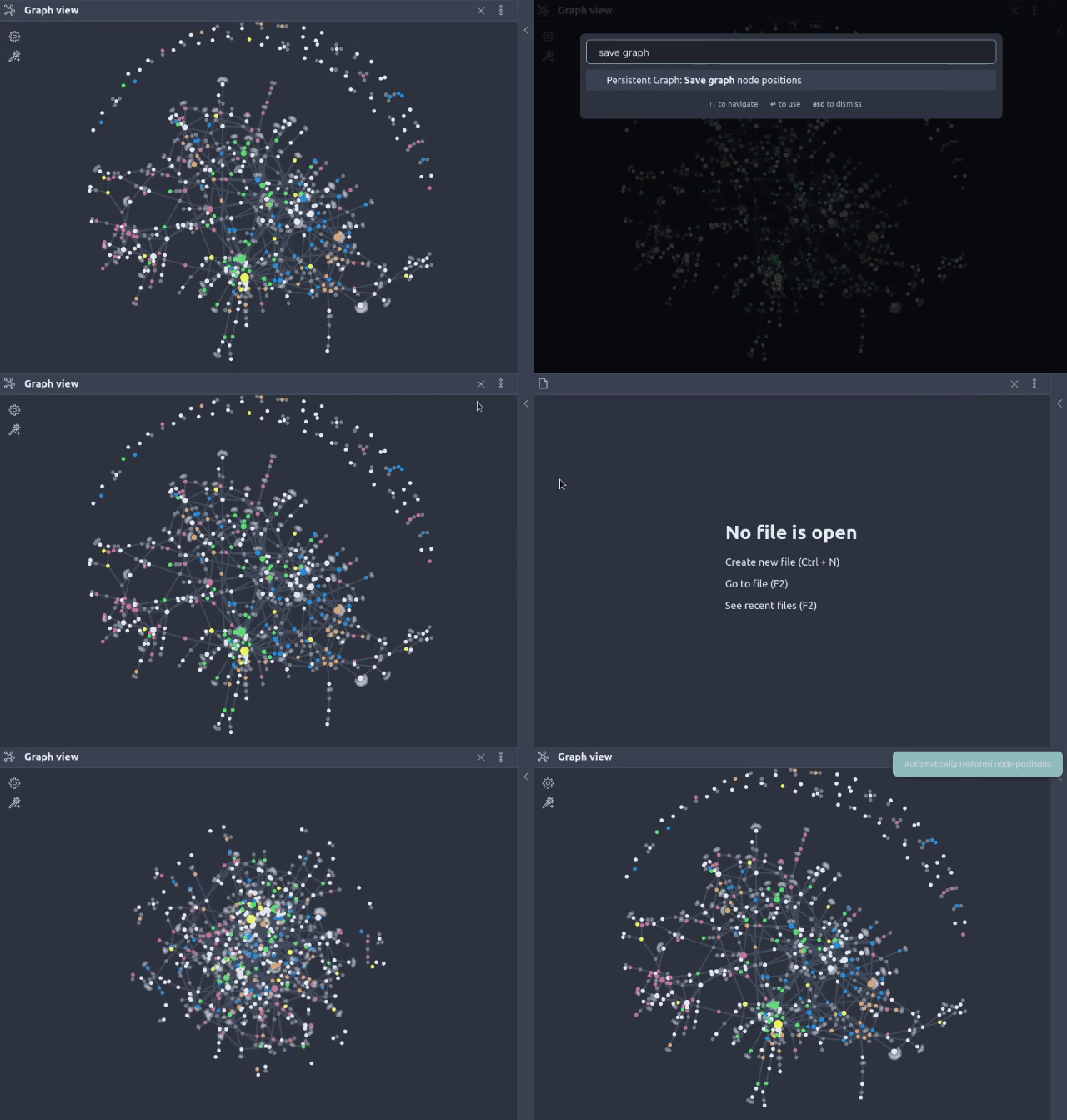
Demo video

This plugin adds commands to save and restore the locations of nodes on your graph. There's also a setting to restore automatically whenever you open a new graph view. That's it, it's that simple! And as a bonus I also added a command to continuously run the graph simulation so you don't have to jiggle it.

Please note that this plugin makes use of internal Obsidian APIs, so it may break with updates, and it's unlikely to be accepted as a community plugin. This feature is so important to me that I built it nonetheless, so if you're brave you can enjoy it with me!

Possible future features:

  • Automatic/periodic saving

  • Restoring when graph view is open

  • Save & restore graph settings like filters

  • Locking nodes in place

70%
HealthGood
ReviewSatisfactory
About
Save and restore node positions in the Obsidian global graph to preserve your layout across restarts. Restore layouts automatically on new graph views and run continuous simulation to stabilize node placement.
VisualizationAutomationCommands
Details
Current version
0.1.5
Last updated
4 years ago
Created
4 years ago
Updates
5 releases
Downloads
38k
Compatible with
Obsidian 0.12.0+
License
MIT
Report bugRequest featureReport plugin
Author
sanquisanqui
sanqui.net
GitHubsanqui
  1. Community
  2. Plugins
  3. Visualization
  4. Persistent Graph

Related plugins

Task Collector (TC)

Change task status and collect tasks within a document using hotkeys and context menus.

Shell commands

Define system commands that you want to execute via command palette, hotkeys, URI links or automated events. E.g. open external applications or perform automated file modifications.

Actions URI

Add additional `x-callback-url` endpoints to the app for common actions — it's a clean, super-charged addition to Obsidian URI.

Doubleshift

Open the command palette by pressing Shift (or any other key) twice like in IntelliJ and create your own shortcuts.

Templater

Create and use dynamic templates.

BRAT

Easily install a beta version of a plugin for testing.

Commander

Customize your workspace by adding commands everywhere, create macros and supercharge your mobile toolbar.

Maps

Adds a map layout to bases so you can display notes as an interactive map view.

Linter

Format and style your notes. Linter can be used to format YAML tags, aliases, arrays, and metadata; footnotes; headings; spacing; math blocks; regular Markdown contents like list, italics, and bold styles; and more with the use of custom rule options.

Advanced Canvas

Supercharge your canvas experience. Create presentations, flowcharts and more.