Search...Search plugins and themes...
⌘K
Sign in
  • Get started
  • Download
  • Pricing
  • Enterprise
  • Account
  • Obsidian
  • Overview
  • Sync
  • Publish
  • Canvas
  • Mobile
  • Web Clipper
  • CLI
  • Learn
  • Help
  • Developers
  • Changelog
  • About
  • Roadmap
  • Blog
  • Resources
  • System status
  • License overview
  • Terms of service
  • Privacy policy
  • Security
  • Community
  • Plugins
  • Themes
  • Discord
  • Forum / 中文论坛
  • Merch store
  • Brand guidelines
Follow us
DiscordTwitterBlueskyThreadsMastodonYouTubeGitHub
© 2026 Obsidian

MIDI Logger

maybe-hello-worldmaybe-hello-world983 downloads

Insert parsed musical notes from MIDI input devices.

Add to Obsidian
  • Overview
  • Scorecard
  • Updates3

This is a plugin that uses the Web MIDI API to listen to MIDI messages and insert parsed pressed notes into the editor

Demo
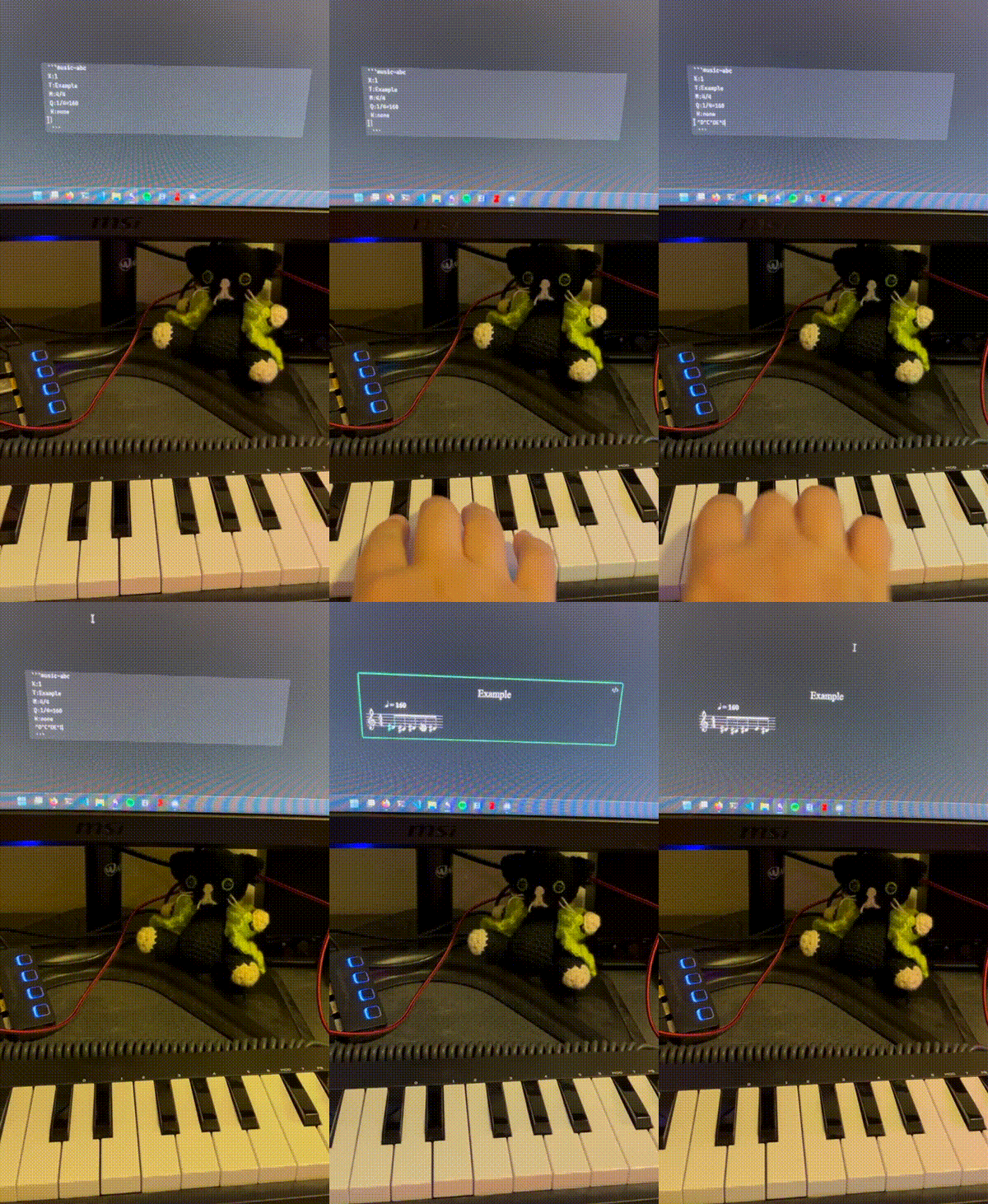
MIDI Logger demo

ABC Music Notation plugin is used to render the inserted notes.

How to use

  1. Install and enable the plugin.
  2. Connect a MIDI device to your computer.
  3. Press the ribbon icon in the toolbar (music note icon) to start capture process or use the Start capture command.
  4. Open a new or existing document and put the cursor in the editor.
  5. Play some notes on your MIDI device. You should see the notes being inserted into the editor.

Works on Windows, Linux, and MacOS. Doesn't work on IOS (until Apple implements Web MIDI API in Safari). Not tested on Android.

Commands

  • Start capture: Starts the MIDI capture process.
  • Stop capture: Stops the MIDI capture process.
  • Insert ABC template: Inserts an ABC template into the editor.

Settings

  • Separator: The character used to separate the notes. Valid only for the Raw message and Scientific output formats.
  • Output format: The format of the inserted notes. You can choose between Raw message, Scientific, and ABC.

Output formats

Raw message

Inserts the raw MIDI code of the pressed note.

Example:

75,73,75,76,75,

Scientific

Inserts the scientific pitch notation of the pressed note.

Example:

D#5,C#5,D#5,E5,D#5,

ABC

Inserts the ABC notation of the pressed note.
Please note that only note and octave information are inserted, other information like duration, key signature, etc. are not inserted.

Example:

^d^c^de^d 

You can write the notes in the prepared ABC template:

X:1
T:Example
M:4/4
Q:1/4=160
K:none
g8 ^f4 b4 e8 |
d4 g4 c8 | B4 e4 A8 | d8

Works with the ABC Music Notation plugin.

74%
HealthGood
ReviewSatisfactory
About
Capture live MIDI input and insert played notes directly into the editor. Output notes as raw MIDI codes, scientific pitch notation, or ABC notation, and render ABC output with the ABC Music Notation plugin.
EditingImportMusic
Details
Current version
0.1.2
Last updated
2 years ago
Created
2 years ago
Updates
3 releases
Downloads
983
Compatible with
Obsidian 1.0.0+
Platforms
Desktop, Mobile
License
MIT
Report bugRequest featureReport plugin
Author
maybe-hello-worldmaybe-hello-world
github.com/maybe-hello-world
GitHubmaybe-hello-world
  1. Community
  2. Plugins
  3. Editing
  4. MIDI Logger

Related plugins

Chord Sheets

Work with chord sheets (chords over lyrics or inline) in Live Preview and reading mode: Chord diagrams for guitar, ukulele and mandolin, transpose, autoscroll, and more.

Advanced Tables

Improved table navigation, formatting, and manipulation.

Importer

Import data from Notion, Evernote, Apple Notes, Microsoft OneNote, Google Keep, Bear, Roam, and HTML files.

Meta Bind

Make your notes interactive with inline input fields, metadata displays, and buttons.

Outliner

Work with your lists like in Workflowy or Roam Research.

Various Complements

Complete words similar to auto-completion in an IDE.

Zotero Integration

Insert and import citations, bibliographies, notes, and PDF annotations from Zotero.

Readwise Official

Sync highlights from Readwise to your vault.

Creases

Tools for effectively folding Markdown sections.

Simplified Chinese Word Splitting

Adds Simplified Chinese word splitting support for the editor and Vim mode.