Search...Search plugins and themes...
⌘K
Sign in
  • Get started
  • Download
  • Pricing
  • Enterprise
  • Account
  • Obsidian
  • Overview
  • Sync
  • Publish
  • Canvas
  • Mobile
  • Web Clipper
  • CLI
  • Learn
  • Help
  • Developers
  • Changelog
  • About
  • Roadmap
  • Blog
  • Resources
  • System status
  • License overview
  • Terms of service
  • Privacy policy
  • Security
  • Community
  • Plugins
  • Themes
  • Discord
  • Forum / 中文论坛
  • Merch store
  • Brand guidelines
Follow us
DiscordTwitterBlueskyThreadsMastodonYouTubeGitHub
© 2026 Obsidian

Friday

mdfridaymdfriday5k downloads

Notes to Website. Friday helps you turn Markdown documents into websites in minutes.

Add to Obsidian
  • Overview
  • Scorecard
  • Updates78

Write in Obsidian. Sync across devices. Publish instantly. Share with the world. Own everything.


✨ Demos

Live Sync across devices:
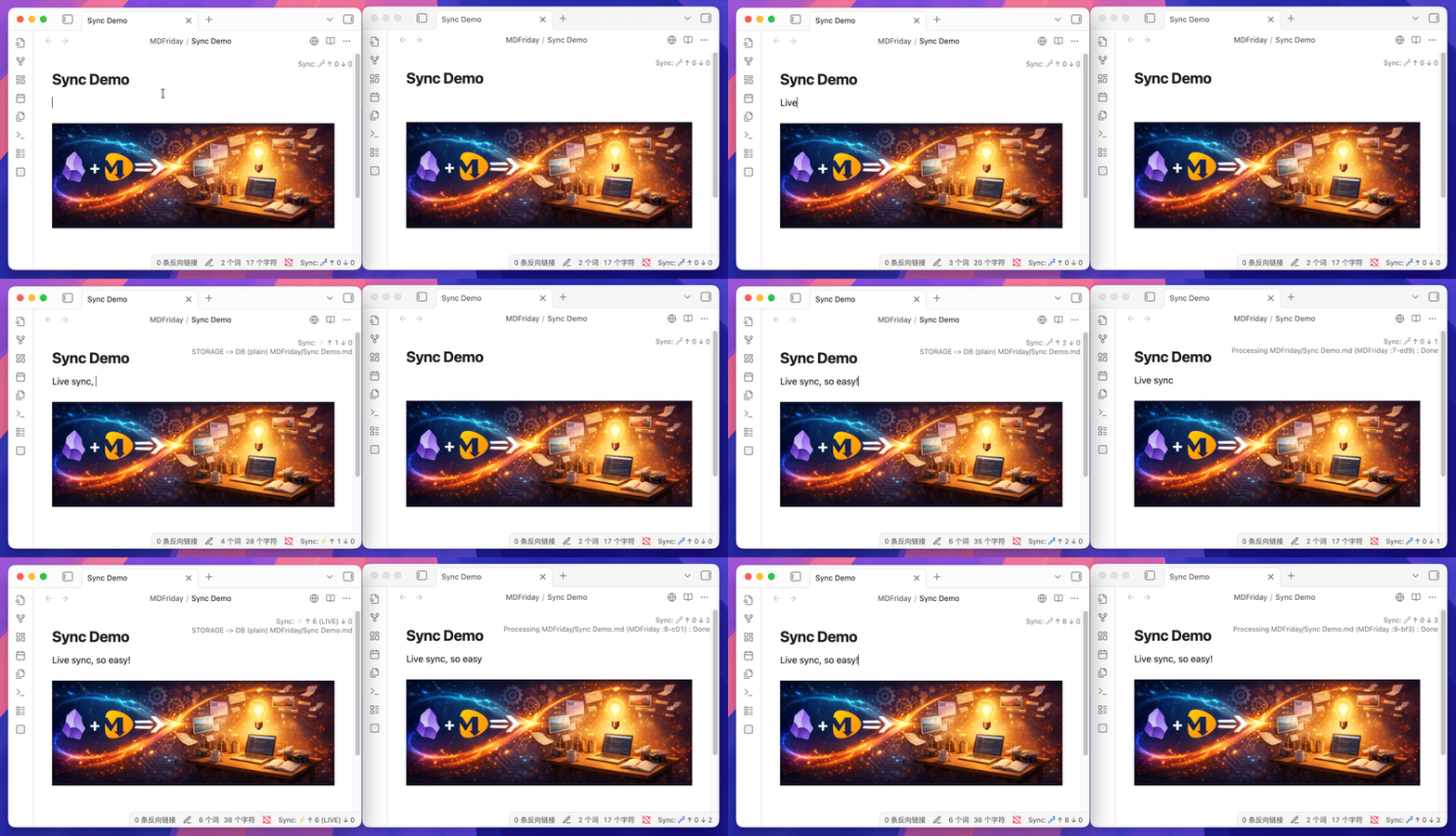
Live Sync Demo

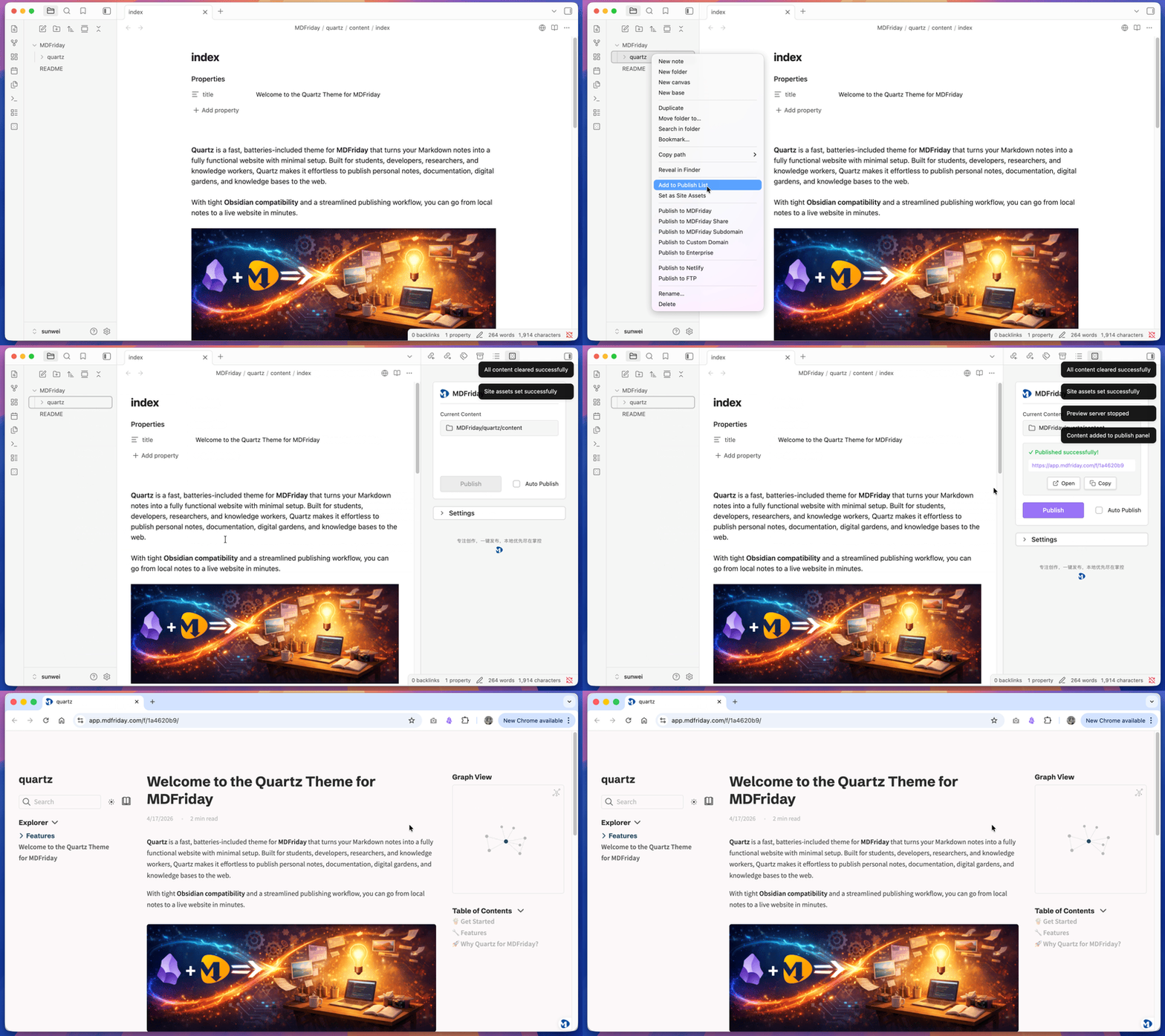
Instant Publishing:

Instant Publishing Demo


🎨 Beautiful Themes, Ready to Use

Choose a professional design. Download sample notes. Start publishing in minutes.

  • 📚 Documentation / Knowledge Base: Quartz | Book | Note
  • 📰 Blog: Beautiful | Awesome
  • 📄 Resume & Portfolio: Resume | Portfolio
  • 🚀 Landing & Company: Landing | Company
  • 🎤 Slides: Slides

More themes available inside the plugin.


📚 Learn More

  • Documentation: 👉 https://help.mdfriday.com/index.html
  • Website: 👉 https://mdfriday.com
  • Community: 👉 https://discord.gg/t7FHJ6qNzT

🐳 Self-Hosting with Docker

Deploy your own MDFriday instance on YOUR cloud server.

Prerequisites

Before running the installation script, ensure you have:

  1. Docker installed and running
  2. A domain name pointed to your server
  3. Open firewall ports - 80 (HTTP) and 443 (HTTPS)

One-Command Installation

Once Docker is ready, deploy MDFriday with a single command:

curl -fsSL https://raw.githubusercontent.com/mdfriday/obsidian-friday-plugin/main/docker/install.sh | bash

For detailed configuration options and troubleshooting, see docker/README.md.

Video tutorial: Bilibili | YouTube

WeChat QR Code


🚀 Start Building Today

Your notes are seeds. Friday helps them grow into assets.

Just write. Friday brings it to life.


🙏 Acknowledgements

Friday is inspired by:

  • Hugo – static site philosophy
  • LiveSync – multi-device synchronization
  • Quartz – digital garden publishing ideas
HealthExcellent
ReviewCaution
About
Create and publish Markdown websites and documentation from Obsidian using ready-made themes and templates for blogs, resumes, slides, and landing pages. Sync notes across devices, publish instantly to a hosted or self‑hosted Friday instance, and retain full ownership of your content.
PublishingWritingSyncing
Details
Current version
26.5.4
Last updated
3 weeks ago
Created
2 years ago
Updates
78 releases
Downloads
5k
Compatible with
Obsidian 0.15.0+
Platforms
Desktop, Mobile
License
Apache-2.0
Report bugRequest featureReport plugin
Author
mdfridaymdfriday
mdfriday.com
GitHubmdfriday
  1. Community
  2. Plugins
  3. Publishing
  4. Friday

Related plugins

Share Note

Instantly share/publish a note, with the full theme and content exactly like you see in Obsidian. Data is shared encrypted by default, and only you and the person you send it to have the key.

Fast Note Sync

Real-time sync of your vaults across server, mobile, and web; shareable with anyone; supports REST and MCP integrations to build your personal AI knowledge base.

Longform

Helps you write and edit novels, screenplays, and other long projects.

LanguageTool Integration

advanced spell/grammar checks with the help of language-tool.

Text Generator

Generate text content using GPT-3 (OpenAI).

Smart Composer

AI chat with note context, smart writing assistance, and one-click edits for your vault.

Typewriter Mode

Typewriter scroll, writing focus, current line highlight, paragraph dimming, and more!

Full Calendar Remastered

Complete Calendar HUB experience. Work with all your calendars in one place. Analyze your time and take action!

Self-hosted LiveSync

Sync vaults securely to self-hosted servers or WEBRTC.

WebDAV Sync

General-purpose & bidirectional WebDAV syncing for your vault. Designed for stability and robust file handling without vendor lock-in.