Inkswell
 Dan King4k downloads
A complete workbench for novelists. Plan with beat sheets and a story bible, draft with sprints and goals, revise with an audit toolkit, and prepare to publish.
- Overview
- Scorecard
- Updates29
A local-first writer's suite for longform fiction in Obsidian. Plan, draft, track, revise, and prepare to publish with Inkswell. My goal is to build the best end-to-end plugin toolkit for writers, especially those working on large series longform projects.
Why Inkswell
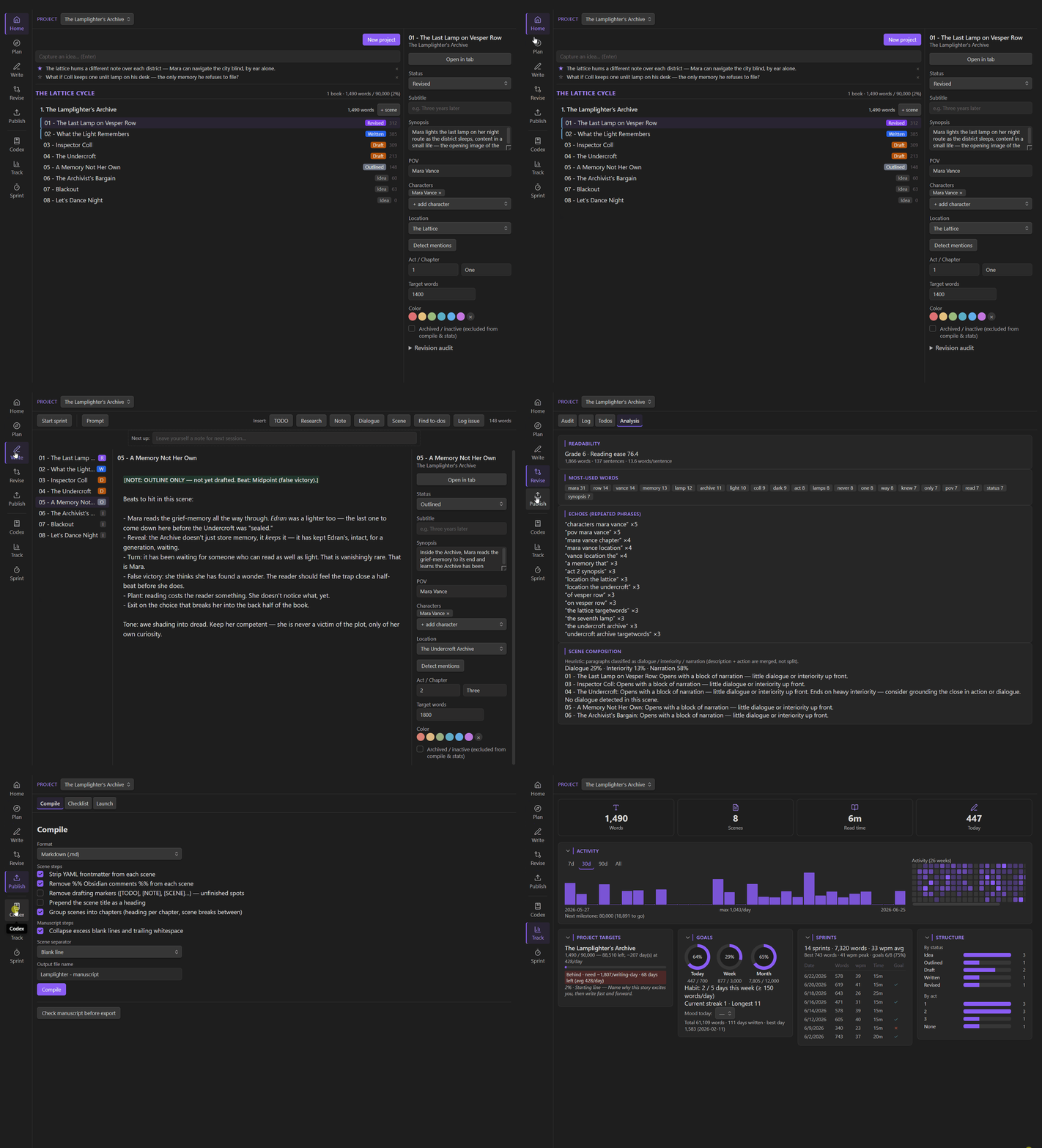
- You can handle nearly the entire writing process just with Inkswell. Inkswell organizes the entire arc of a novel — Plan · Write · Revise · Publish, plus a cross-cutting Codex and Track dashboard — into a single host view. Inkswell can get you from your first story ideas to a finished manuscript, with unique and powerful tools at each stage.
- Focus on UX with only the features you need. I have noticed a trend in other writing tools to add every possible feature under the sun. For some writers, this may be what they want, but my experience is that those tools often try to do too many things, and it makes it challenging to use them effectively. Inkswell is built with user experience at the forefront - I have made a huge effort to deliver the most vital features for each stage of the writing journey, in order to get the most streamlined workflows possible without being overly opinionated. (I hope!) And when a surface isn't for you, hide it — Settings → Features (or right-click the tab) turns off optional tools like the board, plot grid, beats, or the publishing checklist, losslessly, so the app stays as lean as your workflow.
- Local-first. No AI. Inkswell makes no network calls, collects no telemetry, and does not generate any text. Your manuscript lives in your vault's frontmatter and the notes you write. Inkswell is built to make it easier for you to write, not do the writing for you.
- Drop-in for Longform users. I am a long time fan of the Longform plugin, so I made Inkswell compatible with that format. Inkswell reads and writes the same
longformfrontmatter, so existing projects load with zero migration. Inkswell-only data lives under a separateinkswellkey to avoid collisions.
What's inside
Five pipeline phases — Home · Plan · Write · Revise · Publish — plus two cross-cutting tools, Codex and Track, that you reach for at any stage.
| Surface | What it's for |
|---|---|
| Home | Your books as cover cards on shelves (one per series), a cover-art hero card (logline / theme / word-target progress), a nestable scene tree, multiple drafts per story, ideas inbox + quick capture, and a series dialog for multi-book worlds. |
| Plan | Overview fields, beat sheets (7 templates incl. Save the Cat!), and Structure — the outline tree, a Kanban board, and a plotline × chapter grid, behind one Tree / Board / Grid switcher. |
| Write | A distraction-light Live-Preview editor, writing prompts, fast-drafting inline markers, and timed sprints. |
| Revise | An Audit toolkit, a unified To-dos worklist (draft markers left in prose + logged revision decisions), and manuscript Analysis. |
| Publish | A configurable compile/export pipeline plus a self-publishing checklist and launch planner. |
| Codex | A story bible — characters, locations, worlds, factions, items, events, and concepts — with scene linking and mention auto-detect. |
| Track | Word goals, streaks, a GitHub-style heatmap, lifetime records, a deadline pace calculator, and milestone zones. |
Home — organize the whole world
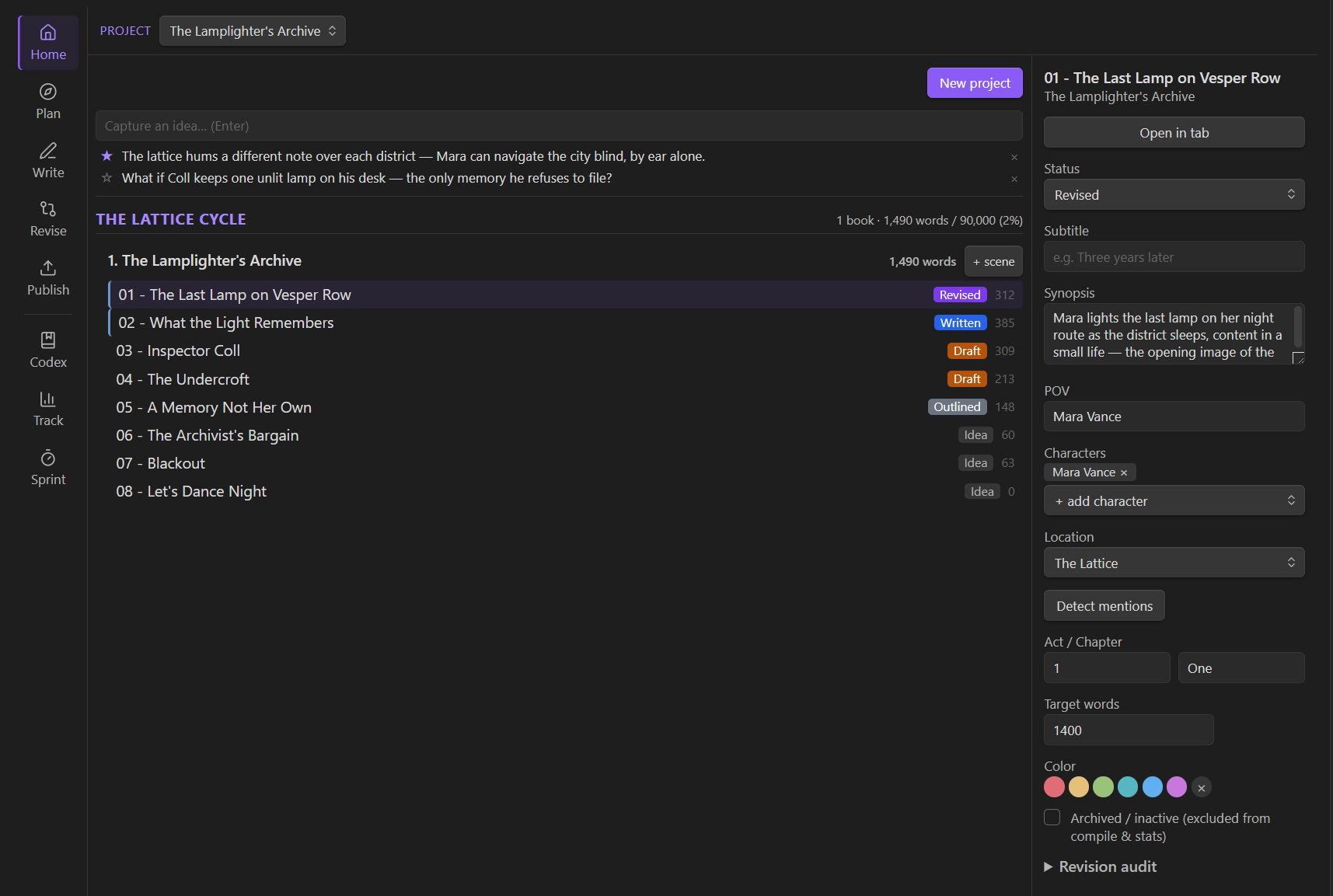
All projects is a set of shelves — one per series, in book order, plus your standalone books — of cover cards showing the book number, scenes and words, progress toward the target, and when you last wrote. Start a book straight into a series from New project, or pick a series (or start one) from any book's menu; a shelf's menu renames the series, reorders its books, or adds another. Click a card to focus on that book: a hero card with cover art, logline, theme, and a progress bar, a strip of the series' other covers, and the nestable scene tree. An ideas inbox with quick capture sits below the shelves — click an idea to edit it, or promote it to a note in your Ideas/ folder from its menu. A story can hold multiple drafts (a first draft, an editor pass…), switchable from the header, each a full independent copy of the manuscript and its planning.
Plan — structure before you draft
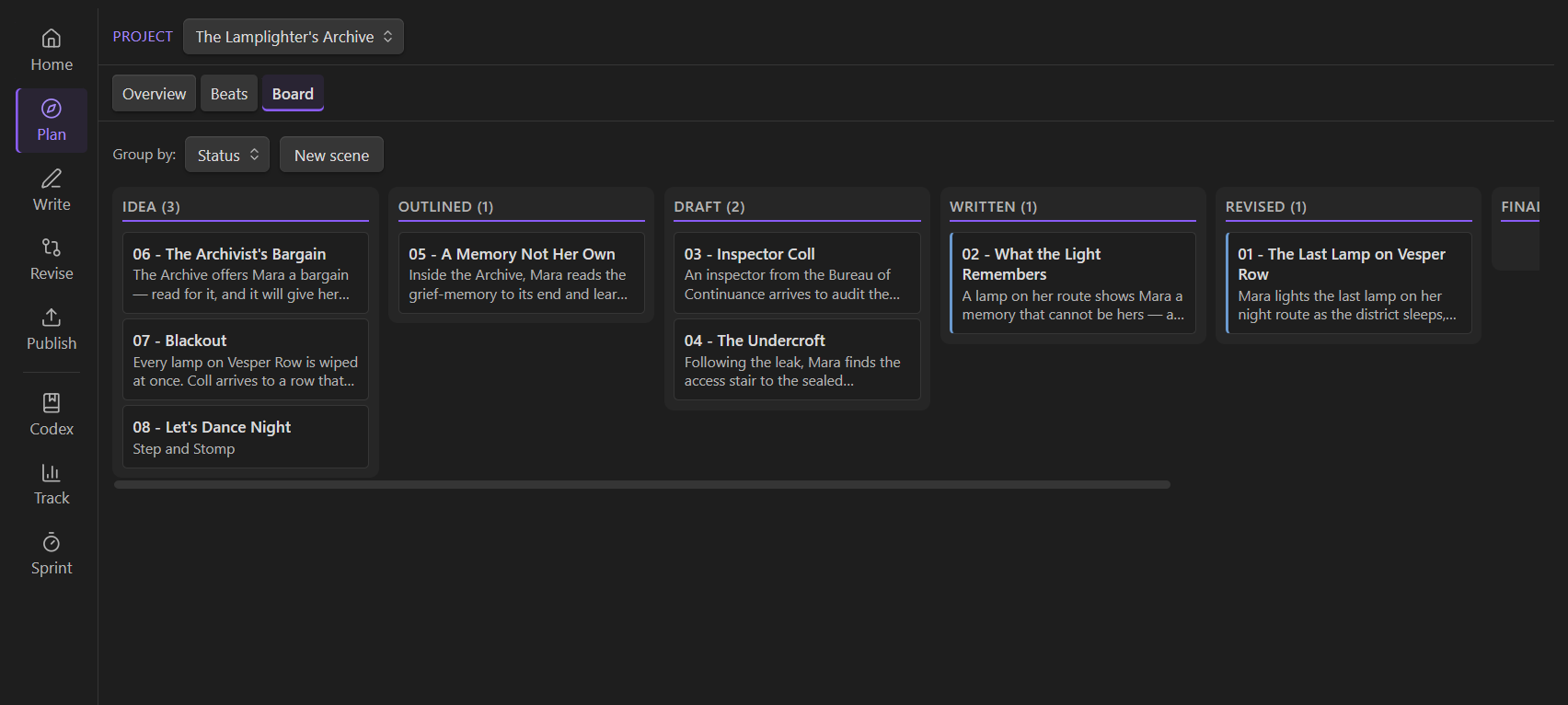
A three-step flow: Overview (novel-level fields and long-form prose), Beats (7 outline templates incl. Save the Cat!, with scene scaffolding), and Structure — the same scenes seen three ways behind a Tree | Board | Grid switcher: the authoritative Act › Chapter › Scene outline tree, a Kanban board (by status / act / chapter / POV), and a plotline × chapter plot grid.
Write — draft fast, fix later
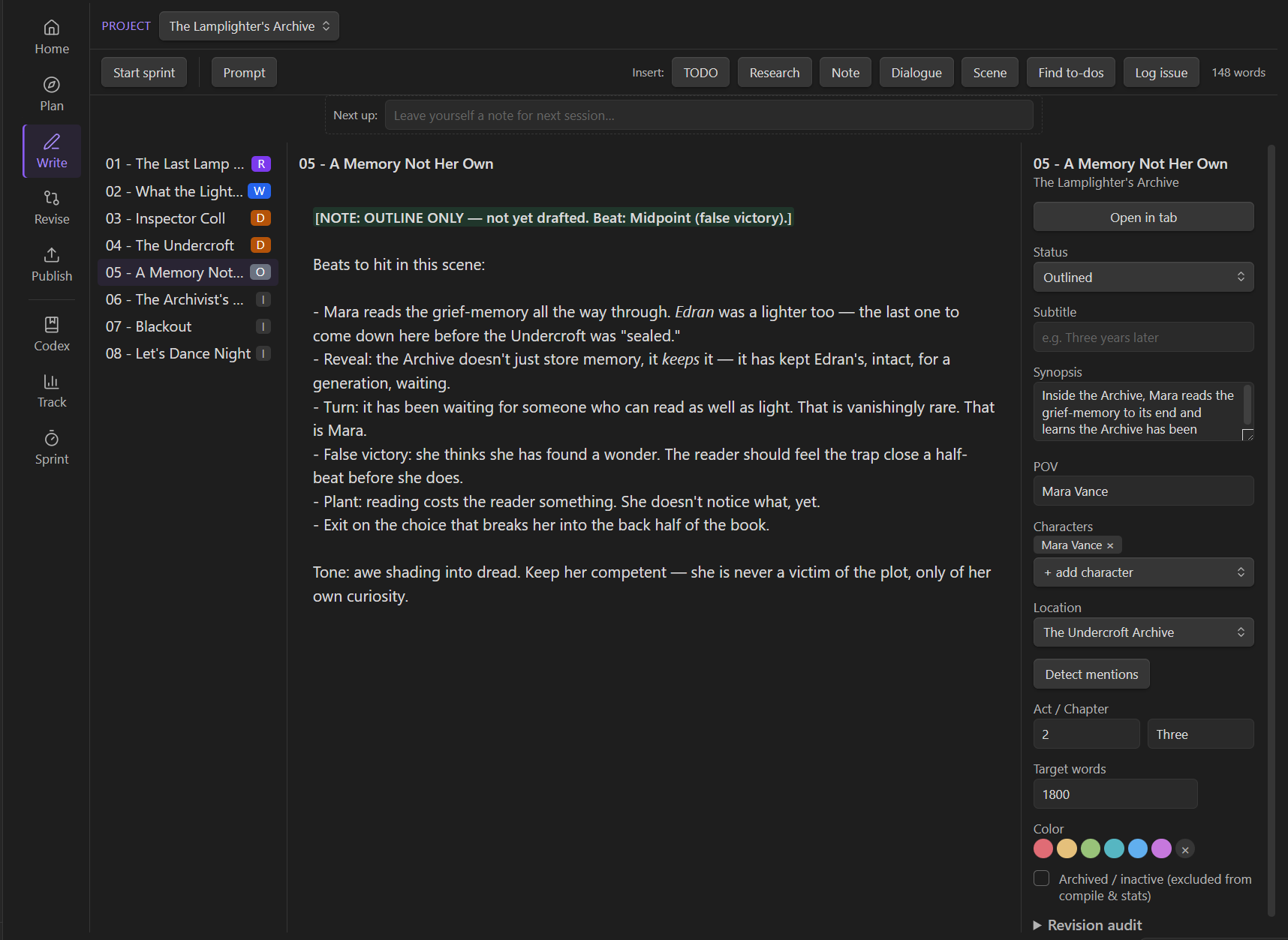
A distraction-light, Live-Preview manuscript editor with writing prompts and timed sprints. Five fast-drafting inline markers — for to-dos, research questions, dialogue gaps, missing scenes, and notes — highlight as you type (e.g. [RESEARCH: what did 1920s lamplighters earn?]), so you can mark a gap and keep moving forward. Find them all later in Revise → To-dos.
Revise — from draft to book
- Audit — per-scene and project revision checklists, a scene-purpose lift-out test, scene-opening variety, a character-arc grid, a side-character roster, and a style-sheet consistency scan.
- To-dos — everything left to fix in one scene-grouped worklist: every draft marker left in the prose (to-dos, research questions, …), plus your invisible-revision decisions — capture "from now on, assume X" rulings (e.g. "the inn is now called the Gilded Wren") as typed, prioritized entries and keep drafting forward instead of breaking flow to backfill earlier chapters.
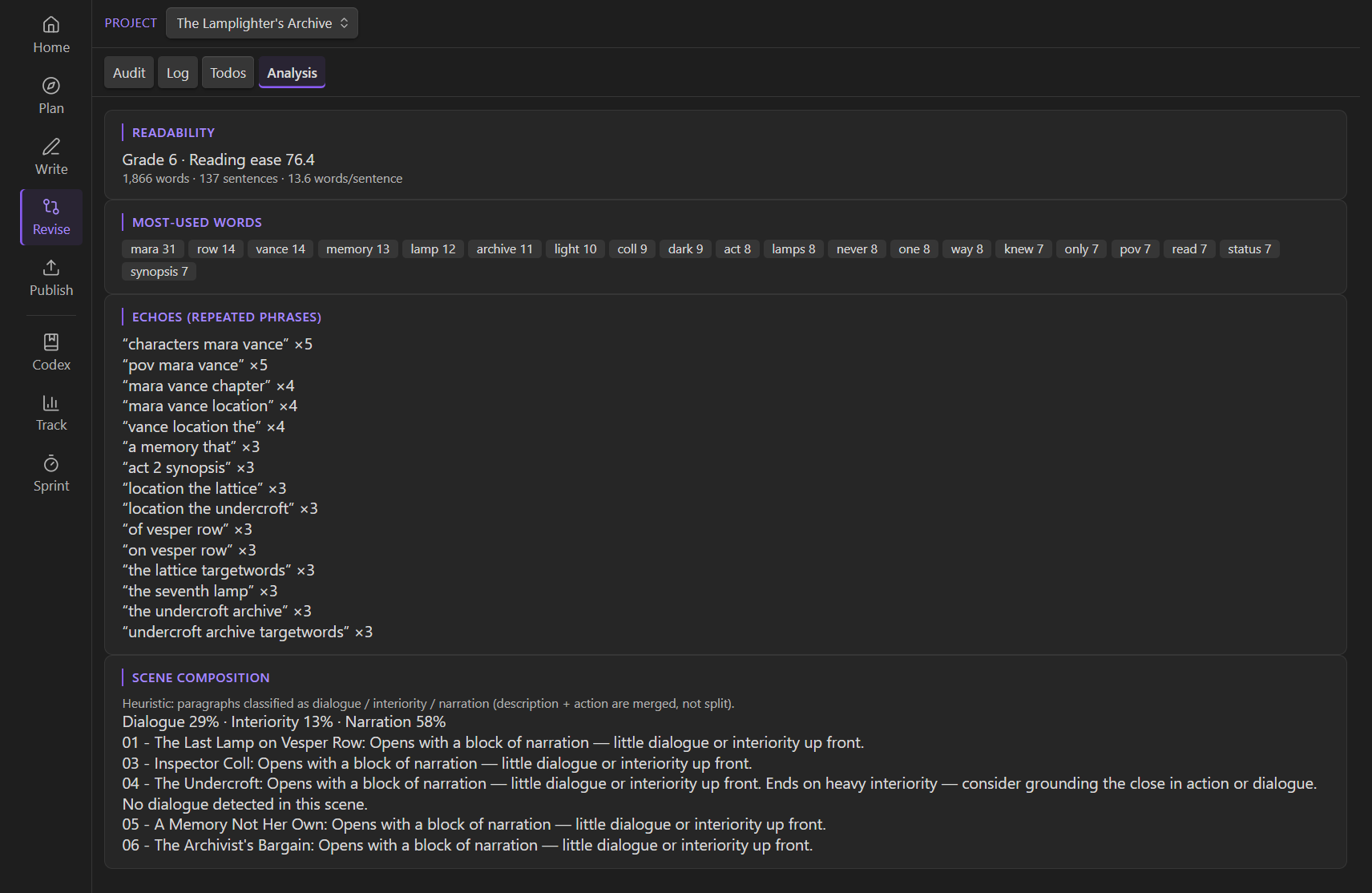
- Analysis — readability, overused words, echoes, and composition mix.
Publish — manuscript to market
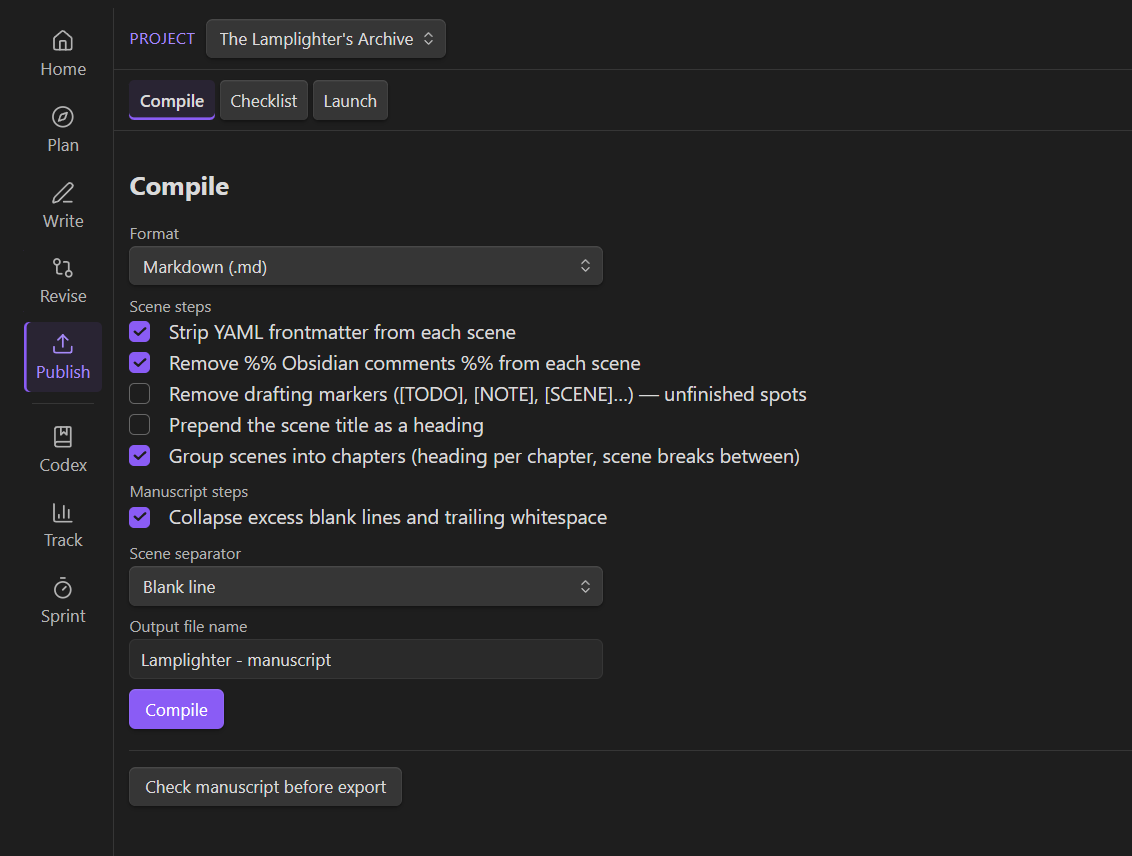
A configurable compile/export pipeline (Markdown & HTML built in; .docx / .pdf / .epub via pandoc when installed) with a step editor, chapter grouping, and a pre-export check. Plus a self-publishing Checklist (master checklist + book-metadata worksheet) and a Launch planner — pre-order timeline, budget, cover, marketing, and ARC trackers.
Codex — your story bible
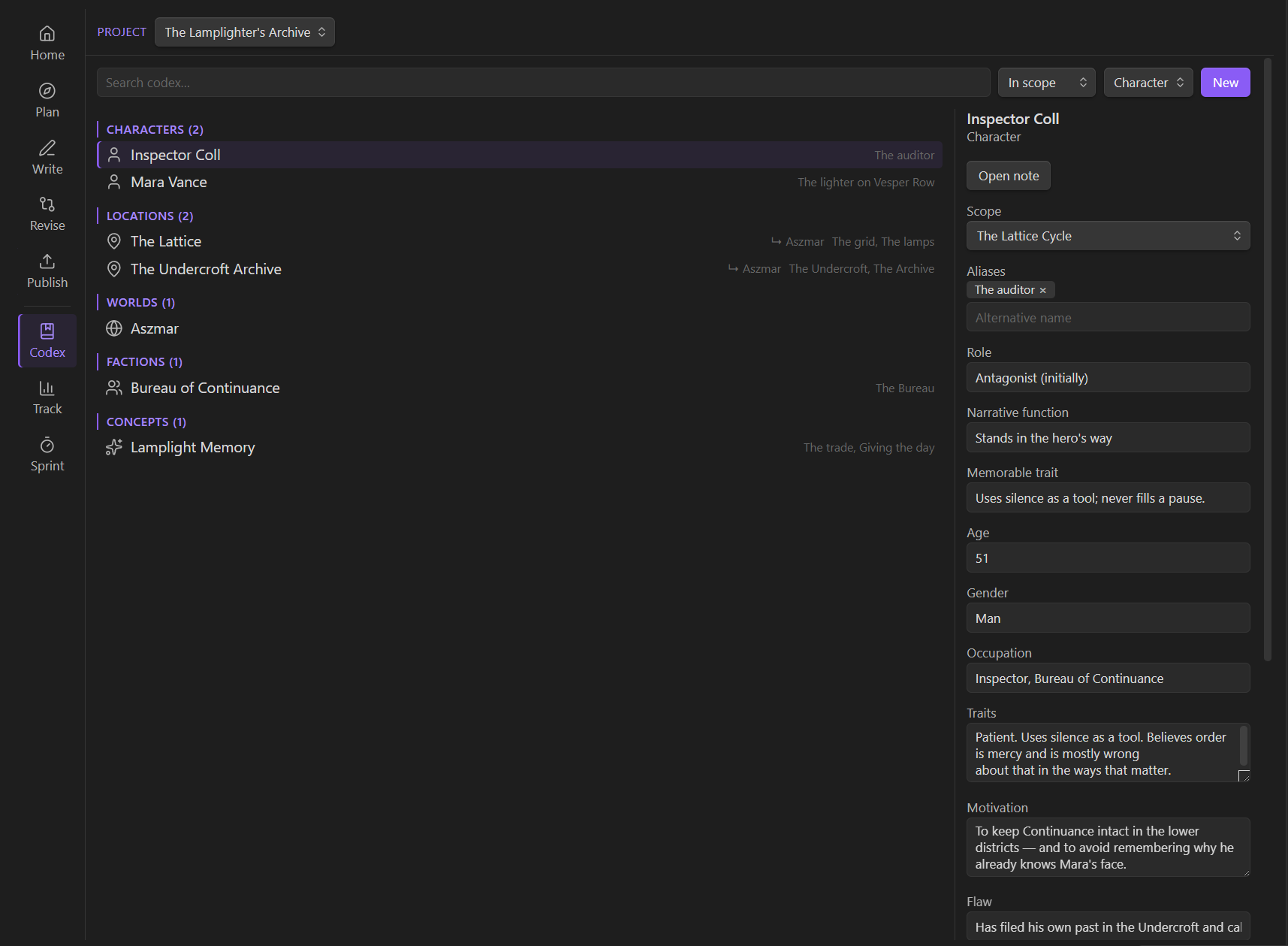
Characters, locations, worlds, factions, items, events, and concepts, each with its own profile and an optional portrait image. Every entry automatically lists the scenes that mention it — by name or alias, for any category — so your canon stays consistent as the manuscript grows. Can be scoped for single writing projects, or shared across a series.
Track — view stats, keep pace, achieve goals
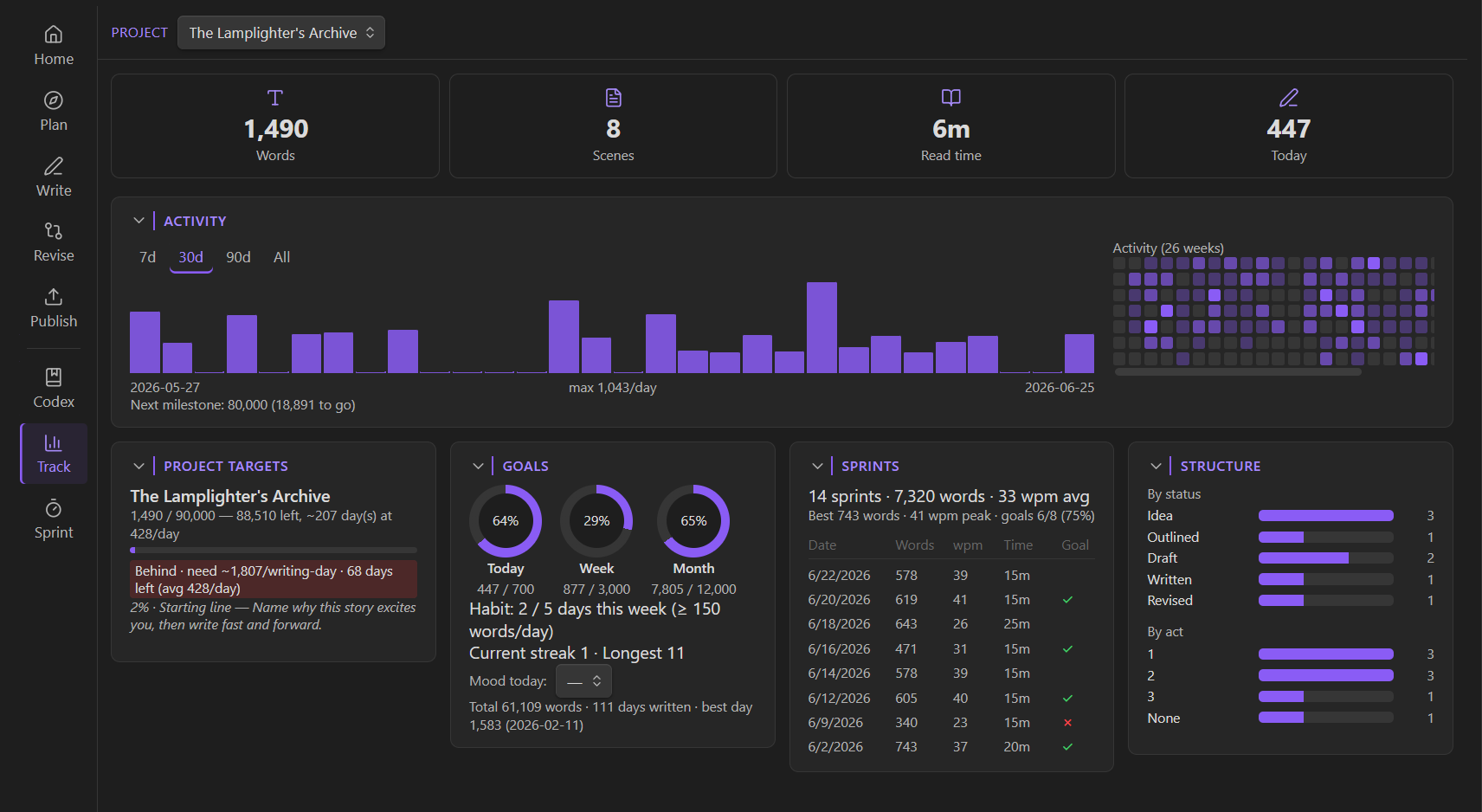
Daily / weekly / monthly word goals, habit streaks, a GitHub-style heatmap, lifetime records, a writing-history chart, sprint stats, a deadline pace calculator (required daily words, ahead / on-track / behind), draft-milestone zones, and an optional daily mood. Goals only count writing in your projects — by default just manuscript scenes, with settings toggles to also count planning notes, codex notes, or other project notes. Notes elsewhere in the vault never count.
Privacy & dependencies
- Local-first. No network calls, no telemetry, no account. Everything is stored in your vault's frontmatter and the plugin's local
data.json. - No AI. By design — Inkswell is tooling around your writing. It cannot generate any text.
- Optional pandoc. Exporting to
.docx/.pdf/.epubshells out to a pandoc binary on your machine. It's feature-detected and disabled gracefully when pandoc isn't present; Markdown and HTML export need nothing extra. - Runs on mobile. Inkswell installs on Obsidian mobile. On tablets and iPad the full suite is available with a responsive layout; on phones it focuses on drafting (a single-column editor with a slide-in scene list), while the planning/reference/publish surfaces point you to a larger screen. The only desktop-only piece is pandoc-based
.docx/.pdf/.epubexport, which disables itself gracefully elsewhere.
Where your data lives — backups & recovery
Everything Inkswell stores is plain text you can inspect, sync, and back up like any other note:
| Data | Where it lives |
|---|---|
| Scene prose | Ordinary notes in your project's scene folder |
| Plan data — beats, outline structure, goals, revision log, audit checklists, compile & publishing settings | Frontmatter of the project index note (the note named after your project) |
| Codex entries | Ordinary notes with a codex frontmatter key |
| Plugin settings, writing history, sprints, ideas inbox | The plugin's data.json (inside .obsidian/plugins/inkswell/) |
| Other devices' writing history (opt-in: Sync writing history across devices) | One small machine-written note per device under <base folder>/Writing log/, merged on Track |
Recovery options, should anything ever go wrong:
- Obsidian's File Recovery (Settings → File Recovery → View) keeps periodic snapshots of every note that changes — including plugin-written ones. The search is by file name: for plan data (beats, goals, revision log), search for your project's name and look at the index note's snapshots; for prose, search the scene's name.
- The "Inkswell conflicts" folder: whenever Inkswell must displace a version of your text (resolving an editor/disk conflict, or overwriting a file during compile at your request), the displaced version is saved there first — nothing is ever silently discarded.
- Daily
data.jsonbackups: on each load, Inkswell keeps a daily copy of itsdata.jsonin.obsidian/plugins/inkswell/backups/(the last 7 days). To restore one: disable Inkswell, copy the backup overdata.json, re-enable.
Install
Requirements: Obsidian 1.7.4+ (pandoc optional, for .docx / .pdf / .epub).
- Community plugins: Settings → Community plugins → Browse → search Inkswell → Install → Enable.
- Manual: download
main.js,manifest.json, andstyles.cssfrom the latest release into<vault>/.obsidian/plugins/inkswell/, then enable Inkswell in Community plugins.
Open Inkswell from the pen-tip ribbon icon or the "Open Inkswell" command.
Try it: the sample vault
examples/sample-vault/ is a complete, openable vault containing a mid-draft novel — The Lamplighter's Archive — wired up to exercise every Inkswell surface: beats, scenes, Codex, a populated Track dashboard, the revision audit, a compile recipe, and the self-publishing planner. Run npm run build:sample, then Open folder as vault on examples/sample-vault. See examples/README.md for details.
Development
npm install
npm run dev      # watch build into main.js
npm run build    # typecheck + production bundle
npm test         # unit tests (vitest)
Copy main.js, manifest.json, and styles.css into <vault>/.obsidian/plugins/inkswell/ to test in a real vault. Architecture, conventions, and the compile/version workflows are documented in AGENTS.md.
AI disclosure
This plugin was developed with the assistance of agentic AI coding tools and practices. I have a mandate at work to learn AI tooling, and I wanted to channel that practice into something useful for a community I love - hopefully this counts as that. Direction, architecture, scope, and review are all handled by me; much of the implementation was AI-assisted under that direction. That said, there is absolutely NO AI-generation in the plugin itself. I used agents to help build it, but the plugin itself has a strict "No AI" policy and no AI or word generation features will ever be added.
License
MIT © Daniel King