
- Overview
- Scorecard
- Updates9
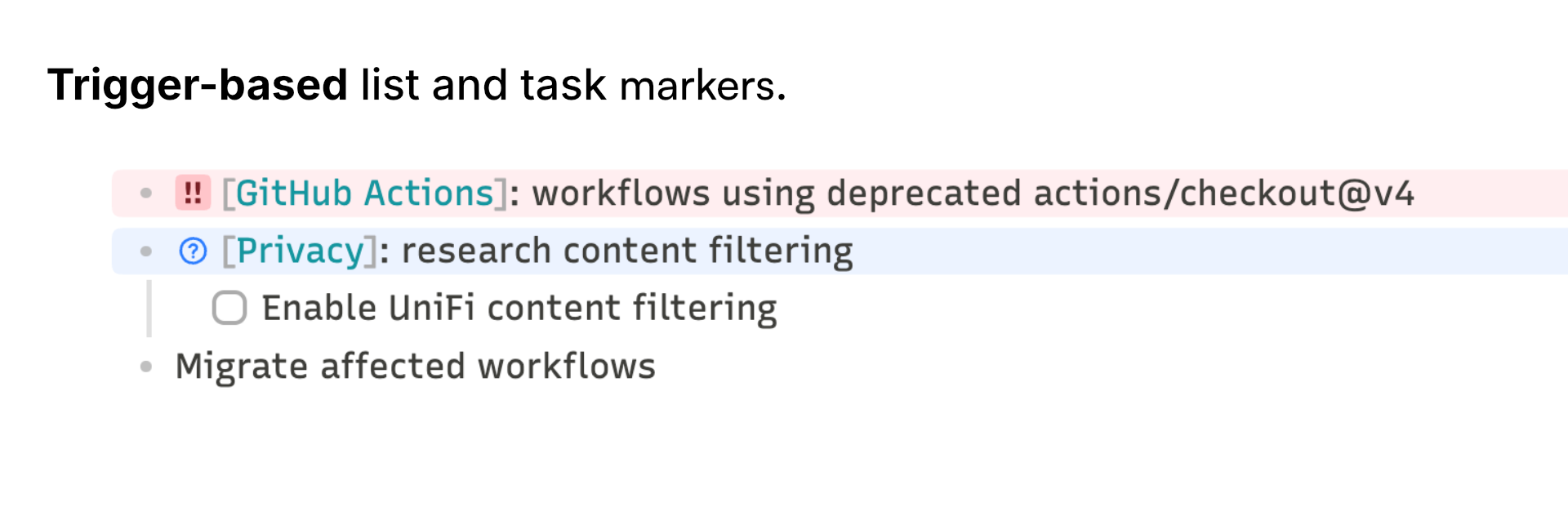
Trigger-based list and task markers for Obsidian — character or icon badges and line tints in Live Preview and Reading View. Inspired by List Callouts by mgmeyers.
Why does this plugin exist?
Not everything on a list deserves equal weight — I needed a real sense of priority. That's closer to the Eisenhower Matrix, for prioritizing my own day-to-day workflow.
Features
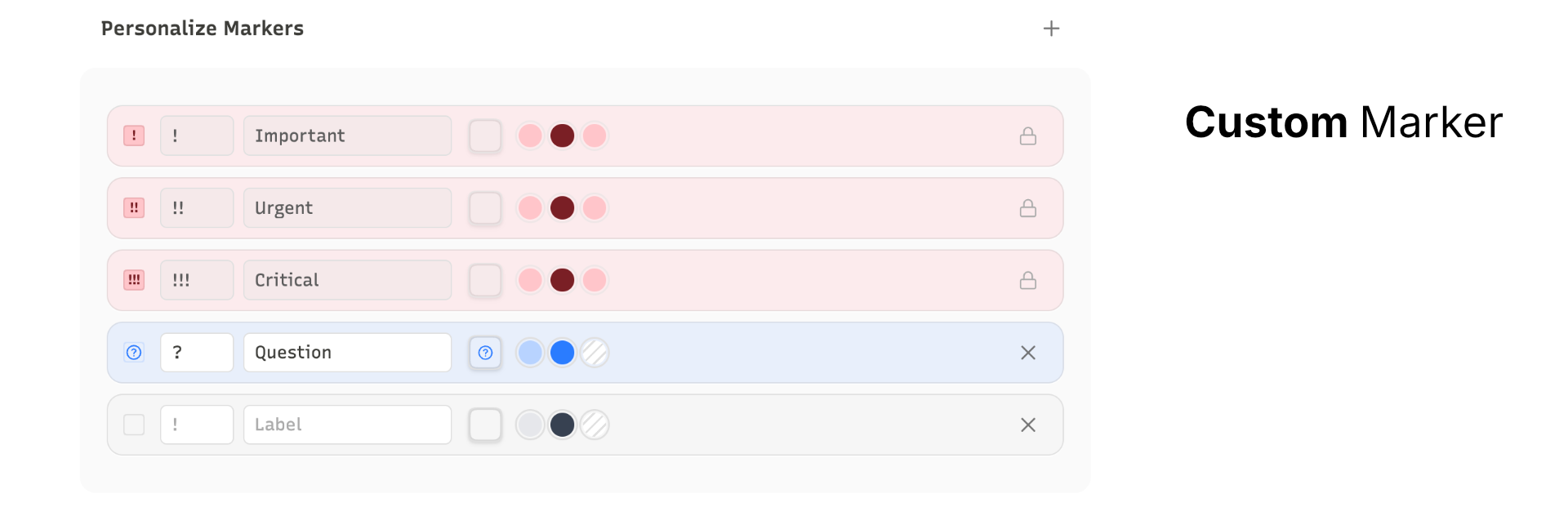
Every marker is fully configurable — pick the trigger, label, any built-in Lucide icon, line color, and badge color independently.
- Priority markers built in: zero setup, toggle on/off anytime
- Any trigger: 1–3 characters on any list item becomes a colored badge with line tint
- Command palette: apply, remove, and cycle markers without touching the trigger text
- Theme-safe: no hardcoded colors, works with any theme
Install
Official Store:
- Open Settings → Community plugins → Browse
- Search for Markr and install
Manual:
- Download
main.js,styles.css, andmanifest.jsonfrom the latest release - Copy the files to
<vault>/.obsidian/plugins/markr/ - Enable Markr in Settings → Community plugins
License
HealthExcellent
ReviewSatisfactory
About
Render trigger-based list and task markers as colored badges, line tints, and Lucide icons in Live Preview and Reading View. Define 1–3 character triggers with built-in priorities (!, !!, !!!) or custom labels and colors, and use commands to apply, remove, or cycle markers while preserving theme backgrounds and exposing style variables.Details
Current version
0.4.0
Last updated
2 months ago
Created
4 months ago
Updates
9 releases
Downloads
582
Compatible with
Obsidian 1.13.0+
Platforms
Desktop, Mobile
License
MIT