Mahgen Renderer
 michaelfw-ui673 downloads
Display mahjong images inline or in block using Mahgen.
- Overview
- Scorecard
- Updates5
This is a plugin for mahgen to render in Obsidian
If you have opinions or suggestions, please open issues to let me know, or open pull requests fix it directly!
Install
(If this plugin was accepted)
- Open Obsidian.
- Go to
Settings>Community Plugins>Browse. - Search for mahgen.
- Click
Installand enable the plugin.
Build
To build the plugin, use the following commands:
npm i
npm run dev
Make the folder .obsidian/plugins/obsidian-mahgen-plugin, and copy main.js, styles.css, manifest.json inside.
Go to Settings > Community Plugins. Enable 'Allow installing plugins from outside the Obsidian Hub.'
Enable this plugin.
Usage
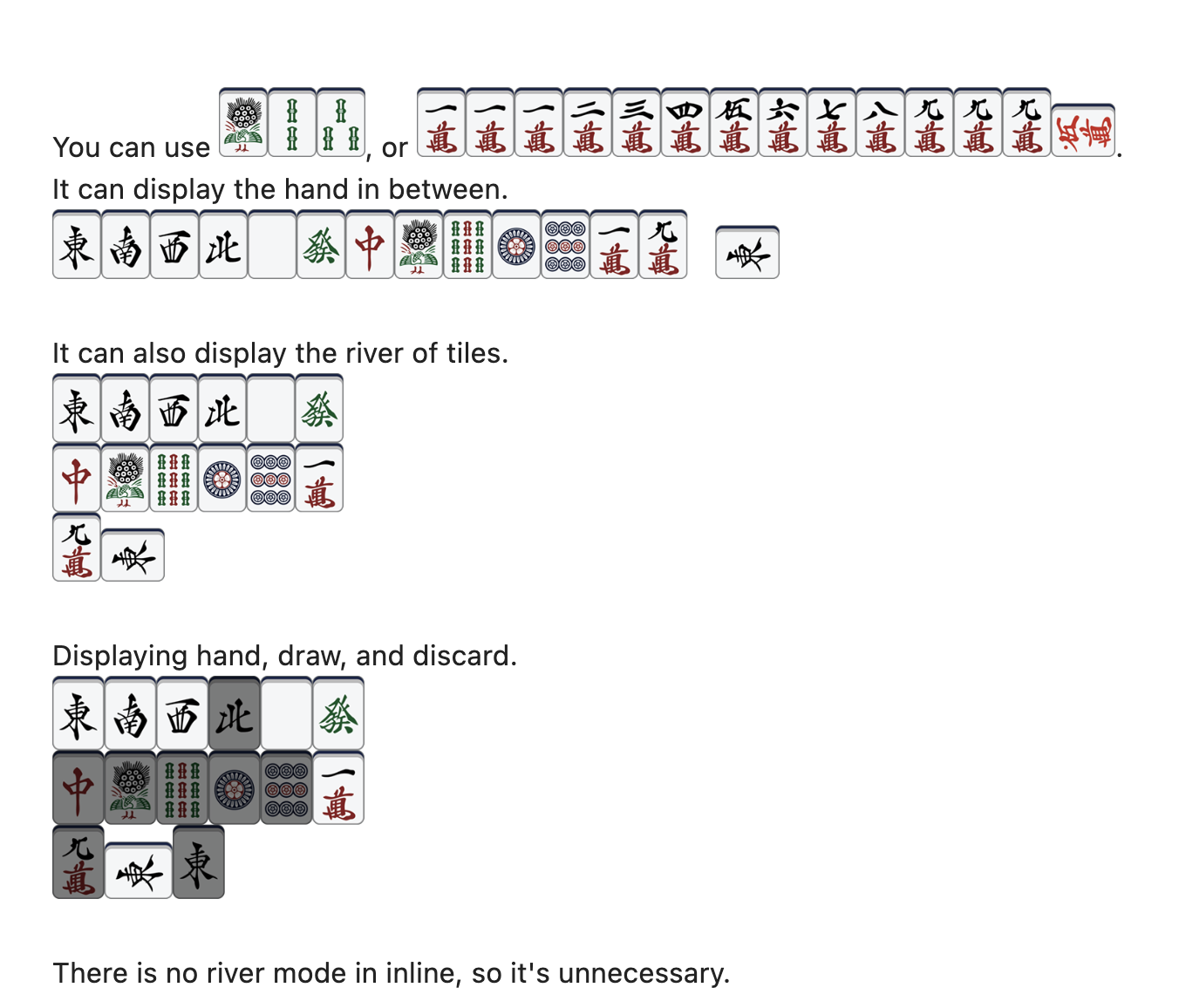
You can use mg 1s2s3s, or mahgen 1112345678999m_0m.
It can display the hand in between.

It can also display the river of tiles.

Displaying hand, draw, and discard.

There is no river mode in inline, so it's unnecessary.
More details, please refer to mahgen.
Nankiru Mode
New feature:
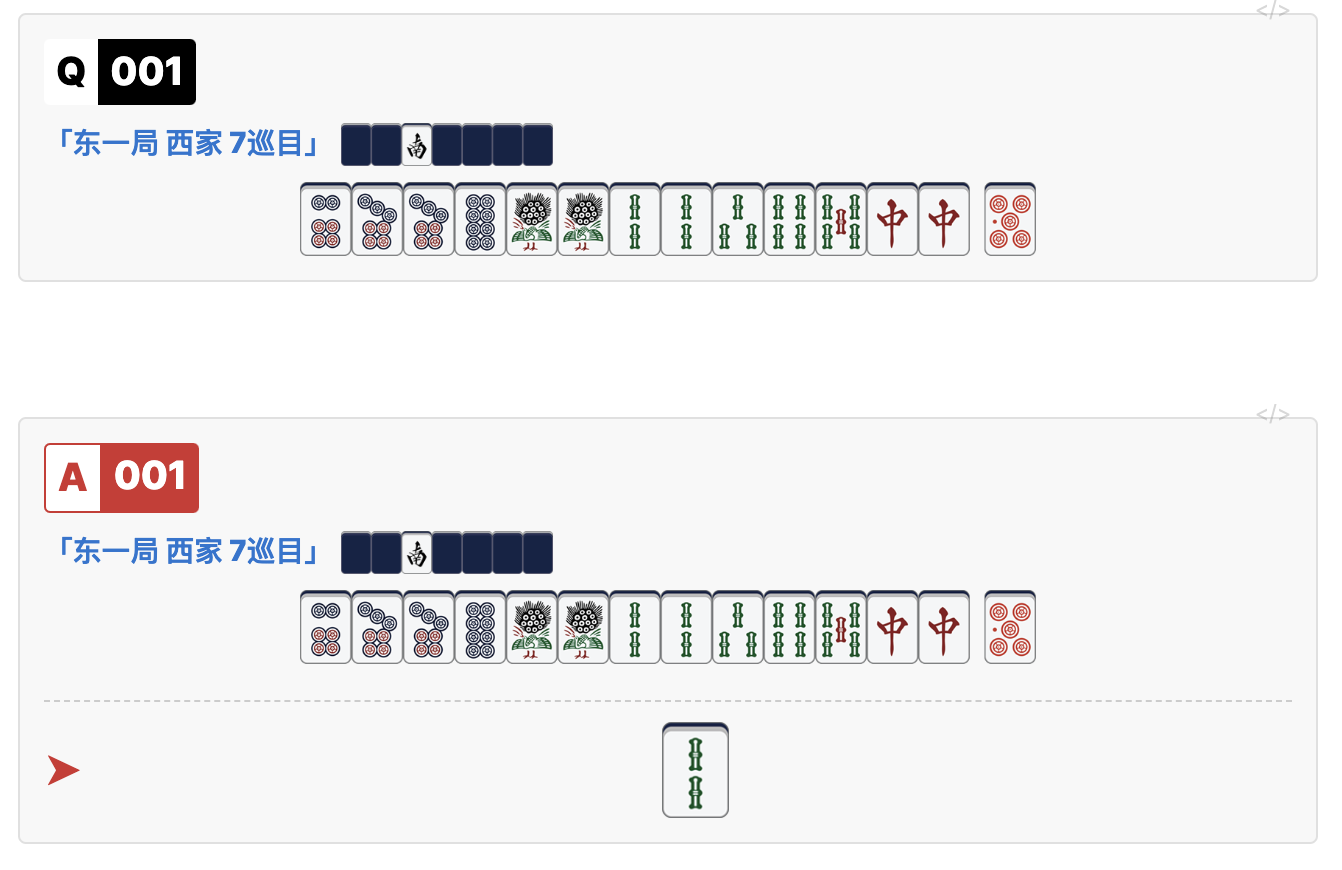
The code is as follows:
Q001
东一局 西家 7巡目 0020000z
6778p1122345s77z||0p
A001
东一局 西家 7巡目 0020000z
6778p1122345s77z||0p
2s
Hand Size
In style.css, you can freely change the size of hands:
:root {
    --mahgen-base-height: 2.2em;    /* base height(for block) */
    --mahgen-inline-height: 1.8em;  /* inline hand, smaller for read */
    --mahgen-row-height: 2.2em;     /* river hand, usually same with base */
}
Furigana (Optional)
This plugin can also parse furigana syntax:
{漢字|かん|じ}
{日本語|にほんご}
Rendered output uses <ruby><rt>...</rt></ruby> in reading view and Live Preview.
This furigana feature is independently implemented in this plugin, inspired by obsidian-markdown-furigana.
To avoid conflicts with dedicated furigana plugins, this feature is disabled by default. Enable it in plugin settings: Enable Furigana.
See THIRD_PARTY_NOTICES.md for attribution and reuse notes.
Known issues
- In the
styles.cssfile, I used!importantto ensure that the elements remain in theinline-blockstate because I believe that under no circumstances should these Mahjong tiles be rendered in a centered position. - Rendering takes some time, so sometimes you can see original inline code like
mg 1s. Click anywhere it will rerender.