MagicCalendar
 vaccarini-lorenzo7k downloads
Leverage natural language processing techniques to find calendar events in Markdown notes, seamlessly synchronizing them with a calendar of choice.
- Overview
- Scorecard
- Updates11
AI-Powered Obsidian plugin that leverages natural language processing techniques to find calendar events in Markdown notes, seamlessly synchronizing them with a calendar of choice.
The plugin is still in beta and at the moment the supported calendars are:
- Apple Calendar
- Google Calendar
Functionalities
NLP calendar events recognition
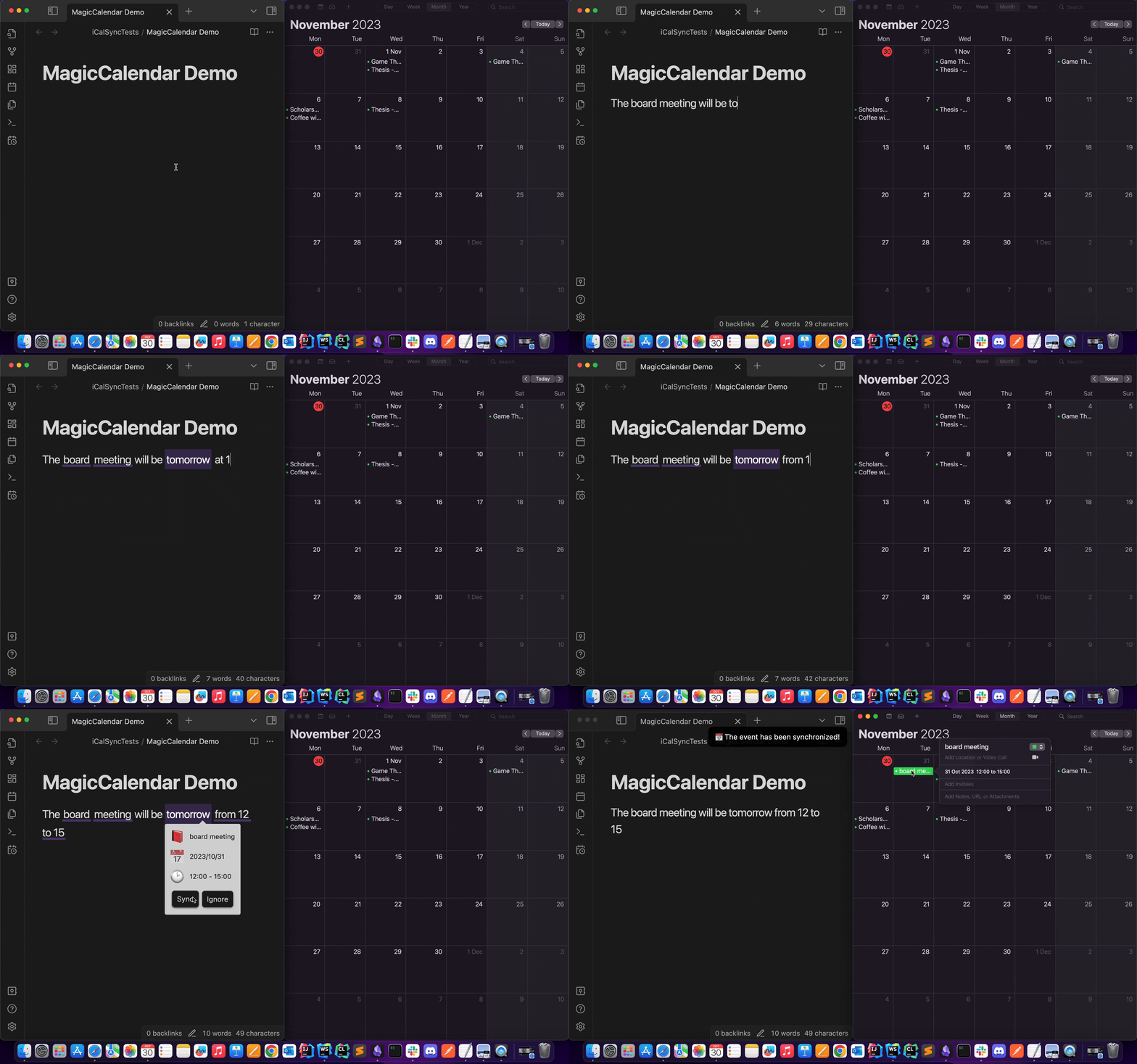
Just write your events and seamlessly synchronize them with your calendar
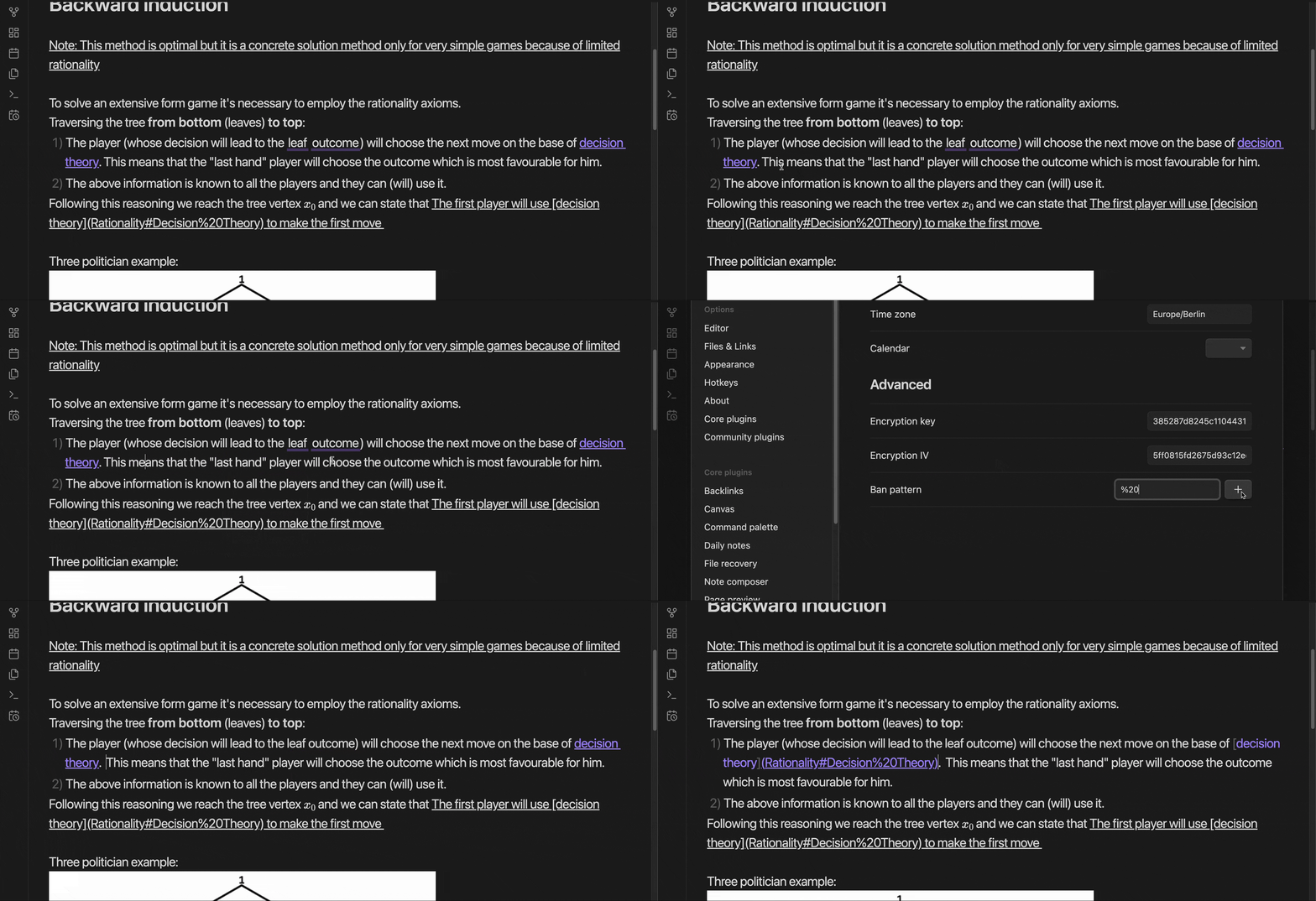
It might happen that some patterns are incorrectly recognized as calendar events. Just ban them!
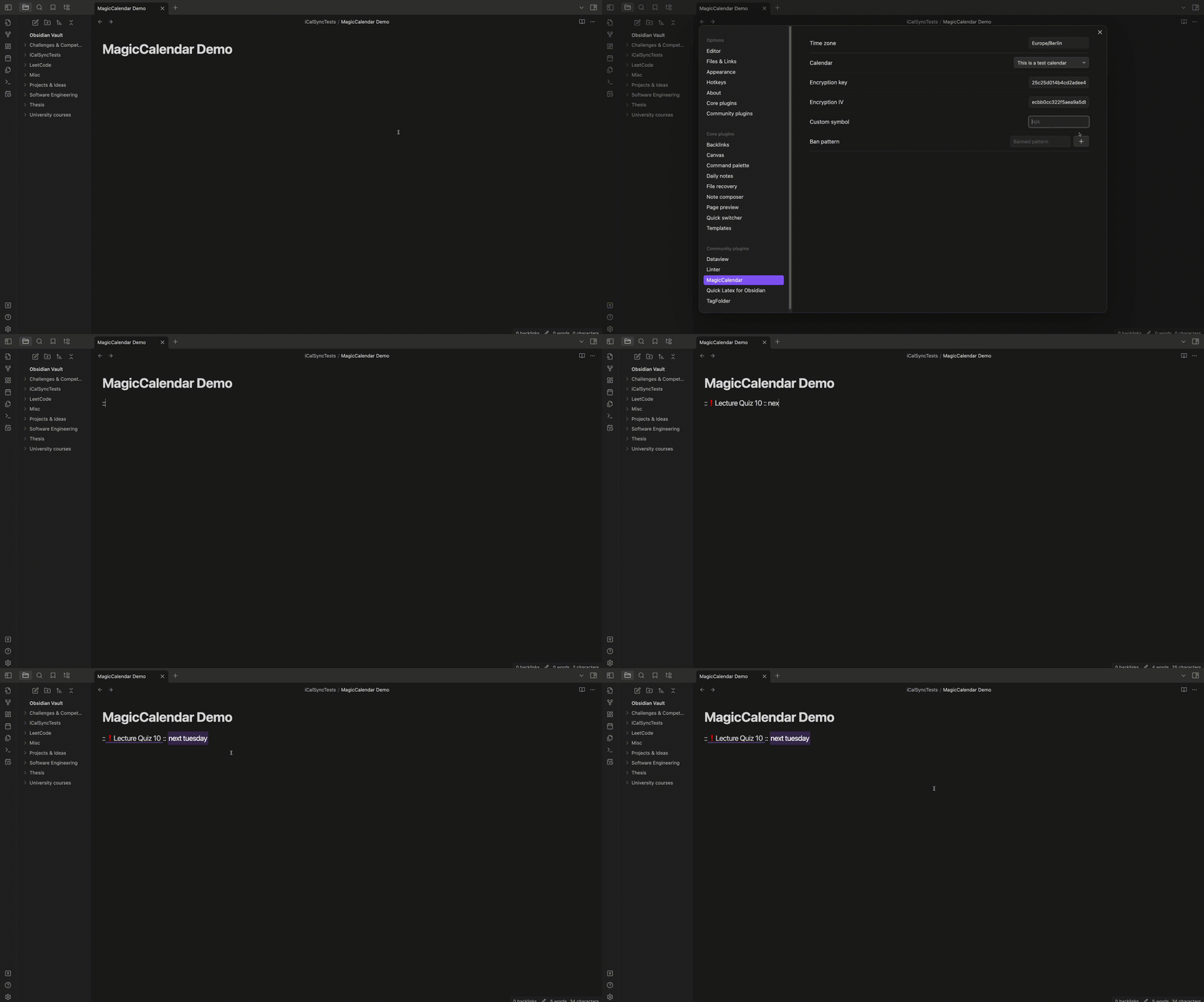
On the other hand, it could be possible that some patterns are not recognized. You can use your custom delimitators to define an event:
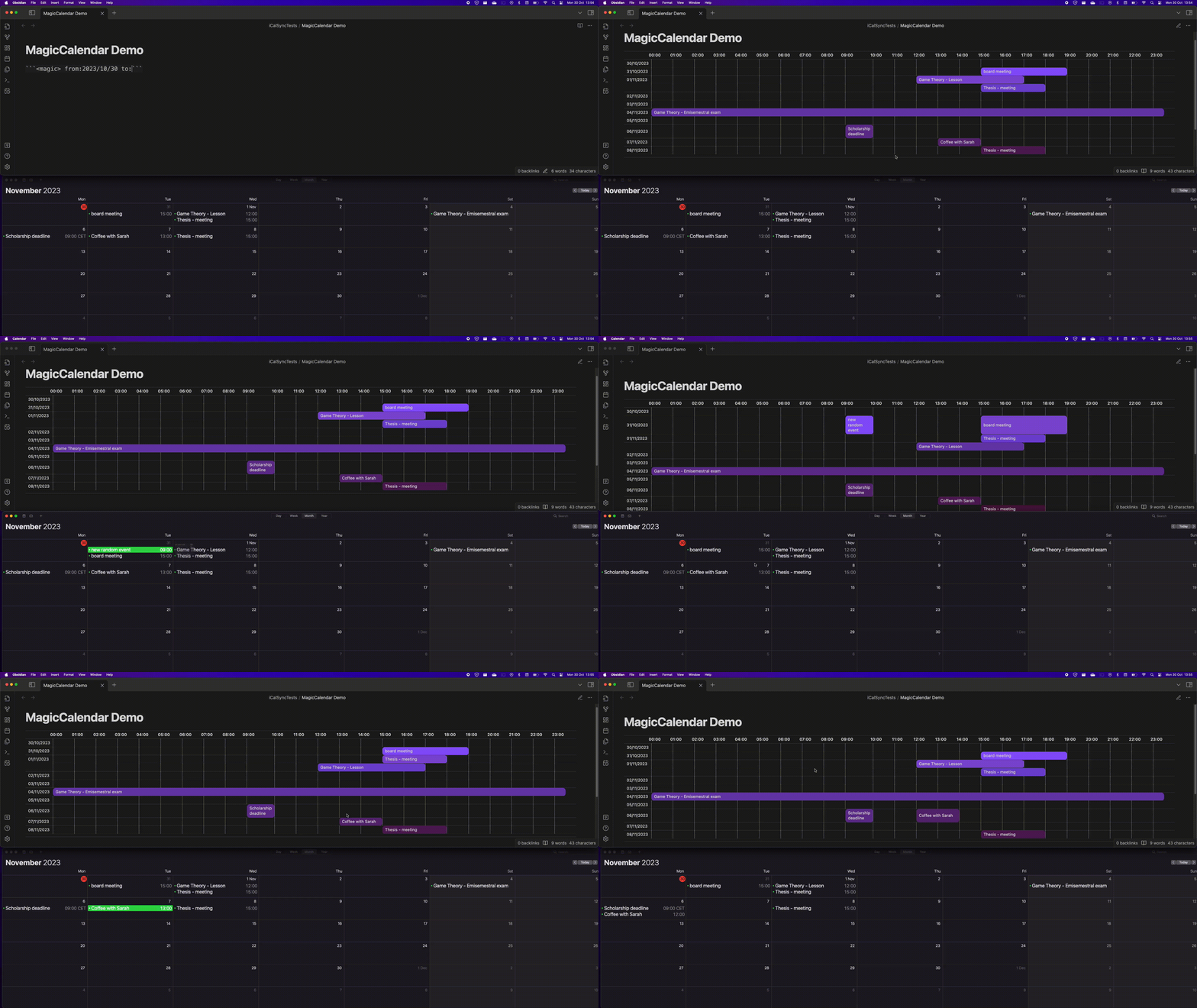
Inline event view
Embed your events in your notes with a simple syntax.
The Inline event view is two-way synchronized (at the moment supported only by Apple Calendar. Google Calendar push notification need an HTTPS server).
Getting started
Automatic installation
Browse the community plugins and look for "MagicCalendar".
Manual installation
- Check the latest release
- Download
magic-calendar.zip - Unzip the file and move the
magic-calendarfolder into your Obsidian plugin folder - Enable the plugin from your Obsidian settings.
Log-in
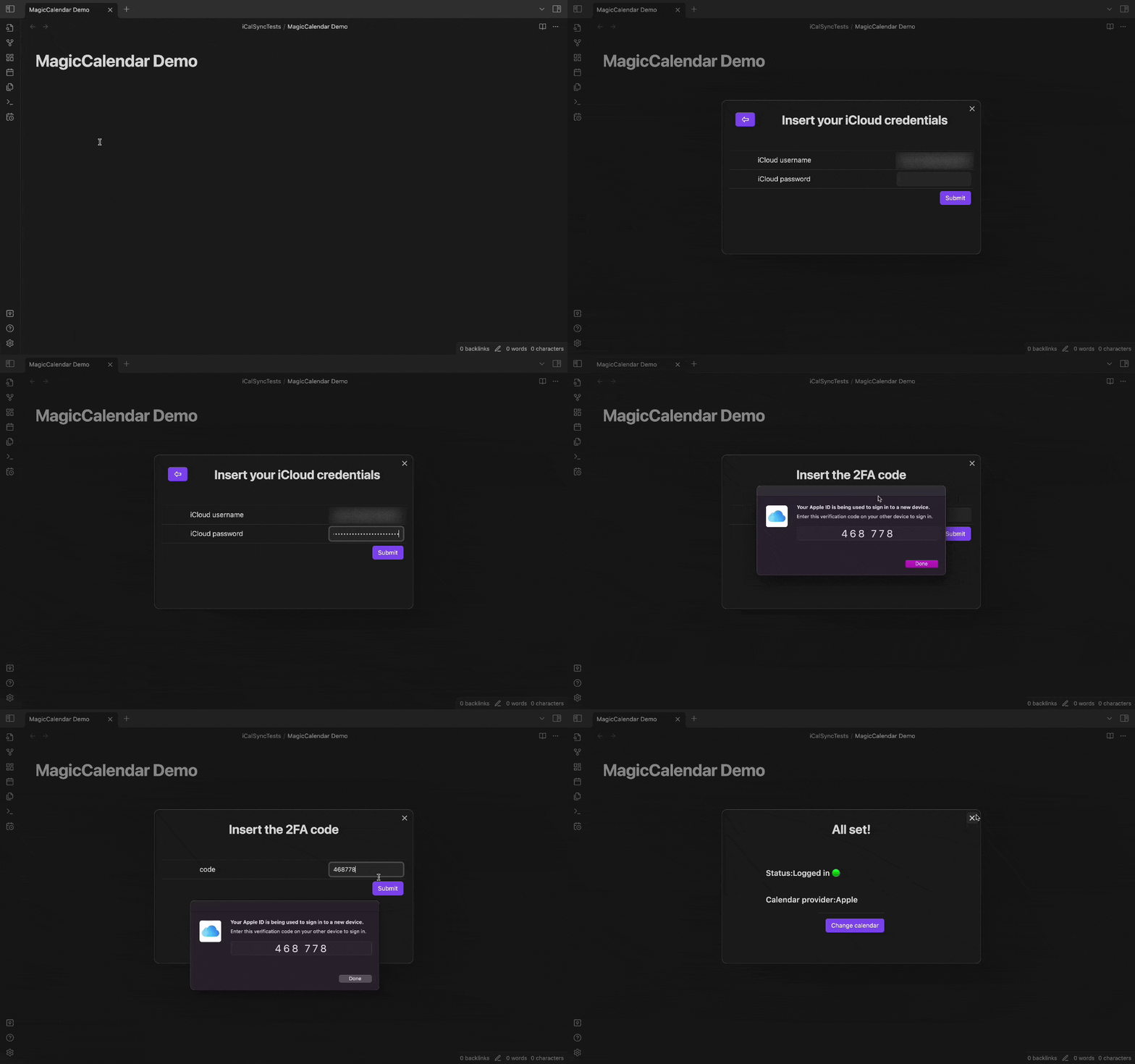
To log-in just click on the calendar ribbon icon to select your calendar provider.
Unfortunately, Apple doesn't provide an OAuth2 authentication and to interact with Apple Calendar you'll need to log-in into your iCloud account.
Your credentials will be stored exclusively in your local device (encrypted).
Check the How it works section for more informations.
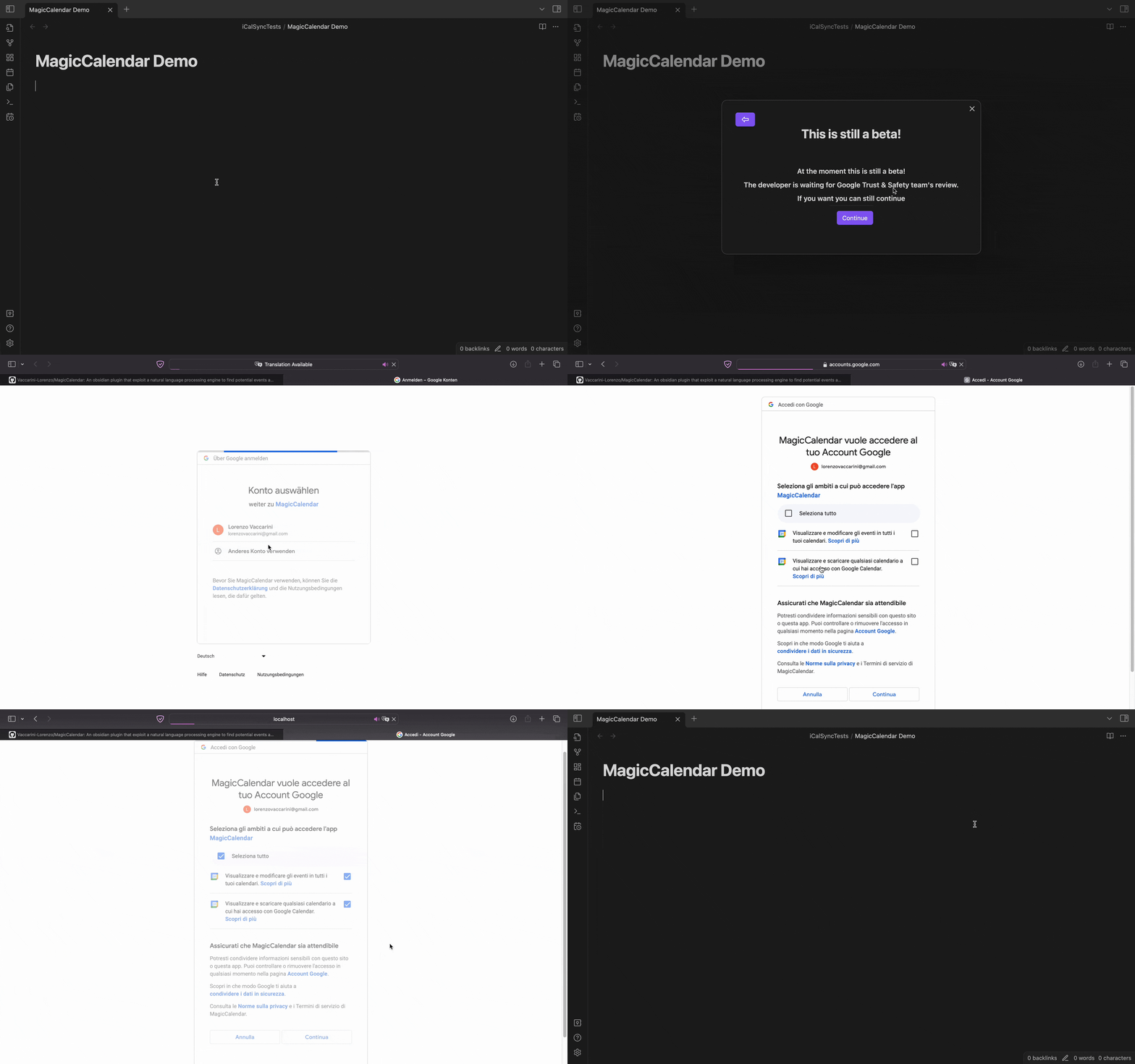
Google, on the other hand, supports OAuth2 authentication. At the moment, the application is being reviewed by Google Trust & Safety team, therefore a security page will be presented.
Enjoy
That's it. Just write an event and the plugin will try its best to identify it.
To embed your calendar in your notes just use the following syntax in a code block:
<magic> from:YYYY/MM/DD to:YYYY/MM/DD
How it works
NLP module
The plugin works on top of a NLP library (NLP wink).
First, the sentence is split into tokens, entities and Part-of-Speeches. Once the sentence has been broken down into understandable components, it's time to filter them following common patterns that include dates, times, durations, event-related nouns and purposes. In order to keep iCalSync lightweight, the number of patterns is not huge, nevertheless the recognition process scores high levels of precision.
iCloud module
The communication with iCloud wouldn't be possible without the help of iCloud.js. The library has been opportunely modified to support POST requests and bypass CORS policies.
Since Apple doesn't support OAuth, it's necessary to login with email and password. These inserted credentials are stored exclusively in your local device (AES encrypted) in order to avoid a manual login everytime a token refresh is needed. The encryption key is randomly generated when the plugin is installed. It can be manually changed in the settings section (not recommended).
What's new?
v.1.1.6
- Major project refactor
- Google Calendar integration
- Inline event view features development
v.1.1.3
- Inline event view beta
- Bugfix: non-editable widget bug
- NPL module improvements:
- Fine-tuning
v.1.1.2
- Implement internal counter to keep track of the number of cumulative synchronizations
- Community review adjustments
v.1.1.1
- Bugfix: date parsing
v.1.1.0
- No need for a CORS proxy anymore
- NPL module improvements:
- Entity-related attributes identification
- Event purpose recognition
- Bugfix: entity overlap