Search...Search plugins and themes...
⌘K
Sign in
  • Get started
  • Download
  • Pricing
  • Enterprise
  • Account
  • Obsidian
  • Overview
  • Sync
  • Publish
  • Canvas
  • Mobile
  • Web Clipper
  • CLI
  • Learn
  • Help
  • Developers
  • Changelog
  • About
  • Roadmap
  • Blog
  • Resources
  • System status
  • License overview
  • Terms of service
  • Privacy policy
  • Security
  • Community
  • Plugins
  • Themes
  • Discord
  • Forum / 中文论坛
  • Merch store
  • Brand guidelines
Follow us
DiscordTwitterBlueskyThreadsMastodonYouTubeGitHub
© 2026 Obsidian

Manta Graph

woonyong-choiwoonyong-choi607 downloads

Follow links in your current note as an ordered outline or focused graph, and preview where to read next.

Add to Obsidian
  • Overview
  • Scorecard
  • Updates52

Manta Graph

Follow your notes in the order you wrote them.

Install in Obsidian · Try the demo Vault · User guide

Version: 1.6.15 · Obsidian 1.8.0+ · Desktop and mobile. See release notes for shipped changes and the roadmap for work in progress and plans.

Manta Graph: preview connections, open a note and return to the outline

A six-second loop of the current view using sample notes. Timing is condensed. This is a view fixture; the original Obsidian capture is below.

Install and try

  1. Open the existing Community entry in Obsidian, then install and enable it.
  2. Create notes named Lesson and Practice. Link to them in a third note:
- [[Lesson]]
- [[Practice]]
  1. Keep that note active and run Open Manta Graph for the current note. Select Outline to follow the links in their written order.

Works offline without an account. It follows existing links and does not edit your notes. Create link targets first; unresolved links do not become routes.

Manual installation: download the three plugin files from Releases into .obsidian/plugins/linked-graph/, then reload Obsidian.

Original runtime capture and recorded version
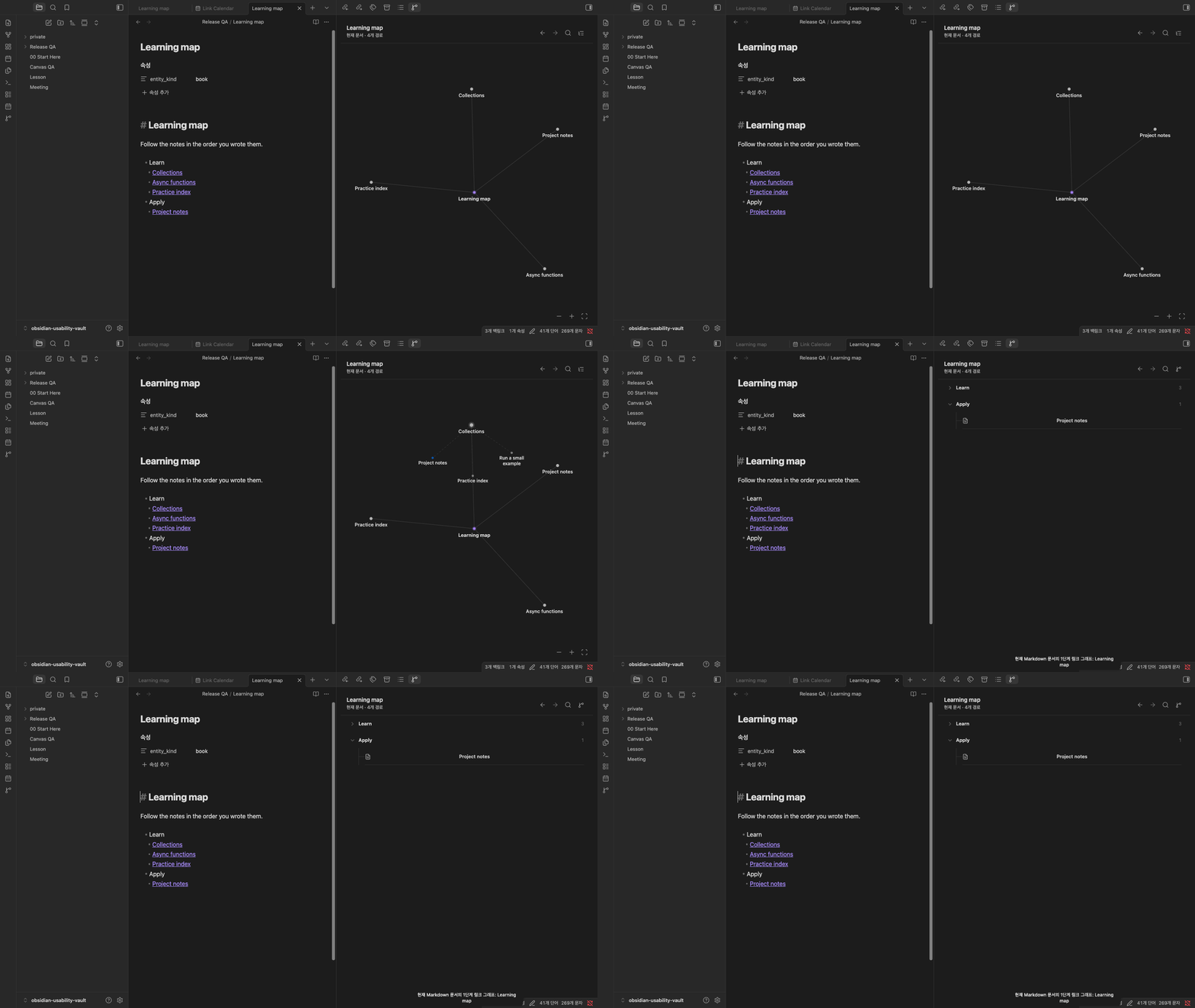
Manta Graph walkthrough

Obsidian desktop capture, September 11, 2026 (1.6.12), using public sample notes. The capture predates the Manta name.

Part of the Manta family

Follow the supporting notes around a diagram, an experiment and a dated review. Manta Diagrams, Manta Code Blocks, Manta Calendar each work on their own. Ordinary notes and links connect the work today; automatic handoffs are planned.

Manta itself is in development and has not been released. I’m building it to turn source material into a personal wiki you can keep adding to. Shared AI tools and the full wiki workflow are still in development.

Help and development

User guide · Report a problem · Community page · Contributing

MIT

HealthExcellent
ReviewPassed
About
Manta Graph follows links from the note you are reading. Preview its next connections, open a linked note, step back, or switch to an outline that keeps your written order. Search and navigation history stay within the current session. It works offline and does not change your notes. The README includes a short, automatically repeating demo. Use Manta Diagrams to explain the process, Manta Graph to follow its evidence, Manta Code Blocks to try an example, and Manta Calendar to revisit the result by date. Each plugin works independently; ordinary Markdown and links connect them today. Manta itself is being developed as a personal wiki workflow and has not been released. Shared AI tools and automatic handoffs are planned.
NavigationOutliningSidebar
Details
Current version
1.6.15
Last updated
6 days ago
Created
Last month
Updates
52 releases
Downloads
607
Compatible with
Obsidian 1.8.0+
Platforms
Desktop, Mobile
License
MIT
Report bugRequest featureReport plugin
Author
woonyong-choiwoonyong-choi
github.com/woonyong-choi
GitHubwoonyong-choi
  1. Community
  2. Plugins
  3. Navigation
  4. Manta Graph

Related plugins

Notebook Navigator

A better file browser and calendar inspired by Apple Notes, Bear, Evernote and Day One.

Vertical Tabs

Offer an alternative view that displays open tabs vertically, allowing users to group and organize tabs for a better navigation experience.

Recent Files

Display a list of recently opened files.

Reveal Active File Button

Add a button to the top of the File Explorer, to reveal the active file.

TagFolder

Show tags as folder.

Portals

Pin folders and tags as customizable tabs with icons, colors, and folder notes for easier navigation.

Homepage

Open a note, base, or workspace on startup, or set it for quick access later.

Breadcrumbs

Visualise the hierarchy of your vault using a breadcrumb trail or matrix view.

Tag Wrangler

Rename, merge, toggle, and search tags from the tag pane.

Quick Switcher++

Enhanced Quick Switcher, search open panels, and symbols.