LighterPack importer
 nsiniscalchi149 downloads
Import a packing list from https://lighterpack.com.
- Overview
- Scorecard
- Updates1
Import and manage packing lists from lighterpack.com directly in your Obsidian vault.
This plugin converts a shared LighterPack packing list -including categories, items, weights, and chart- into a structured collection of Markdown notes and a summary page.
It provides an easy way to keep your gear lists locally organized and accessible offline.
How it Works
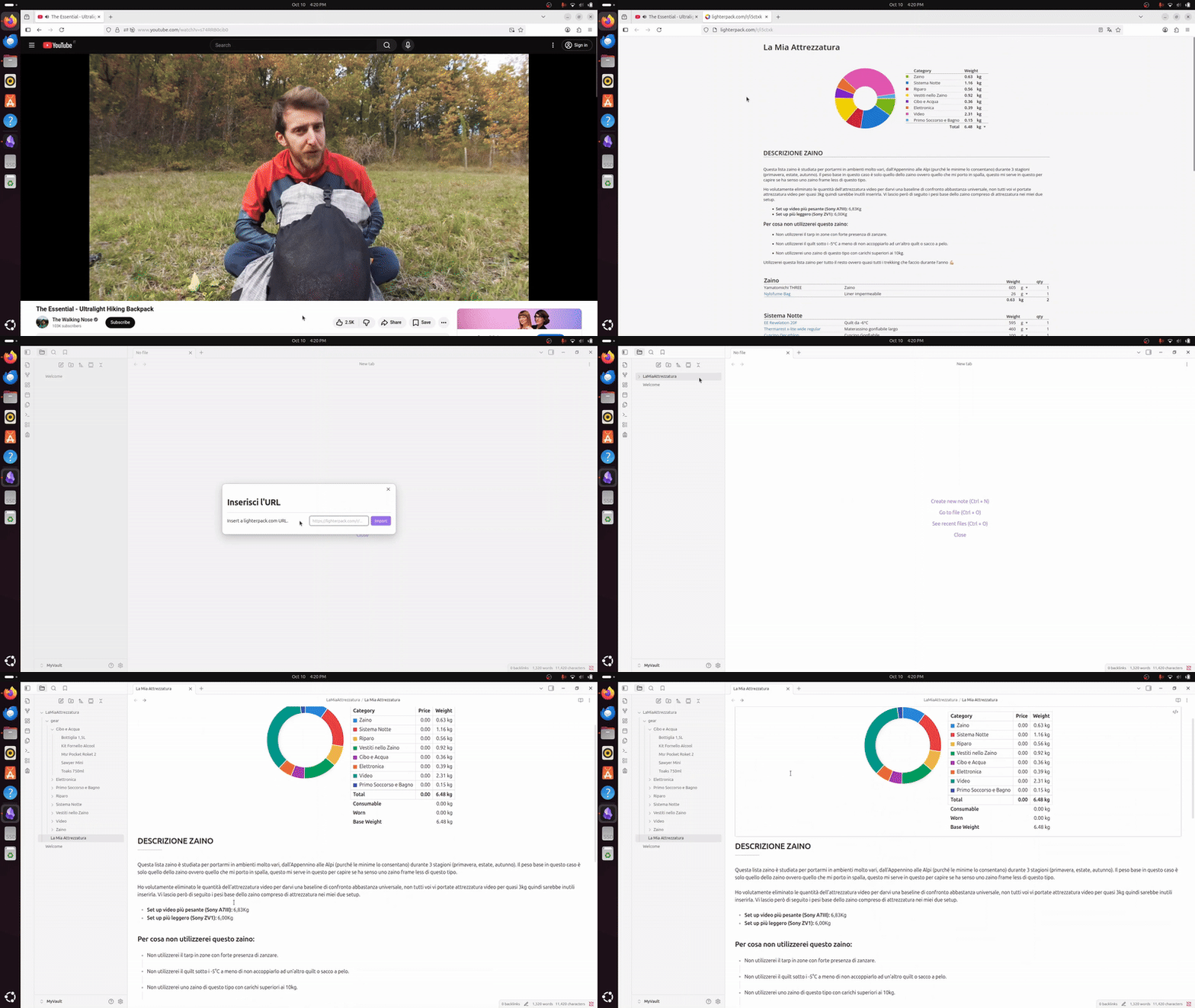
Features
- Import from the Web: Retrieve any public LighterPack list using its share link.
- Automatic Note Structure: The plugin creates folders for your packing list categories and individual notes for each item.
- Summary Page: A main note reproduces the LighterPack overview, including totals, category breakdowns, and a weight distribution pie chart.
- Offline Access: Imported lists are stored locally in Markdown format and can be linked, searched, or modified like any other note.
- Minimal Setup: Works entirely within your vault—no external API keys or dependencies required.
How to Use
You can start an import in two ways:
- Via the Ribbon Icon: Click the backpack icon in the left sidebar.
- Via the Command Palette: Open the palette (
Ctrl+PorCmd+P) and run the commandLighterPack importer: Import a lighterpack.com list.
Then:
- Open your packing list on lighterpack.com (or any shared link found online).
- Copy the share link (e.g.
https://lighterpack.com/r/xxxxxx). - Paste the link into the modal window's text field.
- Click “Import”.
The plugin will generate a new folder with your summary note and the related individual item notes grouped by category.
Installation
Note: The plugin is pending submission to the Obsidian Community Plugin Browser.
Until it’s approved, you can install it manually using the steps below.Requirements:
- Obsidian v1.9.10 or newer.
- Internet connection (only required during import)
Optional (for full functionality):
Manual Installation
- Go to the Releases page.
- Download the latest
main.js,styles.css, andmanifest.jsonfiles. - Create a new folder in your vault directory under
YOUR-VAULT-FOLDER/.obsidian/plugins/LighterPackImporter. - Copy the downloaded files into that folder.
- Enable the plugin from Settings → Community Plugins.