GridExplorer
 devon2251k downloads
Browse and organize note files visually in a flexible grid layout.
- Overview
- Scorecard
- Updates175
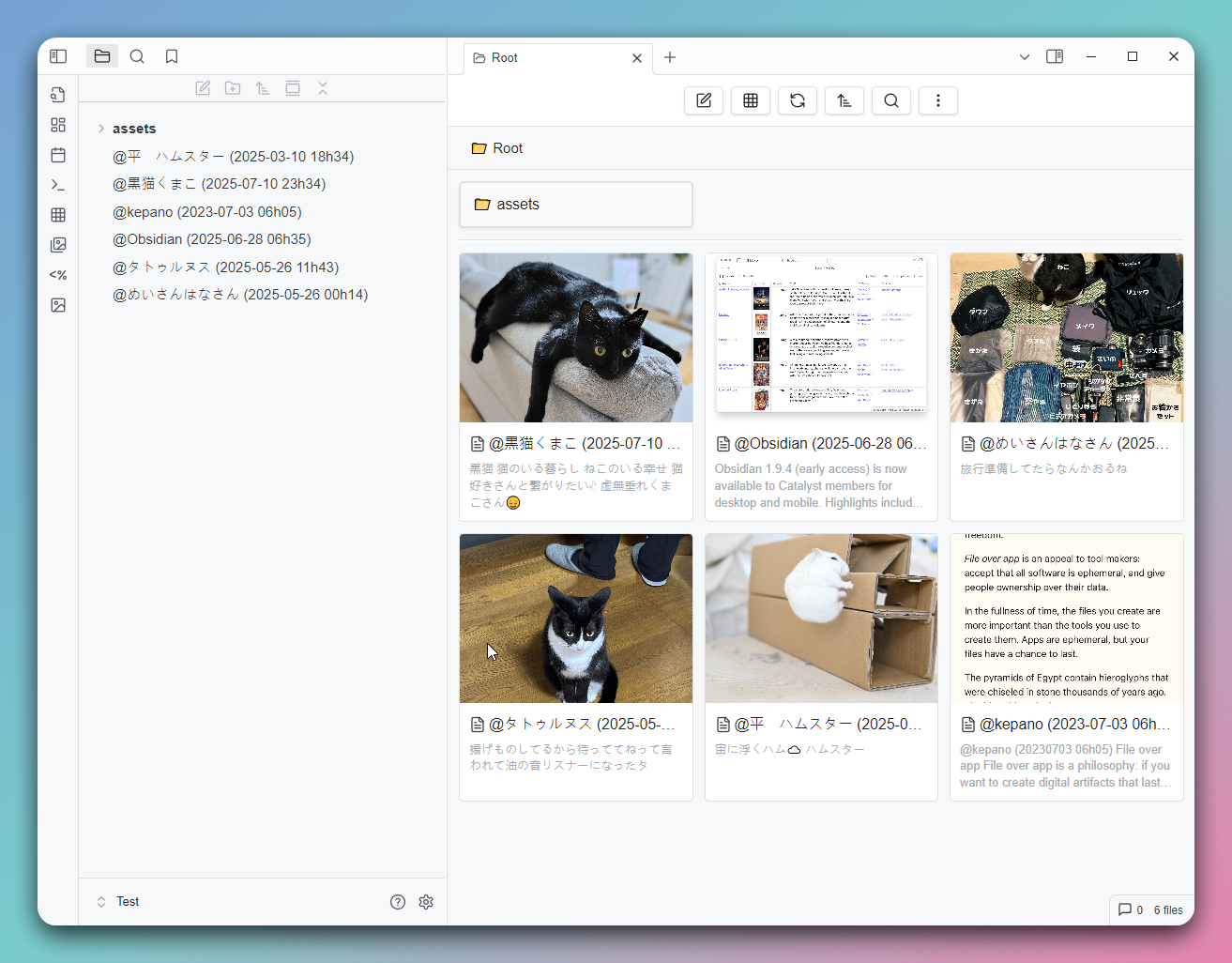
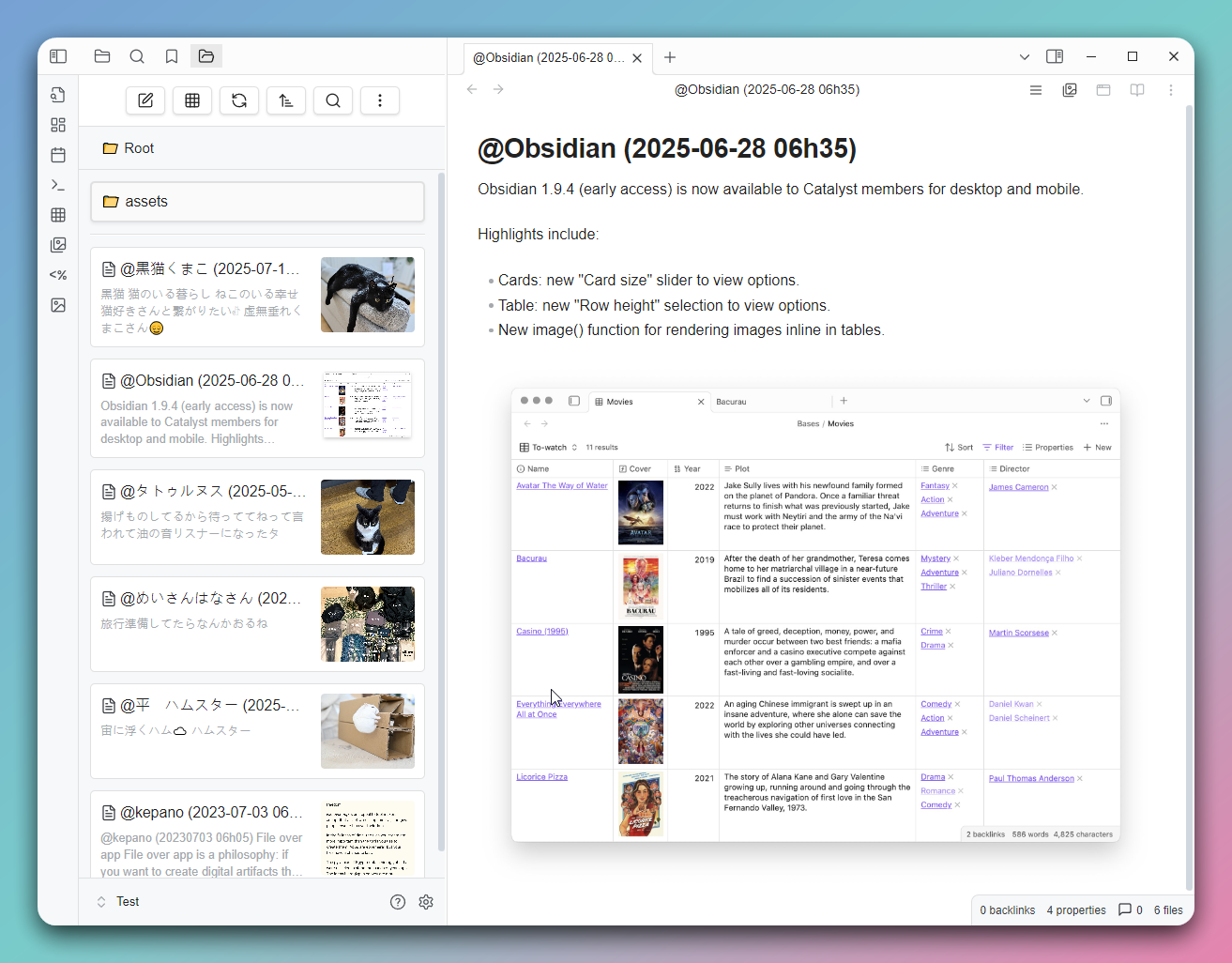
This is a grid view plugin designed for Obsidian, aimed at providing a more intuitive way to browse and manage your notes and folders.
Features
- Grid View: Displays your notes and folders in a grid format for quick browsing.
- Folder Mode: Shows notes in a folder structure, supporting entry into subfolders.
- Bookmark Mode: Allows quick access to notes in your bookmarks.
- Search Results Mode: Displays Obsidian's search results.
- Backlinks Mode: Shows notes that link to the current note.
- Outgoing Links Mode: Shows outgoing links from the current note, including media files.
- All Files Mode: Lists all files in the vault.
- Recent Files Mode: Lists the n most recently modified files.
- Random Files Mode: Randomly lists n files.
- Custom Mode: Customize the displayed file content using Dataview query syntax.
- Custom Sorting: Supports various sorting methods, including by name, modification time, random sorting, and per-folder custom sorting.
- Settings Options: Allows customization of grid item width and default sorting method.
- Multilingual Support: Currently supports English, Traditional Chinese, Simplified Chinese, and Japanese.
Installation
Find "GridExplorer" in the Community plugins through the Obsidian app.
Usage
- Click the grid icon in the toolbar to open the grid view.
- Use the right-click menu to select "Open in Grid View" on a folder.
- Use command to view the current note in the grid view (If there is no active note currently, open the root directory).
- In the grid view, you can click on notes to open them or click on folders to enter them.
Supported File Formats
Image Formats
jpg/jpegpnggifwebpavifbmpsvg
Video Formats
mp4webmmovavimkvogv
Audio Formats
flacm4amp3oggwav3gp
Document Formats
md(Markdown)pdfcanvasbasezip
Folder Notes
Create a folder note by using the right-click menu on a folder. After creation, you'll see an icon on the folder, and you can set the folder's sorting method in the note's Metadata.
---
sort: name-desc
color: red
---
Available sorting methods:
- name-asc
- name-desc
- mtime-desc
- mtime-asc
- ctime-desc
- ctime-asc
- random
Available colors:
- red
- orange
- yellow
- green
- cyan
- blue
- purple
- pink
CSS Class
| Mode/Feature | CSS Class |
|---|---|
| Custom Mode | .ge-mode-custom |
| Folder Mode | .ge-mode-folder |
| Bookmarks | .ge-mode-bookmarks |
| Search | .ge-mode-search |
| Backlinks | .ge-mode-backlinks |
| Outgoing Links | .ge-mode-outgoinglinks |
| All Files | .ge-mode-all-files |
| Recent Files | .ge-mode-recent-files |
| Random Files | .ge-mode-random-note |
| Tasks | .ge-mode-tasks |
| Folder Notes | .ge-foldernote |
| Pinned Items | .ge-pinned |
Contribution
If you have any suggestions or encounter issues, feel free to raise issues or submit pull requests.
License
This plugin follows the MIT License.
HealthExcellent
ReviewSatisfactory
About
Browse and manage notes, folders, and attachments in a highly configurable grid layout. Easily filter and view content using multiple modes, including folders, bookmarks, search, backlinks, outgoing links, recent files, random selection, and custom Dataview queries. You can directly preview images, video, audio, PDFs, and Canvas files right from the grid, and apply global or per-folder sorting for fast and intuitive navigation.Details
Current version
3.5.4
Last updated
Last week
Created
2 years ago
Updates
175 releases
Downloads
51k
Compatible with
Obsidian 1.8.7+
Platforms
Desktop, Mobile
License
MIT