Language Translator
 twentytwokhz60k downloads
Translate selected text in the desired language.
- Overview
- Scorecard
- Updates7

Language Translator
An Obsidian plugin to translate selected text in the desired language.
Report a Bug
·
Request a Feature
Language Translator
An Obsidian plugin to translate selected text in the desired language.
About The Project
This plugin allows you to translate selected text into the desired language. It's based on a free instance of Azure Translator. Please do not abuse it :)
Word of advice
Keep in mind this is an initial version and that the plugin interface is subject to change! PS: If you have recommendations please see the Contributing section
Installing
Find this plugin in the listing of community plugins in Obsidian and add it to your application.
Or, if you'd like to install it manually, clone this repository to the .obsidian/plugins/ directory in your vault, navigate to your newly cloned folder, run npm i or yarn to install dependencies, and run npm run build or yarn build to compile the plugin.
Settings
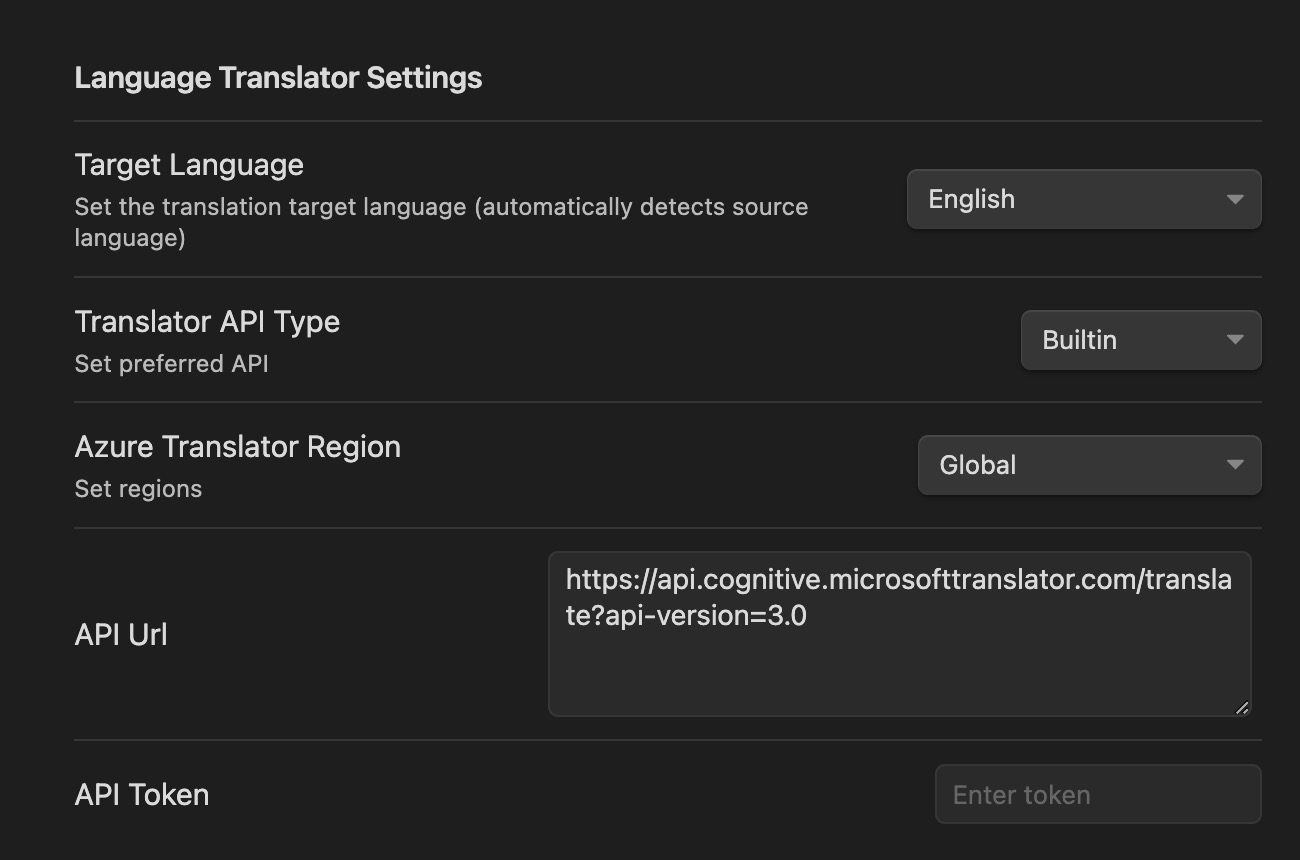 The plugin allows for certain types of configuration:
Target Language
Here we select what is the default target for our translation.
API Type
The plugin allows choice between the Builtin Azure API (limited version) and your own hosted services in Azure or LibreTranslate.
Azure Translator region
This setting is to allow you to set up your own Azure Translator instance with your predefined region.
The default Azure region used by the builtin API is global
API Url
This is to distinguish between the default Azure API Url and other possible hosting locations
API Token
This token is required only for privately hosted instances of Azure or LibreTranslate
- Sign in to the Azure portal.
- Navigate to your Azure Cognitive Services resource.
- In the left-hand menu, select "Keys and Endpoint".
- Find your API keys listed under "Key1" and "Key2".
Usage
First you need to define the text to be translated. There are two options available:
By explicitly specifying the language code
fr:I want to break freeFirst part is the prefix containing the language code (See codes here). The second part is the actual text for translation.
Or directly, using the default source language code in the settings.
I want to break free
Select the text
Execute the translation by
- Hitting
Ctrl+Pand executing theLanguage Translator: Insert translationcommand - or by using the predefined hotkey (default is
Ctrl+Shift+R)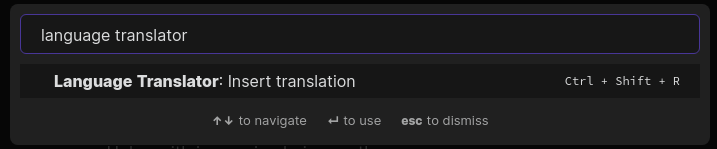
- Hitting
Contributing
Contributions are what make the open source community such an amazing place to learn, inspire, and create. Any contributions you make are greatly appreciated.
License
This project is licensed under the MIT License - see the LICENSE file for details
Contact
Florin Bobis - @twentytwokhz - [email protected]
Project Link: https://github.com/twentytwokhz/language-translator