Search...Search plugins and themes...
⌘K
Sign in
  • Get started
  • Download
  • Pricing
  • Enterprise
  • Account
  • Obsidian
  • Overview
  • Sync
  • Publish
  • Canvas
  • Mobile
  • Web Clipper
  • CLI
  • Learn
  • Help
  • Developers
  • Changelog
  • About
  • Roadmap
  • Blog
  • Resources
  • System status
  • License overview
  • Terms of service
  • Privacy policy
  • Security
  • Community
  • Plugins
  • Themes
  • Discord
  • Forum / 中文论坛
  • Merch store
  • Brand guidelines
Follow us
DiscordTwitterBlueskyThreadsMastodonYouTubeGitHub
© 2026 Obsidian

Kotonoha

Rons-29Rons-29185 downloads

A memo timeline for keeping everyday words in Daily Notes.

Add to Obsidian
  • Overview
  • Scorecard
  • Updates9

Kotonoha is a lightweight quick-capture plugin for Obsidian. It saves everyday notes and tasks to Daily Notes, then lets you review them in a simple timeline.

The name comes from the Japanese word 言の葉 (kotonoha), an older expression for words or language.

What it looks like

  1. Write from the bottom input.
  2. Save to today's Daily Note.
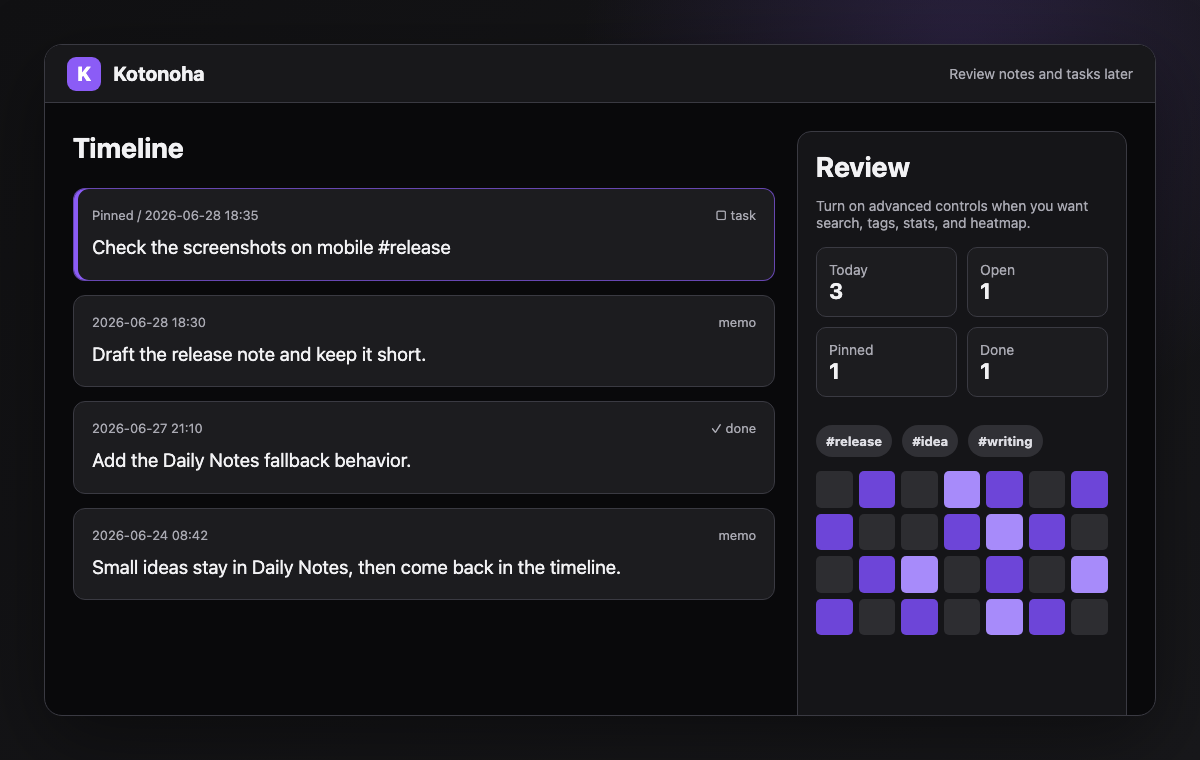
  3. Review notes and tasks in the timeline.
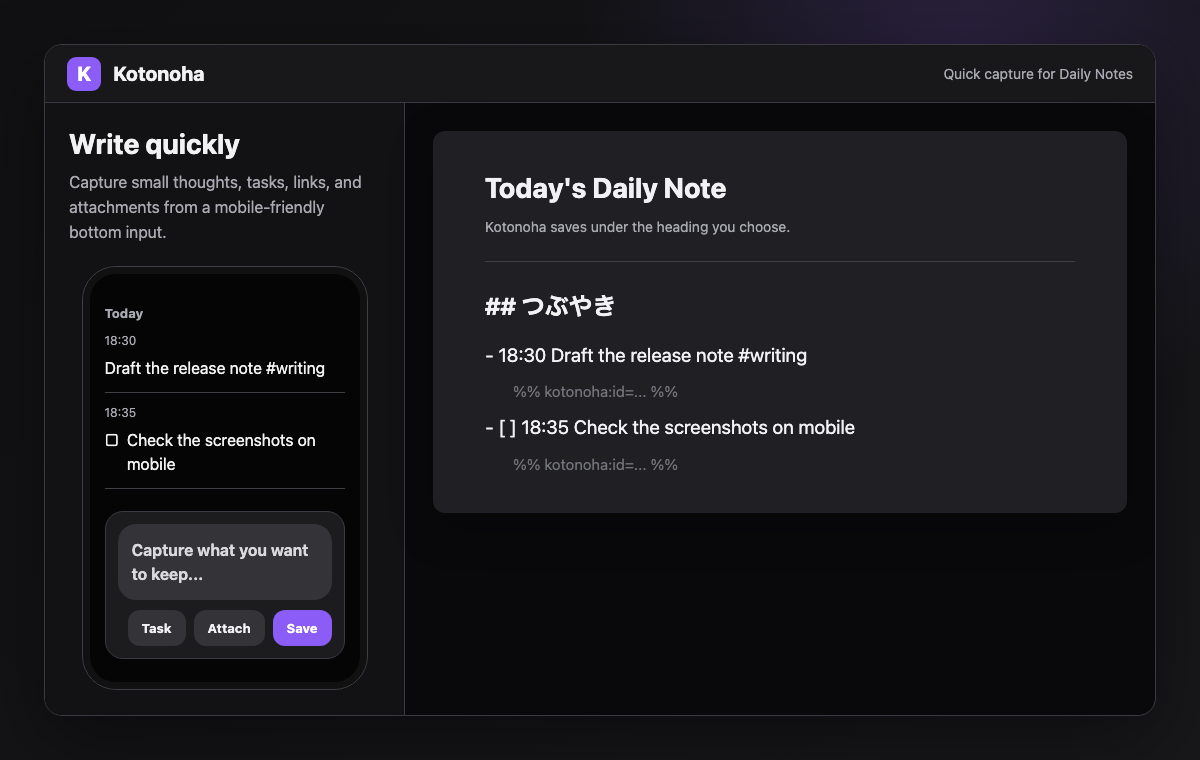
Kotonoha quick capture

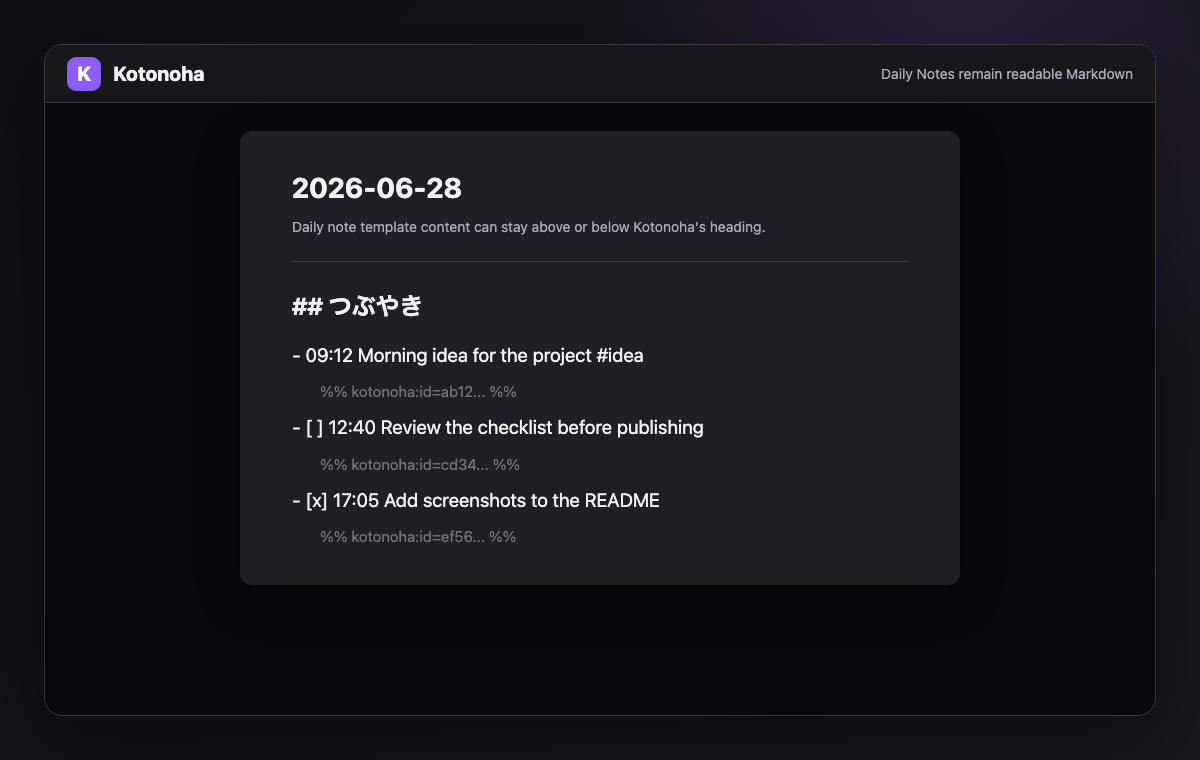
Kotonoha Daily Note output

Kotonoha timeline review

Demo videos

https://github.com/user-attachments/assets/3f104dc7-39fe-4072-bf11-3575524b2a62

Features

  • Append notes to Daily Notes
  • Create today's Daily Note when it does not exist
  • Save tasks and toggle completion
  • Add file attachments as vault links
  • Review notes in a timeline
  • Optional search, filters, tags, stats, heatmap, and reflection tools
  • Japanese and English UI, with automatic language detection

Install

After Kotonoha is listed in Community Plugins, search for Kotonoha in Obsidian settings and install it.

  • Kotonoha in the Obsidian plugin directory
  • Open Kotonoha in Obsidian

To install manually, download these files from the latest release and place them in .obsidian/plugins/kotonoha/ in your vault:

  • main.js
  • manifest.json
  • styles.css

Reload Obsidian, then enable Kotonoha from Community Plugins.

Usage

  1. Open Kotonoha.
  2. Write a note in the bottom input.
  3. Press Save or 残す.

Turn on Task before saving to create an open task. You can also start the text with [ ] or [x].

Daily Notes

By default, Kotonoha appends notes to today's Daily Note. If today's Daily Note does not exist, Kotonoha creates it using your Daily Notes settings and template before saving.

You can change the destination heading in settings. The default heading is つぶやき.

## つぶやき
- 18:30 Finished today's notes #work
  %% kotonoha:id=... %%
- [ ] 18:35 Review tomorrow's document
  %% kotonoha:id=... %%

Recommended setup

  • Keep Daily Notes enabled.
  • Set the Daily Note heading to the section where you want quick notes to appear.
  • Keep advanced controls hidden for quick capture, then turn them on when you want search, filters, tags, stats, heatmap, or reflection tools.
  • Leave the display language on Auto unless you want to force Japanese or English.

日本語

Kotonohaは、短いメモやタスクをDaily Notesへすばやく保存し、あとからタイムラインで見返すための軽量なquick captureプラグインです。

名前は、言葉を意味する古い表現の 言の葉 から取っています。

使い方

  1. Kotonohaを開く
  2. 下部の入力欄にメモを書く
  3. 残す を押す

タスク をオンにして保存すると、未完了タスクとして保存されます。本文を [ ] または [x] から始める方法も使えます。

初期設定では、今日のDaily Noteにメモを追記します。今日のDaily Noteがまだない場合は、ObsidianのDaily Notes設定とテンプレートを使って作成してから保存します。

Demo videos

https://github.com/user-attachments/assets/77b5f4c5-e907-4504-9d46-33bf35a1ab41

Development

See CONTRIBUTING.md for development, testing, and release steps.

License

MIT License. See LICENSE.

HealthExcellent
ReviewPassed
About
Kotonoha is a lightweight quick-capture plugin for Obsidian. It saves everyday notes and tasks to Daily Notes, creates today's Daily Note when needed, and lets you review saved items in a simple timeline. It also supports task saving and completion toggles, attachments, search, tags, filters, a heatmap, and reflection tools.
DatesTasksVisualization
Details
Current version
1.1.1
Last updated
Last month
Created
Last month
Updates
9 releases
Downloads
185
Compatible with
Obsidian 1.13.0+
Platforms
Desktop, Mobile
License
MIT
Report bugRequest featureReport plugin
Author
Rons-29Rons-29rons-29
github.com/Rons-29/kotonoha
GitHubrons-29
  1. Community
  2. Plugins
  3. Dates
  4. Kotonoha

Related plugins

Tasks

Track tasks across your vault. Supports due dates, recurring tasks, done dates, sub-set of checklist items, and filtering. Maintained by Clare Macrae and Ilyas Landikov, created by Martin Schenck.

Day Planner

Turn tasks from daily notes, the Tasks plugin, and calendars into time blocks on an editable timeline, with built-in time tracker.

Day Planner OG

Day planning from a simple task list in a Markdown note (bare bones, preserves the features and behavior of the original plugin).

Rollover Daily Todos

Rollover any unchecked checkboxes from your last daily note into today's note.

Markwhen

Create timelines, gantt charts, calendars, and more using markwhen.

Yearly Glance

Year at a glance - overview of annual events with customizable management options.

Prisma Calendar

Prisma turns any note with a date into a flexible planning system inside Obsidian. There are no rigid schemas or predefined structures — just your data, your rules, fully under your control.

TaskNotes

Note-based task management with calendar, pomodoro and time-tracking integration.

Excalidraw

Visual PKM powerhouse. Create and edit Excalidraw drawings.

Breadcrumbs

Visualise the hierarchy of your vault using a breadcrumb trail or matrix view.