Yearly Glance


Year at a glance - overview of annual events with customizable management options.
- Overview
- Scorecard
- Updates38
English | 中文文档
Yearly Glance is an Obsidian plugin that provides a visual and customizable overview of annual events, helping you efficiently plan, review, and manage important dates throughout the year.
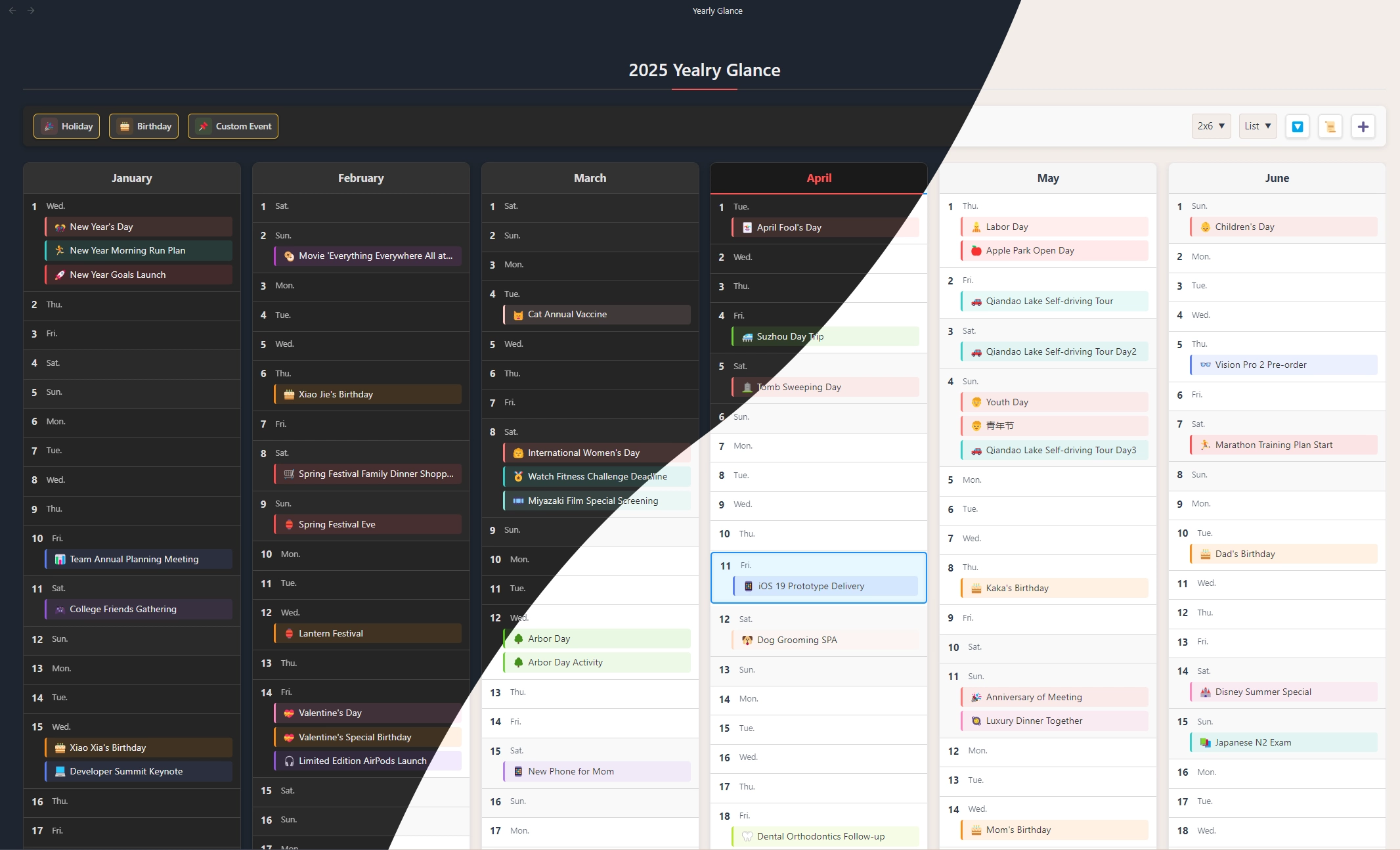
Table of Contents
Features
- 🗓️ Yearly Calendar View: See all months and days of the year at a glance, making annual planning effortless.
- 🎉 Multiple Event Types: Supports holidays, birthdays, and fully customizable events.
- 🎂 Birthday Management: Track birthdays with age, zodiac, and other attributes.
- 🎨 Highly Customizable: Choose from various layouts and display styles; personalize with custom colors and emojis.
- 🖱️ Interactive Interface: Click any event to view details or edit quickly.
- 🔍 Event Filtering: Filter by event type and hide empty dates for a cleaner view.
- 🌙 Lunar Calendar Support: Natively supports the traditional Chinese lunar calendar.
- 🌏 Multi-language Support: English and Chinese (Both simplified and traditional) available.
- 📄 Note Events: Use notes with frontmatter properties as event sources, with Bases integration for advanced filtering. Learn more
Event Sources
Yearly Glance supports multiple event sources, so you can choose the storage model that best fits each workflow:
| Source | Stored in | Best for |
|---|---|---|
| Plugin events | Plugin data | Quick holidays, birthdays, and custom events managed directly in Yearly Glance |
| Note events | Note frontmatter | Events that need a dedicated note, long-form details, links, or attachments |
| Daily note events | Daily note frontmatter | Events tied to daily notes and journal workflows |
| Bases views | .base query results |
Embedding calendars inside notes and filtering events by conditions |
See Note Events for frontmatter setup and Bases integration details.
Screenshots
Customizable List View
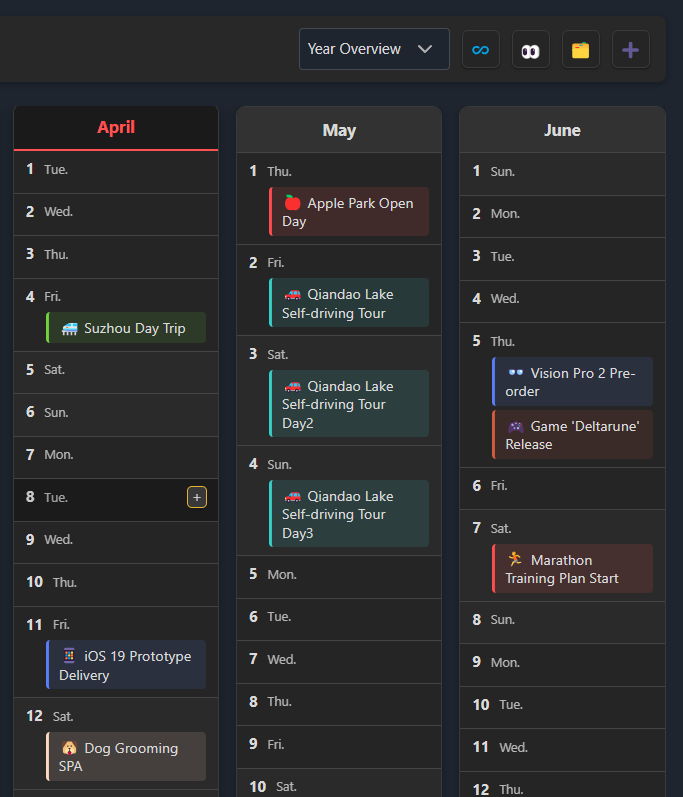
Display and manage events in a flexible list format.
Classic Calendar View
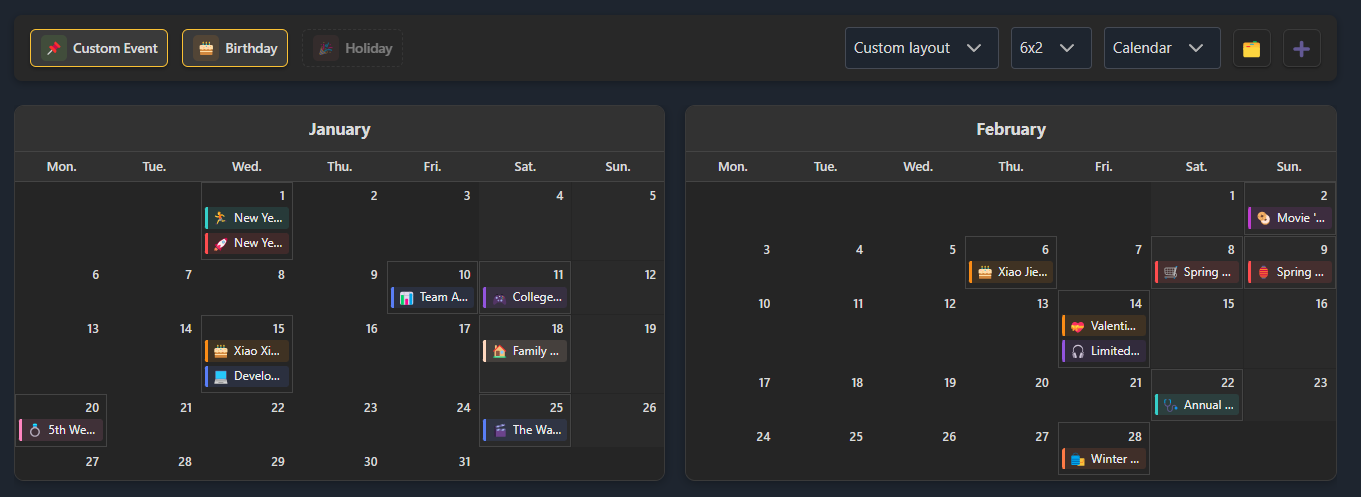
Traditional calendar layout for intuitive navigation.
Event Filtering
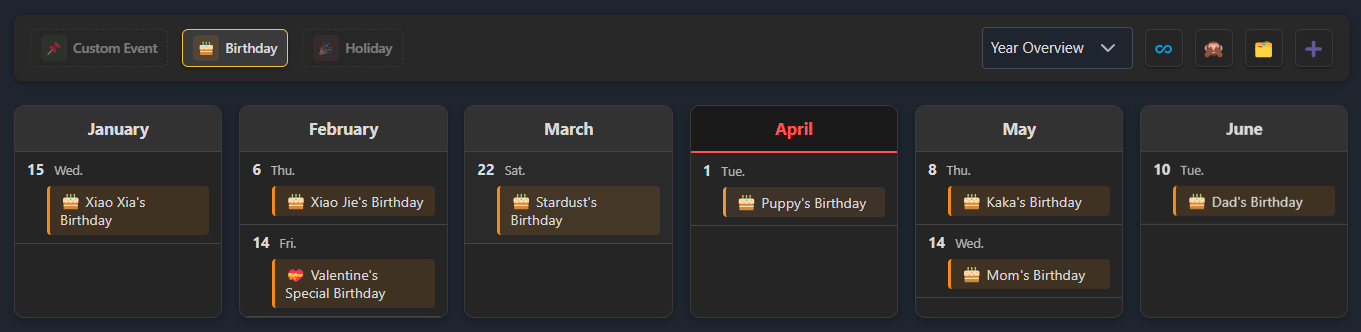
Filter by event type and hide dates with no events.
View & Edit Event Details
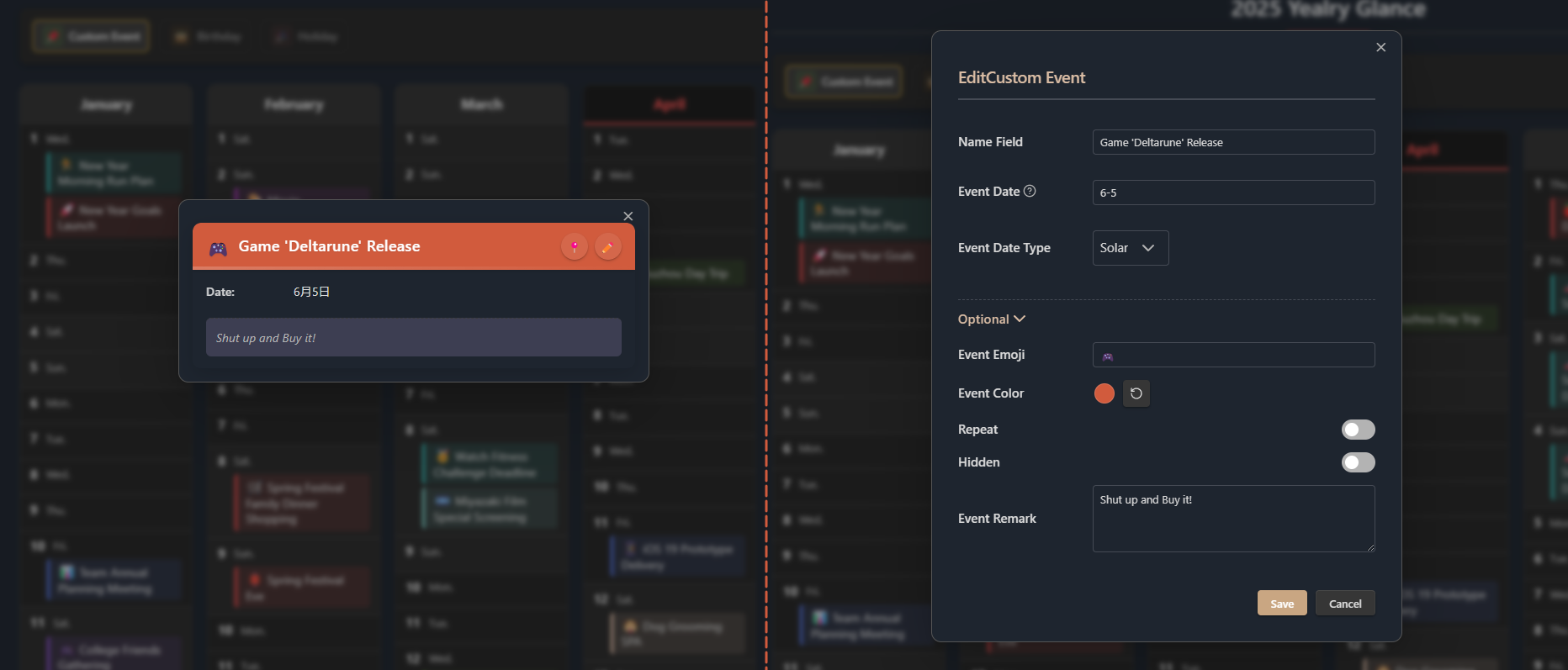
Quickly view and edit event details in a modal.
Getting Started
1. Open Yearly Glance
- Click the 🔭 telescope icon in the left sidebar
- Or use the command palette (Ctrl+P) to search for "Open Yearly Glance"
- Or use keyboard shortcuts (if configured)
2. View Events
- Different colors represent different event types on the calendar
- Click an event to see details
- Click the 🗂️ Manage button to open the Events Manager and view all events
3. Add Events
- Open the Events Manager via the command palette and click the ➕ Add button
- Or, hover over a date and click the
+button - Or, select "Add Event" in the command palette
4. Manage Events
- Open the Events Manager from the command palette
- Pin events from the details modal to locate them in the Events Manager
- Edit: Click the ✏️ Edit button on an event (in manager or detail modal), modify info and save
- Delete: Click the 🗑️ Trash button on an event in the Events Manager
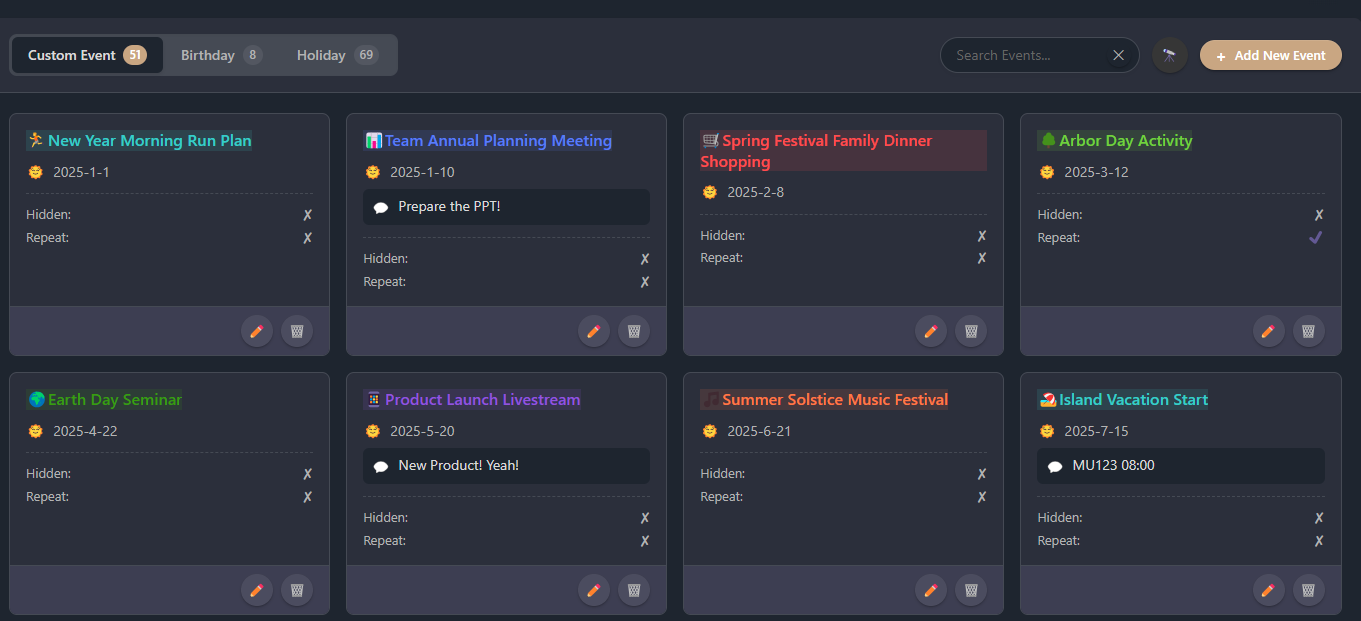 Centralized event management interface.
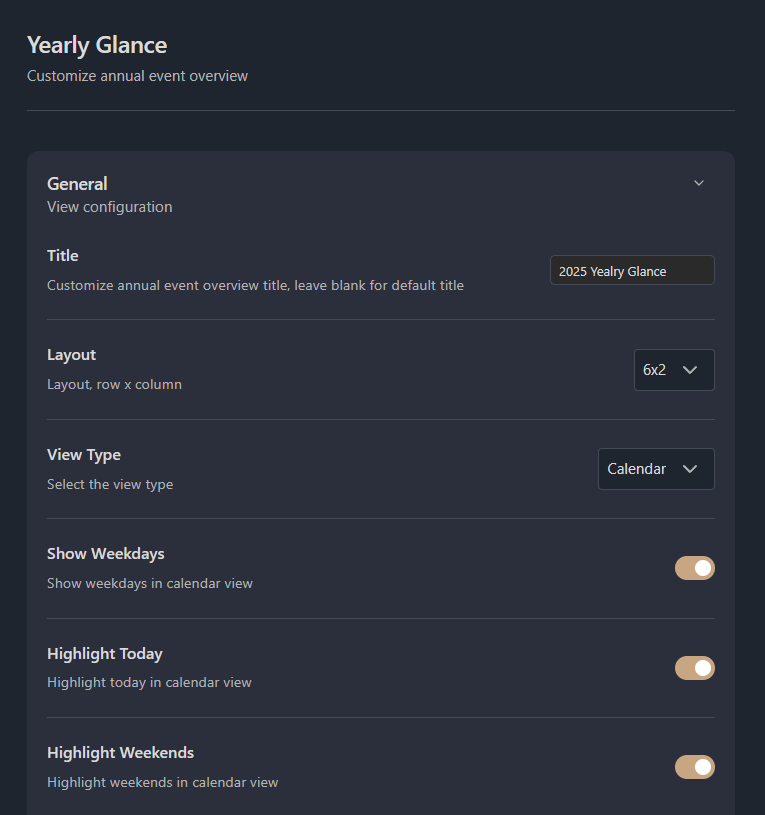
Customization Settings

At the top of the overview, there are several display options:
- Show/hide holidays, birthdays, and custom events
- Switch between Yearly Overview (recommended), Classic Calendar, or Custom View
- List View only:
- Limit the list height
- Hide dates with no events
More settings are available in the plugin settings within Obsidian.
Installation
Manual Installation
- Download the
yearly-glance.zipfrom the latest release - Unzip it to your vault's plugins folder:
<your-vault>/.obsidian/plugins/yearly-glance/- Tip: You can find your vault path in Obsidian's vault settings.
- Reload Obsidian
- Enable Yearly Glance in Settings → Community Plugins
BRAT (Recommended for Beta Users)
- Install the BRAT plugin
- Click "Add Beta plugin" in BRAT settings
- Enter
Moyf/yearly-glance - Enable the plugin
Development
- Clone this repo
- Ensure NodeJS version is at least v18 (
node --version) - Install dependencies:
npm ioryarn - Start compilation in watch mode:
npm run dev - Build the plugin:
npm run build - Build and copy to your vault (requires
.envfile in project root withVAULT_PATH=/path/to/your/vault):npm run build:local - Bump version and update manifests:
npm run version - Release new version:
npm run release
Support
If you encounter any issues or have suggestions:
- Open an issue on GitHub
- Join the discussion for questions and ideas
- Contributions are welcome! See CONTRIBUTING for details.
- If you like Yearly Glance, consider buying me a coffee on Ko-fi ☕
License
This project is licensed under the MIT License. See the LICENSE file for details.
Star History
If you like this plugin, please consider star it! 🌟