Search...Search plugins and themes...
⌘K
Sign in
  • Get started
  • Download
  • Pricing
  • Enterprise
  • Account
  • Obsidian
  • Overview
  • Sync
  • Publish
  • Canvas
  • Mobile
  • Web Clipper
  • CLI
  • Learn
  • Help
  • Developers
  • Changelog
  • About
  • Roadmap
  • Blog
  • Resources
  • System status
  • License overview
  • Terms of service
  • Privacy policy
  • Security
  • Community
  • Plugins
  • Themes
  • Discord
  • Forum / 中文论坛
  • Merch store
  • Brand guidelines
Follow us
DiscordTwitterBlueskyThreadsMastodonYouTubeGitHub
© 2026 Obsidian

Kikijiki Habit Tracker

kikijikikikijiki856 downloads

A simple habit tracker

Add to Obsidian
  • Overview
  • Scorecard
  • Updates2

A simple habit tracker plugin for Obsidian.

Usage

  1. Install the plugin through Obsidian's Community Plugins.
  2. Enable the plugin in Settings → Community Plugins.
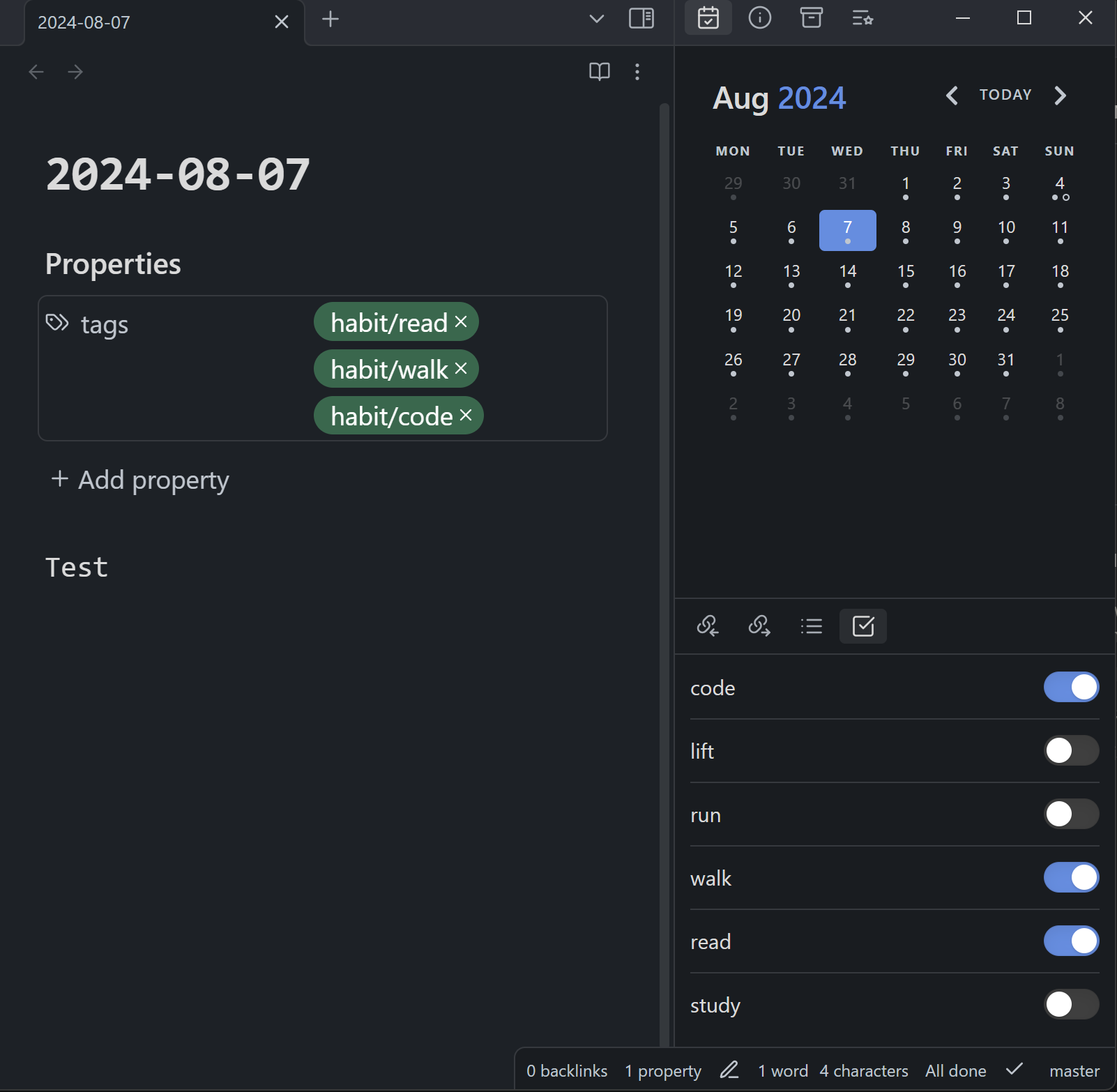
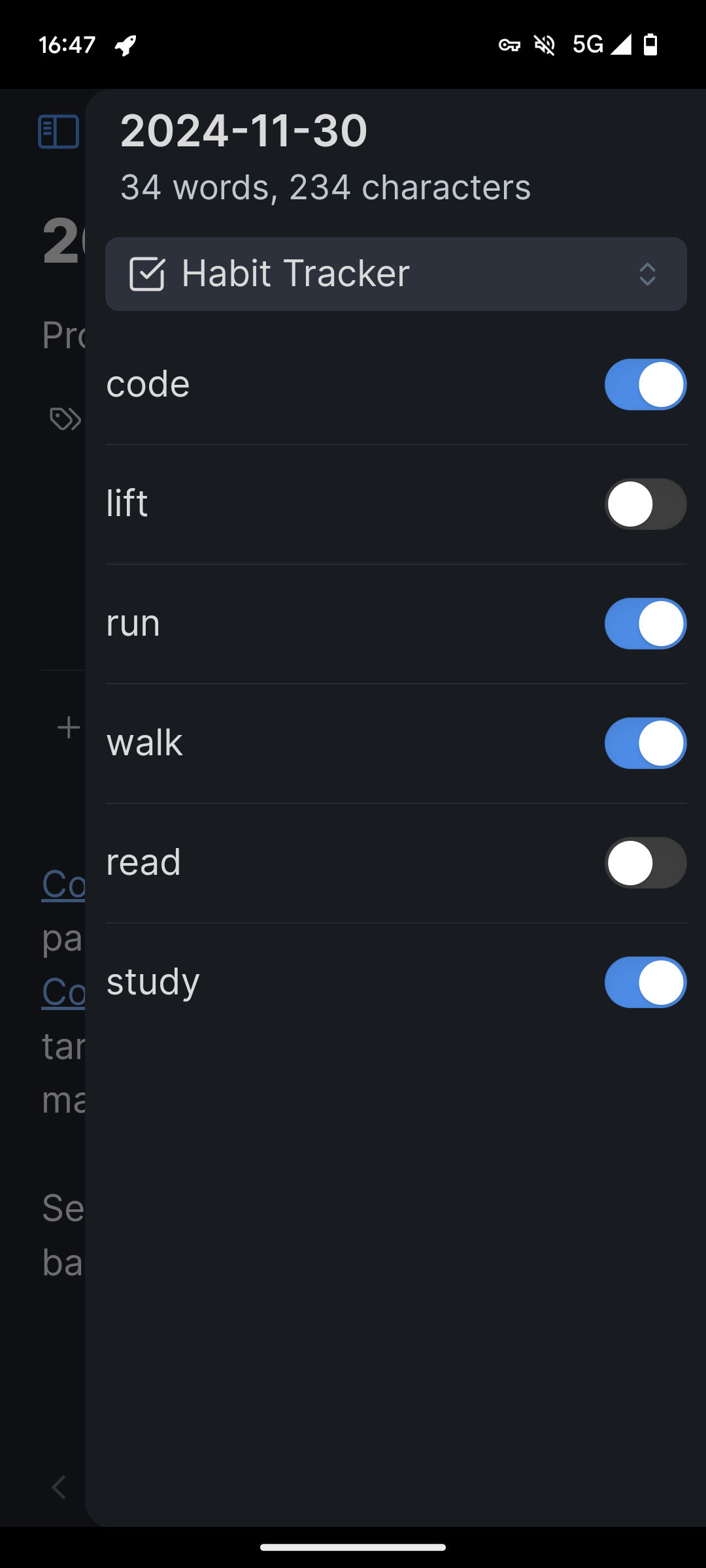
  3. Configure your habits. Each habit will set a tag in the current document with the following name: prefix/habit.
  4. Use the "Open Habit Panel" command to show the panel and put it somewhere you like.

Screenshots

Desktop Mobile
Screenshot Desktop Screenshot Mobile
70%
HealthGood
ReviewCaution
About
Track habits directly inside notes by adding configurable habit tags (prefix/habit) to the current document. Open the Habit Panel to view, manage, and position a concise habit overview.
TasksTagsSidebar
Details
Current version
1.1.0
Last updated
Last year
Created
Last year
Updates
2 releases
Downloads
856
Compatible with
Obsidian 0.15.0+
Platforms
Desktop, Mobile
License
MIT
Report bugRequest featureReport plugin
Author
kikijikikikijiki
github.com/kikijiki
GitHubkikijiki
  1. Community
  2. Plugins
  3. Tasks
  4. Kikijiki Habit Tracker

Related plugins

Checklist

Consolidate checklists across all files into a single view.

TagFolder

Show tags as folder.

Tag Wrangler

Rename, merge, toggle, and search tags from the tag pane.

Task List Kanban

Organizes all of the tasks within your files into a kanban view.

Notebook Navigator

A better file browser and calendar inspired by Apple Notes, Bear, Evernote and Day One.

Recent Files

Display a list of recently opened files.

TaskNotes

Note-based task management with calendar, pomodoro and time-tracking integration.

Day Planner

Day planning from a task list in a Markdown note with enhanced time block functionality.

Tasks

Track tasks across your vault. Supports due dates, recurring tasks, done dates, sub-set of checklist items, and filtering.

Longform

Helps you write and edit novels, screenplays, and other long projects.