Kanban for Professionals
 Icarian Systems778 downloads
Local-first Kanban / project boards. Reads and writes the same on-disk board format used by the community Kanban plugin. Includes optional paid Pro features.
- Overview
- Scorecard
- Updates9
Local-first Kanban / project-management boards for Obsidian. Plan work on a drag-and-drop board, then slice the same cards as a table, a list, or a dashboard — all stored as plain markdown in your vault.
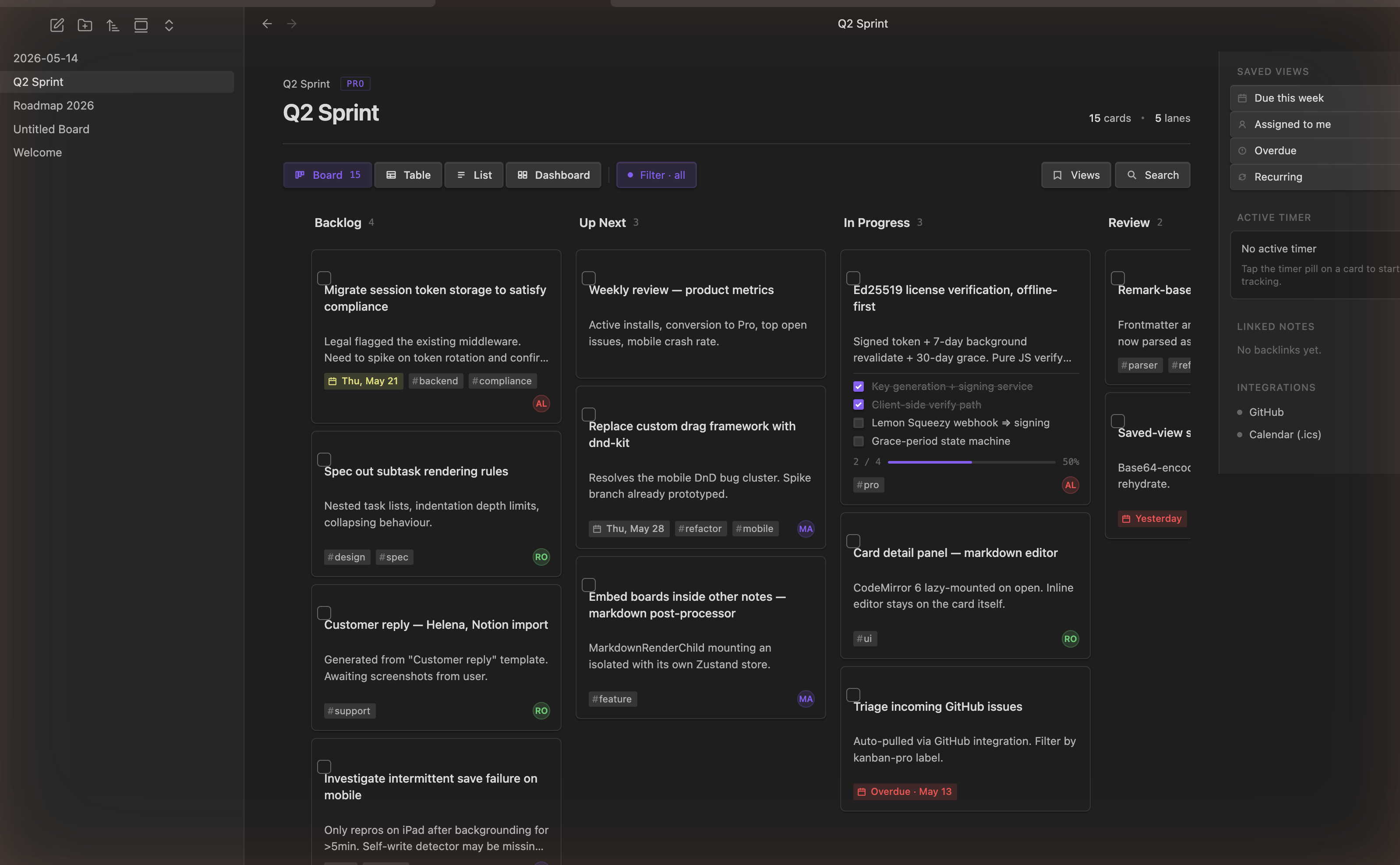
Compatible with your existing boards. Kanban for Professionals reads and writes the same
kanban-plugin: boardmarkdown format used by the community Kanban plugin, so your current boards open without conversion or data loss. (This is an independent project, not affiliated with or endorsed by that plugin or its authors.)
Features
Free
- Board, Table, and List views of the same cards — switch with one click, no duplication.
- Drag-and-drop cards between lanes, with gesture-scoped undo / redo.
- Inline editing on the card, plus a detail panel for the full card.
- Embed boards inside other notes with a
kanban-plugincode block. - Inline metadata — due dates, tags, priorities, and Dataview fields are parsed into chips (syntax below).
- Board validator that round-trips your file and reports any byte-level diff, so you can trust the format is preserved.
Pro — $5.99, lifetime (details)
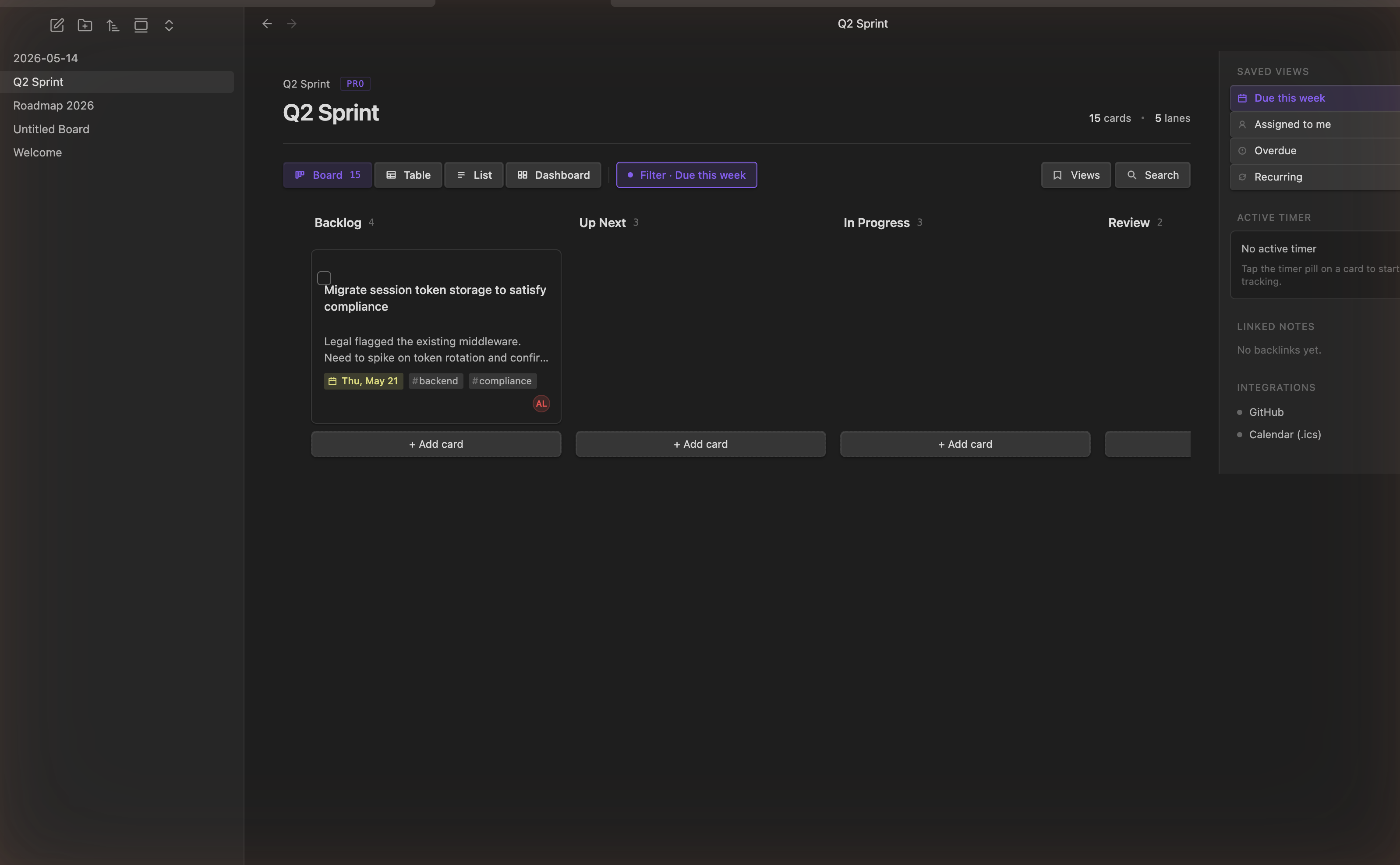
- Saved Views — named, reusable filters (Due this week, Assigned to me, Overdue, Recurring, and your own).
- Dashboard — overdue / due-soon counters and rollups across the board.
- Recurrence — repeating cards via
[rrule:: …], natural-language[repeats:: …], or the 🔁 emoji. - Time tracking — a per-card timer with an active-timer pill in the right rail.
- Calendar (.ics) export and GitHub Issues sync.
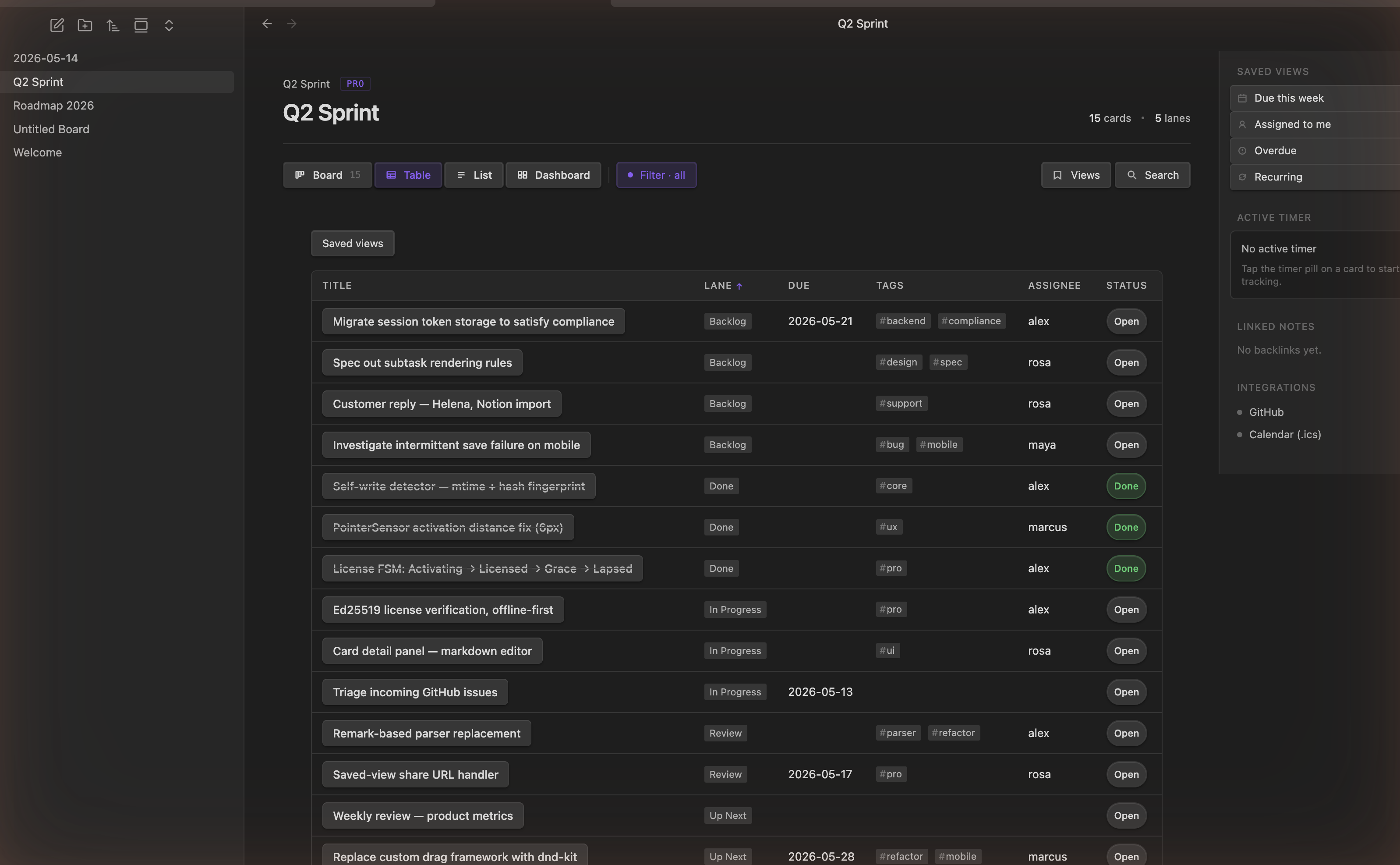
| Saved Views & right rail | Table view |
|---|---|
 |
 |
Installation
From Obsidian (recommended)
- Open Settings → Community plugins and make sure Restricted mode is off.
- Click Browse, search for Kanban for Professionals.
- Click Install, then Enable.
Manual install
- Download
manifest.json,main.js, andstyles.cssfrom the latest release. - Copy them into
<your-vault>/.obsidian/plugins/kanban-pro-boards/. - Reload Obsidian, then enable the plugin under Settings → Community plugins.
Want pre-release builds? Install via BRAT and point it at
icarian-systems/kanban-pro-plugin.
Getting started
- Create a board. Click the Kanban ribbon icon in the left sidebar, or run Kanban for Professionals: Create new board from the command palette (
Cmd/Ctrl+P). Obsidian opens a new note with three empty lanes. - Add cards. Click + Add card at the bottom of a lane and start typing. Press
Enterto save. - Move cards. Drag a card between lanes. Changes write straight back to the markdown file.
- Edit a card. Click the card title to edit in place, or open the detail panel for description, subtasks, due date, and tags.
- Switch views. Use the Board / Table / List / Dashboard tabs at the top to see the same cards a different way.
A guided walkthrough is always available via Kanban for Professionals: Show getting started.
Opening an existing board
Any note whose frontmatter contains kanban-plugin: board opens as a board automatically — including boards made with the original Kanban plugin. Nothing to convert.
On mobile
The board works on Obsidian for iOS and Android:
- Press and hold a card briefly to pick it up and drag it.
- Long-press a card to open its detail panel.
Working with cards
Type these tokens directly into a card's text and Kanban for Professionals renders them as chips. The raw tokens stay in your markdown, so other plugins (Dataview, Tasks) keep working too.
| You want… | Type this | Example |
|---|---|---|
| A due date (Kanban native) | @{YYYY-MM-DD} |
@{2026-06-21} |
| A time of day | @@{HH:mm} |
@@{09:30} |
| A due date (Tasks emoji) | 📅 YYYY-MM-DD |
📅 2026-06-21 |
| A due date (Dataview) | [due:: YYYY-MM-DD] |
[due:: 2026-06-21] |
| A tag | #tag |
#backend #client/acme |
| An assignee / any field | [key:: value] |
[assignee:: rosa] |
| A priority | 🔺 ⏫ 🔼 🔽 🔻 |
Ship release ⏫ |
| A repeating card (RFC 5545) | [rrule:: …] |
[rrule:: FREQ=WEEKLY;BYDAY=MO] |
| A repeating card (plain English) | [repeats:: …] |
[repeats:: every monday at 9am] |
| A block reference | ^id (line end) |
^card-42 |
Kanban for Professionals also recognizes the broader Tasks plugin emoji set (⏳ scheduled, 🛫 start, ✅ done, ❌ cancelled, ➕ created, 🆔 id, 🏁 on-completion). The full grammar lives in docs/inline-meta.ebnf.
Views
- Board — the classic Kanban columns; drag cards between lanes.
- Table — a sortable grid (title, lane, due, tags, assignee, status). Good for scanning a lot of cards at once.
- List — a compact, linear read of every card.
- Dashboard (Pro) — overdue / due-soon counters and cross-lane rollups.
The right rail holds Saved Views, the active timer, linked notes, and integrations. Use the Filter and Search controls in the toolbar to narrow any view.
Commands
Open the command palette with Cmd/Ctrl+P; every entry is prefixed Kanban for Professionals:. None ship with a default hotkey — assign your own under Settings → Hotkeys.
| Command | What it does |
|---|---|
| Create new board | Create a new board, or open an existing one. |
| Cycle view mode (Board / Table / List) | Rotate the active board through the three views. |
| Open Dashboard (Pro) | Open the dashboard for the active board. |
| Insert from template | Insert cards from a saved template into the active board. |
| Undo last drag / Redo | Step through the board's gesture-scoped history. |
| Validate board | Round-trip the active file through the parser and report any byte diff. |
| Canonicalize this board | Rewrite inline tokens into the canonical order (opt-in). |
| Export board to calendar (.ics) (Pro) | Write an .ics of every dated card next to the board file. |
| Activate Pro license | Open the Pro pane (or activate a stored key). |
| Show getting started | Reopen the onboarding walkthrough. |
| Rebuild vault index | Rebuild the cross-board index used by Saved Views and the dashboard. |
Settings
Open Settings → Community plugins → Kanban for Professionals (or the gear on the plugin). The settings are grouped into tabs:
- General — board defaults and behavior.
- Appearance — view and styling options.
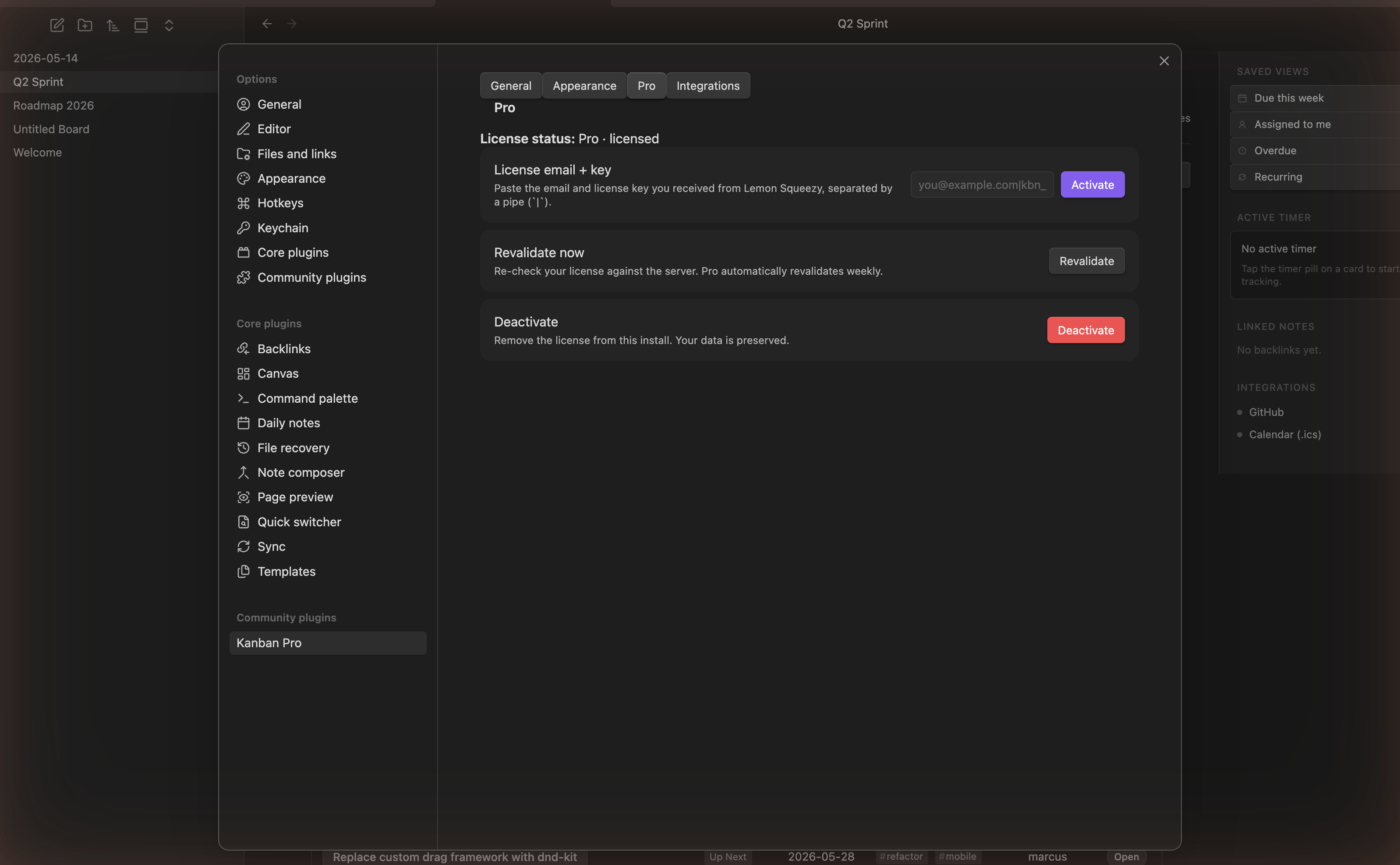
- Pro — license status, activation, revalidation, and deactivation.
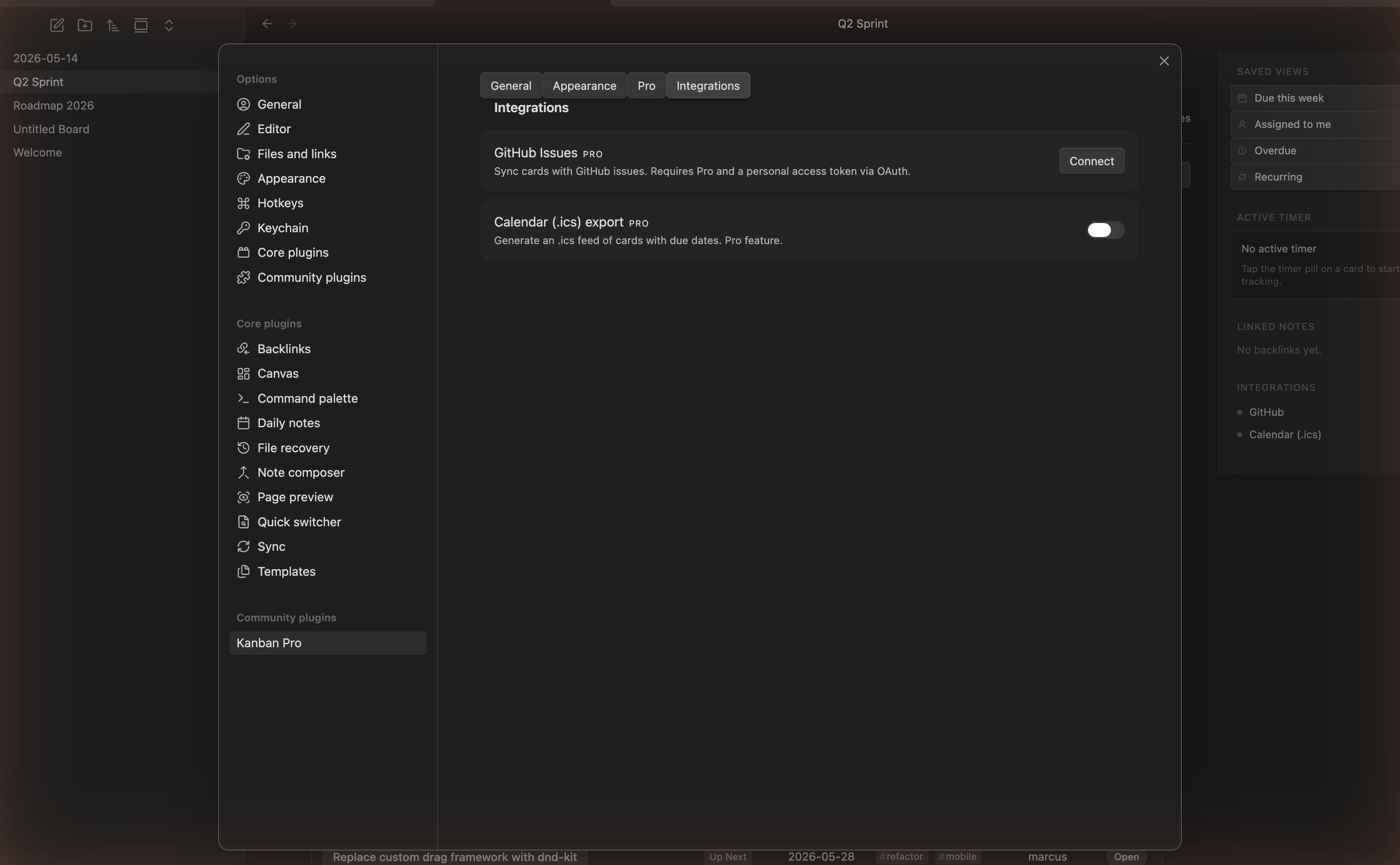
- Integrations — GitHub Issues sync and Calendar (.ics) export (both Pro).
| Pro / license | Integrations |
|---|---|
 |
 |
Pro features & pricing
Kanban for Professionals is free to install and use for all free-tier features. Pro unlocks Saved Views, the Dashboard, recurrence, time tracking, and the GitHub / calendar integrations.
Limited time: $5.99 for lifetime access. Buy a license from the Kanban for Professionals checkout, then paste your email + key under Settings → Pro → Activate.
License verification runs entirely offline against bundled public keys; Pro automatically revalidates about once a week. Your boards and data are never gated — deactivating a license preserves everything.
By Icarian Systems.
Privacy & network use
Your boards are stored entirely as local markdown in your vault. Nothing is uploaded, and the plugin works fully offline. It makes network requests only in these cases:
- Activating / revalidating a license — exchanging a purchased key for a signed token and periodic revalidation / revocation checks. (Verification itself is offline; the network is only used to obtain and refresh the token.)
- Optional integrations you turn on — GitHub Issues sync and calendar export. These are off by default and only contact a service after you enable and authenticate them.
No analytics or telemetry are collected. All HTTP goes through Obsidian's requestUrl (CORS-safe, mobile-compatible).
Support & feedback
Found a bug or have a request? Open an issue at icarian-systems/kanban-pro-plugin.
Contributing
Building from source, the dev watch loop, the test suite, and the project layout are documented in CONTRIBUTING.md.
License
MIT. See LICENSE.