Search...Search plugins and themes...
⌘K
Sign in
  • Get started
  • Download
  • Pricing
  • Enterprise
  • Account
  • Obsidian
  • Overview
  • Sync
  • Publish
  • Canvas
  • Mobile
  • Web Clipper
  • CLI
  • Learn
  • Help
  • Developers
  • Changelog
  • About
  • Roadmap
  • Blog
  • Resources
  • System status
  • License overview
  • Terms of service
  • Privacy policy
  • Security
  • Community
  • Plugins
  • Themes
  • Discord
  • Forum / 中文论坛
  • Merch store
  • Brand guidelines
Follow us
DiscordTwitterBlueskyThreadsMastodonYouTubeGitHub
© 2026 Obsidian

Kanban Base

jaidetreejaidetree90 downloads

Add kanban views to Bases, organized by folder structure or property values.

  • Overview
  • Scorecard
  • Updates4

A plugin for Obsidian that adds two kanban views to Bases.

Requires Obsidian 1.10.1+.

Views

Kanban (Property)

Groups notes into columns by a text property value (e.g. a status field). Set the group-by field in the base to any text property and each unique value becomes a column. Changing a card's column updates that property on the note.
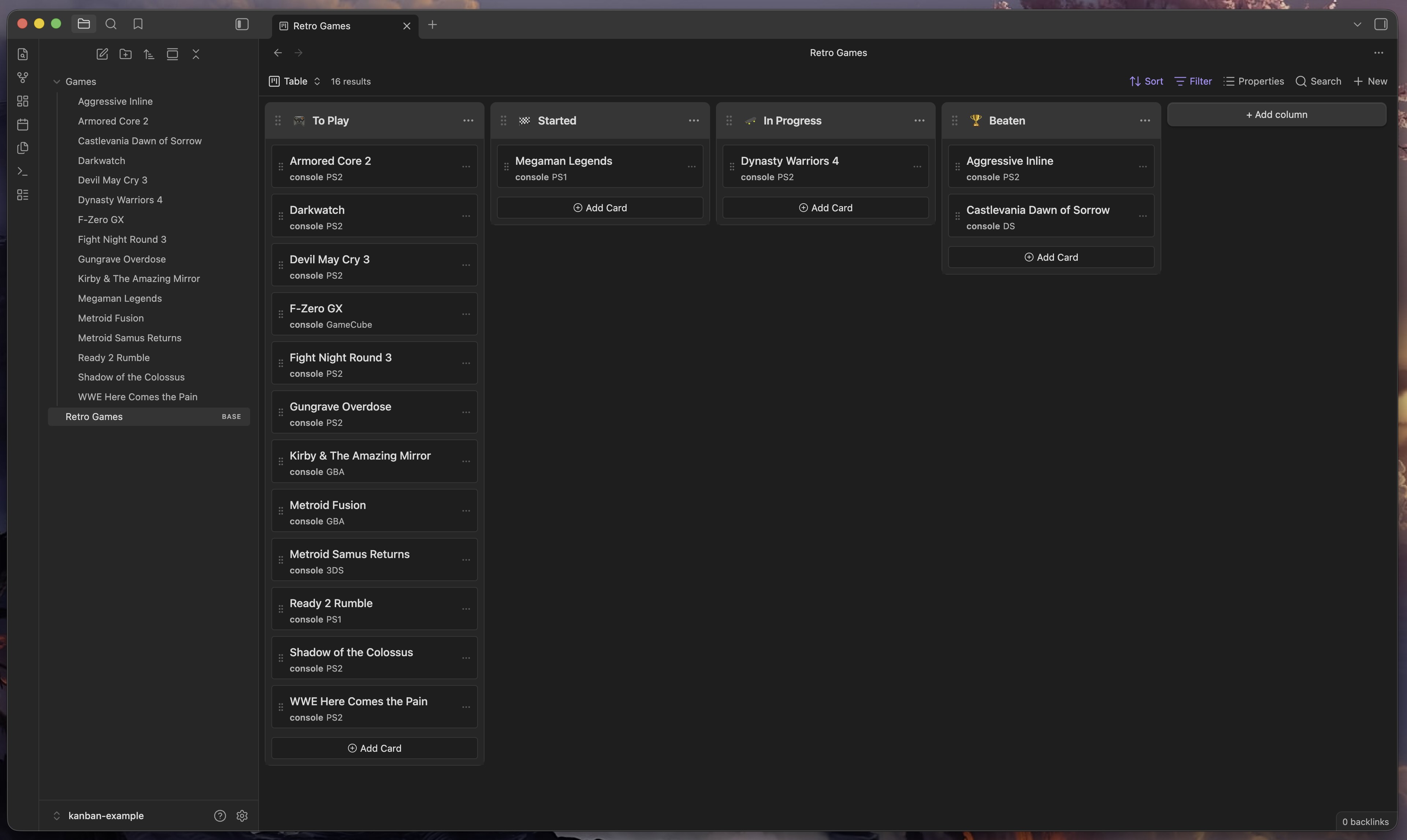
screenshot of Kanban property view

Kanban Folders

Groups notes into columns by their immediate parent folder. Each direct subfolder of the base's root folder is a column. Moving a card between columns physically moves the file to that folder — Obsidian handles link updates automatically.
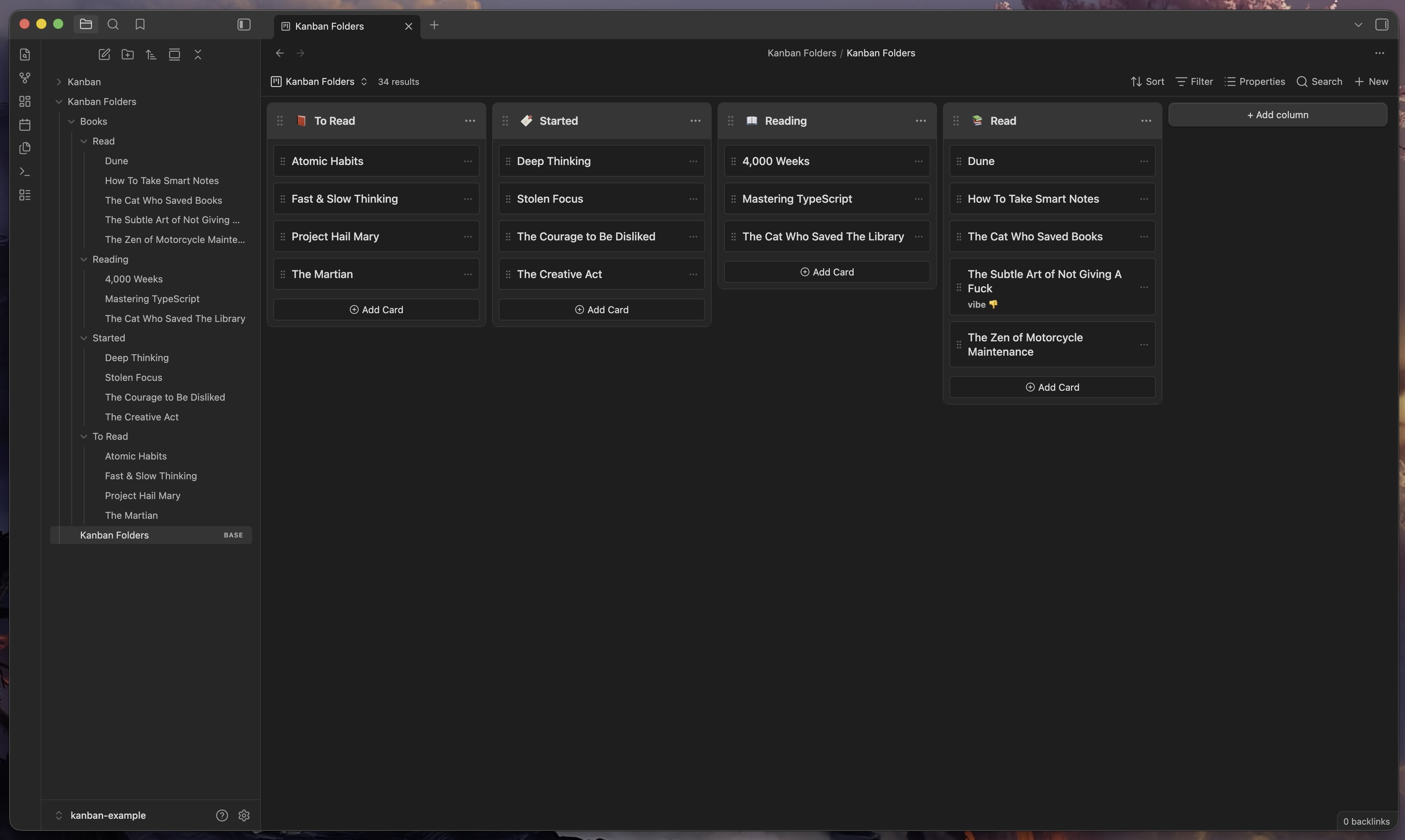
screenshot of Kanban folders view

How to install

Using BRAT

  1. Install BRAT from the community plugins directory.
  2. Open BRAT settings and click Add Beta Plugin.
  3. Enter https://github.com/jaidetree/obsidian-kanban-base.

Using Community Plugins

Search for Kanban Base in Settings → Community plugins → Browse.

Manual install

  1. Download main.js, manifest.json, and styles.css from the latest release.
  2. Copy them to .obsidian/plugins/kanban-base/ in your vault.
  3. Enable the plugin in Settings → Community plugins.

Usage

  1. Open or create a base file.
  2. Click the view selector and choose Kanban or Kanban Folders.

Kanban (Property)

  • Set the base's group-by field to a text property (e.g. status).
  • Cards are grouped by property value. Drag cards between columns to update the property.

Kanban Folders

  • Set the base folder to a directory that contains subfolders.
  • Each subfolder becomes a column. Drag cards between columns to move the file.

Feedback and feature requests

Open an issue.

Contributing

Open an issue before submitting a PR — I don't want to merge work that doesn't fit the direction of the project.

AI Disclaimer

Development was largely done with Claude. I'm a professional frontend engineer and have reviewed and tested this project during every phase of development.

License

MIT

79%
HealthExcellent
ReviewRisks
About
Add two Kanban views to Bases: group notes into columns by a text property or use each immediate subfolder as a column. Drag cards between columns to update the note's property or physically move the file between folders with Obsidian updating links automatically.
BasesProject managementFolders
Details
Current version
1.0.3
Last updated
2 weeks ago
Created
3 months ago
Updates
4 releases
Downloads
90
Compatible with
Obsidian 1.10.1+
Platforms
Desktop, Mobile
License
MIT
Report bugRequest featureReport plugin
Author
jaidetreejaidetree
GitHubjaidetree
  1. Community
  2. Plugins
  3. Bases
  4. Kanban Base

Related plugins

Kanban Bases View

A kanban-style drag-and-drop custom view for Bases.

Project Browser

Replaces your new tab window with cards of the files and folders in your vault. Also adds support for multi-page projects.

TaskNotes

Note-based task management with calendar, pomodoro and time-tracking integration.

Maps

Adds a map layout to bases so you can display notes as an interactive map view.

Tasks

Track tasks across your vault. Supports due dates, recurring tasks, done dates, sub-set of checklist items, and filtering.

Longform

Helps you write and edit novels, screenplays, and other long projects.

Flexplorer

Enhance the file explorer with custom sorting, pinning, and hiding.

Life Tracker

Capture and visualize the data that matters in your life.

Waypoint

Easily generate dynamic MOCs in your folder notes using waypoints. Enables folders to show up in the graph view and removes the need for messy tags!

Super Simple Time Tracker

Multi-purpose time trackers for your notes.