Search...Search plugins and themes...
⌘K
Sign in
  • Get started
  • Download
  • Pricing
  • Enterprise
  • Account
  • Obsidian
  • Overview
  • Sync
  • Publish
  • Canvas
  • Mobile
  • Web Clipper
  • CLI
  • Learn
  • Help
  • Developers
  • Changelog
  • About
  • Roadmap
  • Blog
  • Resources
  • System status
  • License overview
  • Terms of service
  • Privacy policy
  • Security
  • Community
  • Plugins
  • Themes
  • Discord
  • Forum / 中文论坛
  • Merch store
  • Brand guidelines
Follow us
DiscordTwitterBlueskyThreadsMastodonYouTubeGitHub
© 2026 Obsidian

Juggl

hemilehemile122k downloads

Add a completely interactive, stylable and expandable graph view.

Add to Obsidian
  • Overview
  • Scorecard
  • Updates28

Juggl

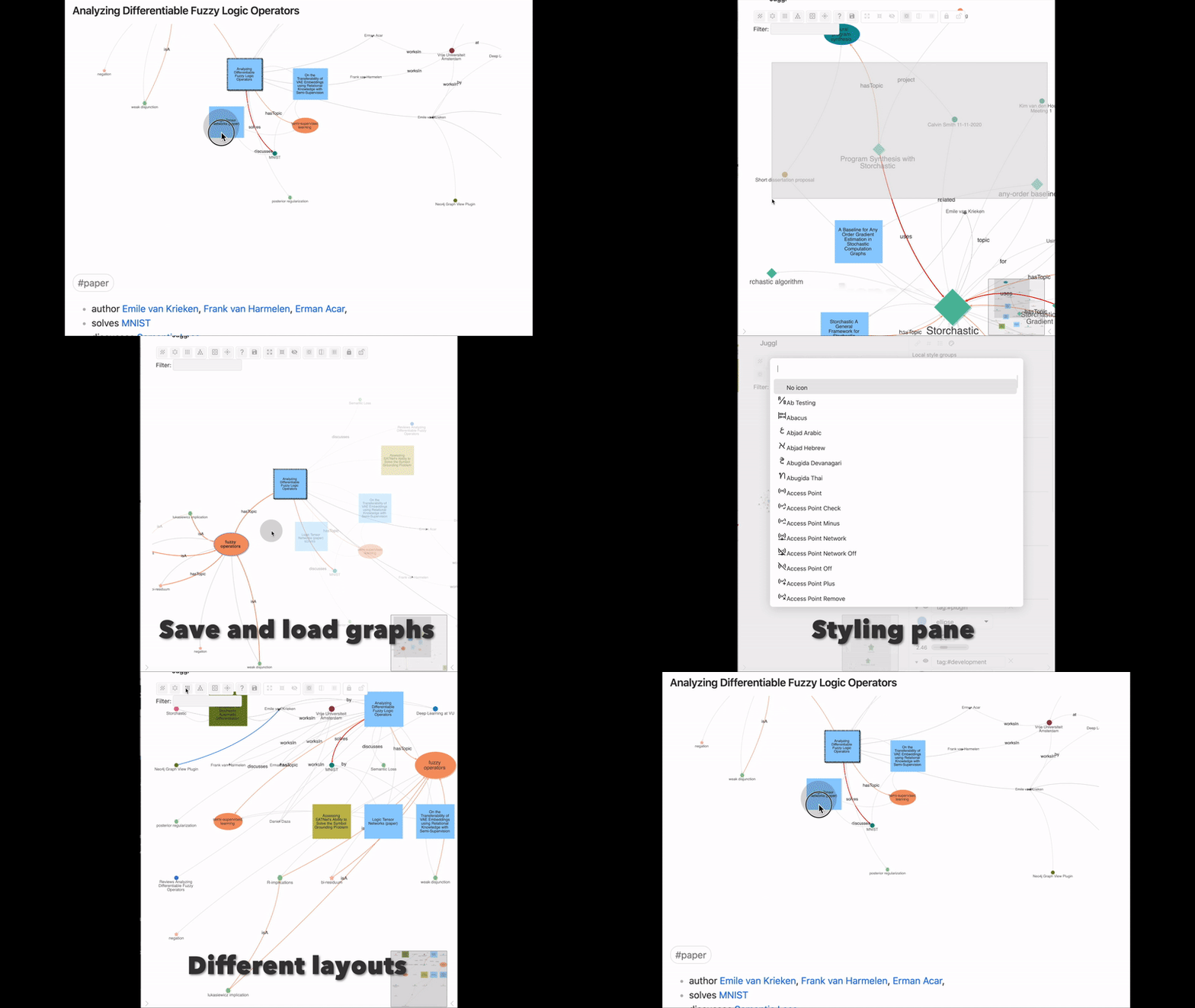
Juggl is a completely interactive, stylable and expandable graph view for Obsidian. It is designed as an advanced 'local' graph view called the 'workspace', where you can juggle all your thoughts with ease: By navigating your vault through a beautiful graph!

For example, you can select what parts of the graph to expand, to make sure there is never too much information on the screen. You will have complete control over the style of your graph using the powerful Cytoscape.js library: Juggl has a useful styling pane nodes colors, shapes, sizes, and icons. This helps you get an immediate overview over what the content of each node is.
Features

Juggl has many features unique to its graph view compared to the Obsidian graph view:

  • Complete control over the style of your graph using CSS, YAML and the Style Pane .
    • Include images!
  • A Workspace mode that lets you build your graph with all nodes that are relevant to your current project
    • Selectively browse and hide nodes, and pin their location so you never lose them
    • Write new ideas and see your graph evolve
    • Save your graph and continue working on it later
  • 4 different layouts to get unique insights
  • A code block that displays the graph within Obsidian notes
  • Link type support to label edges
  • Tight integration with the very useful Breadcrumbs plugin
  • Extendable through other plugins
  • Works on mobile!

Getting started

You can open Juggl from the 'more options' menu on files:

You can interact with the graph with many of the same options as in Obsidian. For further documentation, check out juggl.io, where you can find information on for example styling or the syntax of the code block. You can also open the help vault with this button in Juggl:

Extending Juggl

Juggl is completely open source and has an API available for creating Obsidian plugins that extend or use Juggl. See https://github.com/HEmile/juggl-api . You will have complete control over the internals of Cytoscape.js, which is an extremely powerful graph visualization library!

60%
HealthFair
ReviewRisks
About
Explore your vault as an interactive, stylable workspace graph using Cytoscape.js to control node colors, shapes, sizes, icons and images. Expand, hide, pin and save node subsets, embed graphs in notes, label edges, switch layouts, and extend functionality via an open API for desktop and mobile.
Markdown
Details
Current version
1.5.0
Last updated
3 years ago
Created
5 years ago
Updates
28 releases
Downloads
122k
Compatible with
Obsidian 1.4.16+
Platforms
Desktop, Mobile
License
GPL-3.0
Report bugRequest featureReport plugin
Author
hemilehemile
twitter.com/emilevankrieken
GitHubhemile
  1. Community
  2. Plugins
  3. Markdown
  4. Juggl

Related plugins

Importer

Import data from Notion, Evernote, Apple Notes, Microsoft OneNote, Google Keep, Bear, Roam, and HTML files.

Outliner

Work with your lists like in Workflowy or Roam Research.

Various Complements

Complete words similar to auto-completion in an IDE.

Linter

Format and style your notes. Linter can be used to format YAML tags, aliases, arrays, and metadata; footnotes; headings; spacing; math blocks; regular Markdown contents like list, italics, and bold styles; and more with the use of custom rule options.

Fantasy Statblocks

Create, manage and view a Fantasy Bestiary with Dungeons and Dragons style statblocks.

Custom Frames

Turn web apps into panes using iframes with custom styling. Also comes with presets for Google Keep, Todoist and more.

Auto Link Title

Automatically fetches the titles of links from the web.

Chronos Timeline

Render interactive timelines inline in your notes from simple markdown

Consistent Attachments and Links

Move note attachments and update links automatically.

Automatic Table Of Contents

Create a table of contents in a note that updates itself when the note changes.