Image Cluster
 lucas893 downloads
Image Cluster helps you easily combine multiple images together in your notes, making your note interface more beautiful and organized.
- Overview
- Scorecard
- Updates17

中文 | English
Image Cluster
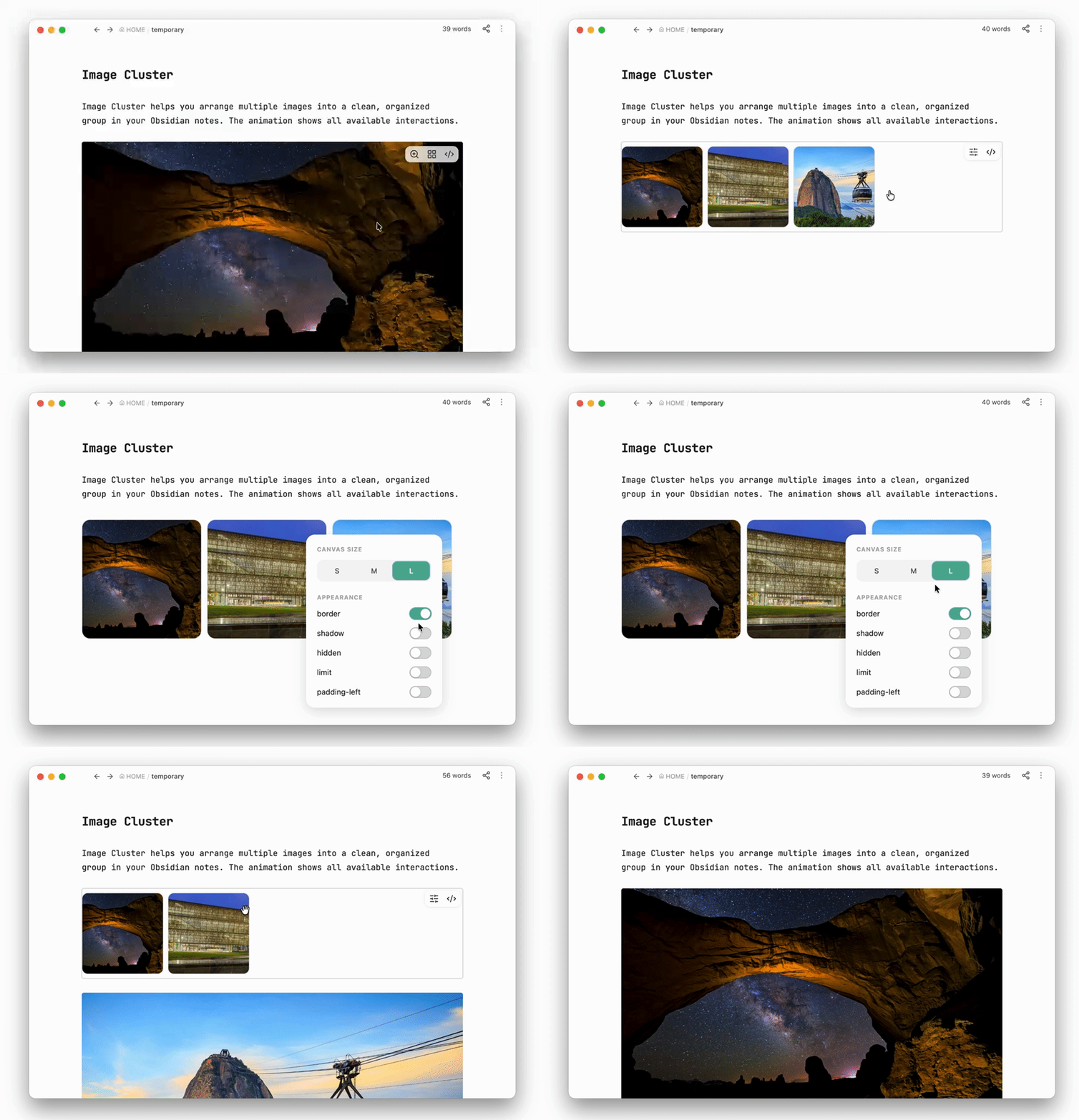
Image Cluster helps you arrange multiple images into a clean, organized group in your Obsidian notes. The animation shows all available interactions.
Installation
Install from Obsidian
- Open Settings → Community plugins in Obsidian.
- Select Browse and search for Image Cluster.
- Select Install, then enable the plugin.
Install manually
- Open the Image Cluster download page.
- Download the plugin and follow the installation instructions on the page.
- Open Settings → Community plugins in Obsidian and enable Image Cluster.
Advanced options
These options are saved automatically in the first line of an imgs block. You can also edit their values manually when you need more precise control.
| Option | What it changes | Initial value | Available values |
|---|---|---|---|
size |
Image width and height | 150 |
50–500 px |
gap |
Space between images | 8 |
0–50 px |
radius |
Image corner roundness | 10 |
0–50 px |
shadow |
Shows an image shadow | false |
true or false |
border |
Shows an image border | false |
true or false |
hidden |
Blurs the images and prevents them from being opened | false |
true or false |
limit |
Shows no more than three rows until expanded | false |
true or false |
padding-left |
Moves the image group to the right | 0 |
Any number from 0 px |
HealthExcellent
ReviewPassed
About
Combine multiple images into neat, responsive clusters inside your notes. Wrap images into a group via right‑click and customize layout, size, spacing, border radius, shadows and visibility from the group's settings or the imgs code header.Details
Current version
1.4.7
Last updated
2 days ago
Created
Last year
Updates
17 releases
Downloads
893
Compatible with
Obsidian 1.13.4+
Platforms
Desktop, Mobile
License
MIT