Search...Search plugins and themes...
⌘K
Sign in
  • Get started
  • Download
  • Pricing
  • Enterprise
  • Account
  • Obsidian
  • Overview
  • Sync
  • Publish
  • Canvas
  • Mobile
  • Web Clipper
  • CLI
  • Learn
  • Help
  • Developers
  • Changelog
  • About
  • Roadmap
  • Blog
  • Resources
  • System status
  • License overview
  • Terms of service
  • Privacy policy
  • Security
  • Community
  • Plugins
  • Themes
  • Discord
  • Forum / 中文论坛
  • Merch store
  • Brand guidelines
Follow us
DiscordTwitterBlueskyThreadsMastodonYouTubeGitHub
© 2026 Obsidian

Ignorance Advanced

师尧师尧18 downloads

Companion plugin for the Ignorance theme: Mermaid and ECharts blocks, paged reading, presentations, exports (PDF, Word, PPTX, HTML), image tools, code and table helpers.

Add to Obsidian
Ignorance Advanced screenshot
  • Overview
  • Scorecard
  • Updates3

Ignorance Advanced

Ignorance 主题的配套插件: 图表、表格、图片、演示与导出,一次到位。

English · 支持作者

外观由主题负责,插件只做 CSS 做不到的事。插件也能配合其他主题使用,但控件是按本主题的设计变量做的,换主题后会朴素一些。

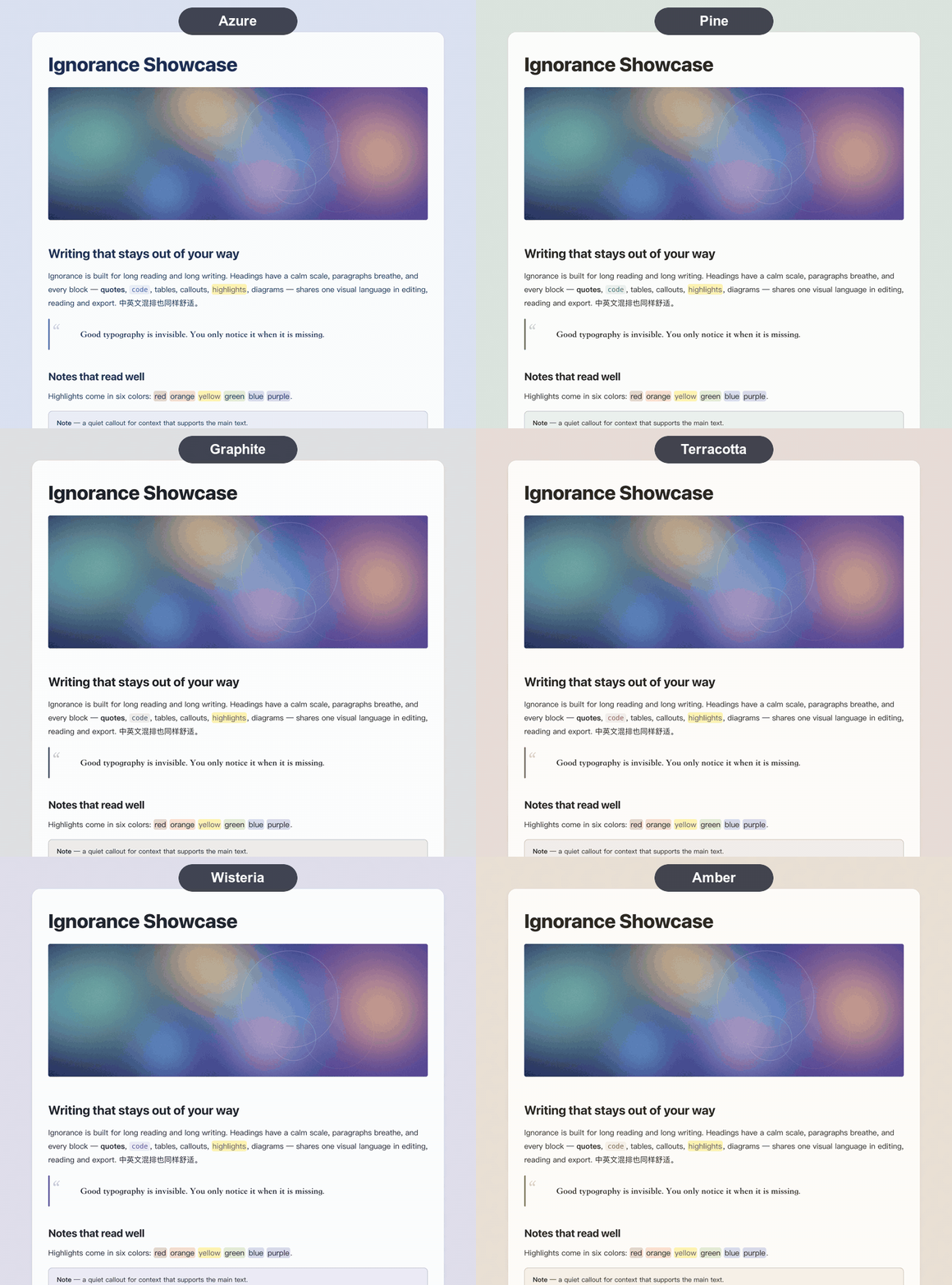
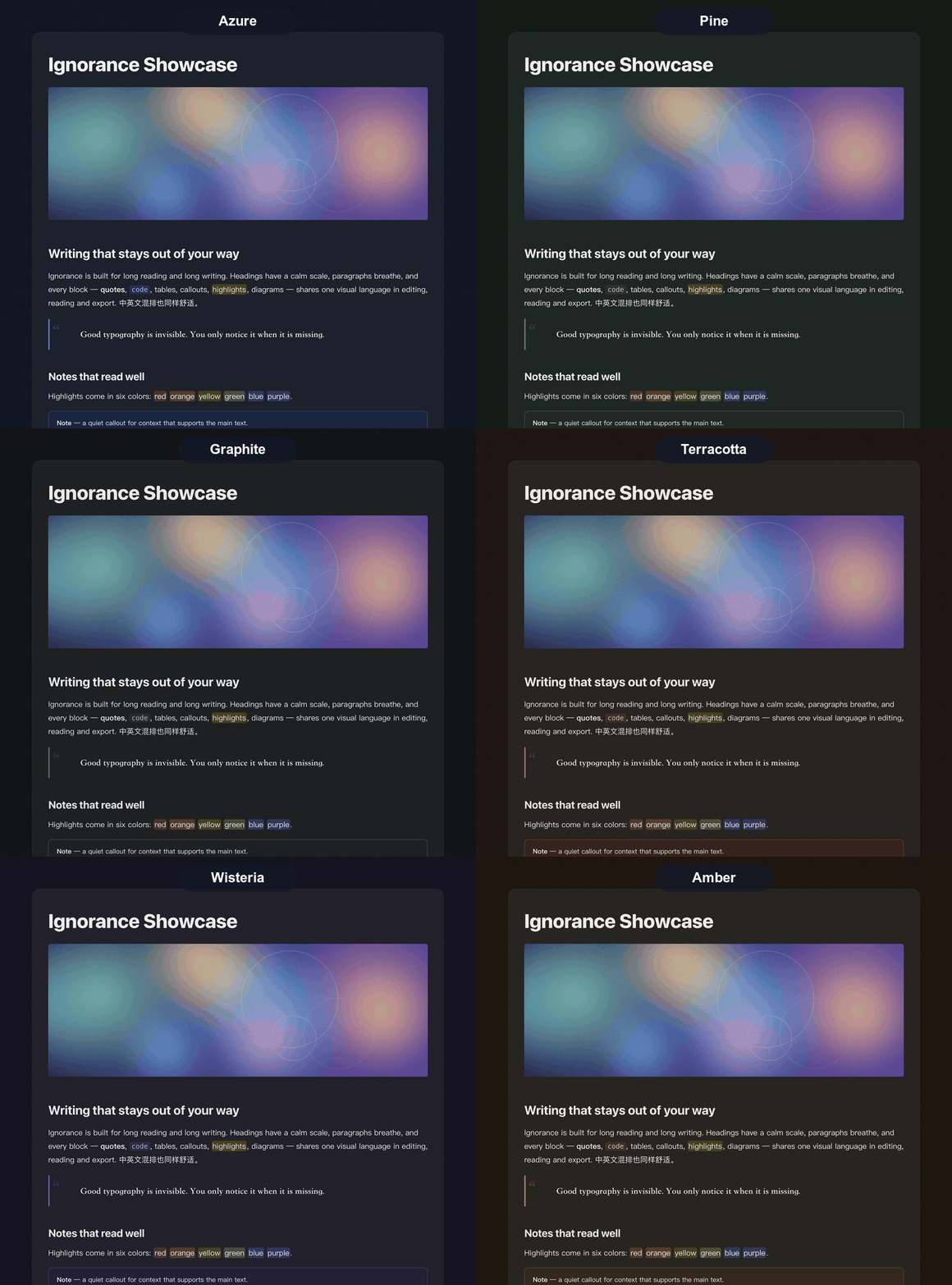
配色:八套,一键切换

在插件设置里选择 Azure、Pine、Book、Graphite、Terracotta、Teal、Wisteria、Amber,浅色深色各自调校,上方动图即是效果。

功能

Mermaid 增强

Mermaid 12(含 ELK 布局与 ZenUML),随主题明暗与配色自动换色。每个图可缩放、复制或编辑源码、左中右定位、拖拽调宽(写在围栏上:{align=center} {width=560})。

ECharts 增强

Apache ECharts 代码块直接渲染成图,同样跟随主题配色,操作与 Mermaid 一致。

表格增强

拖拽列边与行边,带吸附顿挫(适应内容宽度或等分,Alt 自由拖动,Shift 以 10 px 步进);尺寸菜单可一键适应内容、等分、撑满正文、重置;双击边线适应内容;左中右定位;按钮仅在悬停时出现,手机端同样可用。

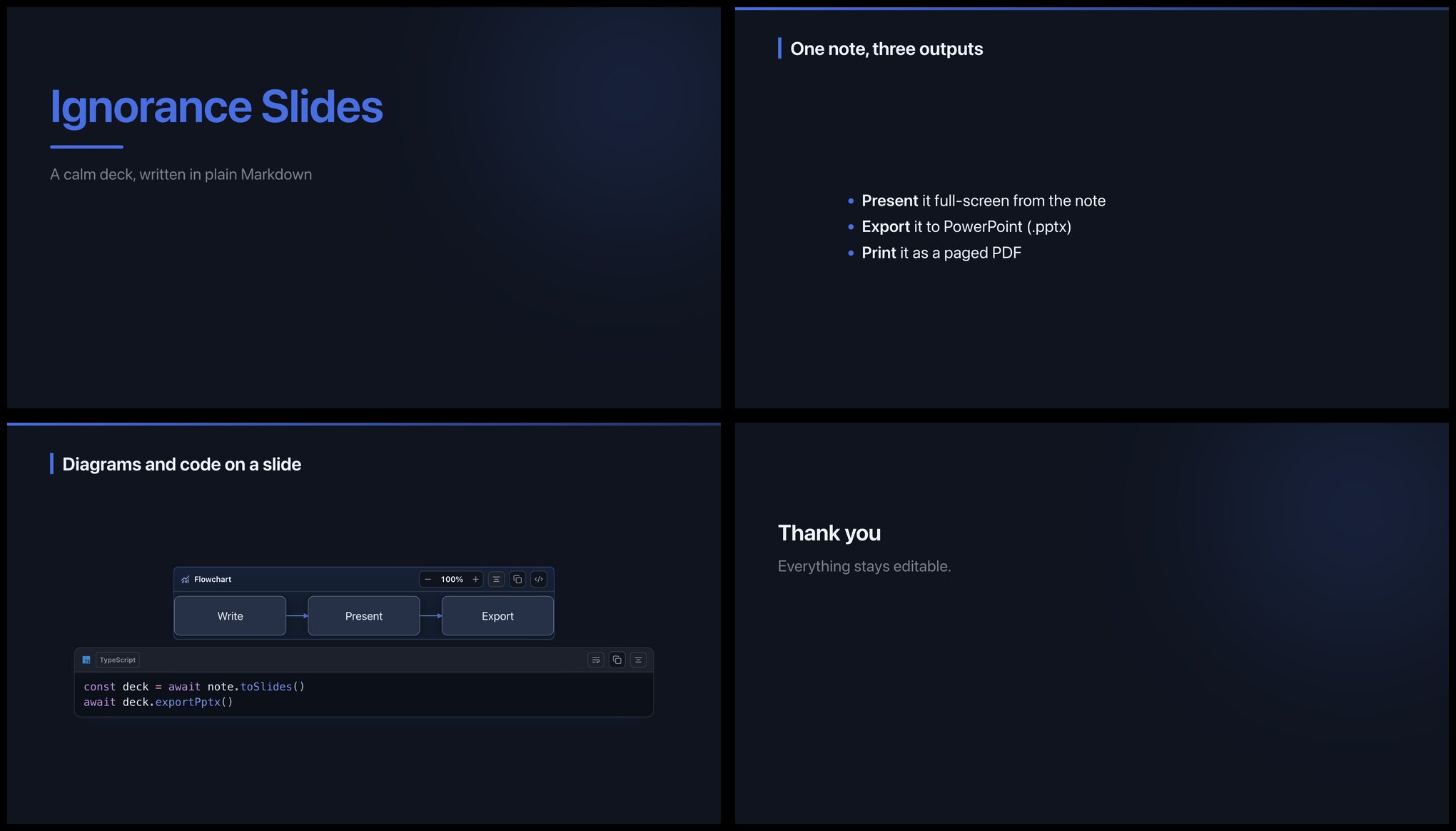
演示(PPT)

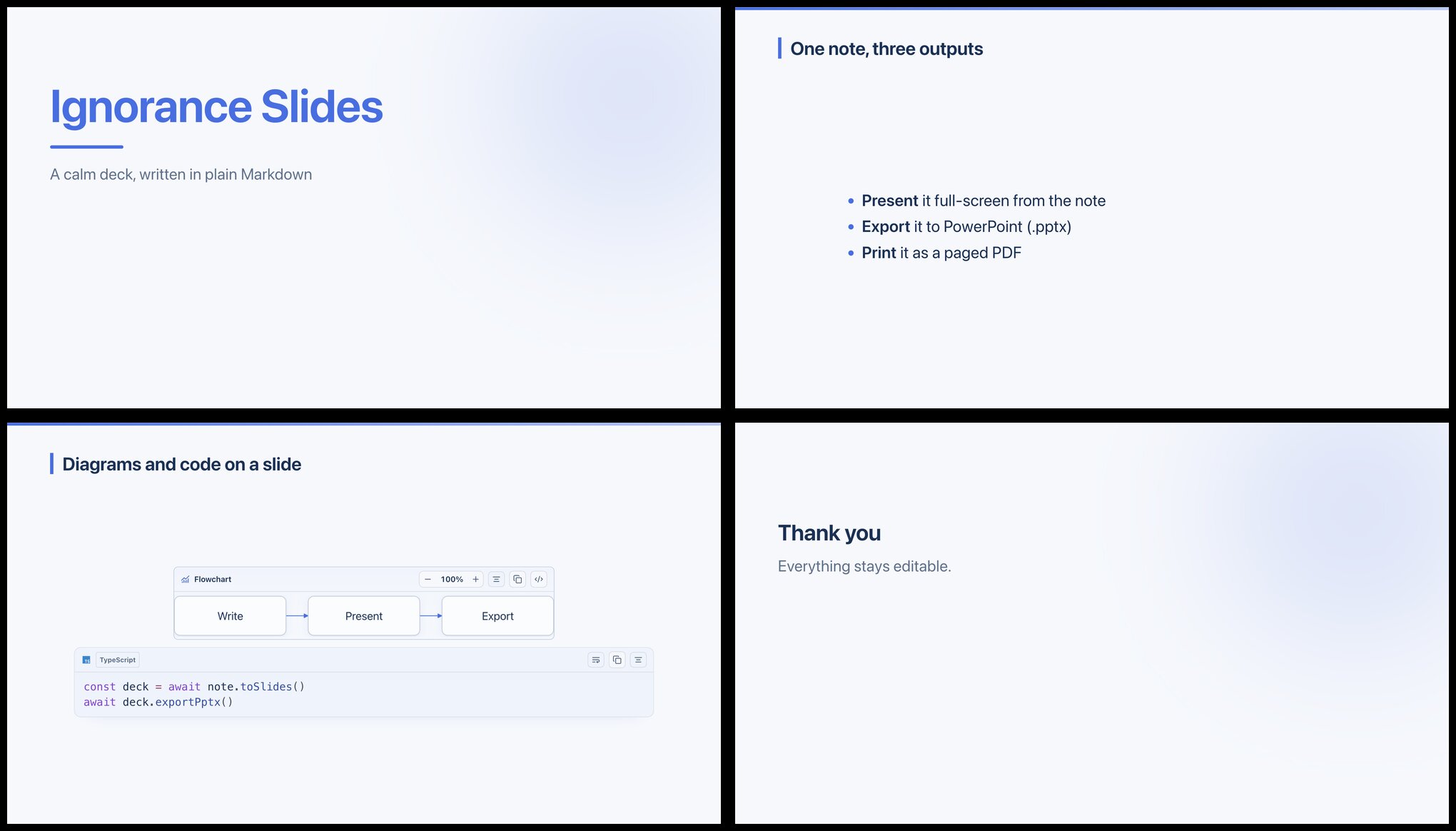
用 --- 分页,直接把一篇笔记变成演示文稿:全屏放映、图表与代码块原样上页,并可导出 PPTX 或打印成分页 PDF。笔记始终是纯 Markdown,随时可编辑。
代码块

可搜索的语言选择器(输入 py、ts、sql)、130+ 种语言、语言图标、行号、复制、折行;文件树同样带 Material Icon Theme 文件图标,文件夹的打开/关闭/空状态各不相同。

图片

对齐、八向缩放、复制、删除,以及裁切(裁切后选择替换原图或新增一张)。

阅读与导出

页面工具栏(正文宽度、纸张、页边距、页码、分页阅读,与 PDF 输出一致);导出 PDF、Word、PPT、图片,以及带目录、搜索和明暗切换的离线 HTML 阅读器。

其他

标签页复用、打字机与专注模式、智能标点、彩色高亮(==🟢文字==)、网页剪藏、从 Word/PDF/Excel/PPT 等导入 Markdown(桌面端)。

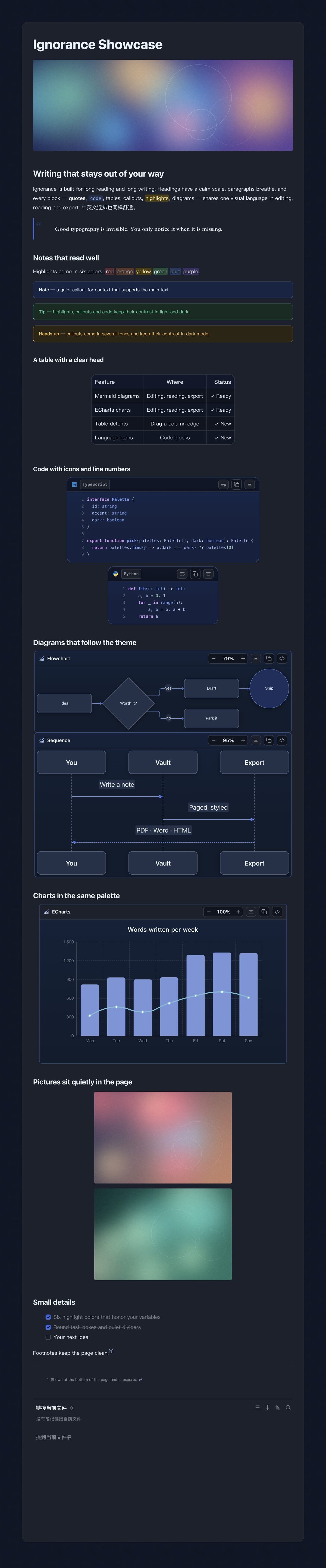
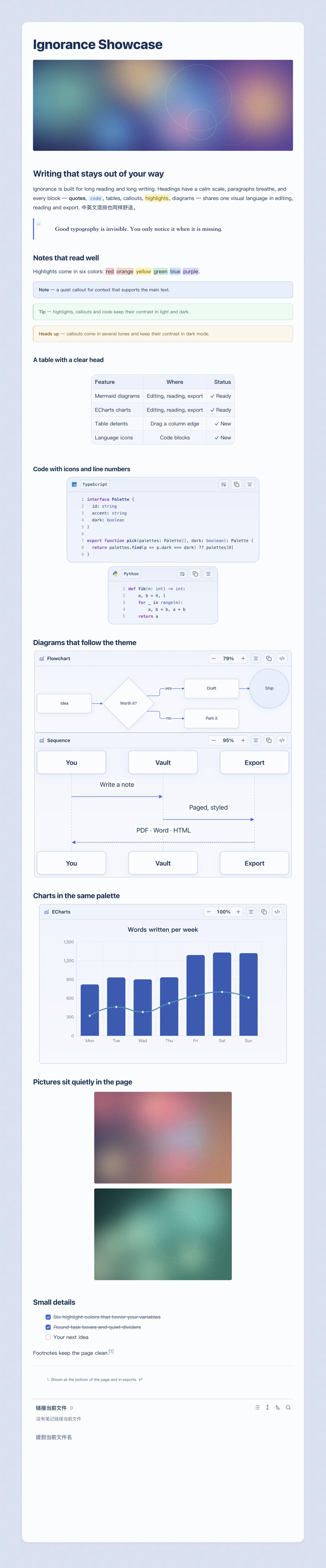
长图预览
安装

  • 社区插件:设置 → 第三方插件 → 浏览,搜索 “Ignorance Advanced”(插件页面)。
  • 手动:从最新发布下载 main.js、manifest.json、styles.css,放入 <库>/.obsidian/plugins/ignorance-advanced/ 后启用。
  • 主题:在 设置 → 外观 安装 Ignorance 以获得完整外观。

需要 Obsidian 1.8.7 及以上,支持桌面与手机;Word/PDF 导入等部分功能仅桌面端可用。

使用

  • 图表:写一个语言为 mermaid 或 echarts 的代码块,在实时预览和阅读视图中会自动渲染;悬停可缩放、复制、编辑源码、调整对齐,拖动边缘可调整宽度。
  • 表格:拖动列边或行边调整大小;按住 Alt 自由拖动,按住 Shift 以 10 px 步进,双击边线适应内容。
  • 图片:点击图片可对齐、缩放或裁切。
  • 代码块:点击语言标签可搜索语言;行号和折行在代码块工具栏里。
  • 演示:用单独一行 --- 分隔幻灯片,然后点笔记顶部页面工具栏里的"演示"按钮(或在命令面板运行"打开演示模式")。
  • 导出:用页面工具栏的导出按钮生成 PDF、Word、PPT、图片或离线 HTML 阅读器。
  • 设置:设置 → Ignorance Advanced(配色、页面布局、高亮颜色、标签页行为)。

隐私与网络

  • 无遥测、无统计、无广告。
  • 插件不会下载或自行更新任何代码。Mermaid、ECharts、导出引擎等库都压缩在 main.js 里(所以约 8 MB),用到时才解压。
  • 只有你主动操作时才会联网:剪藏网页、复制或导出图片链接、笔记里设置的封面图链接。

反馈

使用中遇到问题,或有功能需求,欢迎提交 issue;附上截图、Obsidian 版本和平台(桌面或手机)会更容易定位。

支持

如果它对你有用,欢迎请我喝杯咖啡,谢谢!

微信 支付宝
微信 支付宝

许可

MIT。第三方软件见 THIRD_PARTY_NOTICES.md。

HealthExcellent
ReviewSatisfactory
About
Render interactive Mermaid (v12 with ELK/ZenUML) and ECharts that match theme colors, with zoom, copy, source-edit, alignment and draggable width. Turn notes into paged slides with --- and export PDF/PPTX/Word/PNG/HTML; add table drag-resize, image crop/align, searchable code blocks and a reading/export toolbar.
ChartsExportPublishing
Details
Current version
1.0.2
Last updated
7 hours ago
Created
Yesterday
Updates
3 releases
Downloads
18
Compatible with
Obsidian 1.8.7+
Platforms
Desktop, Mobile
License
MIT
Report bugRequest featureReport plugin
Sponsor
Support
Author
师尧师尧ignorance-shiyao
GitHubignorance-shiyao
  1. Community
  2. Plugins
  3. Charts
  4. Ignorance Advanced

Related plugins

Wechat Converter

将 Markdown 转换为微信公众号排版,并支持一键发送到微信(weixin/wx)公众号(支持自定义 CSS和公众号贴图)、飞书、小红书(rednote)、知乎、微博、CSDN等20+平台。

GitHub

Share as Gist

Share a note as a GitHub.com Gist.

Document Exporter

Export notes, folders, and query results into Markdown bundles, HTML documents, and print-ready exports.

Publish to Telegram

Allows you to post notes directly to Telegram channels, groups and personal messages with different presets and advanced publishing settings.

Share Note

Instantly share/publish a note, with the full theme and content exactly like you see in Obsidian. Data is shared encrypted by default, and only you and the person you send it to have the key.

Tracker

Track occurrences and numbers in your notes.

Slides Extended

Create markdown-based reveal.js presentations. Fork of Advanced Slides.

Voice

Listen to your notes as natural speech with text-to-speech (TTS). Read notes aloud, play them like an audiobook in the voice player, download MP3 audio and listen offline hands-free on mobile.

Notion Bases

Turn any folder into a database — table, kanban board, gallery, calendar, timeline and list views powered by frontmatter.

Sheet Plus

Create Excel-like spreadsheets and easily embed them in Markdown.