Search...Search plugins and themes...
⌘K
Sign in
  • Get started
  • Download
  • Pricing
  • Enterprise
  • Account
  • Obsidian
  • Overview
  • Sync
  • Publish
  • Canvas
  • Mobile
  • Web Clipper
  • CLI
  • Learn
  • Help
  • Developers
  • Changelog
  • About
  • Roadmap
  • Blog
  • Resources
  • System status
  • License overview
  • Terms of service
  • Privacy policy
  • Security
  • Community
  • Plugins
  • Themes
  • Discord
  • Forum / 中文论坛
  • Merch store
  • Brand guidelines
Follow us
DiscordTwitterBlueskyThreadsMastodonYouTubeGitHub
© 2026 Obsidian

Ignorance

师尧师尧

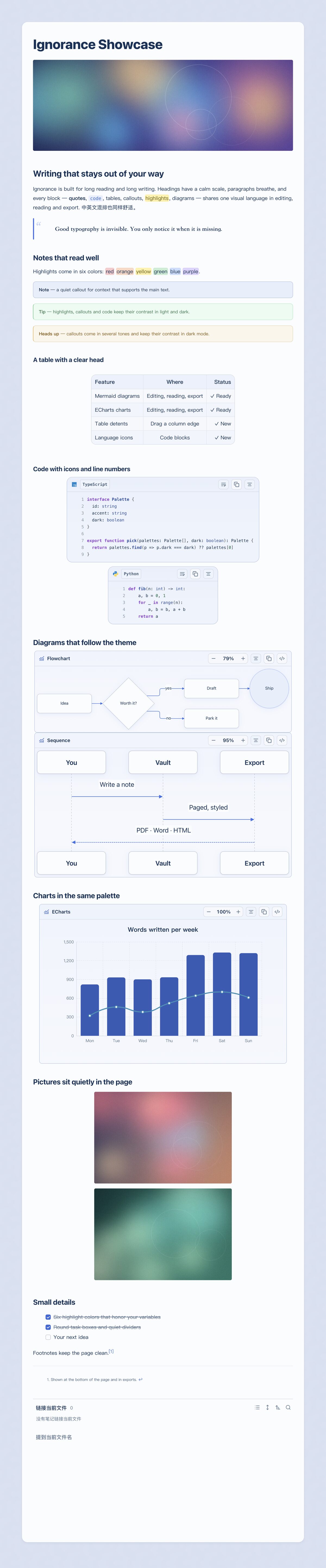
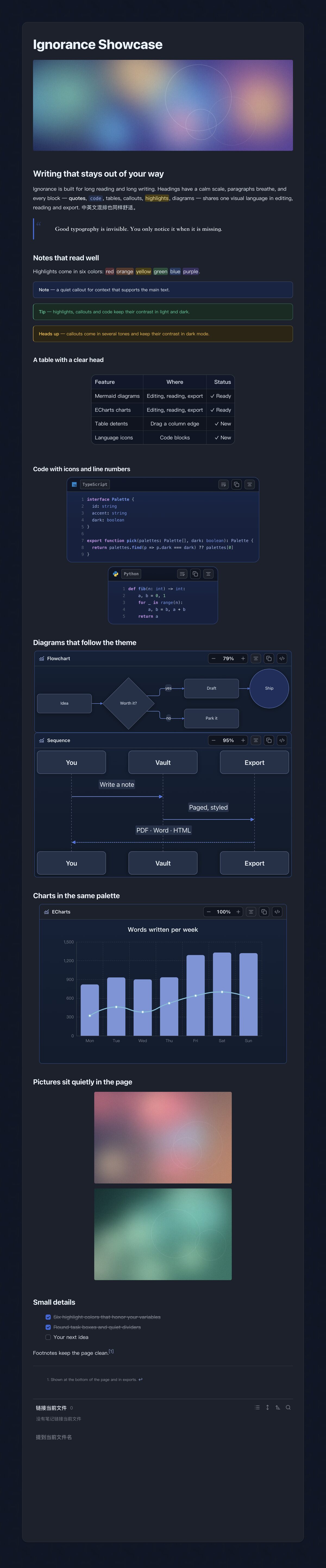
A calm, readable Obsidian theme for long-form Chinese and English writing (light and dark).

Add to Obsidian
Ignorance screenshot
  • Overview
  • Scorecard
  • Updates3

Ignorance

为中英文长文写作而生的 Obsidian 主题:安静、耐读。 八套配色 · 浅色与深色 · 编辑、阅读、导出和手机端一样用心。

English · 配套插件 · 支持作者

English: Ignorance is a calm, highly readable Obsidian theme for long-form Chinese and English writing. It ships a consistent look for editing, reading, PDF export and mobile, with typography-first layout, a clear heading hierarchy, and styled quotes, tables, code blocks, callouts and highlights, in both light and dark. Eight color palettes are available through the optional companion plugin Ignorance Advanced. Full English documentation: README.en.md.
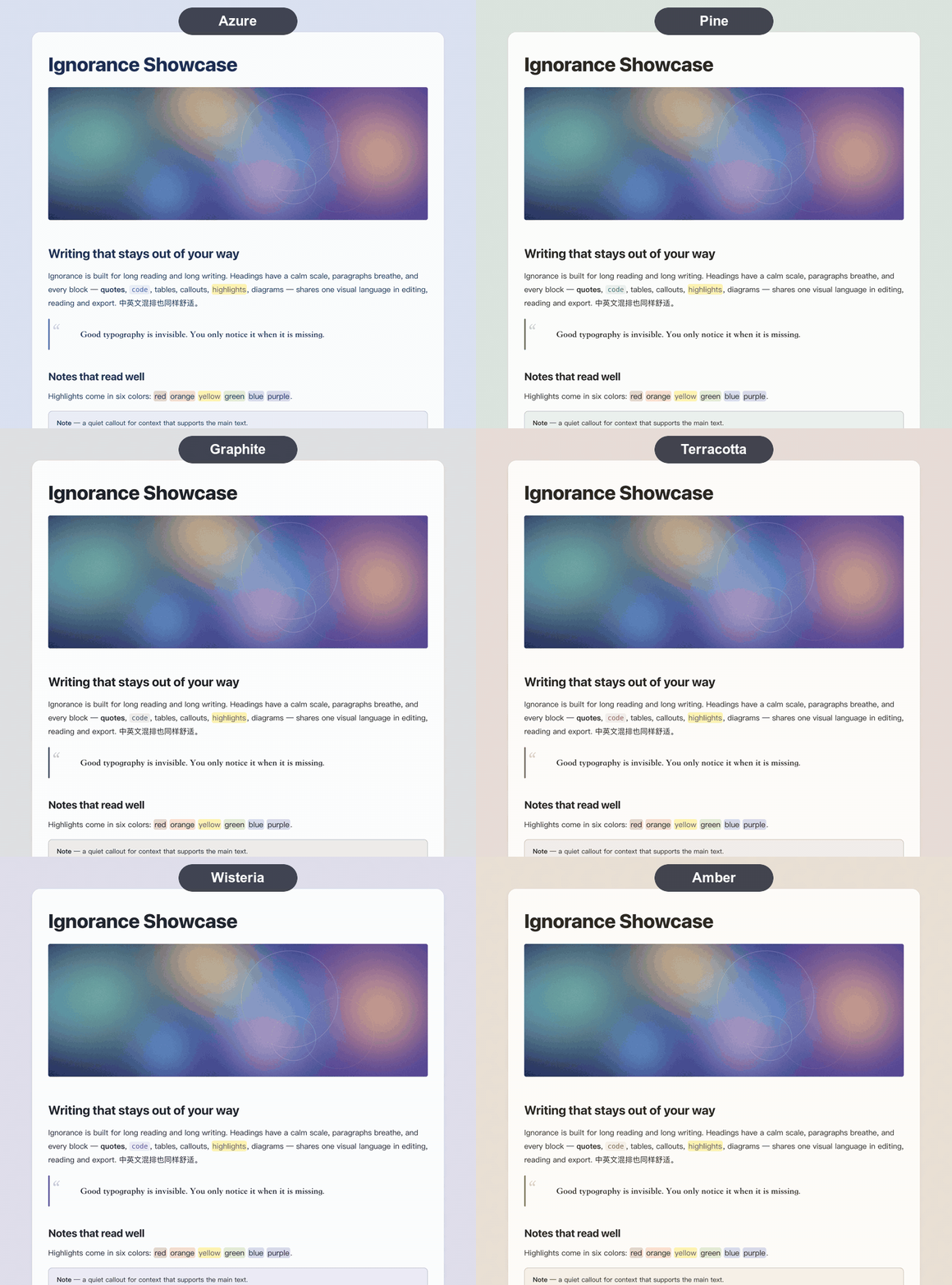
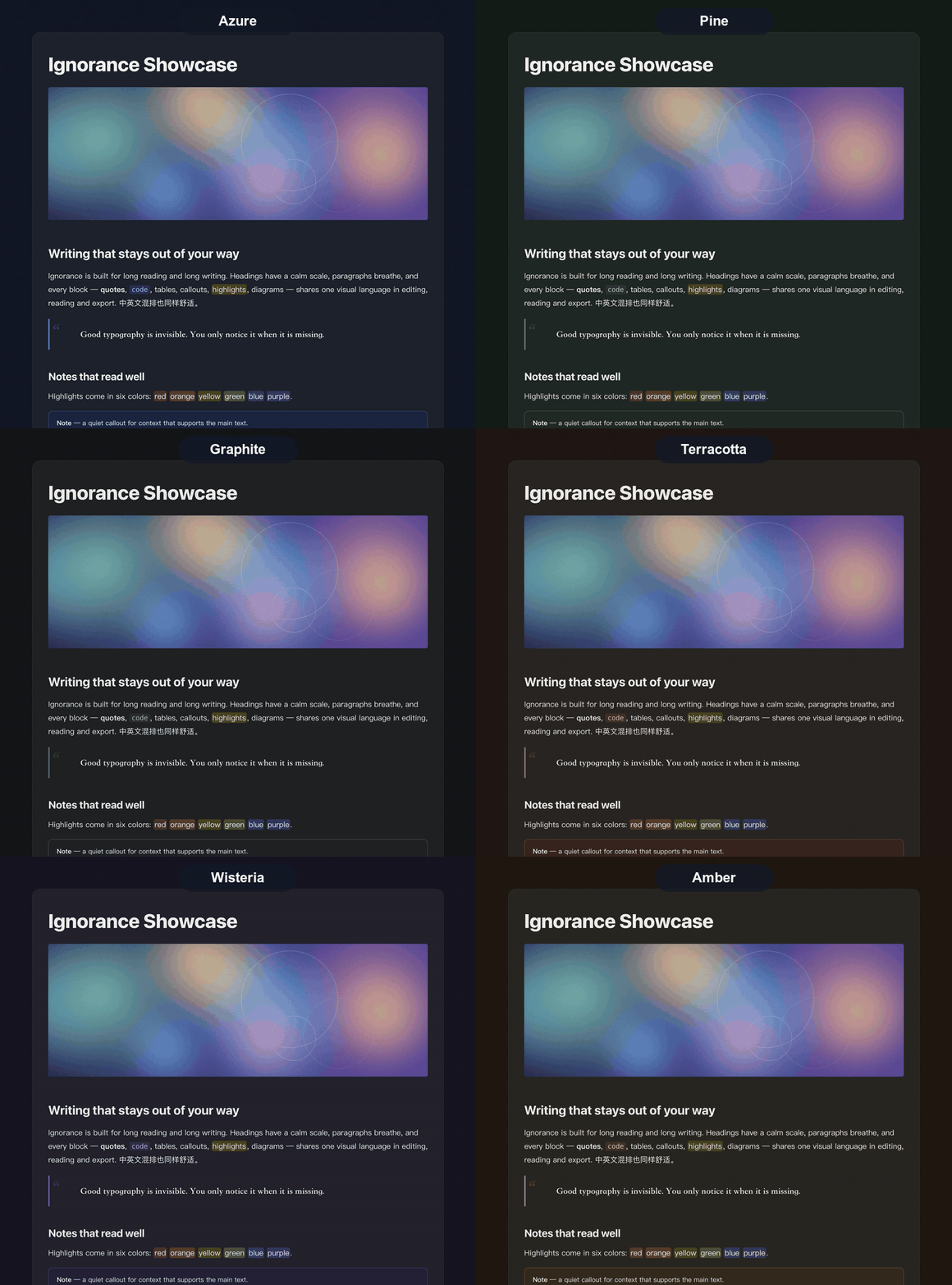
浅色模式切换配色 深色模式切换配色

多彩,随时切换

八套配色:Azure、Pine、Book、Graphite、Terracotta、Teal、Wisteria、Amber,每套都为浅色和深色分别调校。标题、链接、引用、高亮、标注块、表格都跟着配色走。切换配色由配套插件提供,主题本身默认 Azure。

随处一致

浅色 深色

特点

  • 排版优先:系统字体(苹方 / 微软雅黑)、820 px 阅读栏、宽松行高、清晰的 H1–H6 层级,实时预览、阅读视图和导出保持一致。
  • 讲究的内容块:粗竖线引用、表头更醒目并带浅色斑马纹的表格、带标题栏/行号/语法着色的代码块、多种色调的标注块、圆形任务复选框、脚注,以及跟随 Obsidian --highlight-background-* 变量的六色高亮。
  • 浅色与深色一起设计,对比度经过校准;也可以让 Obsidian 自带的强调色接管。
  • 手机端:更紧凑的间距、可横向滚动的表格、适合手指的控件。
  • 打印与 PDF:自动隐藏侧栏和控件,导出与屏幕所见一致。
  • 尊重你的设置:遵循"减少动态效果",以及你的字体与字号选择。

安装

在 Obsidian 内:设置 → 外观 → 主题 → 管理 → 搜索 "Ignorance" → 安装并使用。(主题页面)

手动安装:从最新发布下载 theme.css 与 manifest.json,放入 <库>/.obsidian/themes/Ignorance/,然后在 设置 → 外观 选择 Ignorance。

推荐:配套插件

主题可独立使用。再装 Ignorance Advanced 可获得配色切换、Mermaid 与 ECharts 增强、表格与图片工具、分页阅读、演示(PPT 视图与 PPTX 导出)和多种导出。

说明

  • 不内置字体;回退字体为 Noto Sans CJK SC。
  • 自带视图的第三方插件可能保留自己的样式。
  • docs/style-check.md 覆盖所有元素,可复制到库里检查主题效果。

开发

scripts/install-to-vault.sh /path/to/vault   # 把 theme.css 和 manifest.json 拷进库

反馈

使用中遇到问题,或有功能需求,欢迎提交 issue;附上截图和 Obsidian 版本会更容易定位。

支持

如果你喜欢这个主题,欢迎请我喝杯咖啡,谢谢!

微信 支付宝
微信 支付宝

许可

MIT。

HealthExcellent
ReviewCaution
About
Create calm, highly readable long-form notes in Chinese and English with a consistent editor, reading, export, and mobile experience. Get typographic-first layout, clear heading hierarchy, and styled blocks (vertical-bar quotes, titled code with line numbers, zebra tables, multi-tone highlights), plus mobile-friendly spacing and PDF-ready exports. Designed for both light and dark mode. Optionally pair it with the Ignorance Advanced plugin to switch between eight color palettes and add diagram, table, and presentation tools.
Details
Current version
1.0.3
Last updated
7 hours ago
Created
Yesterday
Updates
3 releases
License
MIT
Report bugRequest featureReport theme
Sponsor
Support
Author
师尧师尧ignorance-shiyao
GitHubignorance-shiyao
  1. Community
  2. Themes
  3. Ignorance

Related themes

Minimal screenshot

Minimal

Wasp screenshot

Wasp

Things screenshot

Things

GitHub Theme screenshot

GitHub Theme

Shimmering Focus screenshot

Shimmering Focus

Cupertino screenshot

Cupertino

Baseline screenshot

Baseline

Prism screenshot

Prism

Willemstad screenshot

Willemstad

MagicUser screenshot

MagicUser