Idea Vault
 Nooshin Java30 downloads
Capture ideas instantly, organize them later and resurface forgotten ones.
- Overview
- Scorecard
- Updates2
Capture ideas instantly, organize them later, and resurface forgotten ones.
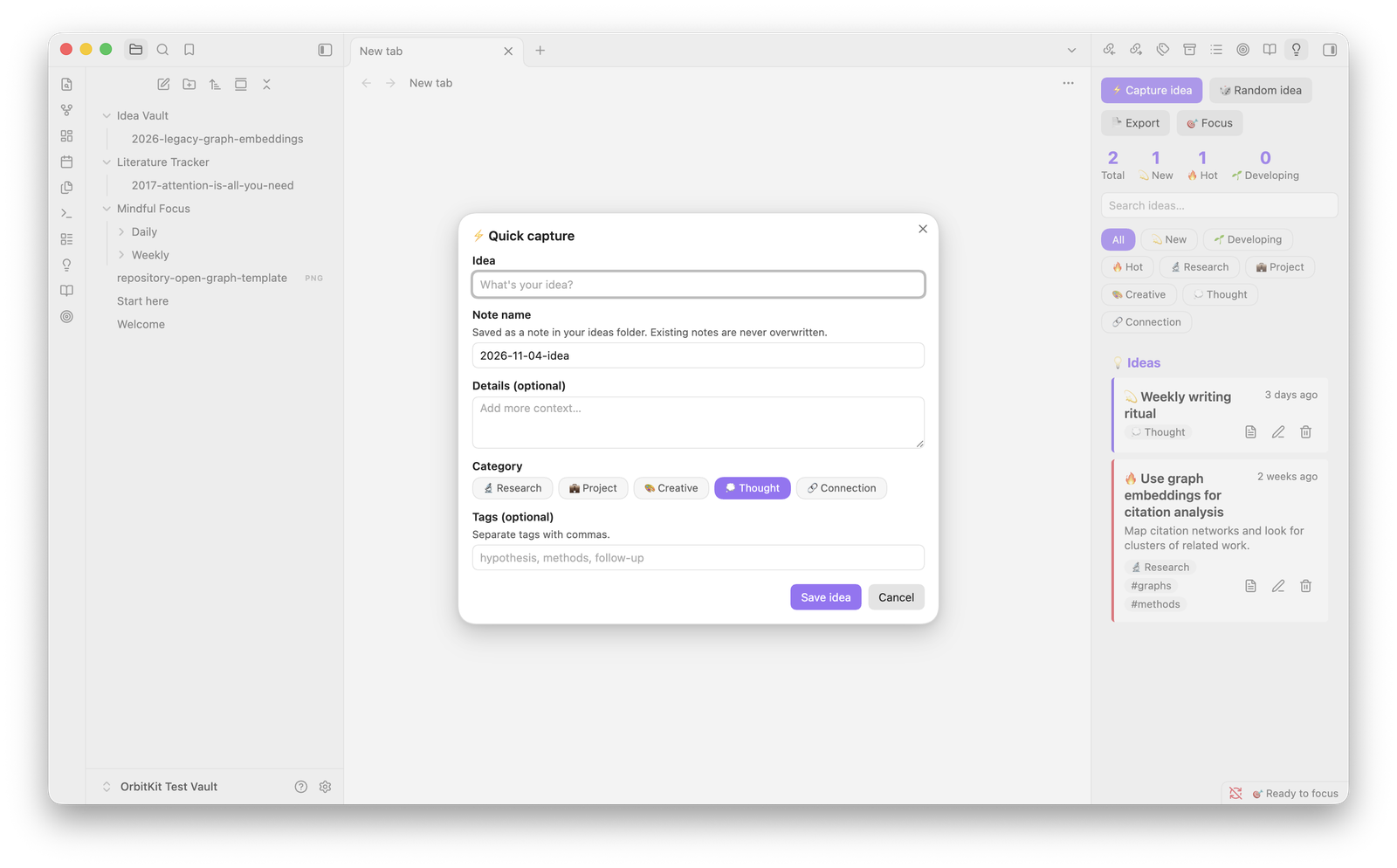
Features
- Quick capture with a title, optional details, a category and tags. Each idea gets its own note.
- Categories: Research, Project, Creative, Thought, Connection.
- Statuses: New → Developing → Hot → Implemented → Archived.
- Search, plus filters by status or category, in the side panel.
- Random idea resurfaces something you haven't finished with.
- Export writes a Markdown digest of all ideas (
Ideas-YYYY-MM.md).
Editing an idea updates only the properties you changed, plus the note's title and 💭 Idea section. If you've edited those parts directly in the note, your version is kept and Idea Vault tells you so. Everything else you write in the note, including the 📝 Notes section, is never touched. If you rename or move an idea note, the idea follows it, even when the move happens outside Obsidian.
Commands
| Command | What it does |
|---|---|
| Quick capture idea | Opens the capture dialog |
| Open panel | Shows the side panel (also the 💡 ribbon icon) |
| Show a random idea | Picks an idea that isn't implemented or archived |
| Export ideas to Markdown | Writes the export note and opens it |
No hotkeys are set by default. Assign your own under Settings → Hotkeys. In the dialogs, Ctrl/Cmd+Enter saves.
Settings
| Setting | Default | Used for |
|---|---|---|
| Ideas folder | Idea Vault |
Where idea notes and exports are saved (paths outside the vault are rejected) |
| Open note after capture | on | Opens the new note after Quick capture |
Your data
The list of ideas lives in this plugin's data.json, and each idea also has
a readable note in the ideas folder. New notes never overwrite an existing
file: if the name is taken, Idea Vault adds a number, as in "My idea 1". When
you delete an idea, Idea Vault asks first, then moves its note to the trash
you've set in Obsidian.
Install
From Obsidian: open Settings → Community plugins → Browse, search for Idea Vault, then click Install and Enable.
By hand: download main.js, manifest.json and styles.css from the
latest release into
<your vault>/.obsidian/plugins/idea-vault/, reload Obsidian and enable
Idea Vault under Settings → Community plugins.
Feedback
I'd love to hear how Idea Vault works for you. Please open an issue for bugs or ideas.
Idea Vault is part of OrbitKit, where I develop it together with my other Obsidian plugins. This repository is generated from there.
Acknowledgements
I designed and built Idea Vault. I used Claude, an AI assistant by Anthropic, to help with parts of the code, tests and documentation.
License
MIT © Nooshin Javaheripour