Search...Search plugins and themes...
⌘K
Sign in
  • Get started
  • Download
  • Pricing
  • Enterprise
  • Account
  • Obsidian
  • Overview
  • Sync
  • Publish
  • Canvas
  • Mobile
  • Web Clipper
  • CLI
  • Learn
  • Help
  • Developers
  • Changelog
  • About
  • Roadmap
  • Blog
  • Resources
  • System status
  • License overview
  • Terms of service
  • Privacy policy
  • Security
  • Community
  • Plugins
  • Join the community
  • Discord
  • Forum / 中文论坛
  • Merch store
  • Brand guidelines
Follow us
DiscordTwitterBlueskyThreadsMastodonYouTubeGitHub
© 2026 Obsidian

ibook

bingryanbingryan13k downloads

Export your Apple iBook highlights and annotations into your vault.

Add to Obsidian
  • Overview
  • Scorecard
  • Updates31

It allows you to export your mac ibook hightlights and annotations into your obsidian vault.

Demo Screenshot
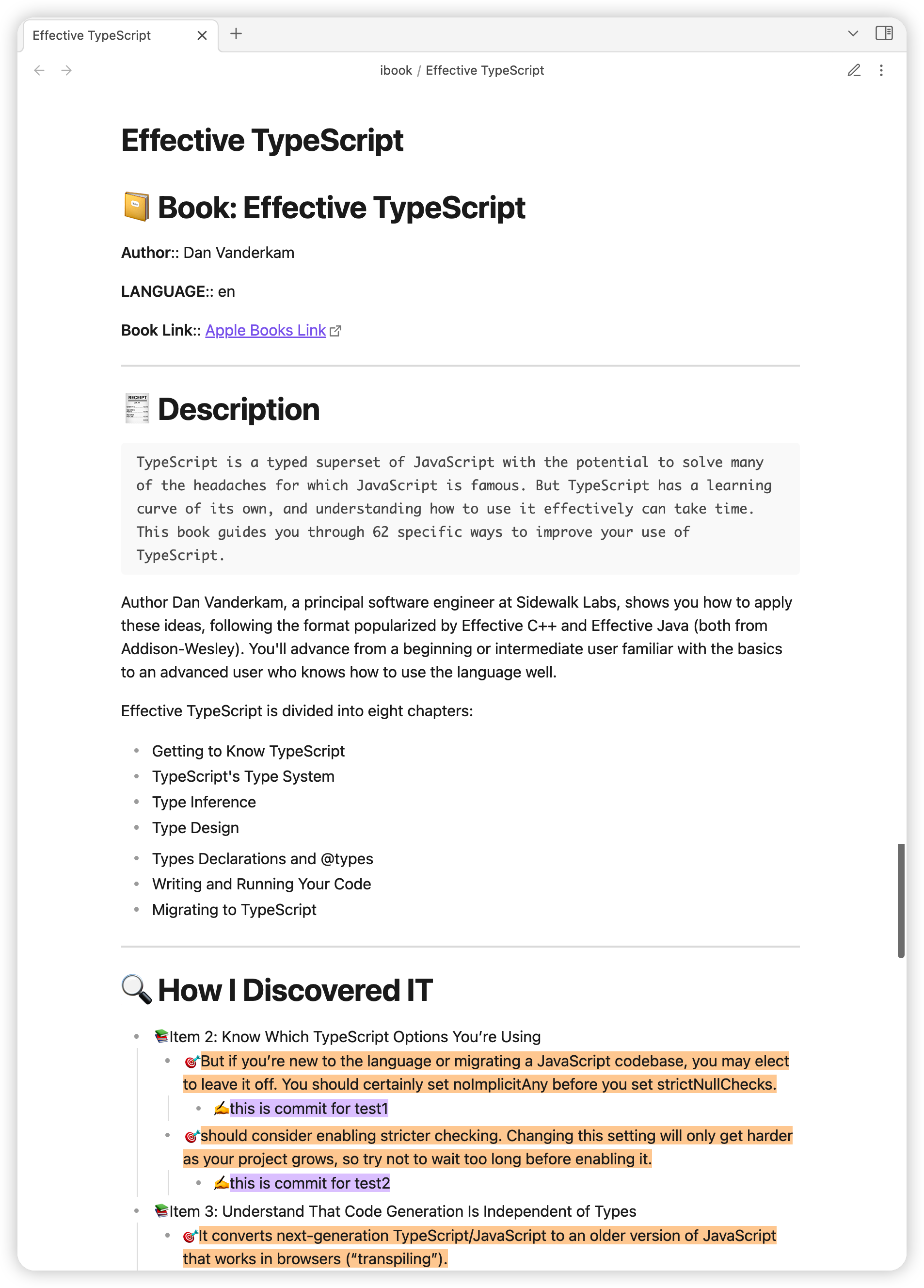
Attention

  • If you want to use highlighted text's color from ibook, use this template

  • plugin not work? -> allow obsidian access your mac data, more info visit #63

Requirements(exists default)

The data of mac ibook exists in local sqlite3. and this plugin select database use the local SQLite3

brew install sqlite3

How to Use

export all

cmd + p and input ibook export

export single book by search

cmd + shift + b and search by book name/author
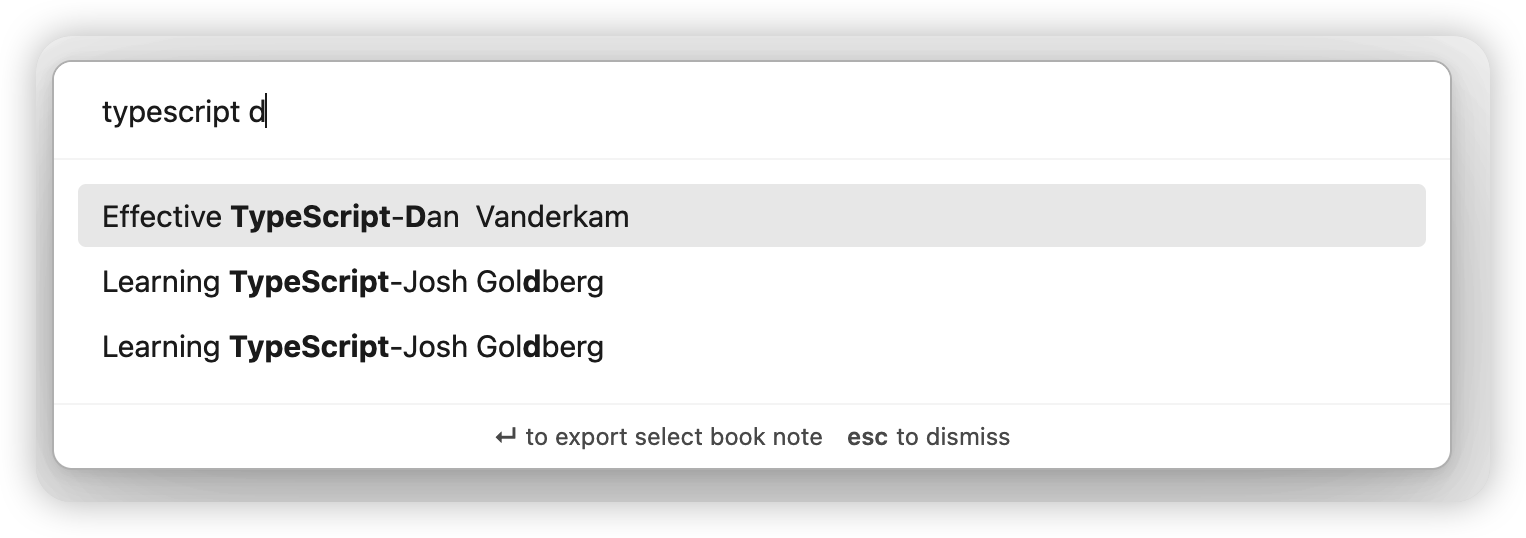
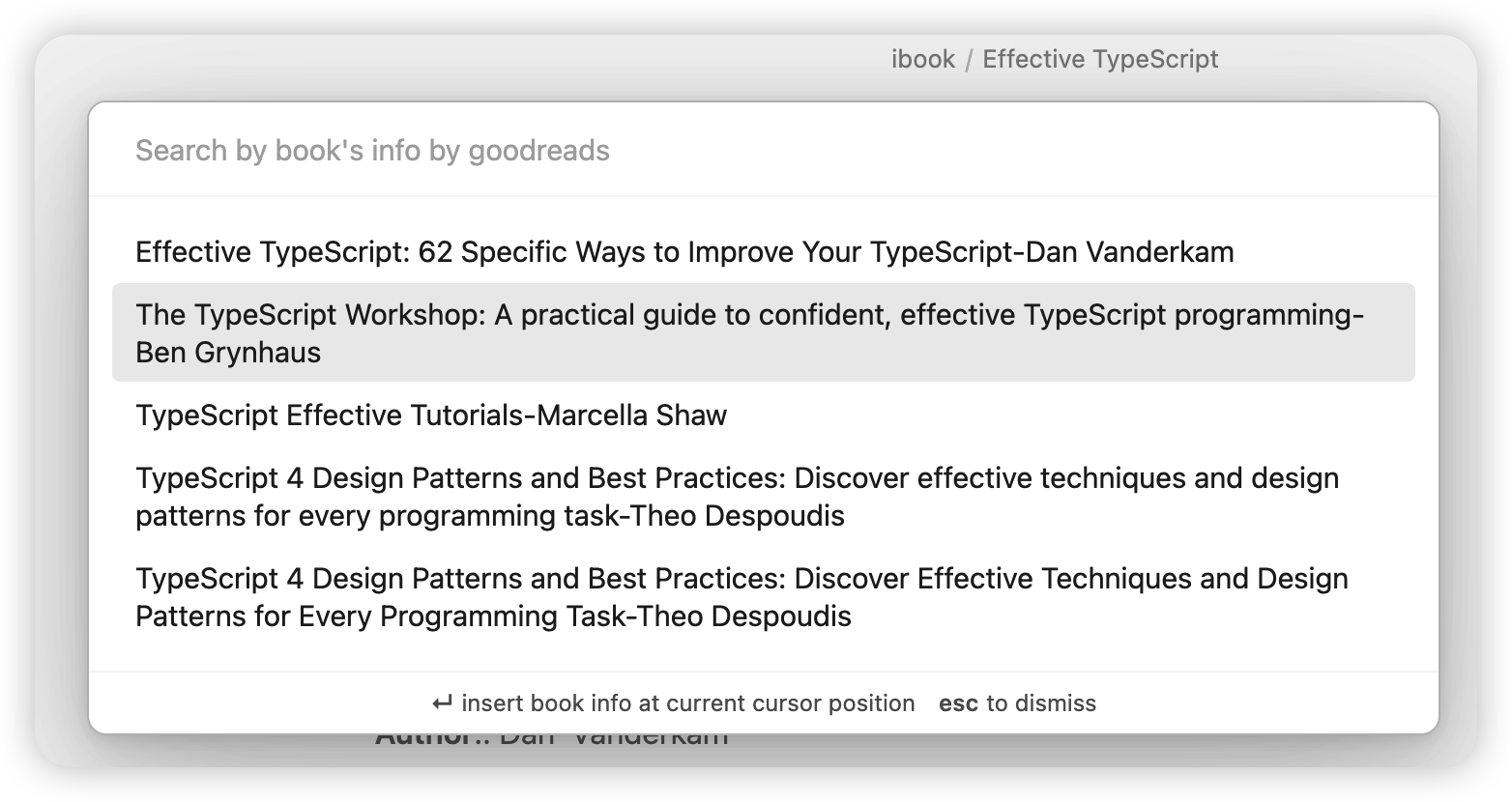
export book info by search goodreads

cmd + shift + i use file name to search book info, and insert current cursor position
Features

[✓] support export by search book name/author

[✓] export ibook hightlights and annotations into your obsidian vault.

[✓] user-defined template

[✓] search book info by goodreads

[✗] More...

For User-Defined Templates

  1. templating language: https://handlebarsjs.com/
    1. built-in loaded handlebars-helpers, handlebars-group-by
  2. available parameters: docs/parameters.md

If you don't know how to use these, you can visit example, and anyone is welcome to provide templates by PR

How to Install

From within Obsidian

you can activate this plugin within Obsidian by doing the following:

  • Open Settings > Third-party plugin
  • Make sure Safe mode is off
  • Click Browse community plugins
  • Search for "Obsidian ibook"
  • Click Install
  • Once installed, close the community plugins window and activate the newly installed plugin
67%
HealthFair
ReviewCaution
About
Export Mac iBooks highlights and annotations into your Obsidian vault. Search by book name or author, fetch metadata from Goodreads, and apply customizable Handlebars templates to format imported notes.
AnnotationImportTemplating
Details
Current version
2.0.12
Last updated
3 years ago
Created
3 years ago
Updates
31 releases
Downloads
13k
Compatible with
Obsidian 0.15.0+
License
MIT
Report bugRequest featureReport plugin
Author
bingryanbingryan
github.com/bingryan/obsidian-markdown-export-plugin
GitHubbingryan
  1. Community
  2. Plugins
  3. Annotation
  4. ibook

Related plugins

Kindle Highlights

Sync your Kindle book highlights using your Amazon login or uploading your My Clippings file.

Media DB

Query multiple APIs for movies, series, anime, games, music releases and wiki articles, and import them into your vault.

Weread

Sync Tencent Weread highlights and annotations.

Epub Importer

Import EPUB files as Markdown.

Kobo Highlights Importer

Import highlights from Kobo devices.

Apple Books - Import Highlights

Import your Apple Books highlights and notes to Obsidian.

Podcast Note

Podcast Note lets you automatically add podcast information to your notes.

Templater

Create and use dynamic templates.

Importer

Import data from Notion, Evernote, Apple Notes, Microsoft OneNote, Google Keep, Bear, Roam, and HTML files.

Zotero Integration

Insert and import citations, bibliographies, notes, and PDF annotations from Zotero.