Hints Flow
 slpbx10k downloads
Capture from Telegram, WhatsApp, Slack, Email, SMS, Raycast and more using Hints AI Assistant.
- Overview
- Scorecard
- Updates8
Save data directly to Obsidian with specified template. Capture from Telegram, WhatsApp, Slack, Email, SMS, Raycast and more.
Hints Flow plugin
A Hints quick-capturing plugin for Obsidian.
You can save data directly to Obsidian with specified template from Telegram, WhatsApp, Slack, Email, SMS, Raycast and more.
Learn more about Hints integrations with Notion, Calendar, ClickUp, Trello, HubSpot, Pipedrive and Jira.
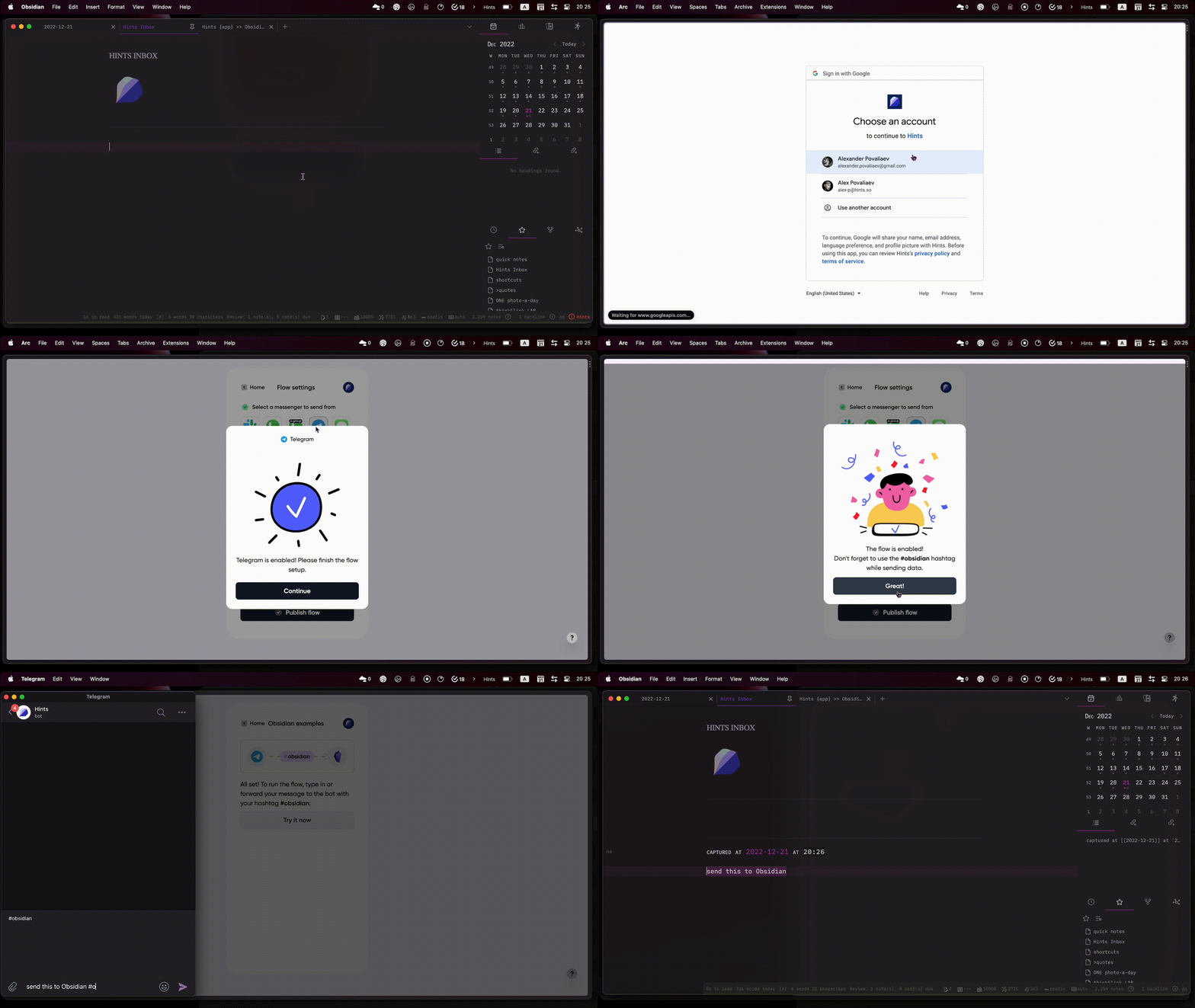
How to install
- Install the Hints Flow plugin from Obsidian marketplace
- Go to Hints Web App and create free account
- Hit
Create new flowand selectObsidiandestination - Choose one or more sources to capture from
- Select the tag that will be used for capturing (default
#obsidian)- if you only have one integration enabled, it will work without the # hashtag
- Click
Connect Obsidian, then go back to Hints app and clickPublish flow - Configure capturing template in
Hints Flowplugin setting in your Obsidian
How to use
- Forward or send any message to Hints bot via Telegram, WhatsApp or Slack
- Send via Email, SMS or capture with RayCast
- Review advanced use-cases and examples on our website
Don’t just store knowledge, move it forward!
HealthFair
ReviewCaution
About
Capture messages and content from Telegram, WhatsApp, Slack, Email, SMS, Raycast and other sources directly into Obsidian using customizable templates. Create flows to route captures from connected apps (Notion, ClickUp, Trello, HubSpot, Pipedrive, Jira, Calendar) into organized notes for quick review.Details
Official
Officially made by its original creators.
Payments
Optional
Current version
1.2.1
Last updated
3 years ago
Created
4 years ago
Updates
8 releases
Downloads
10k
Compatible with
Obsidian 0.15.0+
Platforms
Desktop, Mobile
License
OTHER