Search...Search plugins and themes...
⌘K
Sign in
  • Get started
  • Download
  • Pricing
  • Enterprise
  • Account
  • Obsidian
  • Overview
  • Sync
  • Publish
  • Canvas
  • Mobile
  • Web Clipper
  • CLI
  • Learn
  • Help
  • Developers
  • Changelog
  • About
  • Roadmap
  • Blog
  • Resources
  • System status
  • License overview
  • Terms of service
  • Privacy policy
  • Security
  • Community
  • Plugins
  • Themes
  • Discord
  • Forum / 中文论坛
  • Merch store
  • Brand guidelines
Follow us
DiscordTwitterBlueskyThreadsMastodonYouTubeGitHub
© 2026 Obsidian

Header navigation

talwriitalwrii1k downloads

Quickly jump between headers and toggle folding

Add to Obsidian
  • Overview
  • Scorecard
  • Updates2

Blog post, @readwithai

This is a header navigation plugin for the markdown editor called Obsidian. This plugin lets you quickly navigate between headers and fold them. It provides a command to toggle the folding of a header.

It is a third-party plugin and has no affiliation with the Obsidian editor.

Installation

This plugin should be available as an Obsidian community plugin.

Alternatively, you can install it directly by:

  1. Cloning the git repository into .obsidian/plugins in your vault
  2. Running npm install, npm run dev in the repository
  3. Reloading obsidian
  4. Enabling the plugin in the community plugins tab of settings.

Usage

Press Ctrl-p to open the command palette and search for "header nagivation". You will then have a list of command that this plugin provides.

I would suggest binding these commands to hotkeys. You might find a plugin like sequence hotkeys useful: this allows you to define a "prefix" key such as Ctrl-m for motion commands so that you can then assign e.g Ctrl-m Up etc for moving around headers.
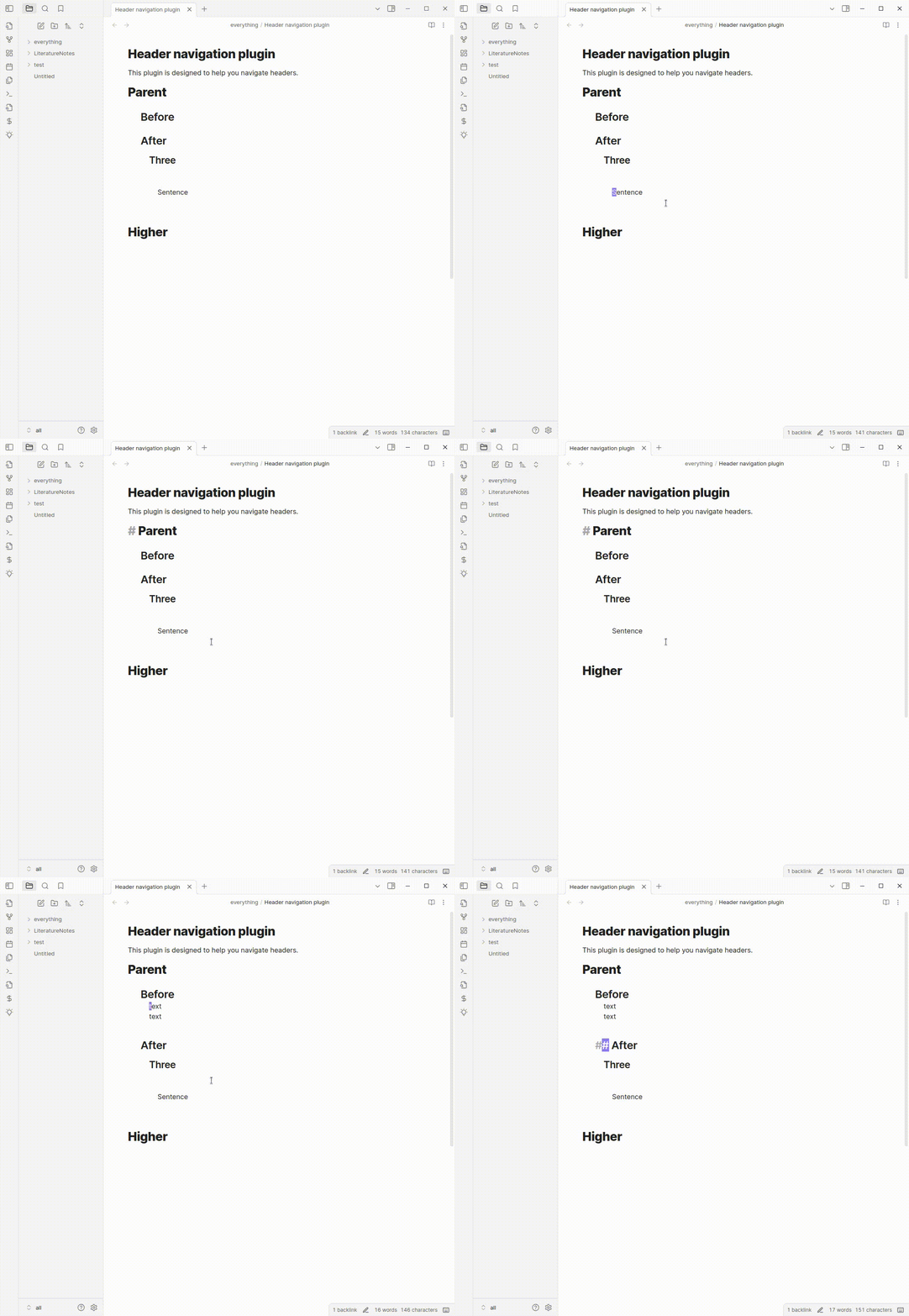
demonstraction of features

Influences and related tools

This tool is very much influenced by the functions provided by emacs org-mode.

This project uses the remark markdown parser and its source code is included (under and MIT license) within the built main.js file.

This plugin was based on the obsidian sample plugin.

Quiet outline provides a sidebar tool similar to a "code browser" that allows you to perform similar motions with a mouse, and well as reorder headings.

About me

If you like this you might like my plugin-repl for obsidian that lets you quickly script Obsidian.

I make productivity tools and AI tools related to reading and research. If that sounds interesting you can follow me on twitter or bluesky.

I write about these topics on substack.

If you find this piece of software useful. Maybe give me money (like $2 dollars?) on my kofi.

71%
HealthGood
ReviewSatisfactory
About
Navigate quickly between Markdown headers and jump to specific sections. Toggle folding for any header to collapse or expand sections and manage document structure.
NavigationCommandsHotkeys
Details
Current version
1.0.3
Last updated
Last year
Created
Last year
Updates
2 releases
Downloads
1k
Compatible with
Obsidian 0.15.0+
Platforms
Desktop, Mobile
License
OTHER
Report bugRequest featureReport plugin
Sponsor
Ko-fi
Author
talwriitalwrii
x.com/readwithai
GitHubtalwrii
  1. Community
  2. Plugins
  3. Navigation
  4. Header navigation

Related plugins

Leader Hotkeys

Add leader hotkey support to any command (like tmux or vim).

Quick Switcher++

Enhanced Quick Switcher, search open panels, and symbols.

Tray

Run Obsidian from the system tray for customisable window management and global quick notes.

Code Editor Shortcuts

Add keyboard shortcuts (hotkeys) commonly found in code editors such as Visual Studio Code (VS Code) or Sublime Text.

Doubleshift

Open the command palette by pressing Shift (or any other key) twice like in IntelliJ and create your own shortcuts.

Insert Heading Link

Add a command to create a link to a heading.

Notebook Navigator

A better file browser and calendar inspired by Apple Notes, Bear, Evernote and Day One.

Homepage

Open a note, base, or workspace on startup, or set it for quick access later.

Recent Files

Display a list of recently opened files.

Vertical Tabs

Offer an alternative view that displays open tabs vertically, allowing users to group and organize tabs for a better navigation experience.