Hand-drawn Emoji
 mattbirchler21 downloads
Replace the standard emoji in your notes and across the app with a bold, hand-drawn set. Not an official FrankMoji plugin.
- Overview
- Scorecard
- Updates3
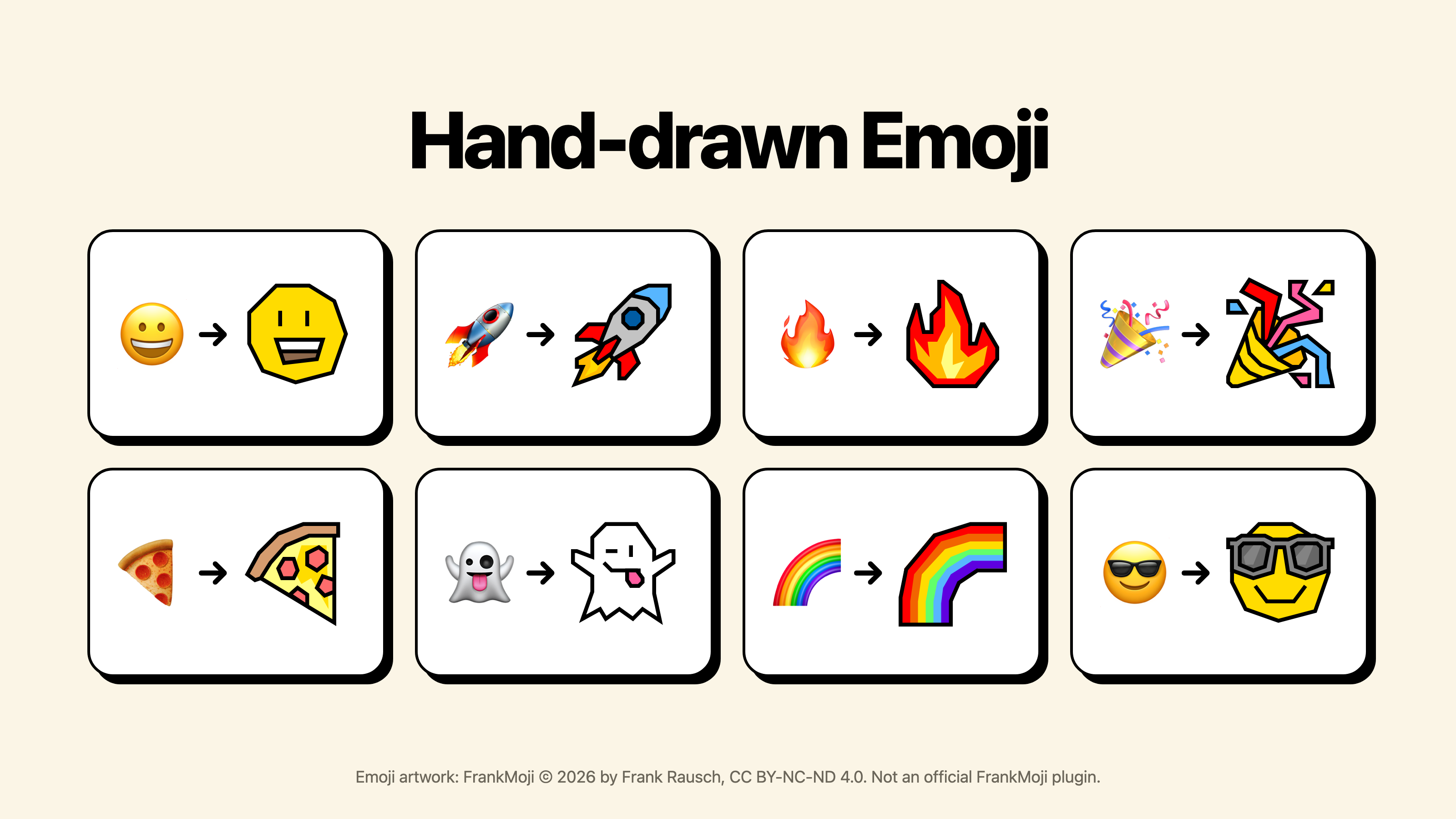
An Obsidian plugin that replaces standard emoji with a bold, hand-drawn set. It works in your notes (reading view, Live Preview, and source mode) and across the rest of the app, including the file list, tabs, and search results.
Your notes are never changed. The plugin only changes how emoji are drawn, so copy and paste, search, and screen readers still see the real emoji.
The emoji artwork is FrankMoji © 2026 by Frank Rausch. This is not an official FrankMoji plugin. It is an independent project that is not made, sponsored, or endorsed by Frank Rausch. See License for the full credit.
Using it
Install Hand-drawn Emoji from Community plugins and turn it on. That's it.
To switch back to your system's emoji without disabling the plugin, run Hand-drawn Emoji: Turn on or off from the command palette, or use the toggle in the plugin's settings.
Good to know
- The set has no flags or family emoji, so those stay as they are.
- A note's title at the top of the page and text you are typing into a field keep the system emoji. Everything else in the note uses the hand-drawn set.
- The whole emoji set ships inside the plugin. Nothing is downloaded and the plugin makes no network requests.
How it works
- In rendered text, each emoji is wrapped in a span that keeps the original character but hides the glyph and draws the hand-drawn SVG behind it.
- In the editor, a CodeMirror extension draws a mark over each emoji instead, so the cursor, selection, and undo behave as usual.
- The SVGs are stored in one zip inside
main.js. Each one is unpacked the first time it appears on screen.
Development
npm install
npm run build     # packs the emoji, type checks, and writes main.js
npm test
tools/install-dev.sh "/path/to/your vault"   # build and copy into a vault
Updating the emoji set
Frank asks that plugins stay current with the latest FrankMoji release, so check https://frankmoji.com/ for a newer set before each release.
Drop the new SVGs into emoji/ and run:
python3 tools/build-map.py
The script matches each SVG filename to its emoji using Unicode's
tools/emoji-test.txt and rewrites src/emoji-map.json. Grab a newer
emoji-test.txt from https://unicode.org/Public/emoji/latest/ when Unicode
adds emoji.
Releasing
- Bump the version in
manifest.json,package.json, andversions.json. - Write the release notes in
release-notes/<version>.md. - Commit, tag the commit with the bare version number (for example
1.0.1), and push the tag. The release workflow builds the plugin and publishes the release with those notes.
License
The plugin's code is MIT licensed (see LICENSE). NOTICE explains what that
license does and does not cover.
The emoji artwork in emoji/ is FrankMoji © 2026
Frank Rausch, licensed under
CC BY-NC-ND 4.0 (see
emoji/LICENSE.txt). The artwork ships unmodified and is not covered by the
MIT license. Its license does not allow commercial use or modified versions of
the artwork.
Per the FrankMoji FAQ, a plugin built on the set must not use "FrankMoji" in its name or to advertise itself, must say that it is not official, and must give clear attribution. Keep that in mind when editing the manifest, the settings page, this README, or the release notes.